web monitoring
v1.0.0

The front-end monitoring platform focuses on web experience data monitoring. Three aspects of monitoring the health of a web page:
- Page opening speed (speed measurement)
- Page stability (JS Error)
- External service call success rate (API)
Then analyze the user experience from different latitudes.
- Visit the page
- Access speed
- API Request
- geography
- terminal
refer to:
http://fex.baidu.com/blog/2014/05/build-performance-monitor-in-7-days
Alibaba Cloud Front-end Monitoring
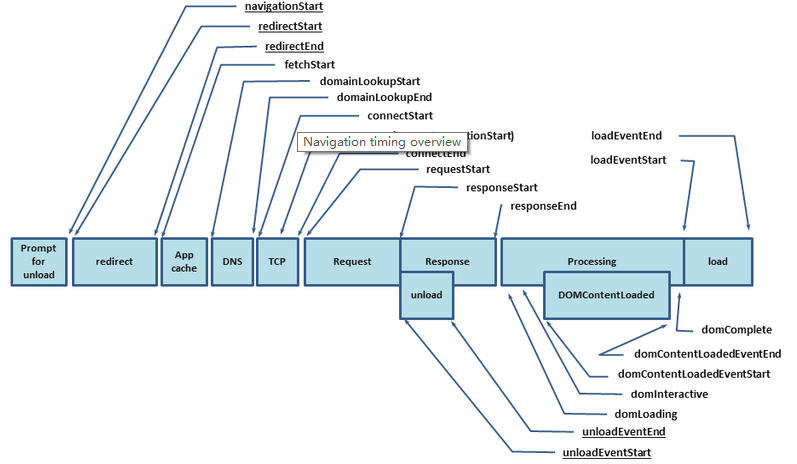
Network time-consuming data can be obtained with the aforementioned Navigation Timing interface. Similarly, Resource Timing can obtain the time-consuming loading of all static resources on the page. Through this interface, you can easily obtain DNS, TCP, first byte, html transmission and other time-consuming. The interface diagram of Navigation Timing is as follows:
By default, XMLHTTP is used to intercept user requests, and after the request is successful/failed, count the time and report the request. Users can manually report using **__ml.api(api, success, time, code, msg)**.
 api:请求接口
 success:上传是否成功( true / false )
 time:耗时( ms )
 code:返回码
msg:消息( string / object )By default, window.onError is used to listen to user error scripts and automatically report them. Some front-end frameworks used by users will catch js errors, and the error message will not be thrown into window.onError. This situation requires the user to call it manually. For example in Angular2+, call **__ml.error(errorObj)** where your framework globally catches errors
  export class MyErrorHandler implements ErrorHandler {
      handleError ( error ) {
        console . error ( error ) ;
        window . __ml && window . __ml . error && window . __ml . error ( error . stack ||     error ) ;
      }
    }
    @ NgModule ( {
      declarations : [ ] ,
      imports : [ ] ,
      providers : [ { provide : ErrorHandler , useClass : MyErrorHandler } ] ,
      bootstrap : [ ]
    } )
    export class AppModule { }
In Vue:
 import Vue from 'vue'
const errorHandler = ( error , vm ) => {
 console . error ( error ) ;
 window . __ml && window . __ml . error && window . __ml . error ( error ) ;
}
Vue . config . errorHandler = errorHandler ;
Vue . prototype . $throw = ( error ) => errorHandler ( error , this ) ;Web page address: WEB-MONITOR
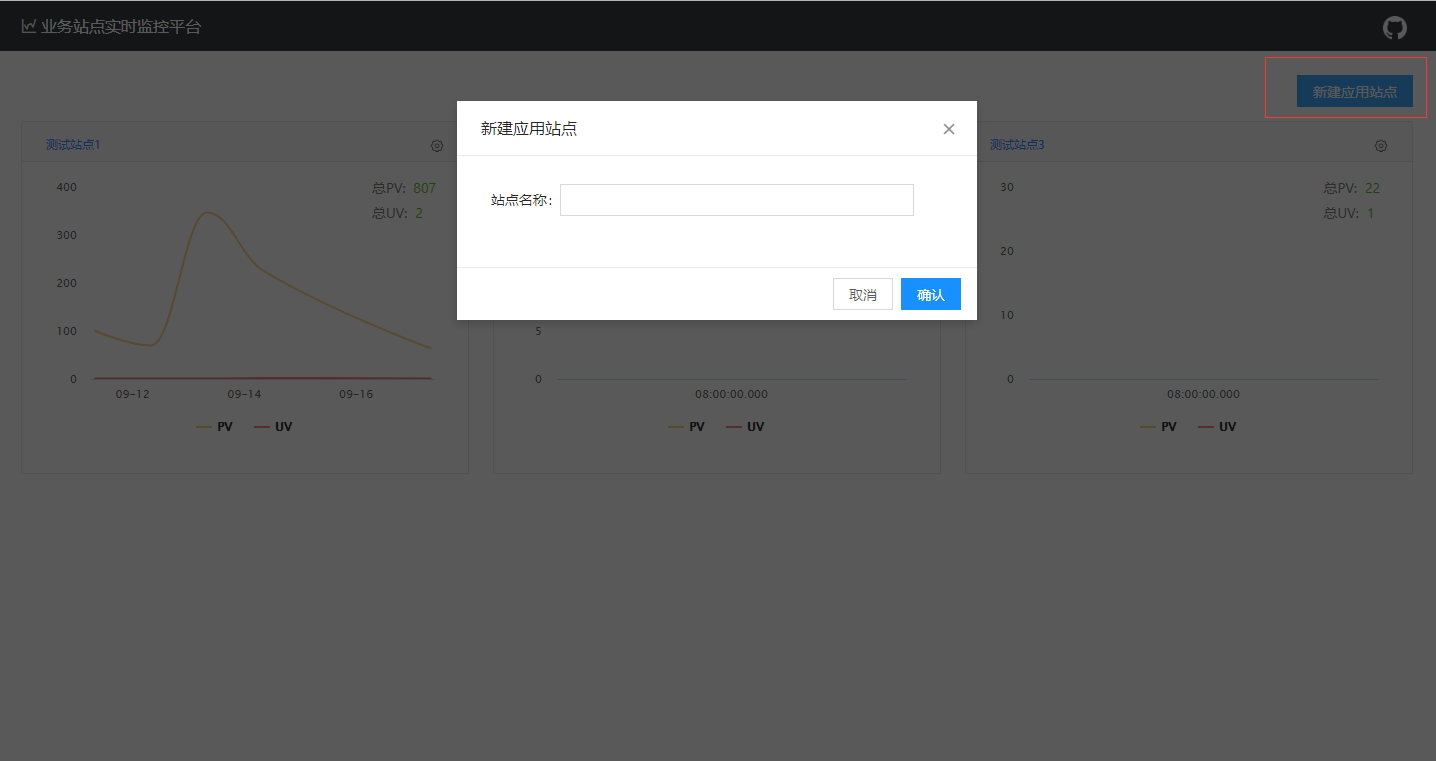
Step 1: Create a site in the monitoring site.
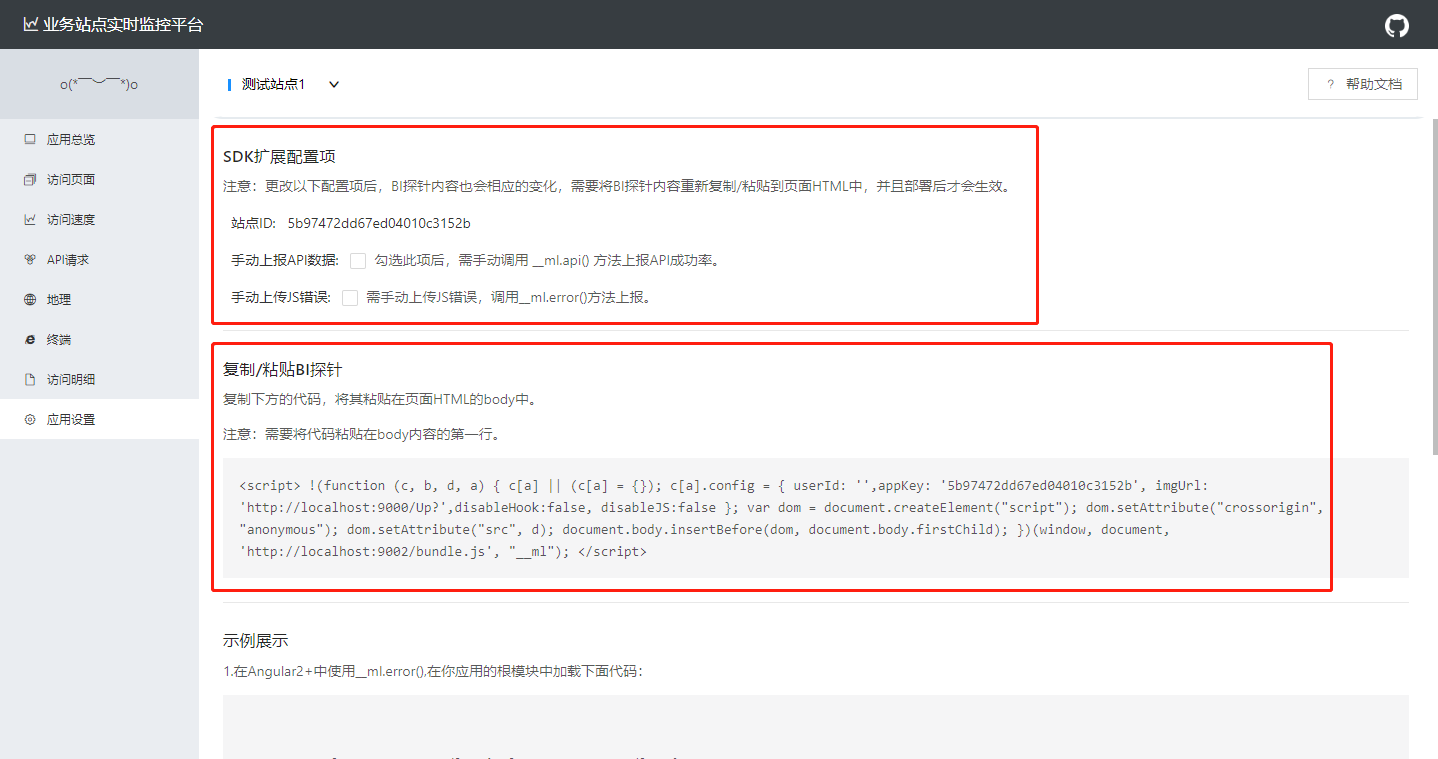
Step 2: Copy the probes in the application configuration to the site (index.html) page you need to monitor. The mission is done!
Your support is our greatest motivation to move forward.
Alipay:

WeChat: