PhotoGlimmer
v0.3.0_u22.04py3.10

    * Seamless foreground/background switching
    * Background Defocus
    * RAM usage of many operations reduced by 60%
    * Image Preview in File Open dialog
    * Copy Foreground to clipboard
Linux Appimage: Download, make executable and run
Ubuntu .deb Installer: Download and install using apt or gdebi
Windows Installer: Download and install, tested on Windows11
All releases can be found onthe release page ( expand the Asset sections )
PhotoGlimmer is an image editing application that leverages Artificial Intelligence tools to separate people in the image from the background, and allows you to tweak the two separately.
Therefore, you can brighten all the people in an image while darkening or softening the background, or vice versa.
It can handle large images and does not require a GPU. It's a totally local and offline graphical application, primarily for Linux Desktops.
It has evolved from something I had originally written to improve a number of photographs in my own collection. As an avid photographer I had countless photos of family , travels,landscapes and even indoor parties where the background was stunning but the people in foreground were underlit and looked dim in comparison. I could see that a better illumination of faces would do a world of good to the photo, yet was not too keen on painstakingly selecting shapes on GIMP. This app uses Mediapipe and Opencv and improves lighting on people with a couple of gentle nudges to 2-3 sliders.
In short, if you are an AI enthusiast photographer, it is the user-friendly segmentation tool you have been thinking of developing yourself for last few years :-) Though it's perfectly useful for an everyday common user like me.
Beware- Unlike a phone app, PhotoGlimmer gives you full control of the segmentation and illumination process and it's easy to go overboard. But as you will see, it does the work in more than 95% of cases. The only caveat is that the image should not be too cluttered to segregate foreground(people) form the background.

Photo Credit: Flickr cc
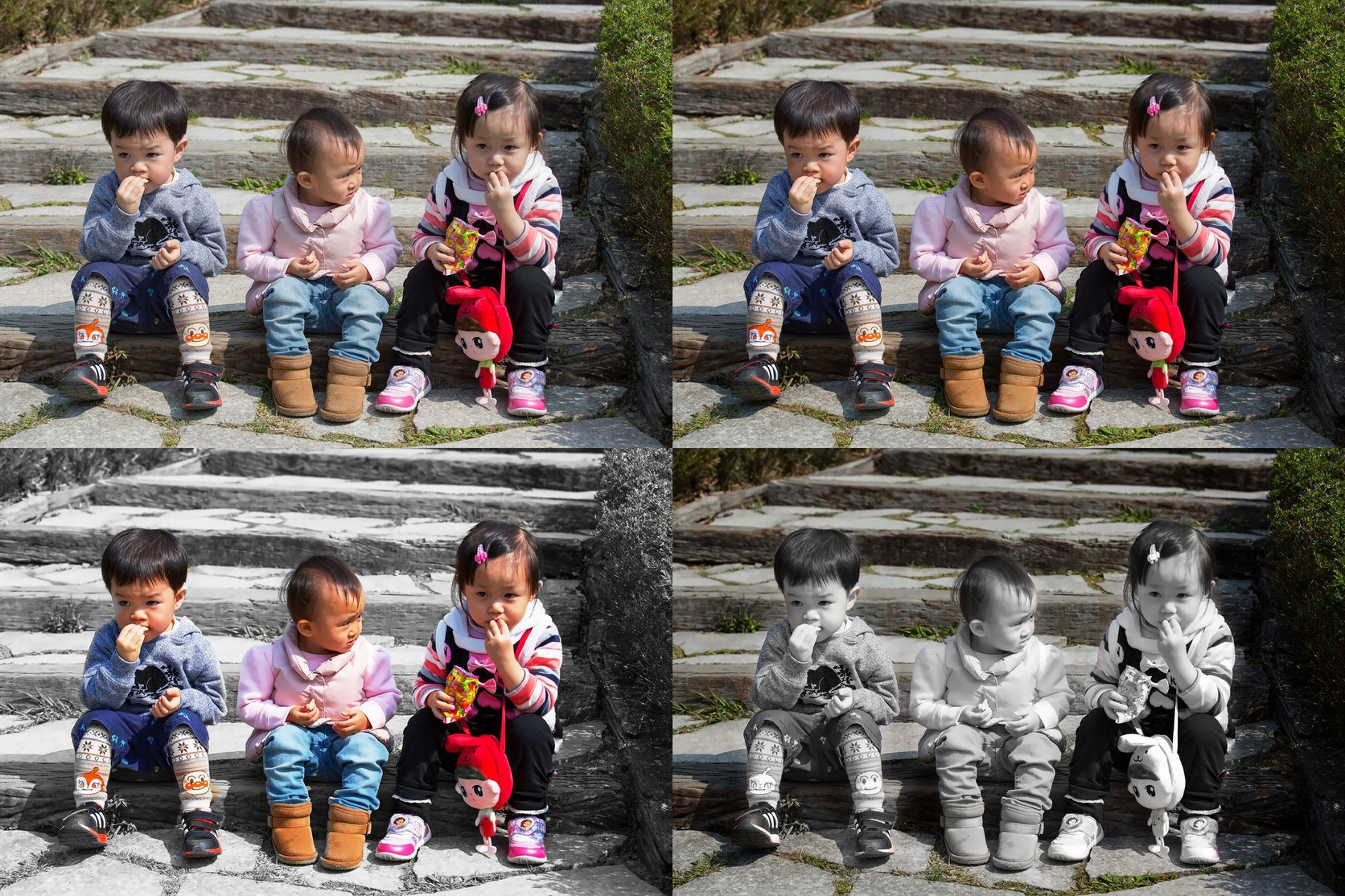
Photo Credit: Flickr cc
Smart people identification: PhotoGlimmer's intelligent algorithms demarks people and background in an image
No need of manual masking
** Foreground/People/Face Lighting**:
** Background Illumination/Darkening **
** Background Defocus (Blur) **
**Seamless toggle between background and foreground **
Background Preservation: Say goodbye to painstaking masking and cropping. A few nudges at the sliders ensure that your enhanced foreground blend seamlessly with the original background.
**Lean and Intuitive Interface - just some sliders **:
GPU Not Required:
Large Image Sizes: PhotoGlimmer can handle large image dimensions like 6000x4000 megapixels (10-15 MBs)
Local Processing: Resides completely on your computer.
Self contained: Installation does not mess with system's python setup.
Privacy: Local processing.Therefore no data is sent to any servers.
Retains Exif Data
The packaged/Installable version of PhotoGlimmer includes all its dependencies and the user does NOT need to install anything other than Python 3.8+
So, if you are using the .deb or .AppImage version, you need to have only Python version 3.8 or above
Note
Binary installers are at the top of this page (V0.3 Binaries)[https://github.com/codecliff/PhotoGlimmer/edit/0_3/README.md#-download-version-03-binaries-] All Binary Release Assets.
Follow these steps to install dependencies and run PhotoGlimmer :
git clone https://github.com/codecliff/PhotoGlimmer.gitcd PhotoGlimmerpython photoglimmer/ OR python photoglimmer/photoglimmer_ui.py All editing is done with the help of 3 or 4 sliders
Hover over each element to know what that element does
Result image is previewed on the right, while the current selection mask appears as a small black and white image on left.
Main Sliders:
Threshold sliderEdge Blur slider blends the edited portion smoothly with backgroundThreshold sliderEdge Blur . This will make the edited portion blend seamlessly with its backgroundsave, the processing might take significantly longer than previous edits.This is because previous edits were being made on a scaled-down version of the image.This Software is released under the LGPL-2.1 License
░░░░░░░░░░░░░░░ © Rahul Singh ░░░░░░░░░░░░░░░





