my archlinux setting
1.0.0

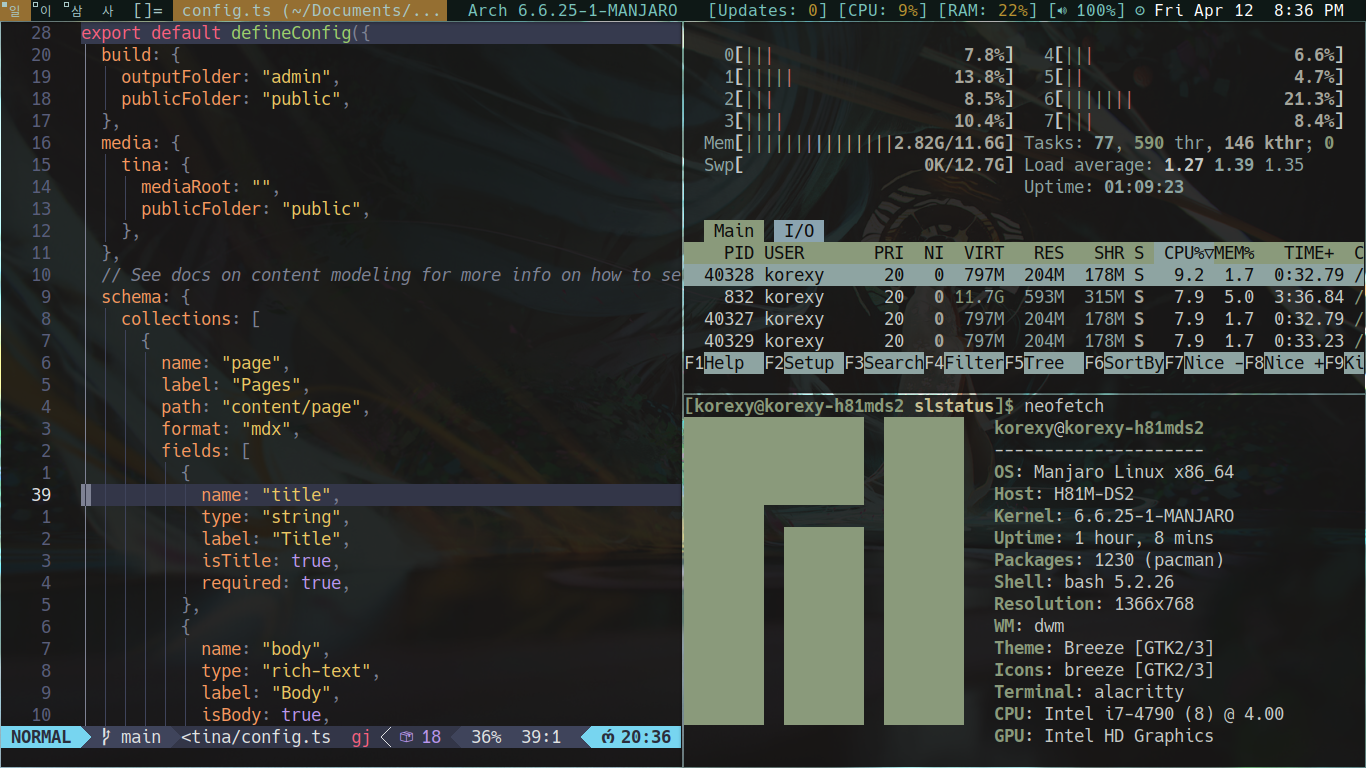
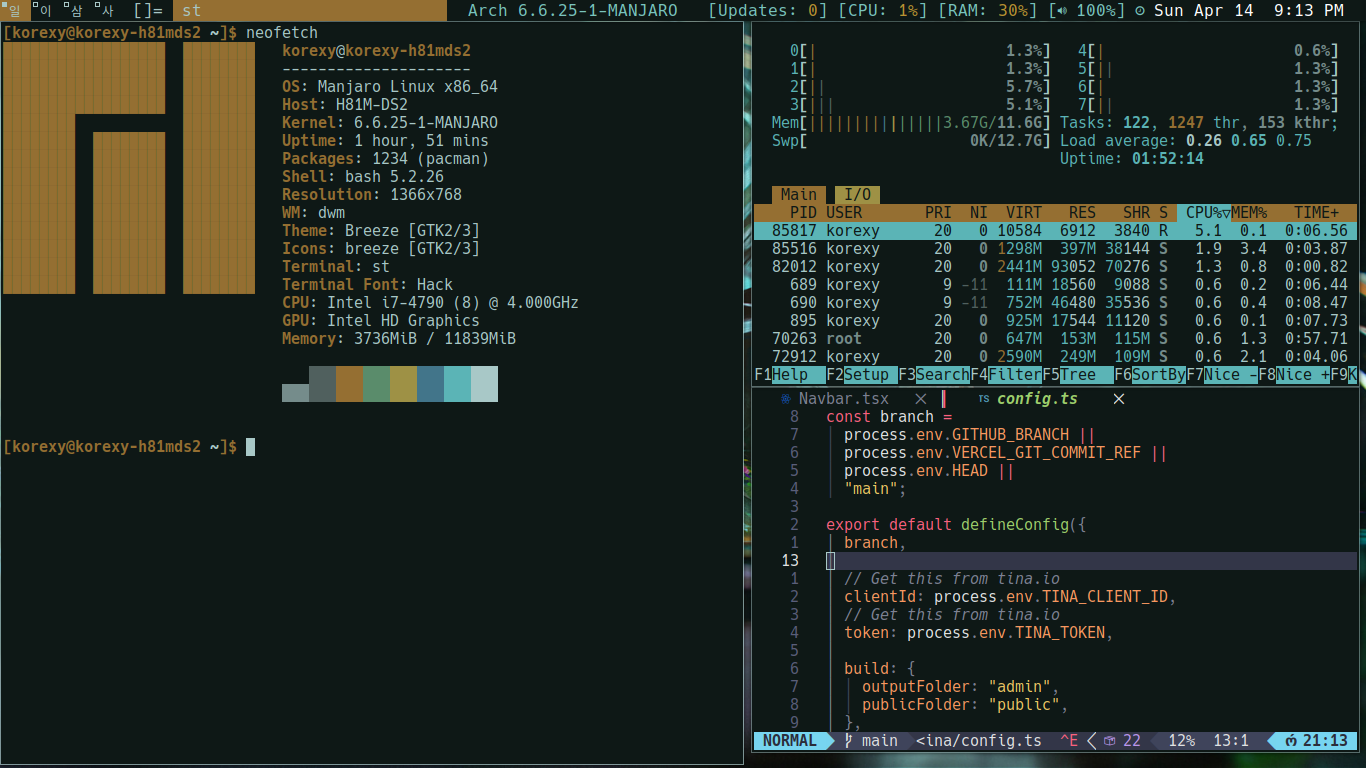
| Command | Description |
|---|---|
| xrandr | Check list resolution monitor |
| xrandr --output "Virtual-1" --mode 1920x1080 | Change resolution monitor |
# xrandr
# xrandr --output HDMI-1 --mode 1280x720 --left-of VGA-1 --output VGA-1 --mode 1366x768 --primary
# xrandr --output HDMI-1 --brightness 1.2
# iwctl
# station wlan0 show
# station wlan0 scan
# station wlan0 connect name_wifi
| Keybind | Description |
|---|---|
| ALT + SHIFT + ENTER | Open terminal |
| ALT + J | Toggle forward and backward between window viewing FORWARD |
| ALT + K | Toggle forward and backward between window viewing BACKWARD |
| ALT + SHIFT + c | Close Window on active |
| ALT + p | Run program with dmenu |
| ALT + 1 2 3 4 | Move workspace |
| ALT + SHIFT + 1 2 3 4 | Move window to different workspace |
| ALT + h | move space window to left |
| ALT + l | move space window to right |
| ALT + d | Move window to down |
| ALT + i | Move window to up |
| ALT + SPACE | Change mode window to float |
| ALT + B | hide top bar dmenu |
| CTRL + SHIFT PgUp | zoom in and zoom in terminal |
| CTRL + SHIFT + pgDn | zoom in and zoom out terminal |
function cdf() {
    cd "$(find * -type d | fzf)"
}

alias sn='sudo shutdown now'

n() {
  nvim "$@"
}
# pacman -Syy
# lsblk
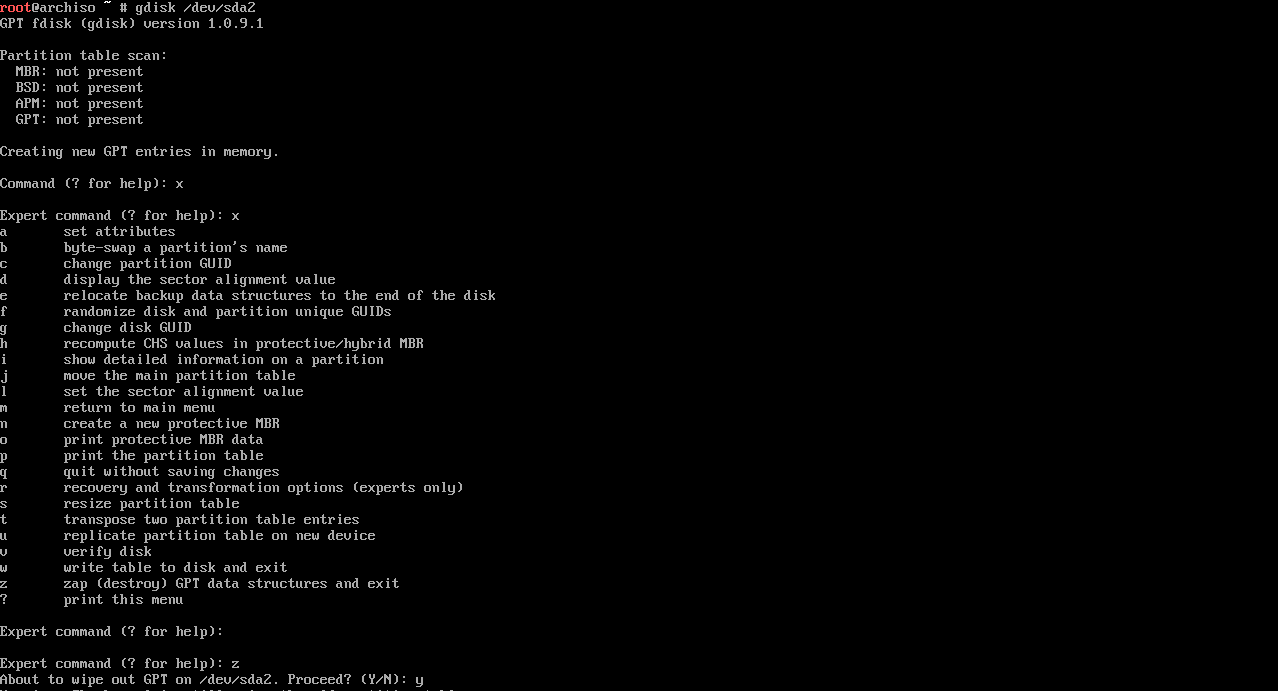
# gdisk /dev/"name disk"
# gdisk /dev/sda
Output :
# pacman -S archlinux-keyring
# pacman -Sy archinstall
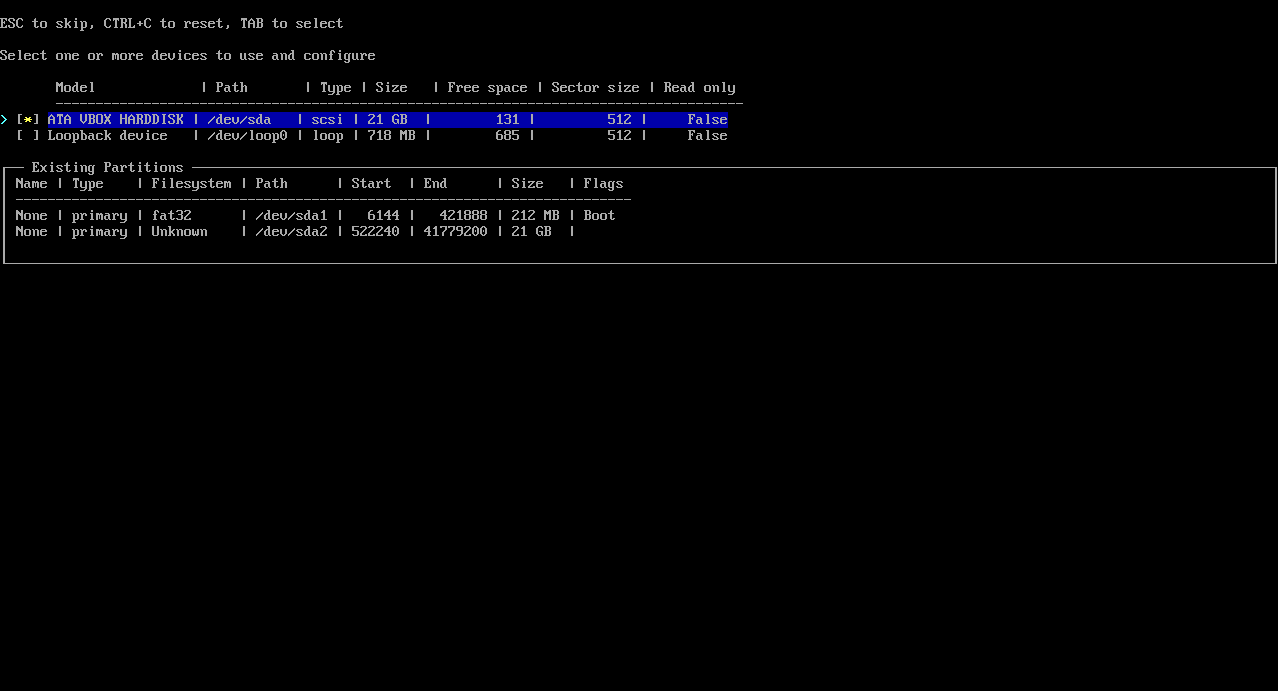
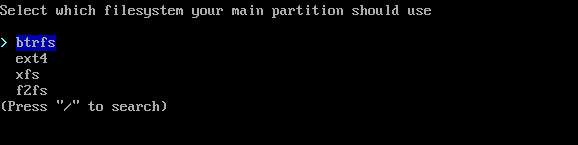
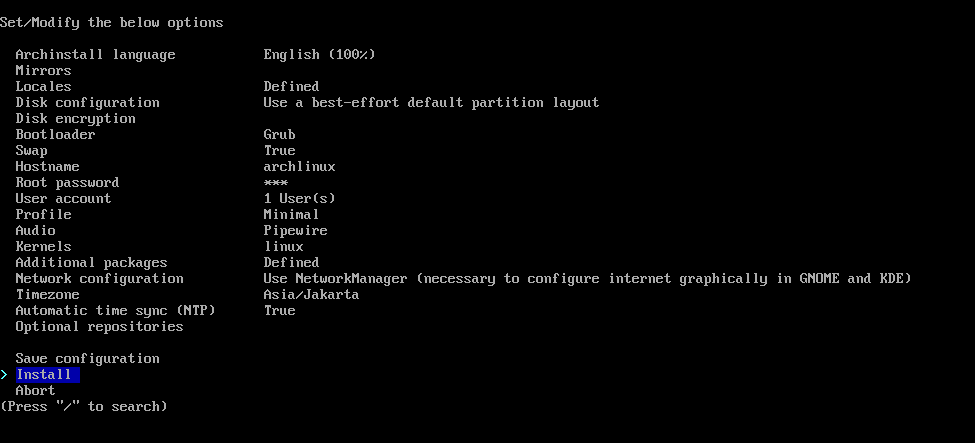
# archinstall
Output Image :

# reboot
# shutdown now
ALT F1 or F2# sudo pacman -Syu
# sudo pacman -S firefox
# git clone https://aur.archlinux.org/yay-bin.git
# cd yay-bin
# makepkg -si

// install app with yay
# yay -S firefox
# sudo pacman -S xorg
# sudo pacman -S plasma-desktop
# sudo pacman -S xorg-xinit
# vim .bash_profile

// Add script
if [ -z "${DISPLAY}"] && [ "${XDG_VTNR}" -eq 1 ]; then
    exec startx
fi
# vim .xinitrc

// Add script
exec startplasma-x11
# sudo pacman -S konsole
# sudo pacman -S gnu-free-fonts noto-fonts ttf-jetbrains-mono
reference : https://dwm.suckless.org/
# git clone https://git.suckless.org/dwm
# git clone https://git.suckless.org/dmenu
# git clone https://git.suckless.org/st
# mkdir suckless
# mv dwm dmenu st suckless/
# cd dwm
# sudo make clean install
# vim .xinitrc

// Add script
#exec startplasma-x11
exec dwm
ALT + SHIFT + ENTERALT + J, BACKWARD = ALT + KALT + SHIFT + cALT + pALT + 1 2 3 4ALT + SHIFT + 1 2 3 4ALT + h, right ALT + lALT + d to left ALT + iALT + SPACEALT + BCTRL + SHIFT PgUp and CTRL + SHIFT + pgDnsuckless/dwm/patchescp config.h config.def.hpatch -i patches/dwm-name-version.diffsudo make clean install on folder dwm~/.fehbg &
xrandr --output "Virtual-1" --mode 1280x720 &
picom &
slstatus &
#exec startplasma-x11
exec dwm
see general command man feh
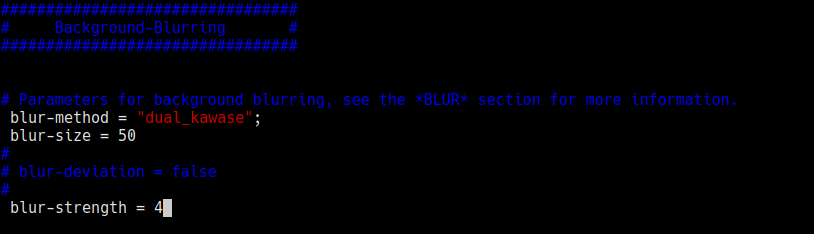
sudo pacman -S fehfeh --bg-scale Pictures/name-wallpapersudo pacman -S picompicom &cd /etc/xdg/sudo vim picom.conf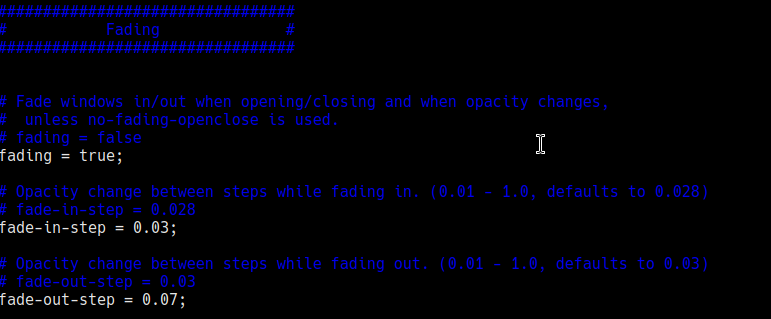
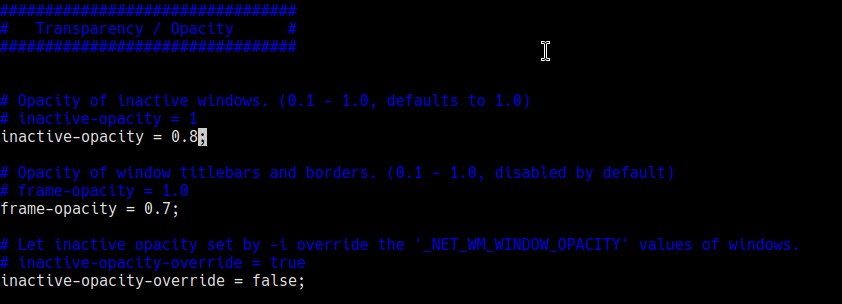
reference : https://github.com/dylanaraps/pywal
sudo pacman -S python-pywalwal -i wallpaper/name-wallpaper.pngcd .cache/wal to see color results#include "/home/<USER>/.cache/wal/colors-wal-dwm.h" in file config.h on folder /dwmpacman -S cmake freetype2 fontconfig pkg-config make libxcb libxkbcommon pythonsudo pacman -S alacritty~/.config/alacritty/alacritty.toml[font]
normal = {family = "Hack", style = "Regular"}
bold = {family = "Hack", style = "Bold"}
size = 12
[window]
opacity = 1
blur = trueA. Install and Running Dcoker
sudo pacman -S docker -ydocker --versionsudo pacman -U ./docker-desktop-<version>-<arch>.pkg.tar.zstsudo systemctl status dockersudo systemctl start dockerB. Command Docker
| Command | Description |
|---|---|
| sudo docker version | Check version docker |
Reference : https://github.com/sharkdp/bat A cat(1) clone with syntax highlighting and Git integration.
sudo pacman -S batyay -S fzffzfalias cdf='cd $(find * -type d | fzf)' vim ~/.bashrc.bashrcfunction cdf() {
cd "$(find * -type d | fzf)"
}cdfsudo pacman -S pipewire pipewire-pulsesudo pacman -S pavucontrolreference : https://linux-packages.com/arch-linux/package/kdenlive
Install kdenlive and update package
 sudo pacman -Sy
 sudo pacman -S kdenlive
Uninstall kdenlive
sudo pacman -Rcns kdenlive
reference : https://archlinux.org/packages/extra/x86_64/gimp/
Install GIMP and update package
 sudo pacman -Sy
 sudo pacman -S gimp
Uninstall GIMP
sudo pacman -Rcns gimp
reference : https://archlinux.org/packages/extra/x86_64/gimp/
Install krita and update package
 sudo pacman -Sy
 sudo pacman -S krita
Uninstall krita
sudo pacman -Rcns krita
first update system
sudo pacman -SyuInstall virtualbox with headers
sudo pacman -S linux$(uname -r | grep -o -E '[0-9]+' | head -n 2 | sed 'N;s/n//')-headers virtualbox virtualbox-host-dkmsAdd user to group
sudo usermod -aG vboxusers $USERReference : https://gist.github.com/oddlyspaced/8856bd3db5132ef3714ecc40a9fe37ea
Updating system
sudo pacman -SyyuInstalling software dependencies
sudo pacman -S git gnome-keyringCompile and Install MySQL Server, Note : (This might take like ~4 hours since it's compiling the source)
git clone https://aur.archlinux.org/mysql.git
cd mysql
makepkg -si
Install MySQL-Workbench
sudo pacman -S mysql-workbenchSetting up database
sudo rm -rf /var/lib/mysql
sudo mysqld --initialize --user=mysql --basedir=/usr --datadir=/var/lib/mysql
# ^ Once the above command is executed successfully, make sure to copy paste the demo password displayed at screen!
Enabling the service
sudo systemctl enable --now mysqldVerifying
mysql -u root -p
# ^ Enter your dummy password from Part 5reference : https://wiki.archlinux.org/title/XAMPP
Downloads# sudo chmod +x xampp-linux-x64-8.2.12-0-installer.run# ./xampp-linux-x64-8.2.12-0-installer.run# sudo pacman -S libxcrypt-compat and # sudo pacman -S net-tools# /opt/lampp/lampp startapache# /opt/lampp/lampp startmysql# /opt/lampp/xampp start,stop,restarthttp://localhost/phpmyadmin/reference : https://getcomposer.org/download
# sudo pacman -Sy
# sudo pacman -S composer
# composer -v
/etc/locale.gen. Uncomment the languages you want to#en_SG ISO-8859-1
en_US.UTF-8 UTF-8
#en_US ISO-8859-1
locale-gen to load those languages.$ sudo locale-gen
Generating locales...
en_US.UTF-8... done
en_US.UTF-8... done
Genertaion complete.
vim /etc/locale.conf. Add LANG= and the language#!/bin/bash
#
# ~/.xinitrc
#
# Executed by startx (run your window manager from here)
userresources=$HOME/.Xresources
usermodmap=$HOME/.Xmodmap
sysresources=/etc/X11/xinit/.Xresources
sysmodmap=/etc/X11/xinit/.Xmodmap
DEFAULT_SESSION=startplasma-x11
# merge in defaults and keymaps
if [ -f $sysresources ]; then
xrdb -merge $sysresources
fi
if [ -f $sysmodmap ]; then
xmodmap $sysmodmap
fi
if [ -f "$userresources" ]; then
xrdb -merge "$userresources"
fi
if [ -f "$usermodmap" ]; then
xmodmap "$usermodmap"
fi
# start some nice programs
if [ -d /etc/X11/xinit/xinitrc.d ] ; then
for f in /etc/X11/xinit/xinitrc.d/?*.sh ; do
[ -x "$f" ] && . "$f"
done
unset f
fi
get_session(){
local dbus_args=(--sh-syntax --exit-with-session)
case $1 in
awesome) dbus_args+=(awesome) ;;
bspwm) dbus_args+=(bspwm-session) ;;
budgie) dbus_args+=(budgie-desktop) ;;
cinnamon) dbus_args+=(cinnamon-session) ;;
deepin) dbus_args+=(startdde) ;;
enlightenment) dbus_args+=(enlightenment_start) ;;
fluxbox) dbus_args+=(startfluxbox) ;;
gnome) dbus_args+=(gnome-session) ;;
i3|i3wm) dbus_args+=(i3 --shmlog-size 0) ;;
jwm) dbus_args+=(jwm) ;;
kde) dbus_args+=(startplasma-x11) ;;
lxde) dbus_args+=(startlxde) ;;
lxqt) dbus_args+=(lxqt-session) ;;
mate) dbus_args+=(mate-session) ;;
xfce) dbus_args+=(xfce4-session) ;;
openbox) dbus_args+=(openbox-session) ;;
*) dbus_args+=($DEFAULT_SESSION) ;;
esac
echo "dbus-launch ${dbus_args[*]}"
}
exec $(get_session "$1")
reference : https://ostechnix.com/how-to-fix-unable-to-lock-database-error-in-arch-linux/
Remove file db.lck
sudo rm /var/lib/pacman/db.lck
And update again package
sudo pacman -Syu
amixer scontrols
amixer sset 'Master' 100%





