 A tag-based social network website.
MotiveTag
https://motivetag.com Temorarily closed due to VM costs :( Temporarily closed due to cost reasons:(
ToDos:
Nginx+Docker ECS is done, environmental variable done, connection setting done DB automatic switching can be connected Nginx SSL Now supported Full-strict SSL mode. MySQL data persistence(mounted). Prometheus+GrafanaCloud for monitoring.- Async for uploading larger images.
Full CICD-Jenkins- EKS
- Redis/Kafka setting(chat status)
- MySQL improve, ORM
- Security
- UI/UX and RWD redesign
- Basic code improve
- Axiom
- chatgpt assistant
Note
- Redis for managing online/chat status.
- Kafka for chat message.
- MySQL for data storage.
- All resources should in AWS.
About
- Post, tag, send it out, discuss with others and meet new people, join/subscribe to the content you are interested in (Tags), and keep following the topics you want to follow, no nonsense! No ads!
- Motivetag is a website covers main functionality of social networks. With a "Tag cored" design.
- This is a social website that operates with Tag as its core.
Functions have been deployed
- Posts (including anonymity, voting, image upload), add tags, likes and messages, and can be used in combination
- Subscribe to the content you are interested in (Tag) and follow
- Live chat function
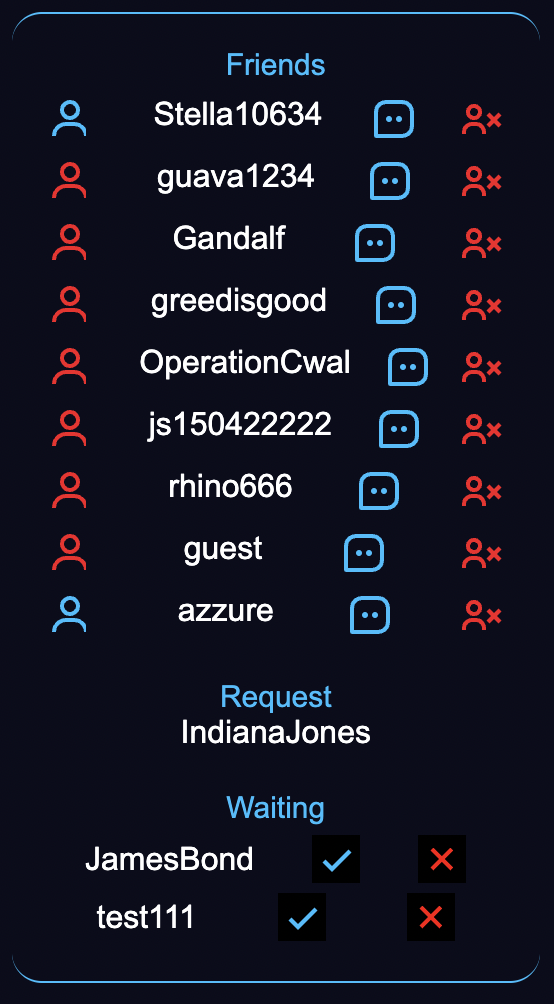
- Friend system, including online status and incoming prompts
- Notification function
- Unlimited discussion areas
What is a Tag?
Inspired by hashtag, a Tag is any keyword you can think of. Use Tag in your posts, then others can search for it, thus anyone with same interests can easily reach the post, and so can you. You can also subscribe a Tag, cause you might not want miss anything you liked to follow.
Inspired by Hashtag, Tag is any keyword you can think of. Add tags to your posts, and others can find these posts so that people who have the same interests as you can discuss this topic with you. You can also subscribe to the Tag so you won't miss anything about this Tag.
Using "#" following by keyword, will tag this post with that keyword on sent. Ofcourse you can use multiple tags or none(but this let the post only will be seen by your friends).
The article can be automatically marked by adding "#" to the "#" after being separated by blank (# like this). Of course, you can also add a bunch of marks or add nothing (if you don’t add anything, only your friends can see this article!)

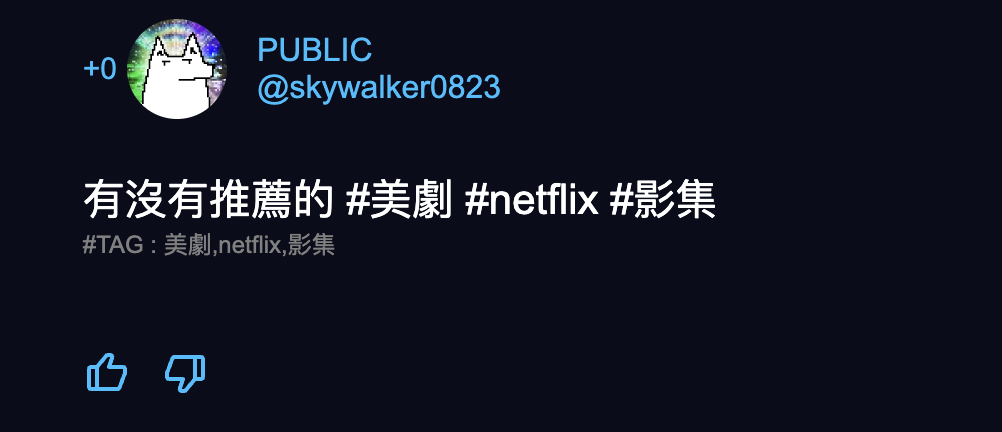
PREVIEW
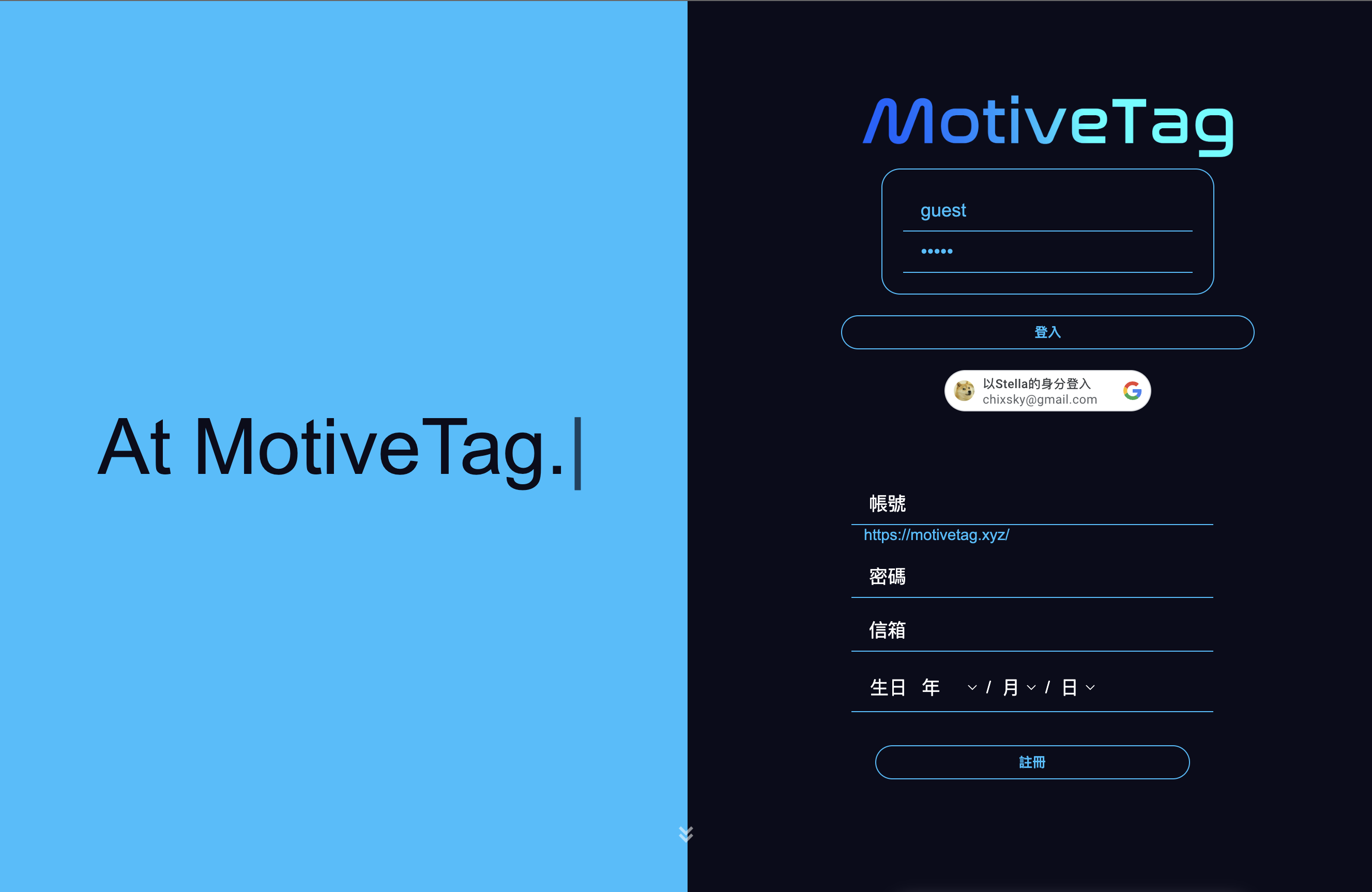
Testing account
| Account | Password |
|---|
| Guest | Guest |
Front page
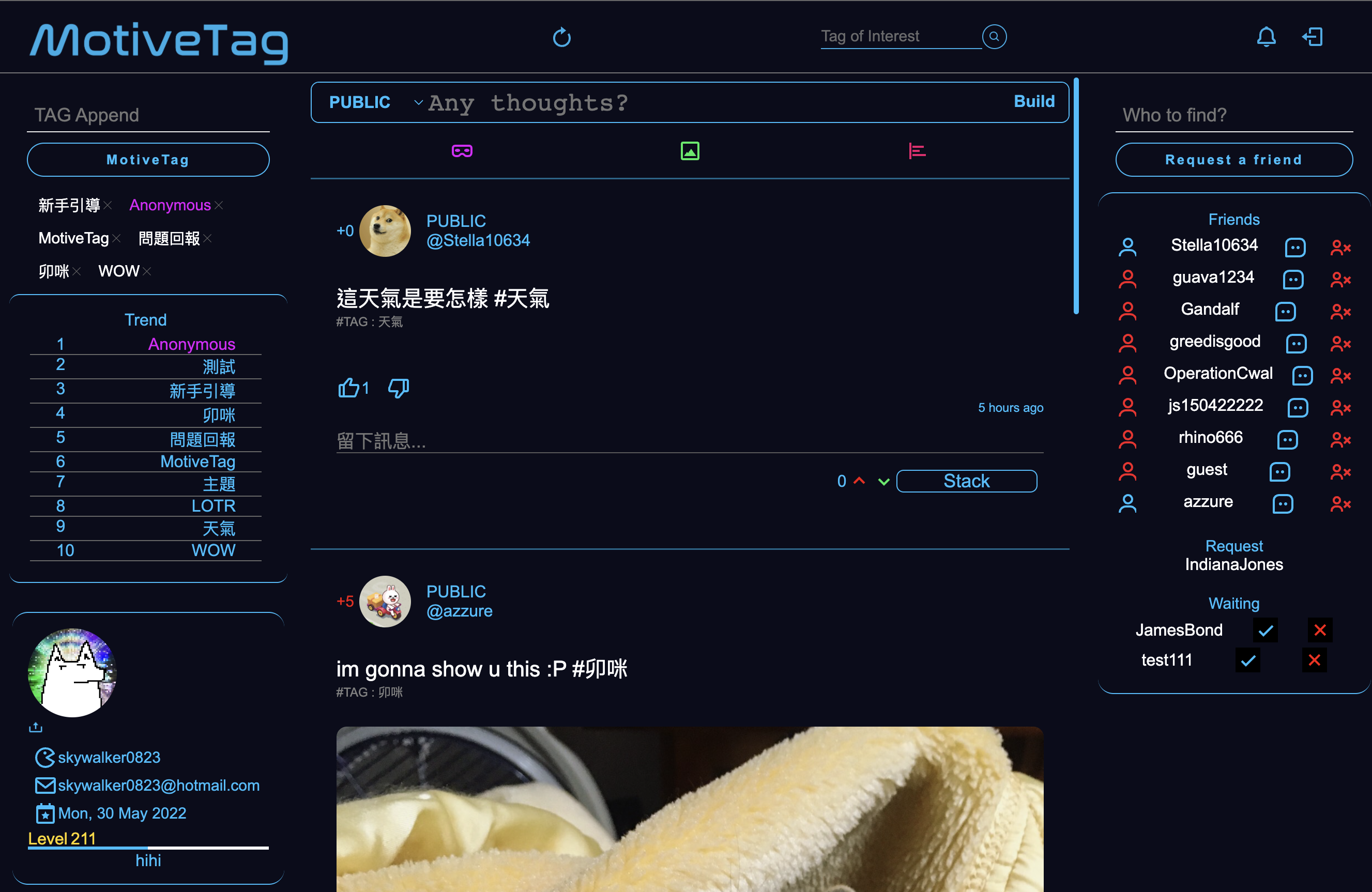
User page(Main page)
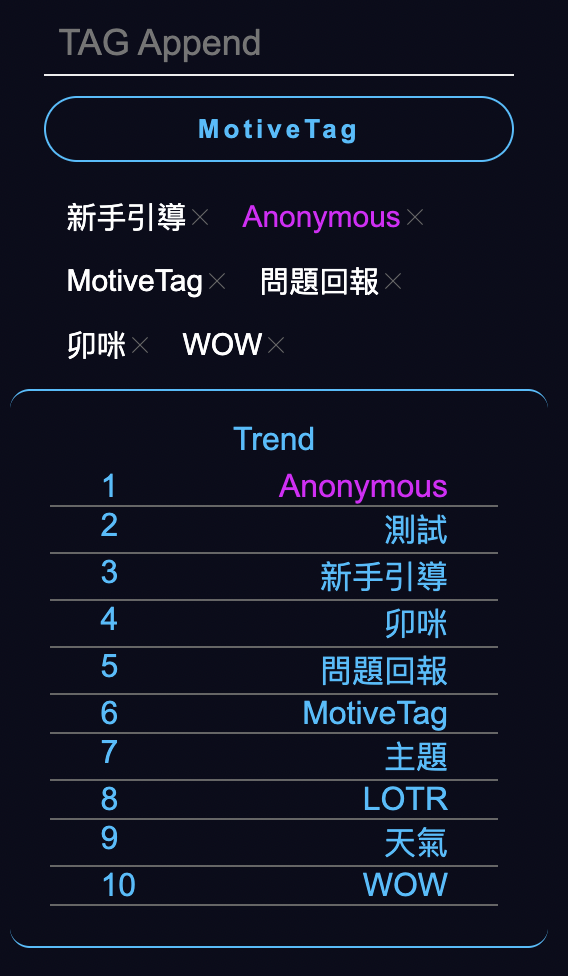
Tag subscribe
Friend & online status
Functions
Member
- User avatar.
- Levels with activities.
- Personal custom message.
- Click on user avatar or friend status to show his/her personal information.
Tag
- Trend - Order by the number of subscribers.
- Tag subscribe.
- PrimeTag - Experimental tag that has specific ability.
- Beginner's guide Tag. Initial attached to new users.
- Anonymous Tag.
Post & Comment
- Displays following content/posts.
- Contains tag you subscribed.
- Friend post.
- Your own posts(include secret post).
- Tag - Automatically insert any tag with #keyword in your posts.
- Thumbs up or down.
- Vote - Praise democracy.
- Anonymous - Special tag, can imply post with anonymous, only those who subscribes Anonymous tag will see them, but they won't know the poster.
- Upload Image - Share images with others.
- Secret - A ONLY YOU CAN SEE post.
Tags, Vote, Anonymous, image upload can use separately or together!- Tag of interest - Search for specific tagged content.
- Refresh posts with the button located in middle of nav bar.
- Up & Down scoring - Leave your comment with score!
Chat
- OK with multi-window chat.
- Ringing - When someone wants to start a chat with you, will receive a shaking effect on the chat image.
- Online status - Online = blue, Offline = red
Notification
- Informs you with friend status update and offline calling.
Tag forum (In progress)
This idea comes when the website is almost done. The final goal is to create a "Any Tag is a individual discussion area" environment. And will use the PrimeTag to enforce the forum feature. Stay tuned!
Tech & tool used
Frontend
- HTML
- CSS
- Javascript
- Tools
- Moment.js - Time management.
- Chart.js - Chart display.
- Socket.io - For websocket protocol, a real-time communication library.
- Tech
Backend
- Use Python
- Flask
- Tools
- Flask-socketio - Server side websocket connection tool.
- Virtualenv
- boto3 - Upload images to AWS.
- Pymysql
- Connection Pool - Maintain connections between RDS and Flask.
- Tech
Database
Version control
Deploy
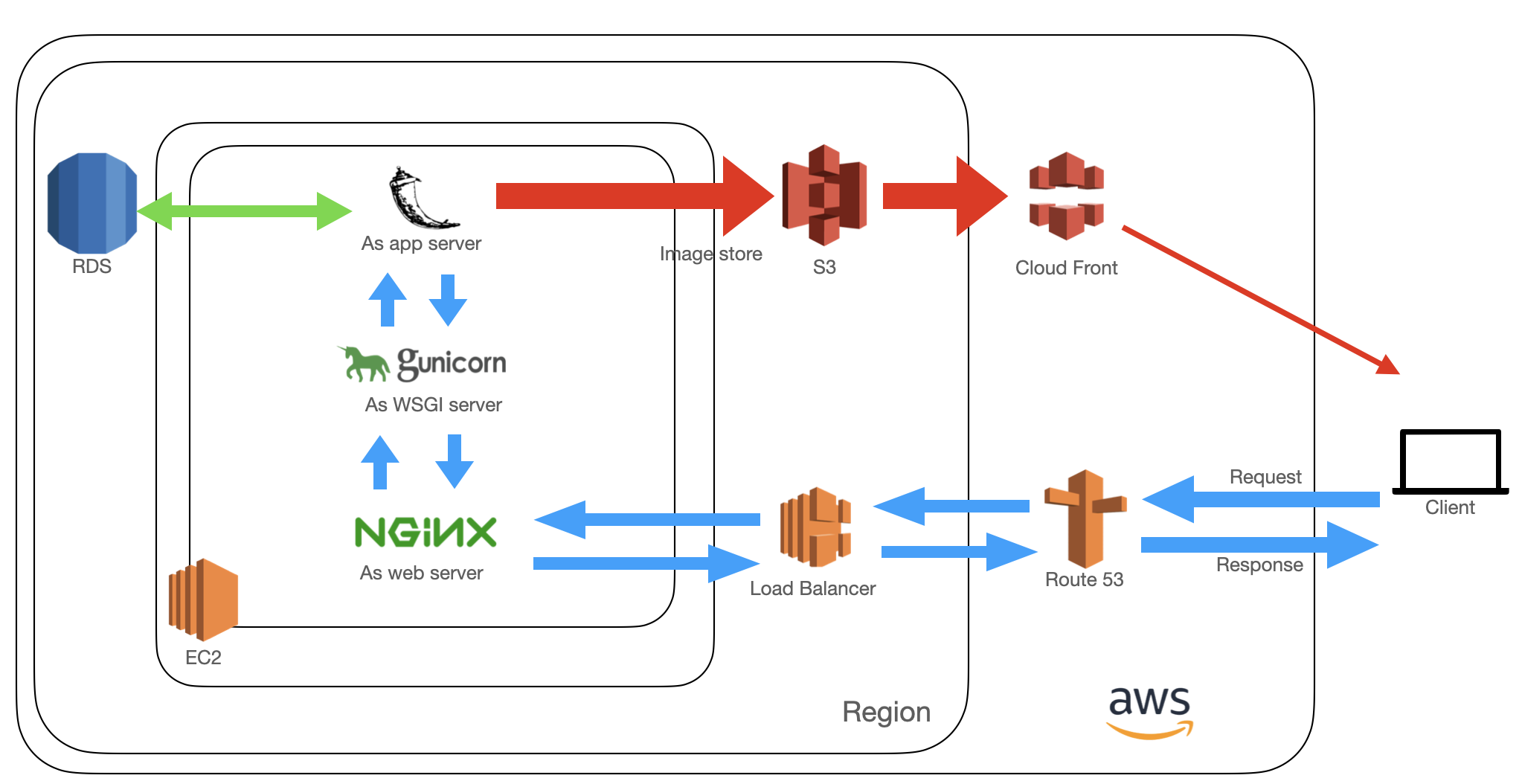
AWS
- EC2
- NGINX : Reverse proxy, and cache static files.
- Linux-Ubuntu
- Route53 : Domain name mapage.
- Elastic LoadBalancer : Imply with HTTPS protocol.
- RDS : A relational database with simple set up and easy to use, include backup.
- S3: Storing images.
- CloudFront : Reduces latency when delivering images to users.
Structure
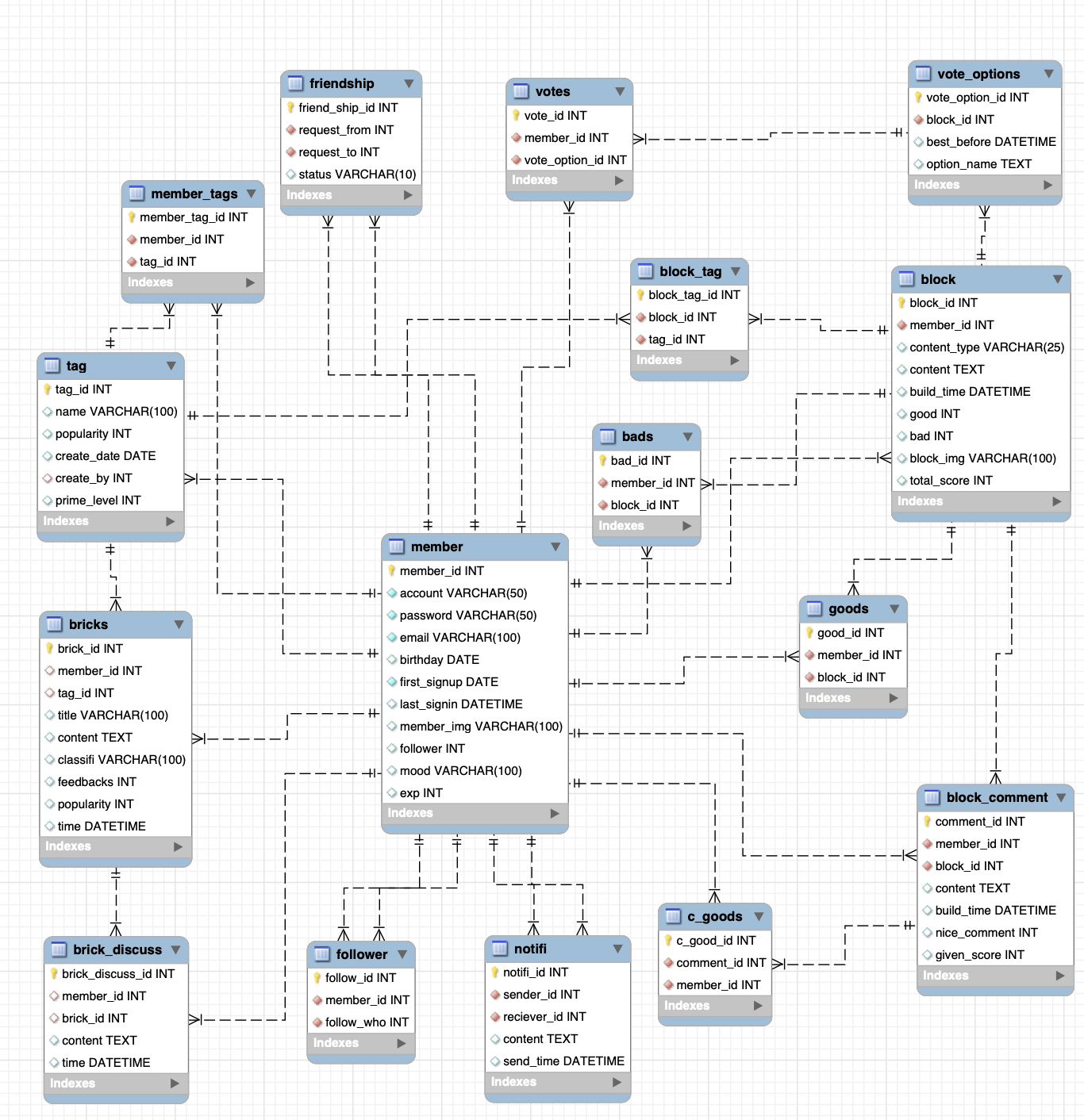
Database
AWS
Ghost of the past.






