Development of Internet shopping malls using Spring
outline
- This is the first project during the Hyundai IT & E Developer Training Course.
- The shopping mall homepage is produced using the product data provided by the Handsome.
Development period/personnel
- 2021.09 ~ 2021.10 / 2 weeks
- 4 -person project
Development environment
- Java
- JSP
- Spring
- Mybatis
- Oracle
Role
Seo Min -cheol (Team Leader)
- Overall API logic development
- DB LOCK anti -logic development when participating in the event
- Development of brand and product category function
- Development of product list pages for each brand and product category
- View detailed page and functional development by product
- Shopping bag (shopping cart) page and function development
- Order payment page and function development
- Developed as 'Set as a default shipping destination', 'setting as a recent shipping destination' function
Yonghyuk Byun
- Overall API logic development
- Development of event list and loading function
- Event detailed information page development
- DB LOCK anti -logic development when participating in the event
- Development of coupon list and loading function
- View detailed page and functional development by product
- Shopping bag (shopping cart) page and function development
- Simultaneous user function development
Seohoe type
- Development of brand and product category function
- Spring Security function linkage
- Setting access to accessible page for each authority
- DB LOCK anti -logic development when participating in the event
- View detailed page and functional development by product
Lee Soo -jeong
- Development of event list and loading function
- DB LOCK anti -logic development when participating in the event
- View detailed page and functional development by product
- Shopping bag (shopping cart) page and function development
- Order details confirmation page and filter function development
explanation
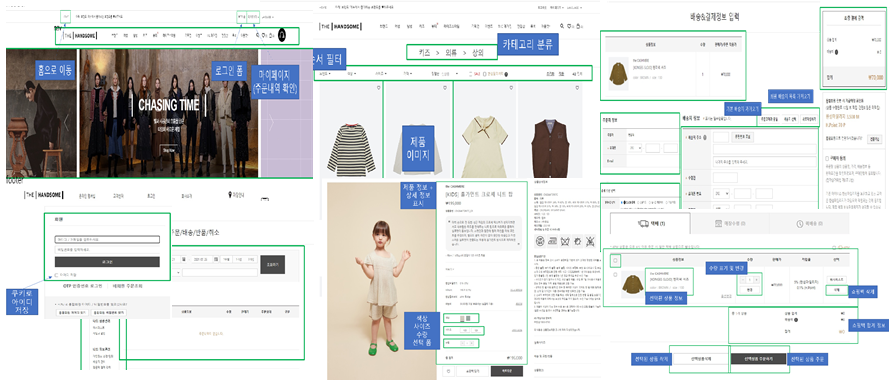
- We refer to the Hanseom page to solve the task.
- The picture above is a wire frame written to analyze and implement Hanseom Page by role.
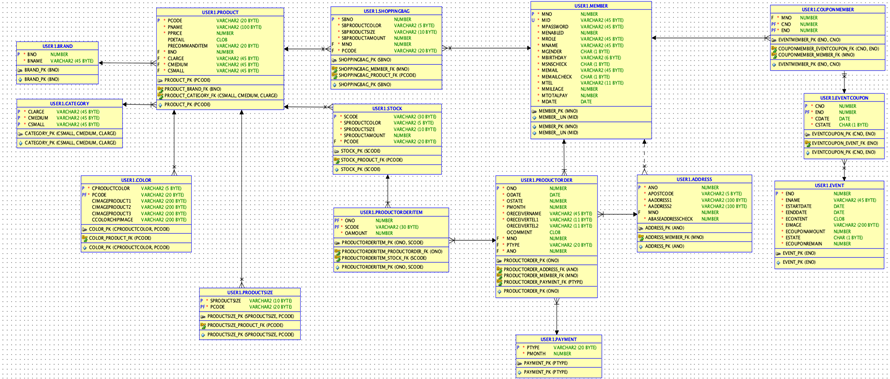
- ERD designed to manage the data delivered from one island.
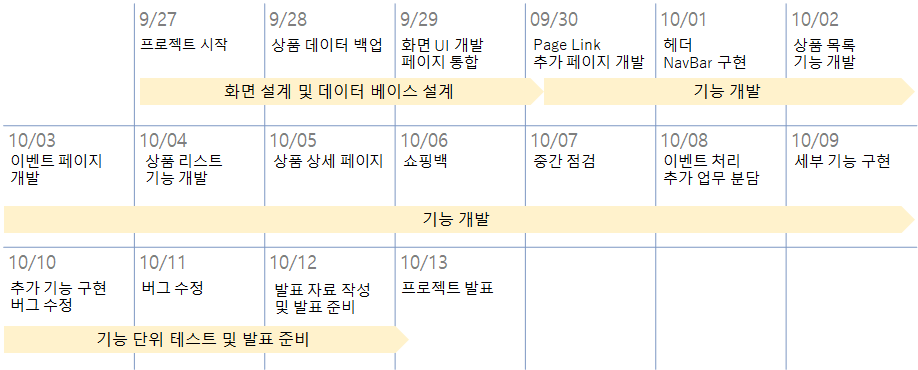
- This is a schedule that summarizes the development schedule of about two weeks.
- Early 3 days: DB table design and screen implementation
- Most of them: implementation of essential functions
- Last 2 days: Add simple convenience features and modify bugs
- The overall shape management of the project used Git.
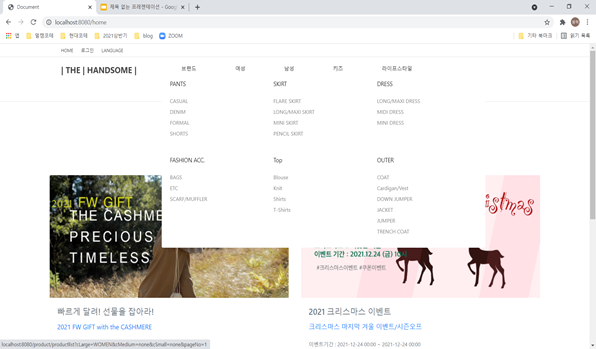
- The header includes a navigation bar that can be moved to the login button, logo and product list.
- If you upload the mouse, you will see a lower classification in the form of dropdown.
- At this time, the lower category information was designed to bring it asynchronous using AJAX.
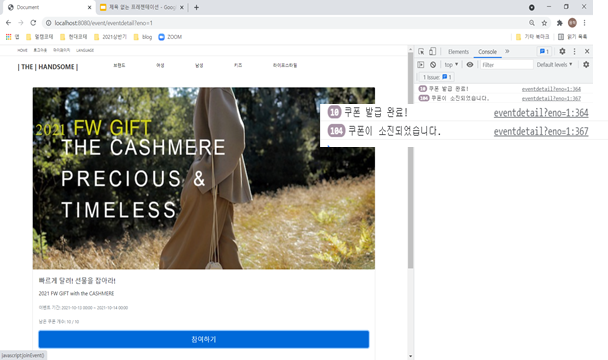
- Clicking the event will show you the screen where you can participate in the event.
- Due to the nature of the first -come, first -served event, many users can connect at the same time in a short time, so DB LOCK can be generated.
- To solve this point, we set one thread to the thread pool and designed to issue a coupon for users who connect.
- In addition, the entire process of paying coupons to users and reducing the remaining amount of coupons stored in the DB was set as a transaction.
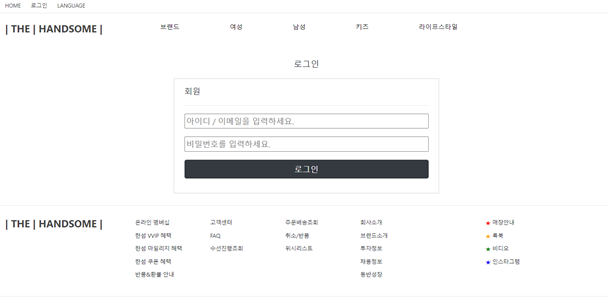
- I used Spring Security to implement a login.
- The function provided by Security was used to be used because it was considered good scalability considering the project to be developed later.
- Each member granted the member number and designed the security issue by designing it by referring to the member number instead of the member's ID.
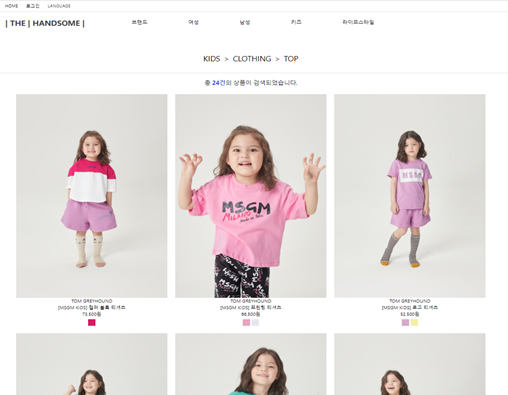
- Click on the menu of the navigation bar and you will see the products corresponding to that category.
- The list of products is imported asynchronously using Ajax.
- The paging function has reduced the product exhibition loading time by outputting up to 12 products per page.
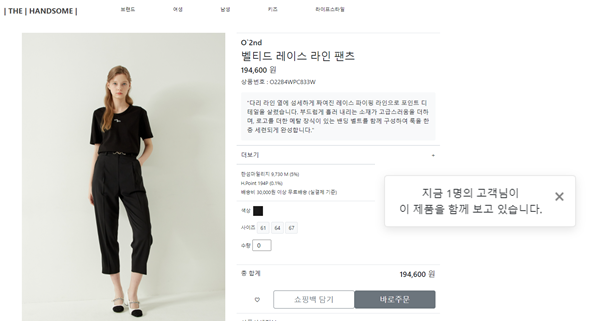
- This is a detailed information page you see when you click on the product.
- The color and size of the product are shown as a button.
- If you choose color and size here, you will see the remaining quantity of the product.
- If you look at the image, you will see a message box, and the number of customers looking at the same product is output.
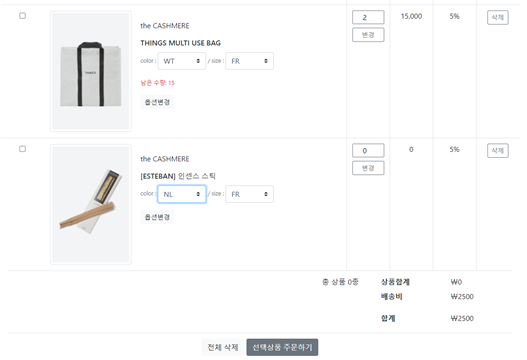
- This is a shopping bag page that acts as a shopping cart.
- Here you can change the quantity, size and color of the product and delete it.
- You can use the checkbox on the left to select the item to buy and move on to the payment screen.
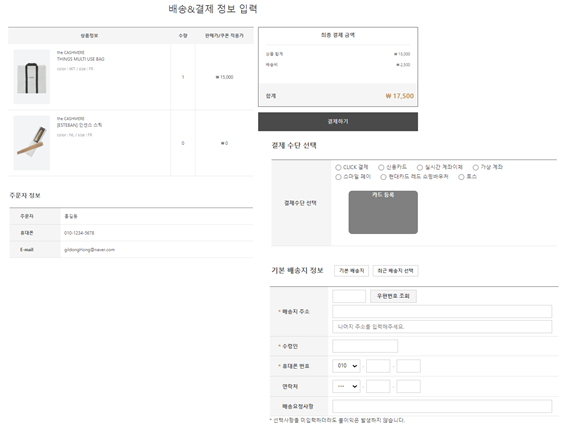
- This is a payment page that can be ordered.
- Show the list of products you want to buy on the screen.
- The form of entering the shipping destination is designed to enable the postal code inquiry using the postal code API provided by the following:
- We have developed a function that approaches the shipping table and imports the user's basic shipping or recent shipping destinations.
- In order to pay for the product, the series of processes executed in the DB was tied with transactions.
- When the payment is completed, the item is removed from the shopping bag list.
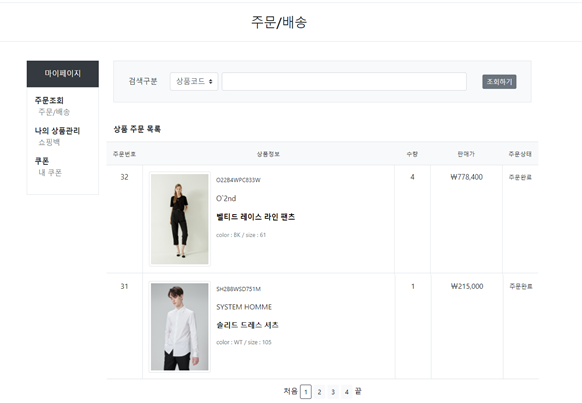
- Finally, this is an order list page where you can check your order history.
- Added a filter feature that can be searched with product code or product name.
- You can use the paging function.
Issue resolution
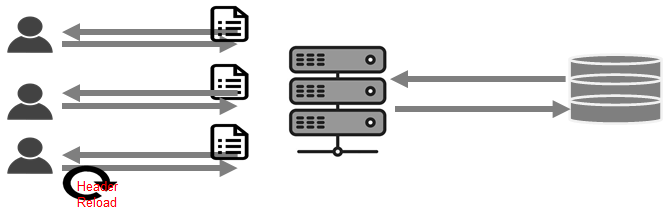
- The web application developed by our team works by MPA.
- All pages include headers, so every time you move your page, there was a problem that you had to bring brand/category information from the DB every time.
- To solve this part, we've made brand and category information to be stored and used in the session after the first loading.
- However, the more the user, however, had the disadvantage that the server could be loaded.
- So I used a method of storing brands and categories in static variables to reduce server loads.
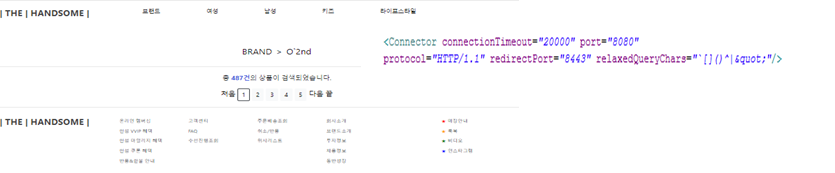
- Among the brands, there was a brand name, including special symbols, which caused errors inside A tag.
- To solve this part, we've added a setting that allows you to use a special character as a parameter to the server configuration file.








