ec genai demo
1.0.0

This demo offers the following four typical use cases of e-commerce generation AI, using Amazon Bedrock and the models available on it:
For detailed explanations, please also refer to the blog below.
Introducing Blog: Accelerating E-commerce with Generation AI Part 2 - An explanation of the Amazon Bedrock demo exhibited at AWS Summit Japan 2024 | Amazon Web Services Blog
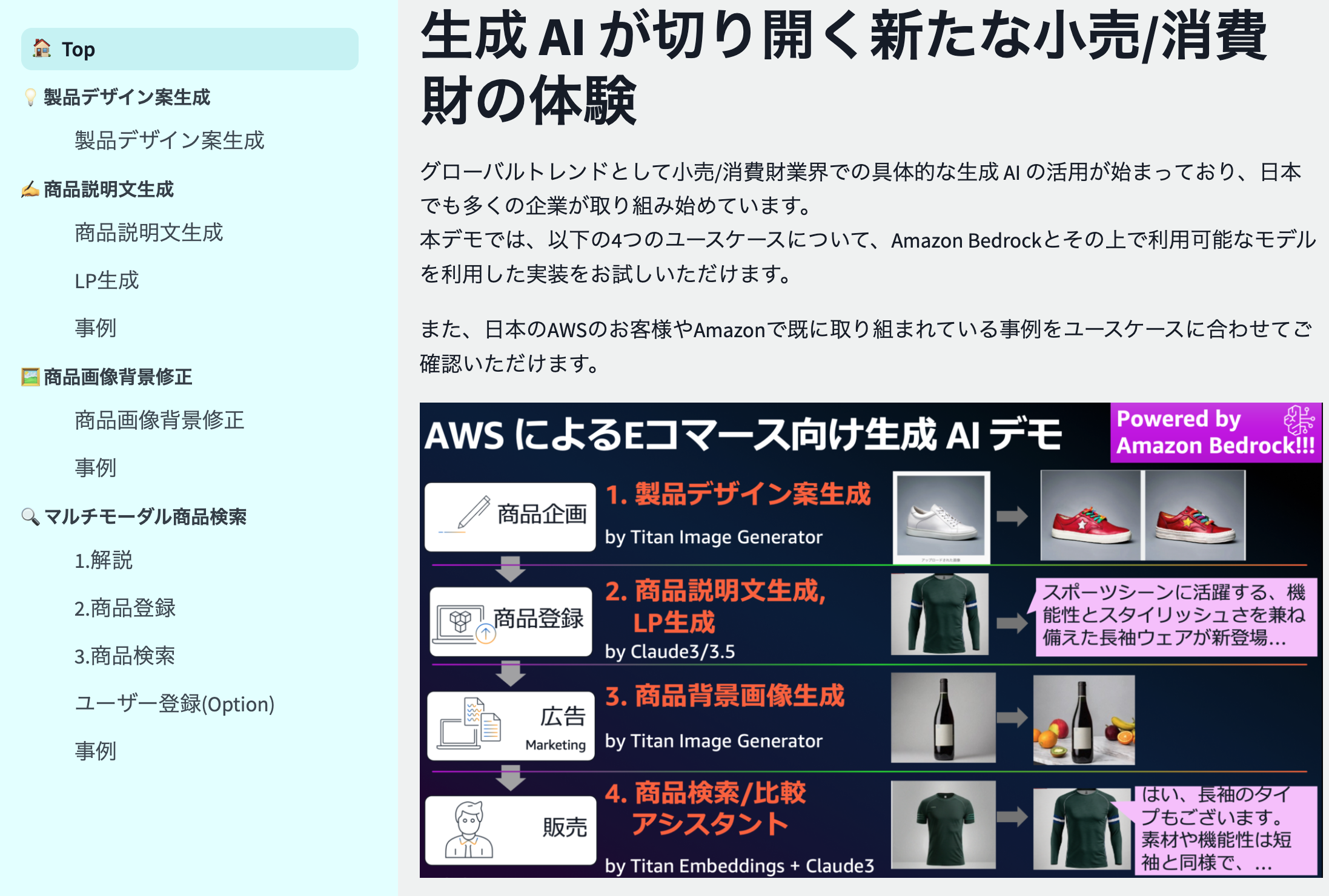
Includes a demo implementation by Amazon Bedrock for the following four use cases:
For detailed explanations, please also refer to the blog below.
Introducing Blog: Accelerating E-commerce with Generation AI Part 2 - An explanation of the Amazon Bedrock demo exhibited at AWS Summit Japan 2024 | Amazon Web Services Blog
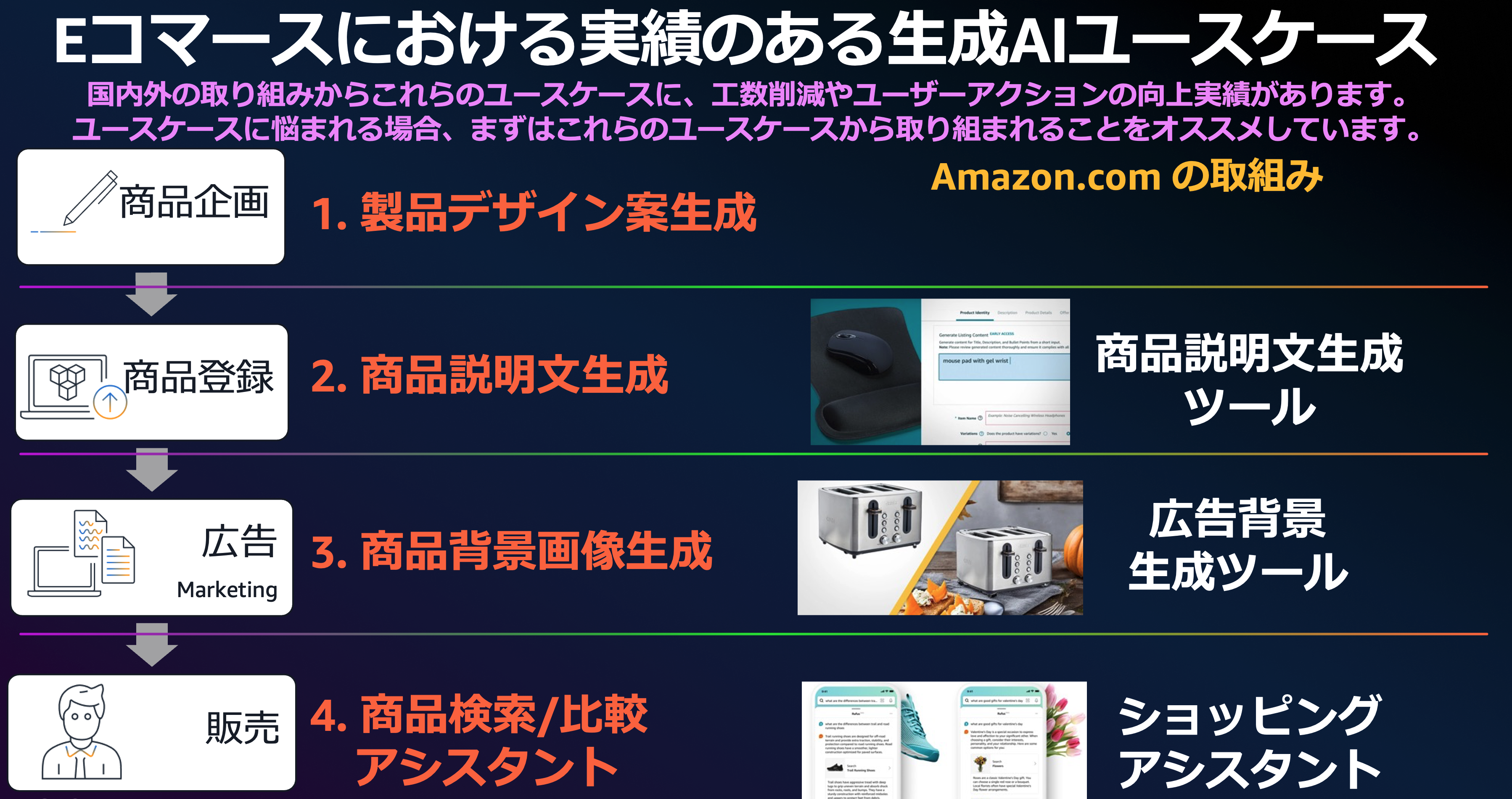
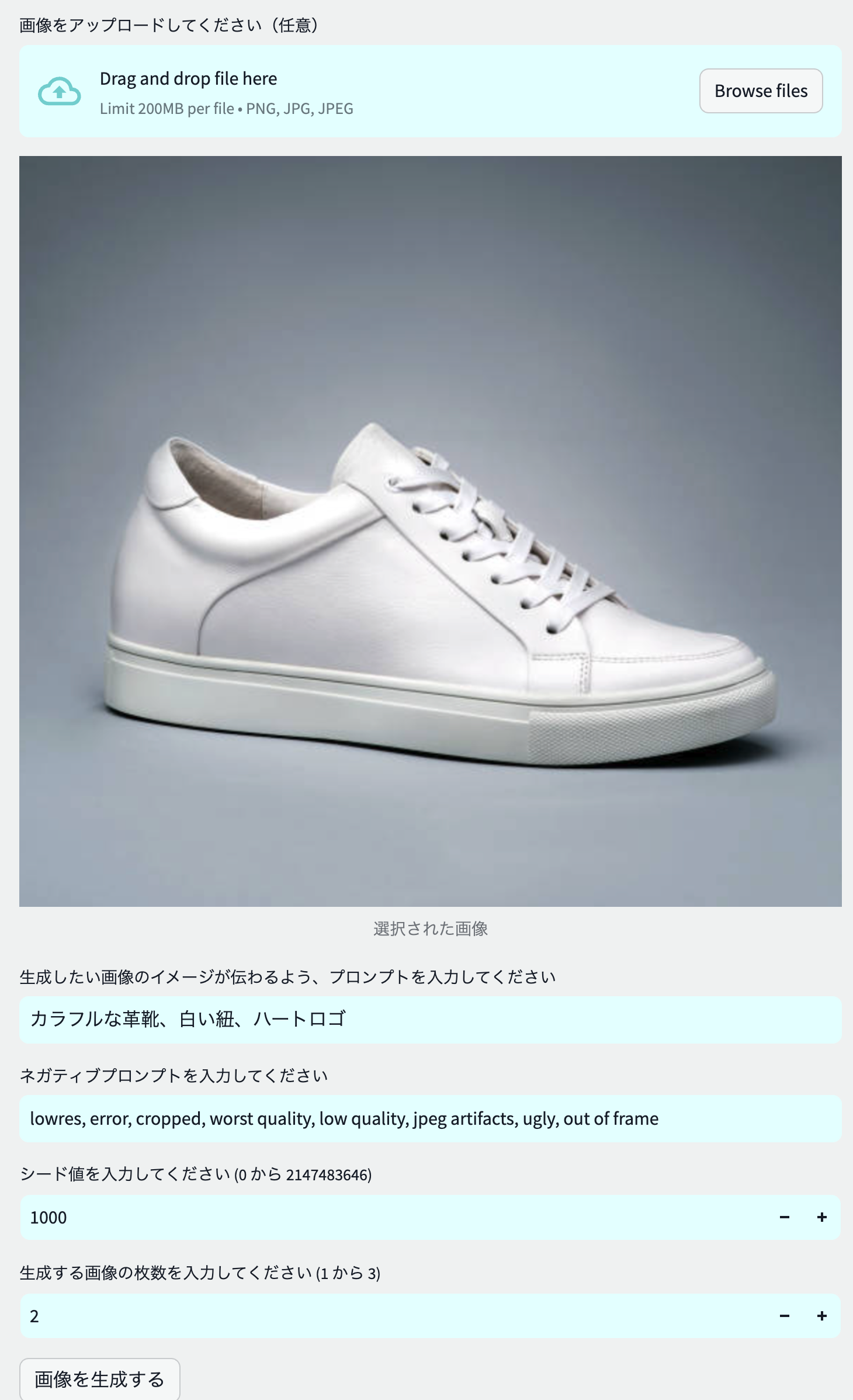
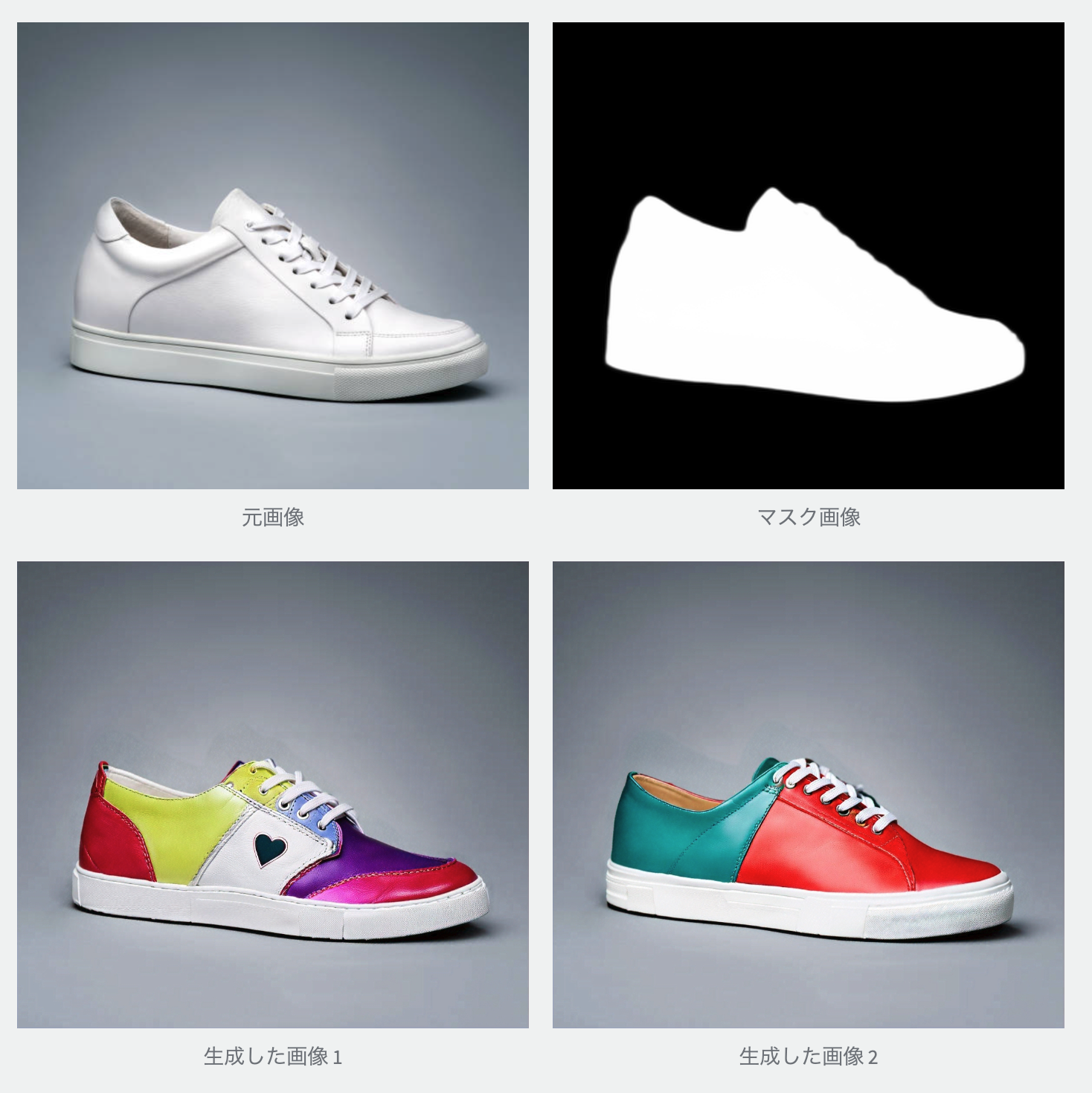
This implementation generates multiple product design proposals by giving them product images, which are topics when designing a new product, and images of the design proposals as prompts.
In the example below, we use white sneakers as the original image, and we use the image of the design proposals, "colorful leather shoes, white laces, and heart logos," to generate multiple design proposals.
 |  |
|---|
Usage model : Amazon Titan Image Generator G1
structure
This is an implementation that analyzes the product based on product images, product names, product features (free inputting the material, season, fabric thickness, etc.), and generates a product description according to the specified item as the topic to be included in the product description. In addition, we will generate three product categories and manuscripts posted to Instagram.
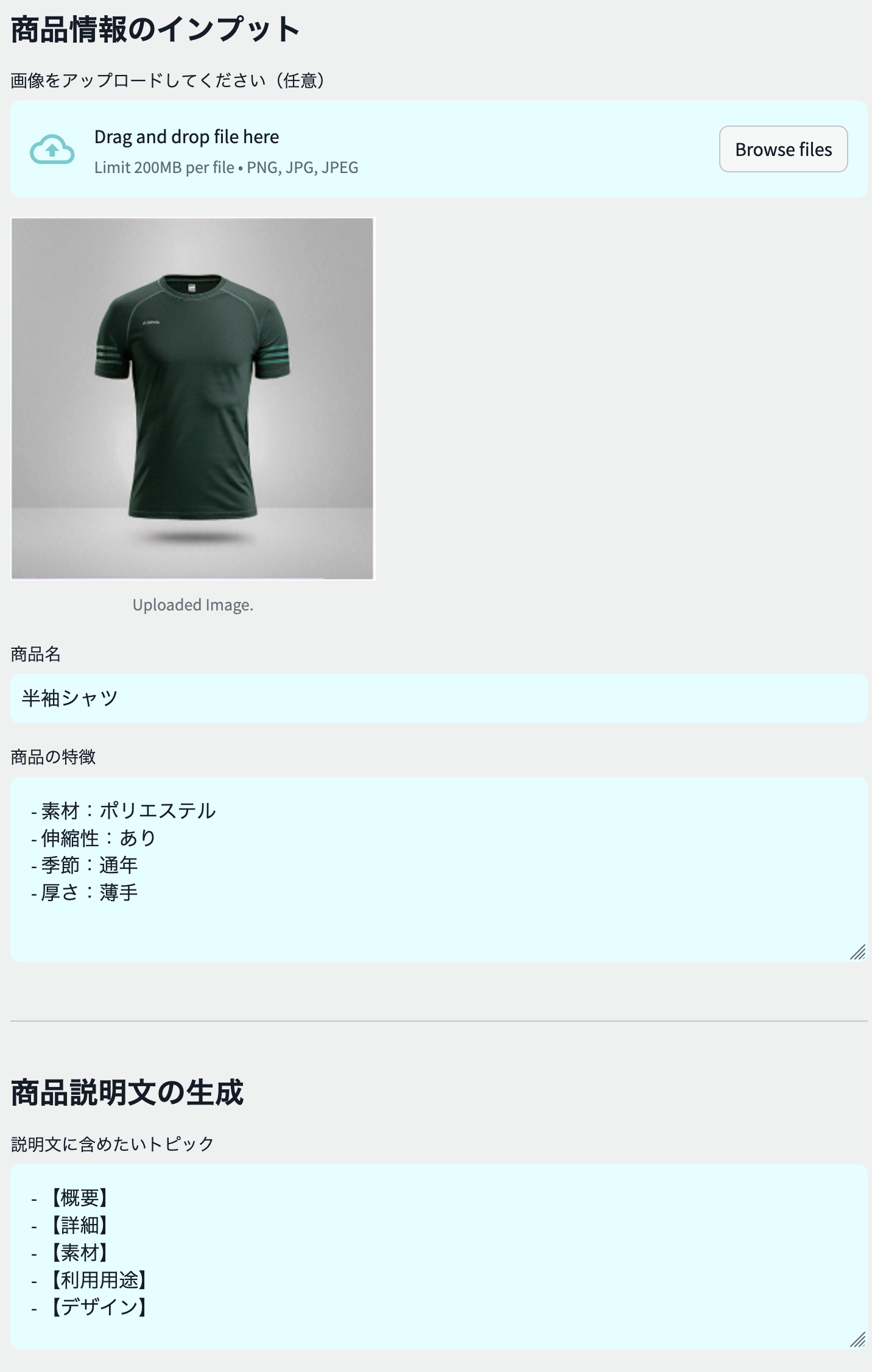 | 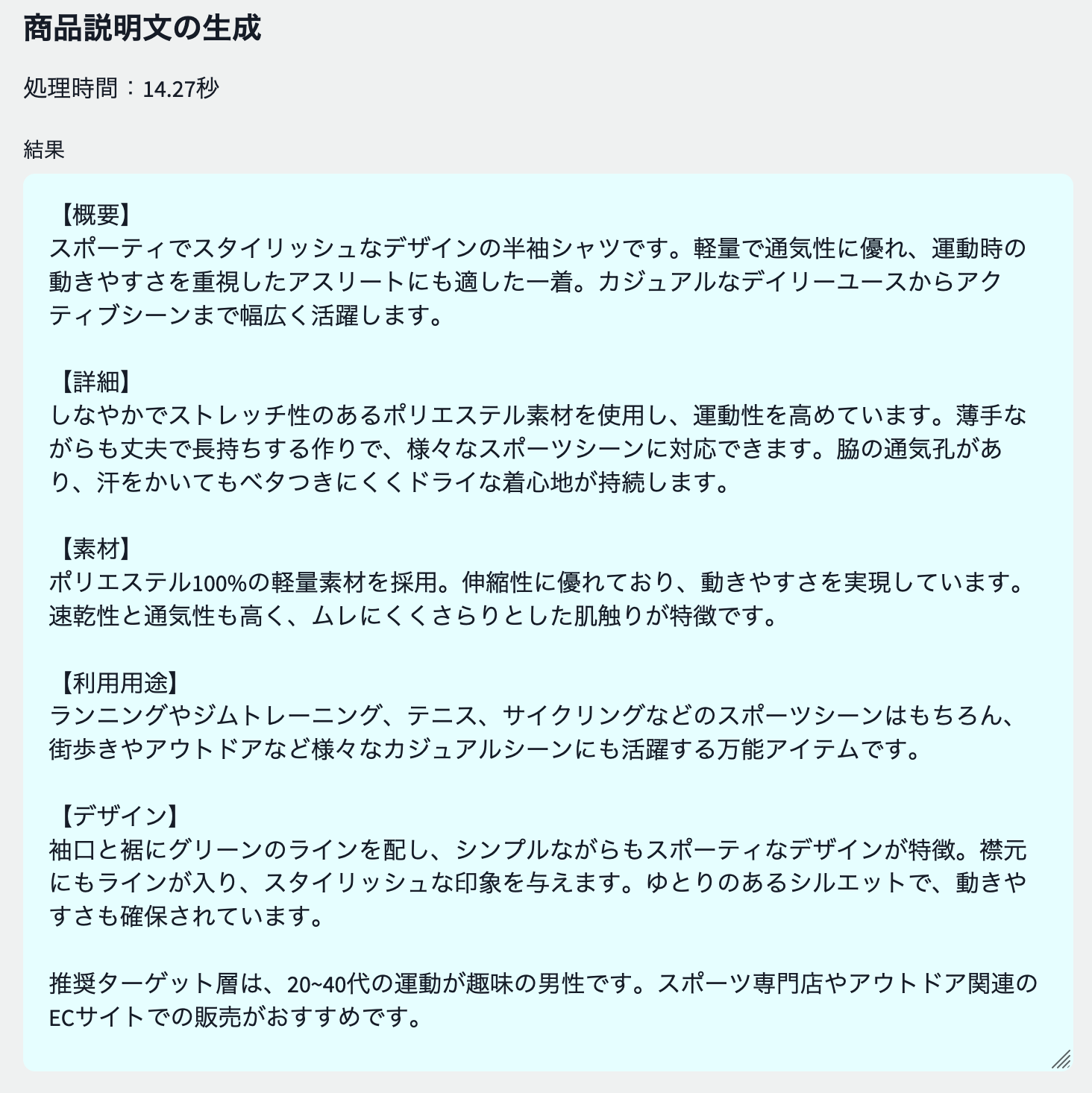 |
|---|
Use model : Anthropic Claude 3 Sonnet/Haiku (switchable)
structure
We use the product image, product name, product features (free input to input materials, season, fabric thickness, etc.) to perform a prompt to analyze the product in Claude3.
 <your role>あなたは、Eコマースにおける売場づくりのプロフェッショナルです。</your role>
<instruction>
新商品 {focus_item}の販売促進のために、Eコマースサイトでユーザーが思わず購入したくなるような魅力的な商品説明を考えてください。
あなたが読み込んだ画像は{focus_item}の写真です。
{focus_item}の色や種類を分析し、この商品を具体的に説明してください。商品の特徴が feature に記載されます。
説明文の提案は step に則って作成してください。
</instruction>
<step>
ステップ1: 商品の基本情報を確認する
ステップ2: ターゲット層を設定する
ステップ3: ターゲット層に合わせた言葉遣いやトーンを決める
ステップ4: 概要を書く
ステップ5: 埋めるべき各項目を書く
ステップ6: 全体を通して推敲する
</step>
<feature>
{feature}
</feature>
<topic>
{topic}
</topic>
<constraint>
アウトプットは topic に記載された項目に沿って記載してください。
最後に推奨ターゲット層とそれに合わせた販売チャネルについて提案してください。
なお、XMLタグは出力しないでください。
</constraint>
Here we use the following prompt techniques for Claude:
Usage model :
structure
あなたはある<item></item>を訴求するランディングページを作成するメディアライターです。
<target></target>に<item></item>を使った<contents></contents>の魅力を伝えたいです。そのためのLPの構成となる見出しリストを作成してください。
実際に各セクションに、見出しと本文にダミー情報を入れてください。
 <content></content>を元に、各セクションに画像の説明をする文章を<rule></rule>に従って英語で作成してください。
出力は<output></output>のJSON形式で出力してください。画像名は<name></name>で与えられたモノを順に利用してください。
JSON 以外は出力しないでください。
<content>{assistant_return_3}</content>
<rule>
- HTMLのタグで表現できる内容は画像にしないでください。
- 画像の説明は{image_num}枚分作成してください。
- 暴力的な表現や誇大広告は避けてください。
- 生成する文章は AWS の責任ある AI ポリシーに従ってください。ポリシーのurl はhttps://aws.amazon.com/jp/machine-learning/responsible-ai/policy/ です。
</rule>
<name>
{img_name_dict}
</name>
<output>
{{
    'image_9e3d82f':'ここに画像の説明をする文章を英語で入力します。画像生成 AI のプロンプトに沿った形式で入力してください。'
}}
</output>
 <content></content>を元に、LP を作成してください。
デザインは添付の画像を参考にして作成してください。
作成には<rule></rule>に従ってください。HTML と Style のみを出力してください。それ以外は出力しないでください。
<rule>
- 出力はHTMLと、それを修飾するためのStyleのみを出力してください。
- 画像のタグは<img src="./app/static/image_7e0ceb1.png"> のように作成してください。
- <images></images>の画像から選択し、同じ画像は使わないようにしてください。
- 画像のタグは {len(image_dict)} つ作成してください。'''
</rule>
<images>
{image_dict}
</images>
<content>{assistant_return_3}</content>
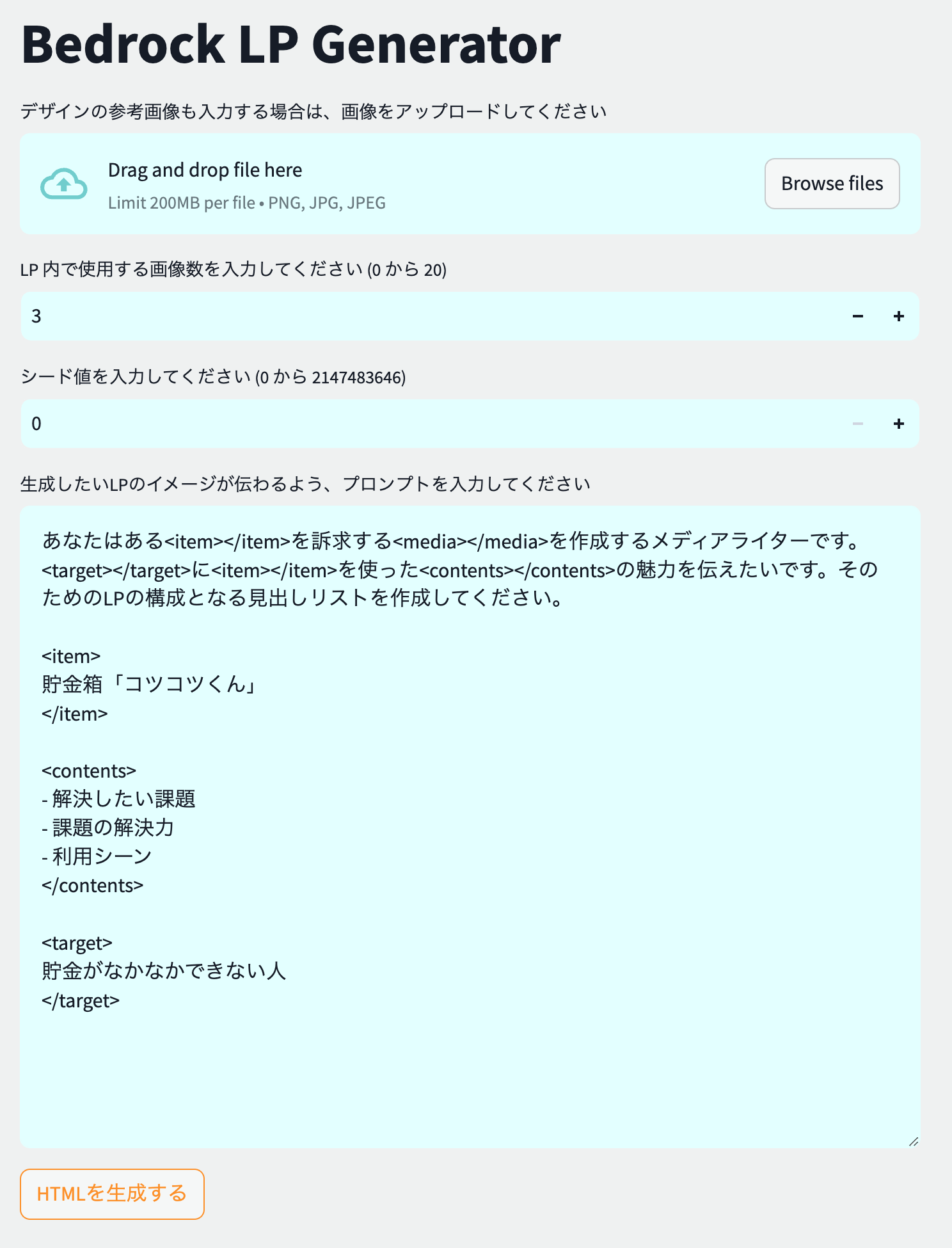 | 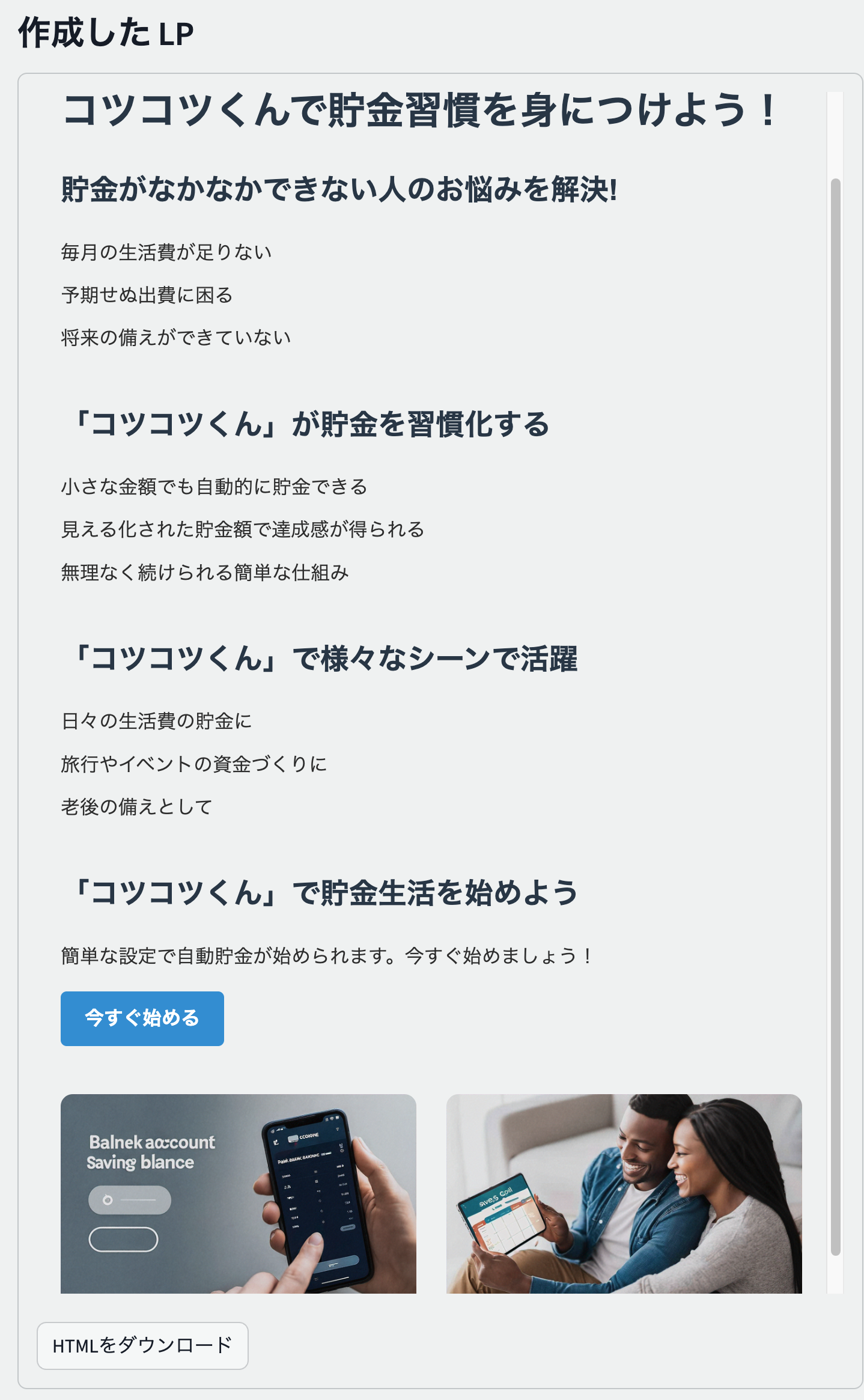 |
|---|
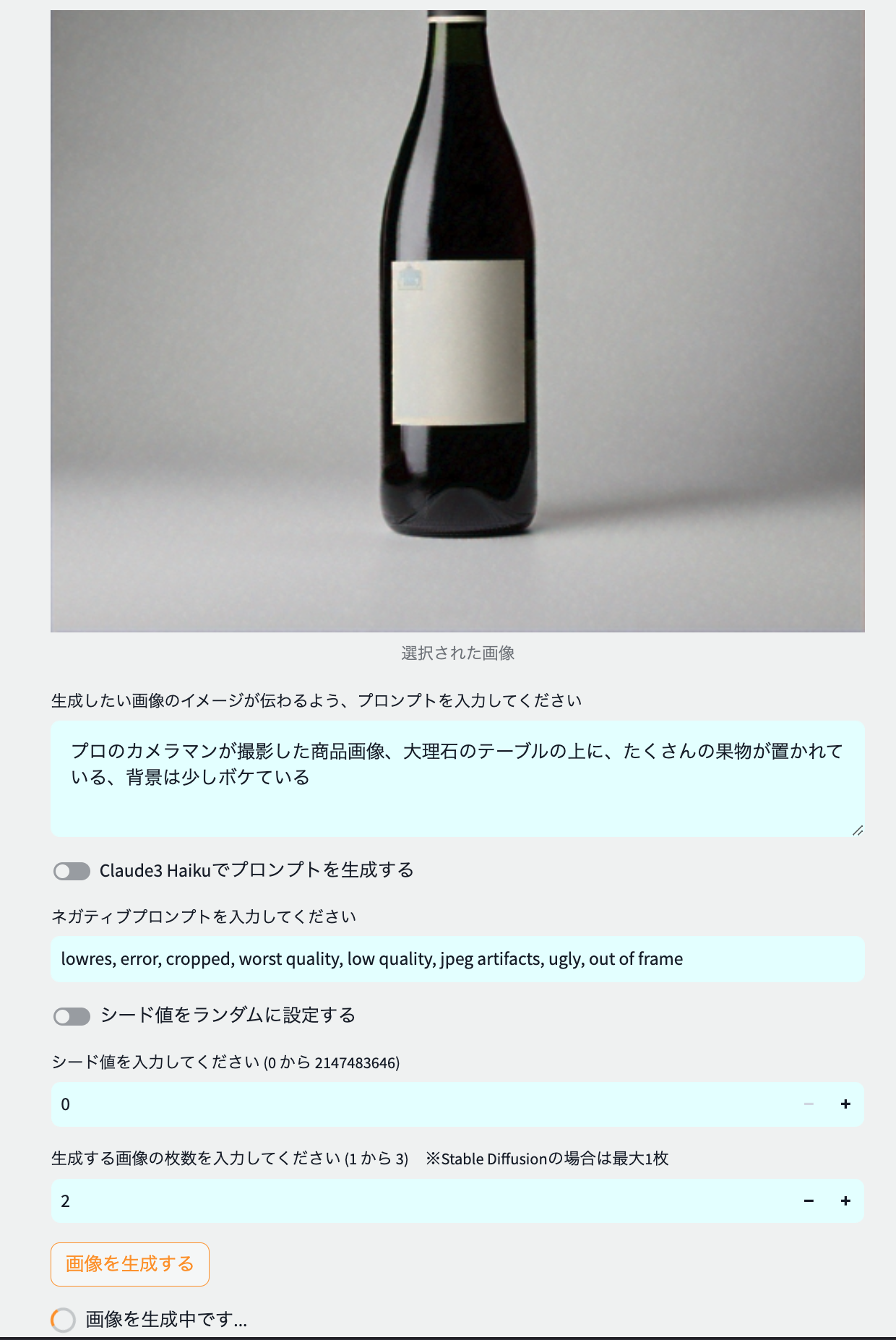
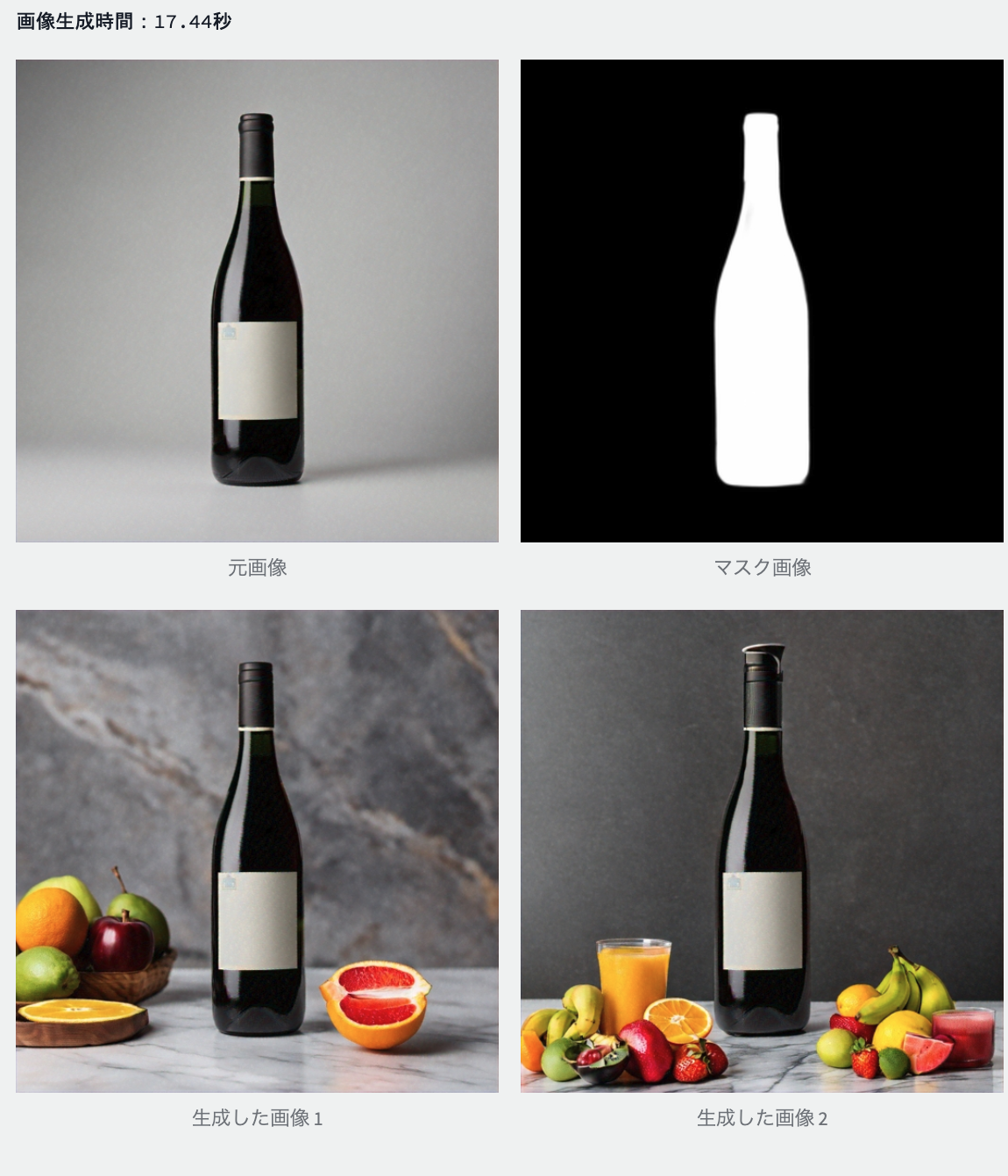
This implementation involves uploading the original product image and instructing the image to generate multiple background generation plans for preparing product images and advertising images.
In the example below, multiple background generation schemes are generated using a wine bottle as the original image and are passed in the following image.
プロのカメラマンが撮影した商品画像、大理石のテーブルの上に、たくさんの果物が置かれている、背景は少しボケている
 |  |
|---|
Usage model : Amazon Titan Image Generator G1
structure
Automatic Mask Image Generation
Responding to Japanese prompts
Image generation
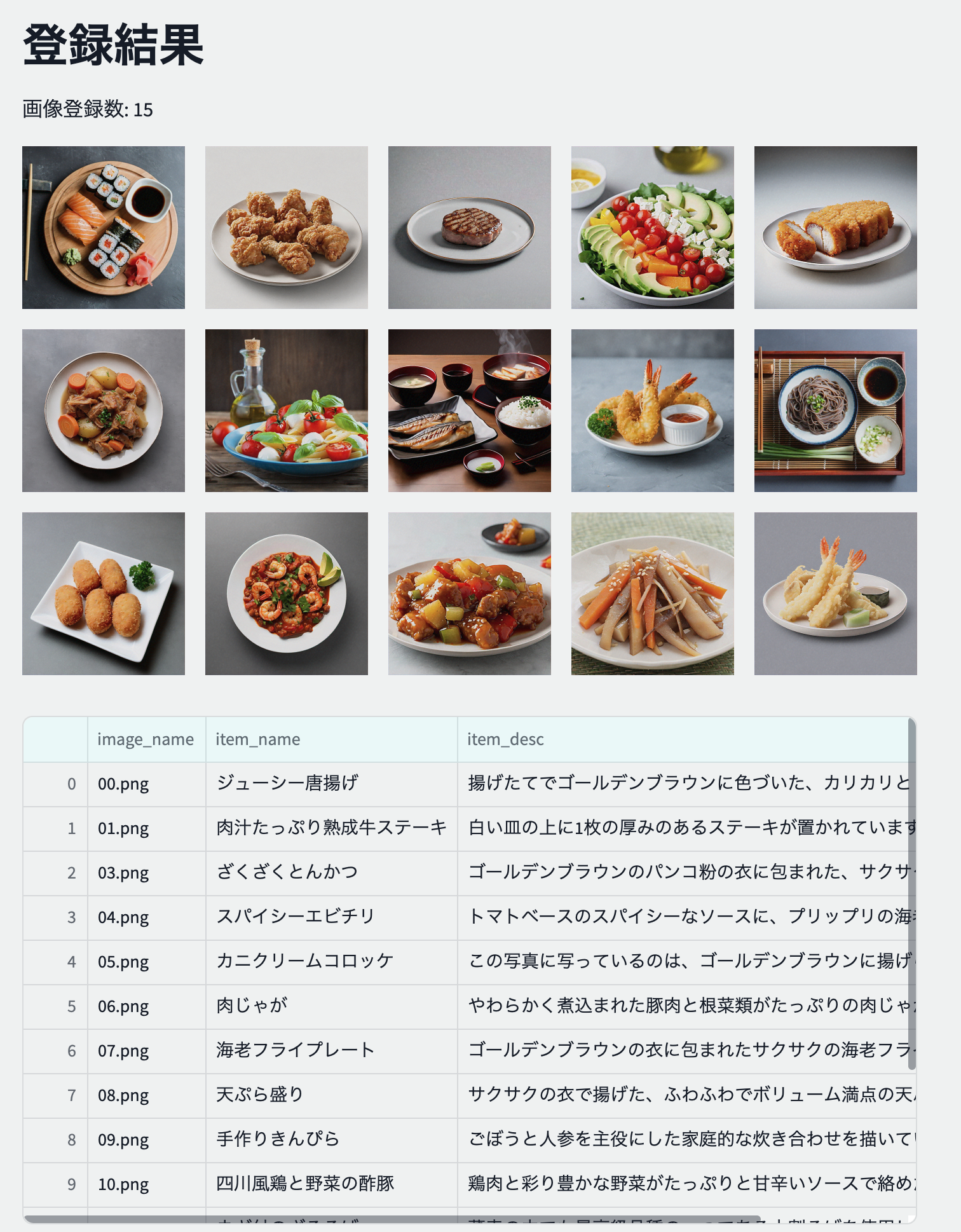
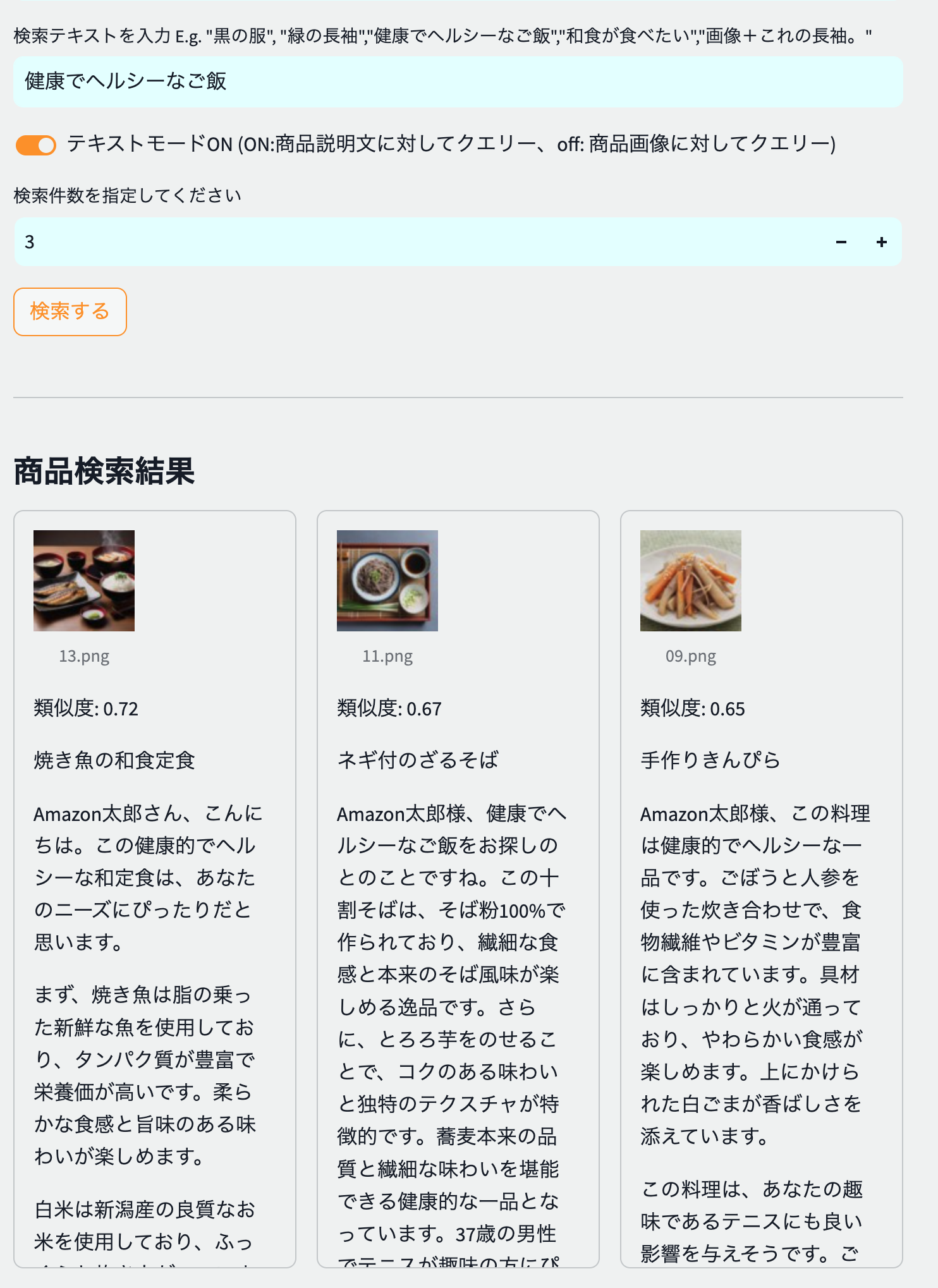
This is a multimodal/semantic search implementation that allows you to store product descriptions and product images as vectors in a vector DB and retrieve semantic search that can be semantically close to the text or images entered during product search. Additionally, product search results are personalized and generated by personalizing descriptions to suit the searcher's persona.
 |  |
|---|
*Japanese food and soba noodles, which are similar to "healthy and healthy food," are at the top of the search results, showing that they have a semantic search.
Used model : Anthropic Claude 3 Haiku, Amazon Titan Multimodal Embeddings G1
structure
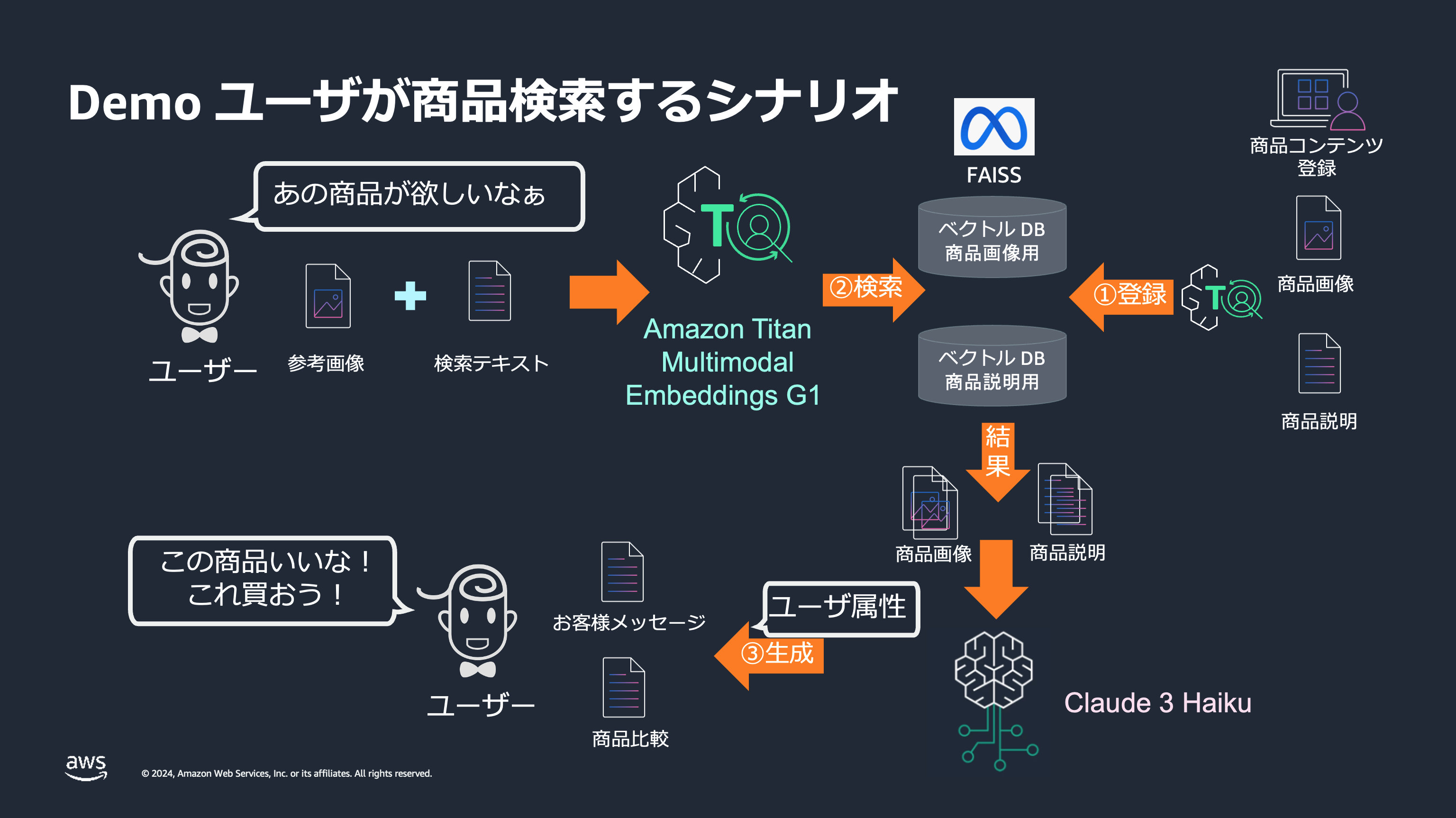
Please check the following for details.
diify/
This demo was featured with a video at AWS Expert Online for JAWS-UG #34 on July 24, 2024.
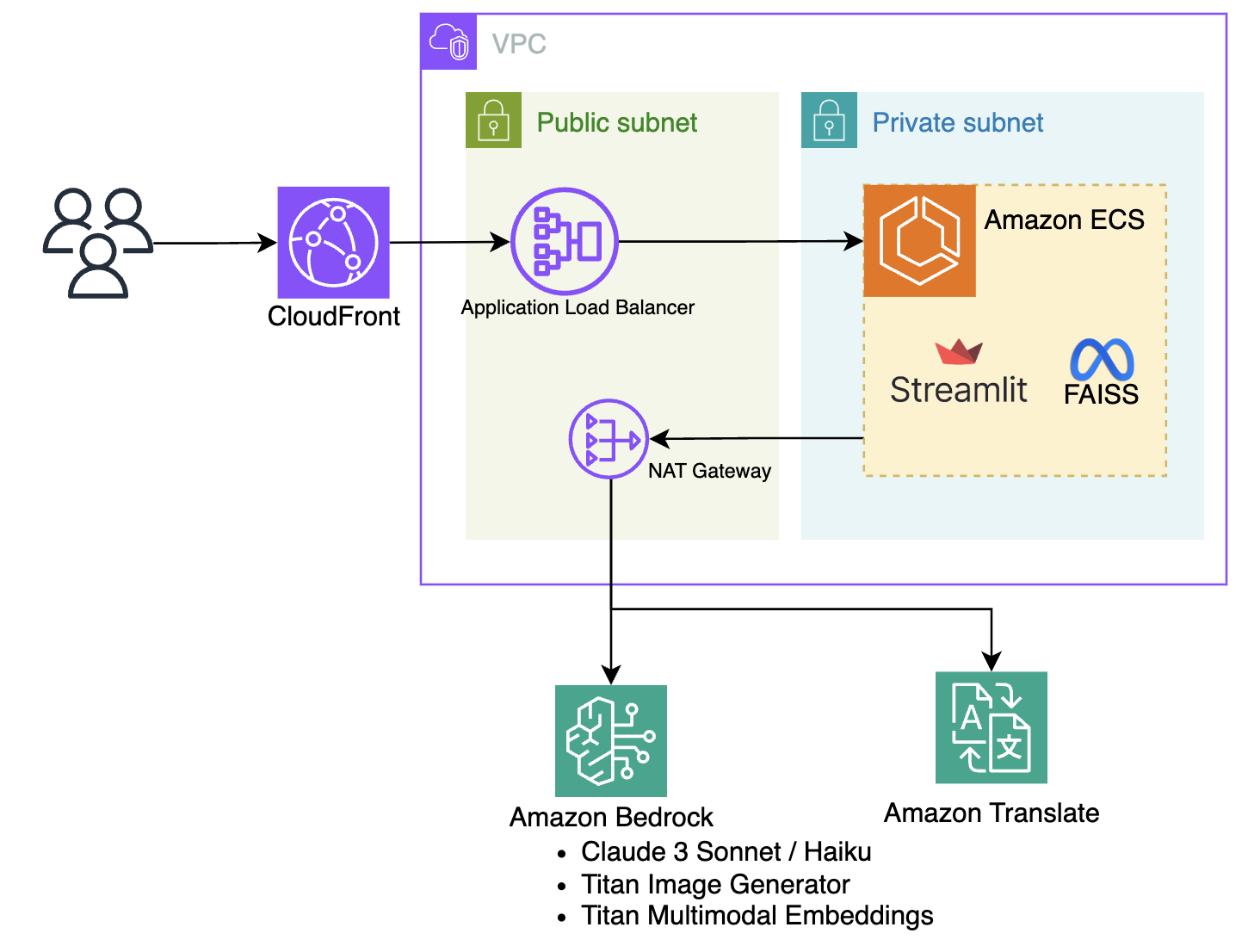
The architecture is very simple, with a simple web application implemented in Steamlit deployed on Amazon ECS, accessible via HTTPS via CloudFront -> Application Load Balancer.
A Python script on Steamlit calls the Amazon Bedrock API to prompt and retrieve the results of various generation AIs. The models are Amazon Titan Image Generator G1 for image generation, Anthropic Claude 3/3.5 Sonnet/Haiku for text processing, and Amazon Titan Multimodal Embeddings G1 for vectorization during searching, from the Amazon Bedrock API.
Important
This repository is configured to use the following models in the Oregon region (us-west-2) as Amazon Bedrock models:
Please open the Model access screen (us-west-2) in the account where you want to deploy this sample in advance, check Model Access and save changes.
First, use the following command to move to the cdk directory and set it up.
 cd cdk
npx projen install
Important
You will use the AWS Cloud Development Kit (hereafter CDK) and Projen for deployment.
For more information about Projen and CDK, please also refer to the AWS blog below.
https://aws.amazon.com/jp/blogs/news/getting-started-with-projen-and-aws-cdk/
If you have never used the CDK, you will need to do Bootstrap for the first time only.
*The following command is not required in an environment where you have already Bootstraped.
npx cdk bootstrap Next, use the following command to deploy the AWS resources: Please wait until the deployment is complete.
*It takes about 15 minutes.
npx projen build
npx projen deploy You can create an environment in a local environment using a container or poetry.
From your local environment, you must have permission to invoke Amazon Bedrock or Amazon Translate
Set the access key with environment variables
 export AWS_ACCESS_KEY_ID=xxx
export AWS_SECRET_ACCESS_KEY=xxx
Start with Docker compose
 cd src
docker compose upImportant
The python version assumes ">=3.12,<3.13" as seen in pyproject.toml of poetry.
It utilizes the virtual environment feature of poetry, so it does not conflict with existing Python.
You can create an environment using poetry as follows:
 poetry config virtualenvs.in-project true
poetry install

# .venvで仮想環境が利用可能です。
source .venv/bin/activate
Rename the .env.example file to .env and set your AWS credentials.
 # EC2 や Cloud9 の IAM ロールを利用する場合は .env の設定は不要です
cp .env.example .env
After building the environment, start Streamlit with the following command:
 source .venv/bin/activate
region=us-west-2 poetry run streamlit run app.py
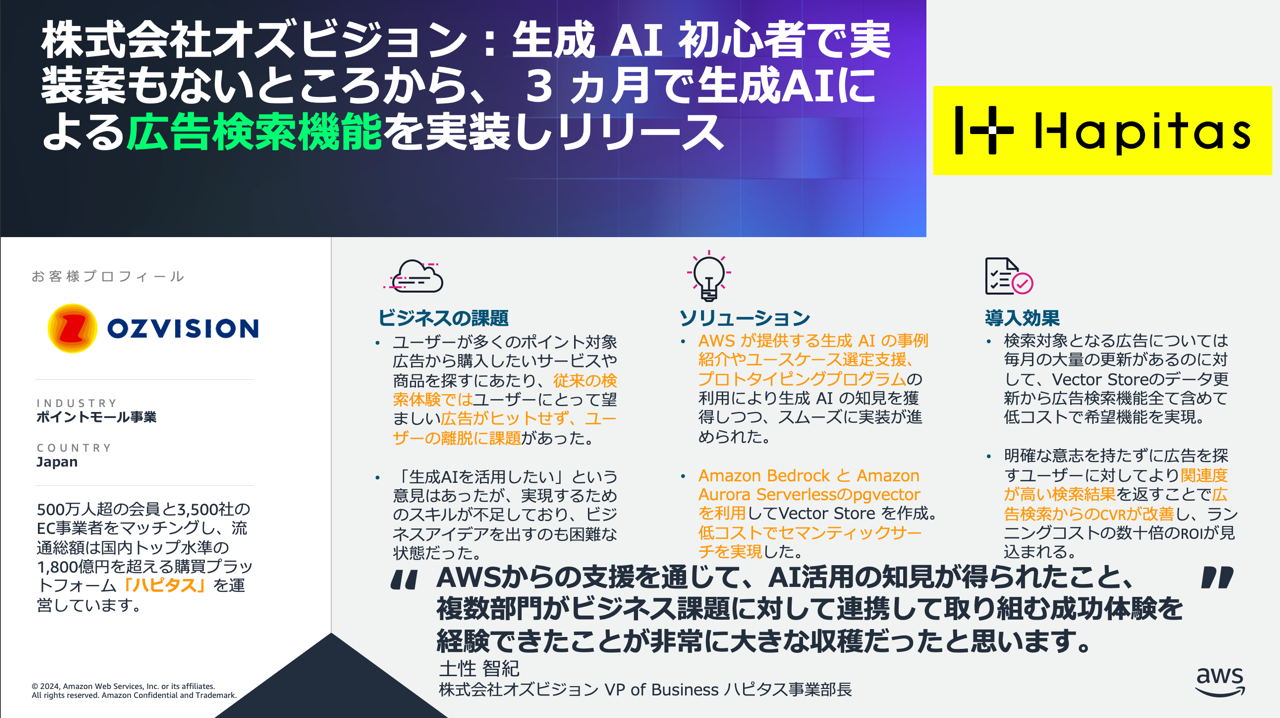
This sample, ec-genai-demo, was used to consider improving the search experience using the generator AI. Our company's data was registered in the Vector Search Demo function and we conducted a PoC.
If you have any requests or issues, please vote for the Issue.
See CONTRIBUTING for more information.
This library is licensed under the MIT-0 License. See the LICENSE file.





