one api
v0.6.8

Chinese | English | Japanese
Zeabur's server is abroad, which automatically solves the network problem, and the free amount is enough for personal use.
create database `one-api` .PORT with a value of 3000 , add a SQL_DSN with a value of <username>:<password>@tcp(<addr>:<port>)/one-api , and save. Note that if SQL_DSN is not filled in, the data will not be persisted and the data will be lost after redeployment.Render provides free credit limits, which can further increase the credit limit after binding the card.
Render can directly deploy docker images without the need fork repository: https://dashboard.render.com
The system itself is out of the box.
You can configure it by setting environment variables or command line parameters.
After the system starts, use root user to log in to the system and make further configuration.
Note : If you don't know the meaning of a configuration item, you can temporarily delete the value to see further prompt text.
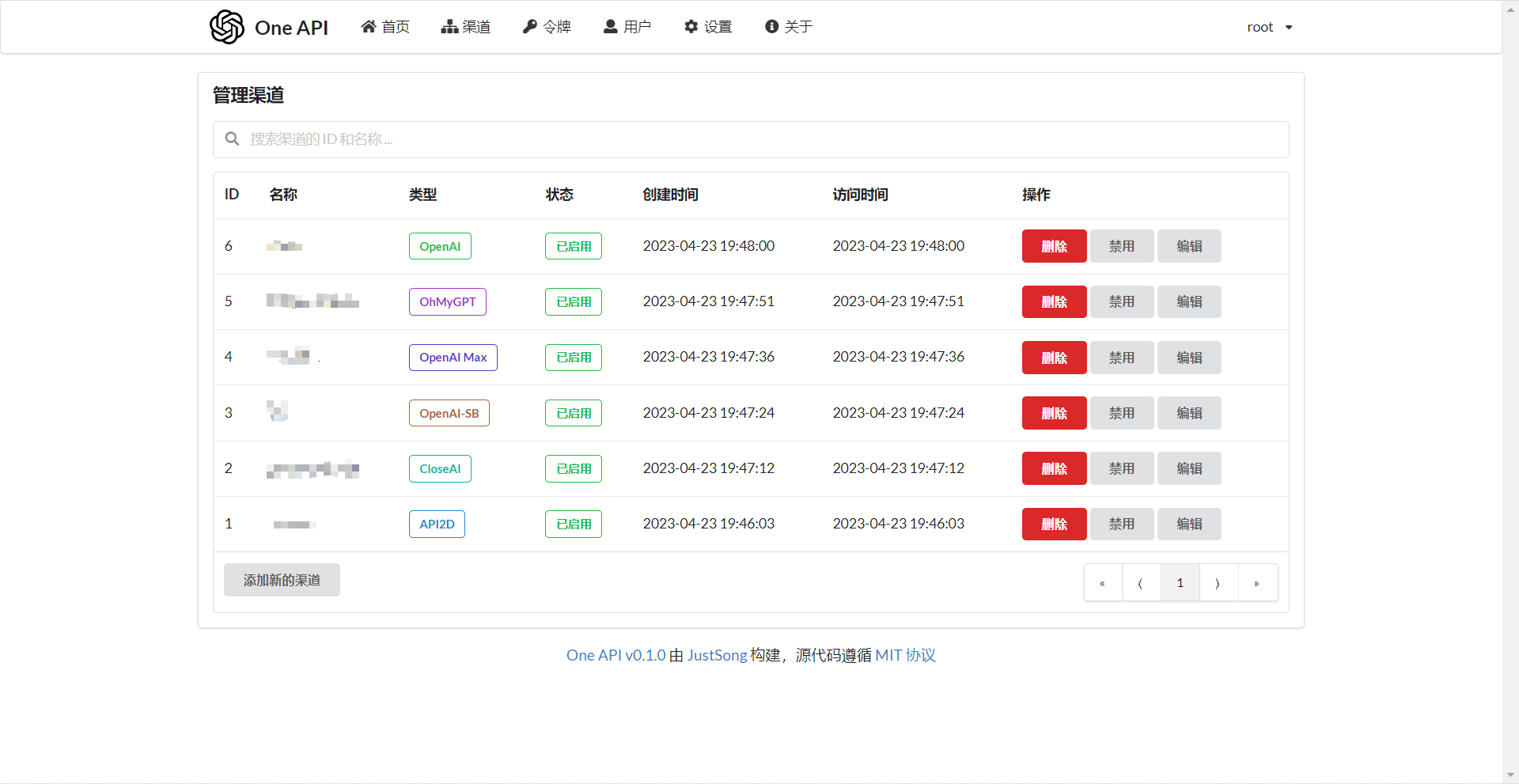
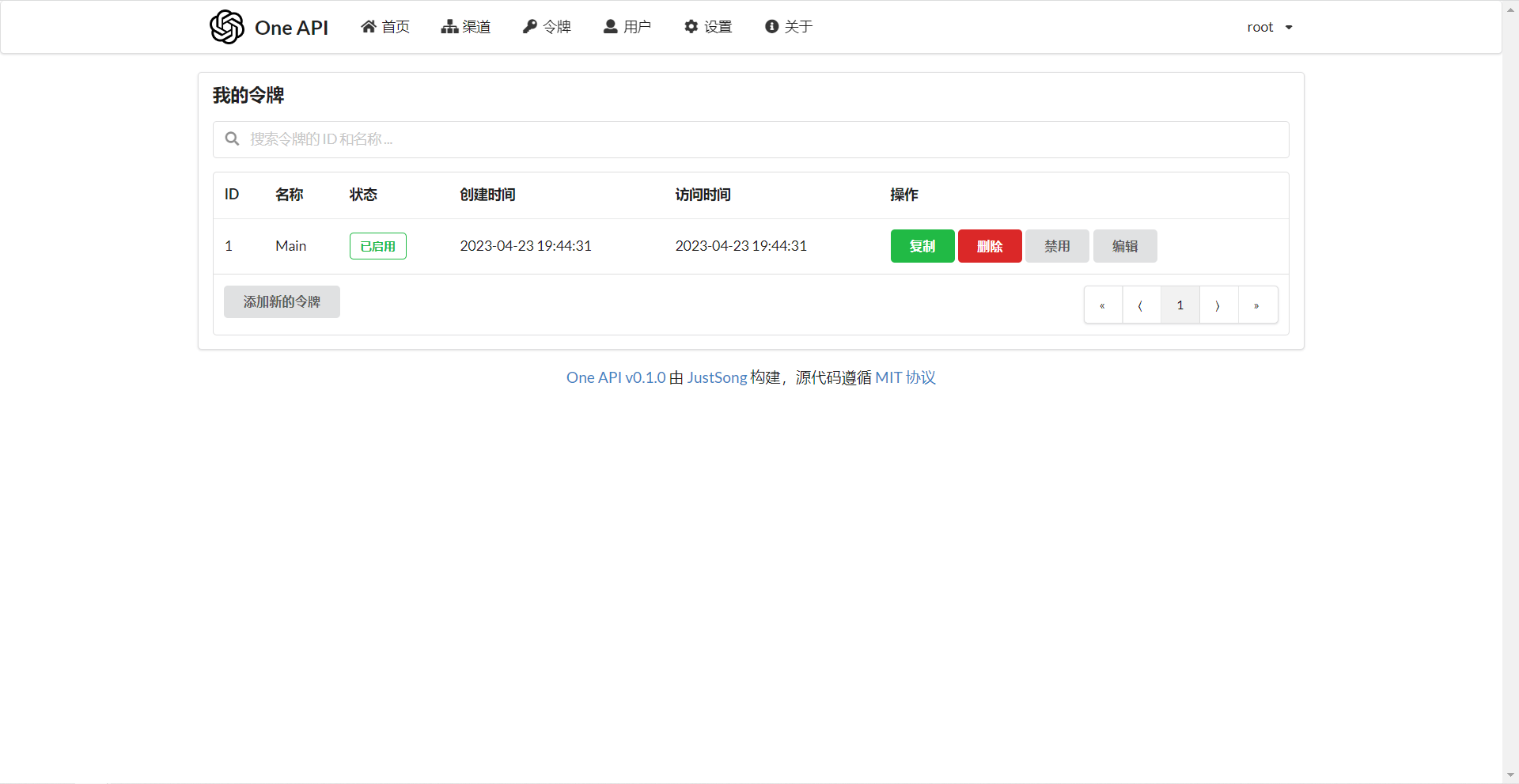
Add your API Key to渠道page, and then add a new access token to令牌page.
Then you can use your token to access the One API, which is the same as the OpenAI API.
You need to set the API Base as the deployment address of your One API in various places where OpenAI API is used, for example: https://openai.justsong.cn , and API Key is the token you generate in the One API.
Note that the specific API Base format depends on the client you are using.
For example, the official library of OpenAI:
OPENAI_API_KEY= " sk-xxxxxx "
OPENAI_API_BASE= " https://<HOST>:<PORT>/v1 "
graph LR
A(User)
A --->|Request with key distributed by One API|B(One API)
B -->|Relay request|C(OpenAI)
B -->|Relay request|D(Azure)
B -->|Relay request|E (other downstream channels of OpenAI API format)
B -->|Relay and modify the request body and return body|F (downstream channel in non-OpenAI API format)
You can specify which channel to use to handle this request by adding the channel ID after the token, for example: Authorization: Bearer ONE_API_KEY-CHANNEL_ID . Note that the token created by the administrator user must be required to specify the channel ID.
If not added, multiple channels will be used in load balancing.
The One API supports reading environment variables from
.envfiles. Please refer to.env.examplefile. Please rename it to.envwhen using it.
REDIS_CONN_STRING : Redis will be used as cache after setting.REDIS_CONN_STRING=redis://default:redispw@localhost:49153SESSION_SECRET : After setting, a fixed session key will be used, so that the cookies of the logged-in user will still be valid after the system restarts.SESSION_SECRET=random_stringSQL_DSN : The specified database will be used instead of SQLite after setting, use MySQL or PostgreSQL.SQL_DSN=root:123456@tcp(localhost:3306)/oneapiSQL_DSN=postgres://postgres:123456@localhost:5432/oneapi (Adaptation, feedback is welcome)oneapi in advance. There is no need to manually create tables, and the program will automatically create tables.--network="host" so that programs in the container can access MySQL on the host.?tls=skip-verify in the connection parameters.SQL_MAX_IDLE_CONNS : The maximum number of idle connections, default is 100 .SQL_MAX_OPEN_CONNS : The maximum number of open connections, default is 1000 .Error 1040: Too many connections , please reduce the value appropriately.SQL_CONN_MAX_LIFETIME : The maximum life cycle of a connection, default is 60 , in minutes.LOG_SQL_DSN : After setting, a separate database will be used for the logs table. Please use MySQL or PostgreSQL.FRONTEND_BASE_URL : After setting, the redirect page request will be requested to the specified address, only from the server settings.FRONTEND_BASE_URL=https://openai.justsong.cnMEMORY_CACHE_ENABLED : Enable memory caching will cause a certain delay in updating the user quota. The optional values are true and false , and if not set, the default is false .MEMORY_CACHE_ENABLED=trueSYNC_FREQUENCY : The frequency of configurations synchronized with the database with cache enabled, in seconds, default is 600 seconds.SYNC_FREQUENCY=60NODE_TYPE : After setting, the node type will be specified. The optional values are master and slave . If not set, the default is master .NODE_TYPE=slaveCHANNEL_UPDATE_FREQUENCY : After setting, the channel balance will be updated regularly, in minutes, and if it is not set, it will not be updated.CHANNEL_UPDATE_FREQUENCY=1440CHANNEL_TEST_FREQUENCY : After setting, the channel will be checked regularly, the unit is minutes, and if it is not set, the inspection will not be carried out. +Example: CHANNEL_TEST_FREQUENCY=1440POLLING_INTERVAL : The request interval when batch update channel balance and testing availability, in seconds, with no interval by default.POLLING_INTERVAL=5BATCH_UPDATE_ENABLED : Enable database batch update aggregation, which will cause a certain delay in the update of user quota. The optional values are true and false , and if not set, the default is false .BATCH_UPDATE_ENABLED=trueBATCH_UPDATE_INTERVAL=5 : The time interval for batch updates the aggregate, in seconds, default is 5 .BATCH_UPDATE_INTERVAL=5GLOBAL_API_RATE_LIMIT : Global API rate limit (except relay requests), the maximum number of requests within three minutes of a single ip, default is 180 .GLOBAL_WEB_RATE_LIMIT : Global Web rate limit, the maximum number of requests within three minutes of a single IP, default is 60 .TIKTOKEN_CACHE_DIR : When the program starts, some common word encodings will be downloaded online, such as: gpt-3.5-turbo . In some network environments, it may cause startup problems. You can configure this directory to cache data and migrate to offline environments.DATA_GYM_CACHE_DIR : Currently, this configuration function is consistent with TIKTOKEN_CACHE_DIR , but the priority is not as high as it is.RELAY_TIMEOUT : The relay timeout setting is set in seconds, and the timeout time is not set by default.RELAY_PROXY : Use this proxy to request the API after setting.USER_CONTENT_REQUEST_TIMEOUT : The timeout for downloading content uploaded by the user, in seconds.USER_CONTENT_REQUEST_PROXY : After setting, use this proxy to request content uploaded by the user, such as images.SQLITE_BUSY_TIMEOUT : SQLite lock waits for timeout setting, unit is milliseconds, default is 3000 .GEMINI_SAFETY_SETTING : The security setting of Gemini, default BLOCK_NONE .GEMINI_VERSION : The Gemini version used by One API, defaults to v1 .THEME : The theme settings of the system, default is default , please refer to the specific optional values here.ENABLE_METRIC : Whether to disable the channel according to the request success rate, it is not enabled by default, and the optional values are true and false .METRIC_QUEUE_SIZE : The request success rate statistics queue size, default is 10 .METRIC_SUCCESS_RATE_THRESHOLD : The request success rate threshold is 0.8 by default.INITIAL_ROOT_TOKEN : If this value is set, a root user token with the value of the environment variable will be automatically created when the system is first booted.INITIAL_ROOT_ACCESS_TOKEN : If this value is set, a system management token is automatically created when the system is first started.ENFORCE_INCLUDE_USAGE : Whether to force use to return in the stream model, it is not enabled by default, optional values are true and false .--port <port_number> : Specifies the port number that the server listens to, the default is 3000 .--port 3000--log-dir <log_dir> : Specify the log folder. If it is not set, it is saved to the logs folder in the working directory by default.--log-dir ./logs--version : Print the system version number and exit.--help : Check the command usage help and parameter description. Note that this demonstration site does not provide external services: https://openai.justsong.cn
invalid character '<' looking for beginning of valueFailed to fetchBASE_URL when deploying.当前分组负载已饱和,请稍后再试数据库一致性已被破坏,请联系管理员?This project is open source using the MIT protocol. On this basis , the attribution and links to this project must be retained at the bottom of the page. If you do not want to retain the attribution, you must first obtain authorization.
It is also applicable to second-department projects based on this project.
According to the MIT agreement, users must bear the risks and responsibilities of using this project at their own expense, and the developers of this open source project have nothing to do with this.





