Slack GPT
v1.4.2 - Added support for image generation with Dalee-3 using `-tool image`

This repository contains a C#-based Slack GPT Bot that uses OpenAI's GPT model to answer users' questions. The implementation is based on Slack Sockets API, which means there is no need to host the bot on a server. The bot can be run on any machine.
Did you like this tool? Give us a visit :) https://prographers.com/
-context
OpenAIKey variable in appsettings.json.NOTE: Using the OpenAI API requires a paid/trial account. You can find more information about pricing here.
Before you can run the Slack GPT Bot, you need to configure the appropriate permissions for your Slack bot. Follow these steps to set up the necessary permissions:
app_mentions:read: Allows the bot to read mention events.chat:write: Allows the bot to send messages.groups:history: Allows the bot to read messages in private channels.channels:history: Allows the bot to read messages in public channels.SlackBotToken.SlackAppToken and add the connections:write scope.app_mention event with the app_mentions:read scope in the "Subscribe to bot events" section below the
toggle.dotnet run --project Slack-GPT-Socketor see #Docker for more information on how to host it.
You can start your message with the name of the model without parameters eg:
@GPT-4 turbo How are you today?
Will use gpt-3.5-turbo instead of the default gpt-4 model. See GptClient for more aliases.
There are some built in parameters. Use /gpt help to see them. You can modify the parameters in appsettings.json file,
or per request.
See GptDefaults.cs for more information about the defaults or appsettings.Example.json.
Predefined commands
You can add you own custom parameters to the bot to minimize the typing for each repated request. To do so, add the it's definition
to the GptCommands section in appsettings.json. For example:
 "GptCommands": {
    "Commands":  [
      {
        "Command": "-refactor",
        "Description": "Tells GPT to refactor provided code",
        "Prompt": "Given the following code, refactor it to be more readable and maintainable. Please provide code documentation for all members in the code and comments where appropriate."
      },
      {
      "Command": "-prographers",
      "Description": "A command to add infomation about Prographers",
      "Prompt": "Prographers is software-house company that specializes in 3D product configurators. Prographers exists since 2016 and currently hires around 20 people. Prographers solutions focus on Web applications that are used by companies to configure their products. Applications produced are focusing on high-quality graphics and design, resulting in great products that customers awe. Prographers is located in Warsaw, Poland."
      }
  }
usage:
@GPT-4 -prographers What do you know about prographers?
@GPT-4 -refactor
public class Foo { public void Bar() { Console.WriteLine("Hello World"); } }
Dynamic commands
In a similar manner you can create dynamic commands. To do so, call the
/gpt commands add -command "prompt" "description" -global command with the command name and the prompt.
-command How this command will be called. eg: -prographers
-prompt The prompt that will be used for this command. eg: Prographers is software-house company...
-description The description of the command. eg: A command to add infomation about Prographers this is optional.-global flag will make the command available to all users. Otherwise it will be available for the user who created it.Use /gpt commands help to see more information about the commands.
You can start the docker container with the following command:
docker run -v ./appsettings.json:/app/appsettings.json --restart always ghcr.io/prographers/slack-gpt:latestYou can also use the docker-compose.yml file to start the container, detached. Docker Compose will automatically pull
the image from the GitHub Container Registry, and start the container when that happens. It will use watchtower to do that.
docker-compose up -dPlease remember to put the appsettings.json file in the same directory as the command for both cases.
Both images are not exposed on any port, and cannot be accessed from the outside. The only way to access the container is through the Slack API. The container is also running as a non-root user, and has no access to the host system.
git clone https://github.com/Prographers/Slack-GPT.git
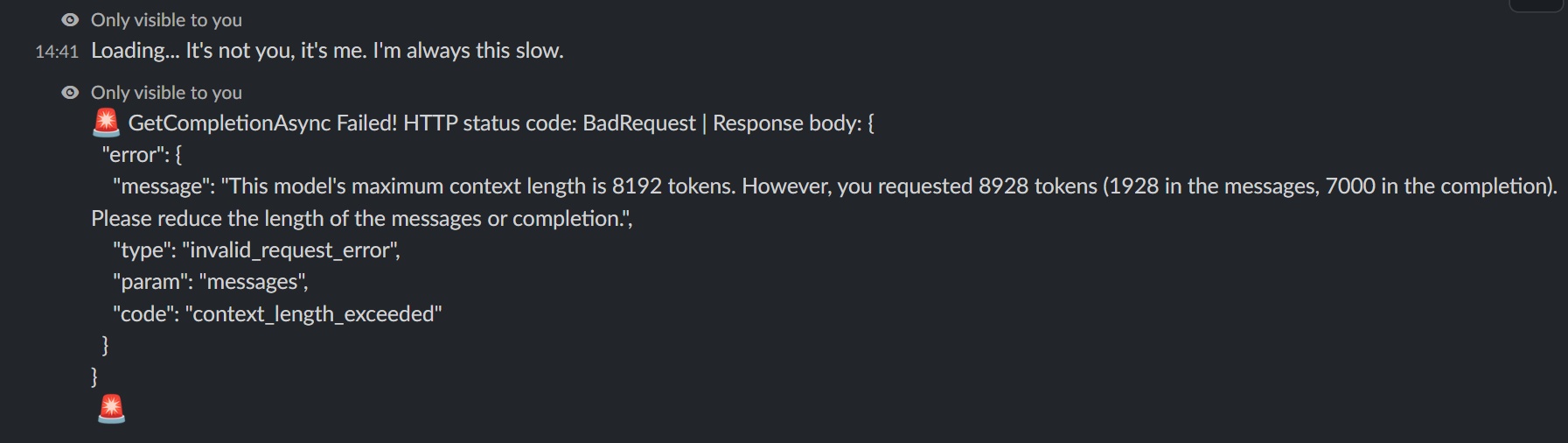
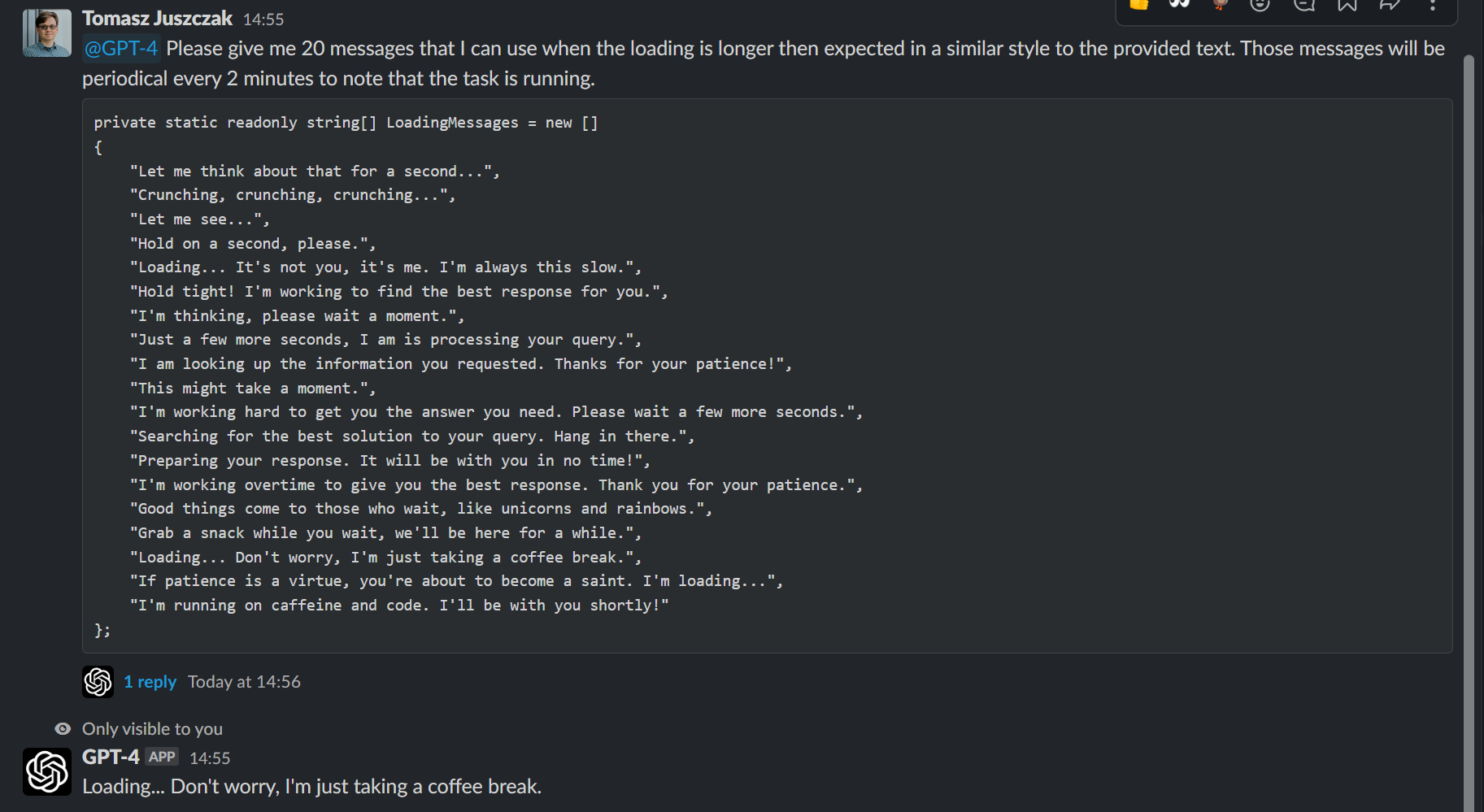
cd Slack-GPTdotnet restoreNotification messages!
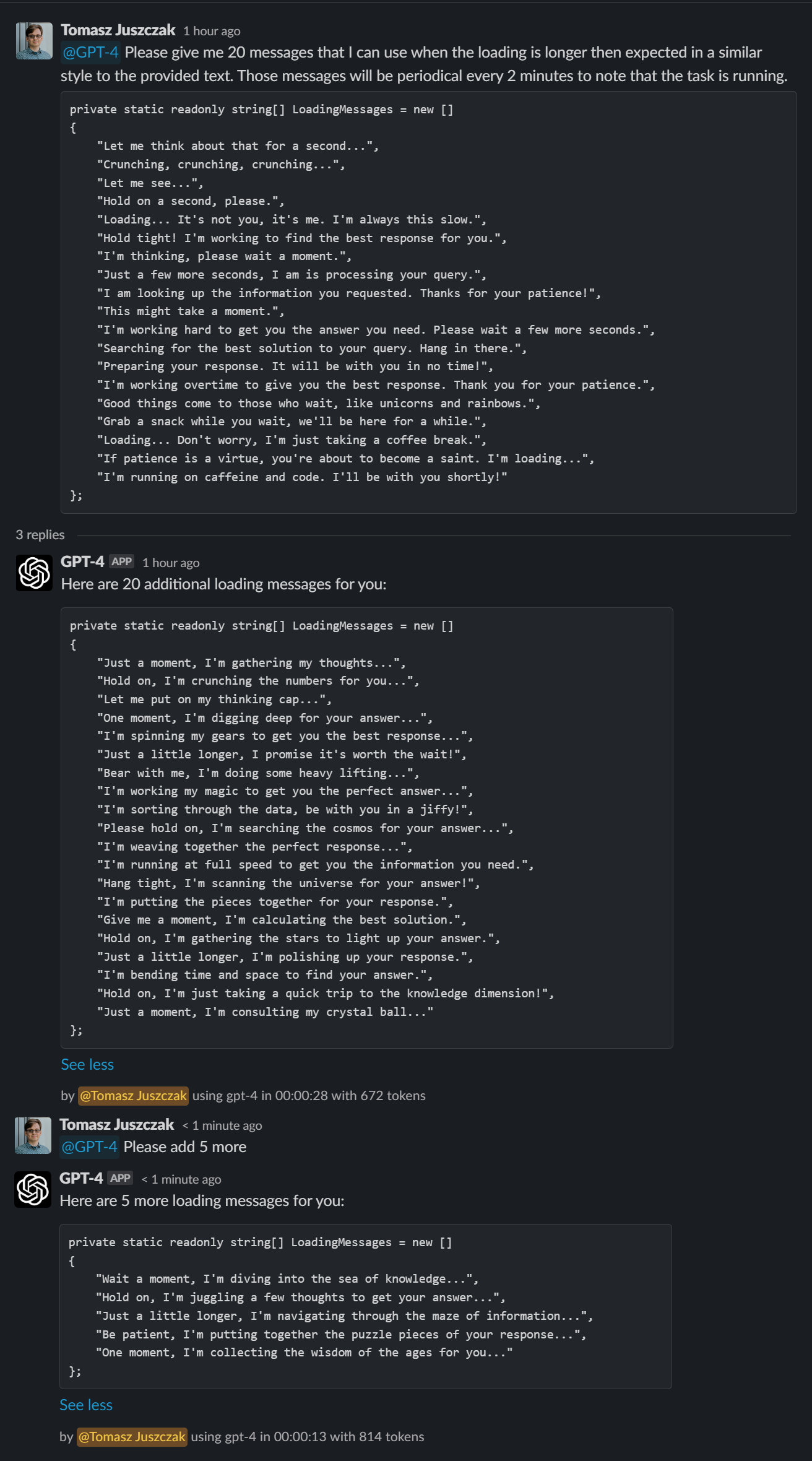
Thread support!
Error messages!