csgo league web
v2.1.0

A web application for PUG statistics.
Our support discord can be found here.
B3none - Developer / Maintainer
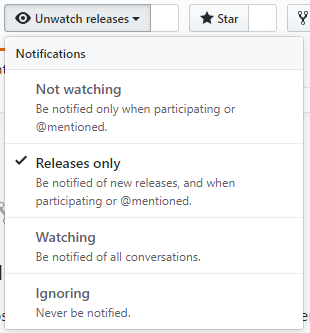
So as to keep the latest version of the plugin I recommend watching the repository
If you appreciate the project then please take the time to star our repository.

The steps below are all written with the presumption that you're using Ubuntu.
sudo apt install apache2 composer openssl php php-mysql php-json php-simplexml mysql-server zip unzip -y
sudo apt install apache2 composer openssl php7.2 php7.2-mysql php7.2-json php7.2-simplexml mariadb-server zip unzip -y
sudo apt install apache2 composer openssl php7.3 php7.3-mysql php7.3-json php7.3-simplexml mariadb-server zip unzip -y
curl -sL https://deb.nodesource.com/setup_10.x | sudo -E bash -sudo apt-get install nodejsnpm -vnode -vcurl -o- https://raw.githubusercontent.com/nvm-sh/nvm/v0.35.3/install.sh | bashnvm install 10.19nvm use 10.19npm -vnode -vcd /var/www/rm -rf html/sudo a2dissite 000-default.conf.sudo a2enmod rewrite.git clone https://github.com/csgo-league/csgo-league-webcd csgo-league-web/composer installnpm isudo npm i -g gulpgulp buildmysql_secure_installation.mysql -u root -p.CREATE USER 'league'@'%' IDENTIFIED BY '{password}';
CREATE DATABASE panel CHARACTER SET utf8mb4 COLLATE utf8mb4_general_ci;
GRANT ALL PRIVILEGES ON panel.* TO 'league'@'%' WITH GRANT OPTION;
FLUSH PRIVILEGES;
Then edit your MYSQL Conf to allow external connections to the database.
nano /etc/mysql/mysql.conf.d/mysqld.cnf and change the bind-address to 0.0.0.0
Now restart the MySQL service with sudo service mysql restart
Next we'll configure the web panel to use our database and communicate with the bot and game servers.
cd /var/www/csgo-league-web
cp env.example.php env.php
nano env.php
Fill out all of the fields with your information like MySQL, Servers, RCON, and Unique API Key. You can generate your API Key with the link provided in the env.php file.
Once finished Migrate your DB with ./vendor/bin/phpmig migrate
league CNAME at your dedicated server.cd /etc/apache2/sites-availablenano csgo-league-web.conf<VirtualHost *:80>
ServerName league.your.domain
DocumentRoot /var/www/csgo-league-web/web
<Directory /var/www/csgo-league-web/web>
Options -Indexes
AllowOverride All
FallbackResource /index.php
</Directory>
</VirtualHost>
sudo a2ensite csgo-league-web.confFinally make sure to chown -R www-data:www-data app in the /csgo-league-web directory.
You should be all set!
https://github.com/Rob--W/cors-anywhere or git clone https://github.com/Rob--W/cors-anywhere.gitscreen or alternative to run this code in backgroundcd cors-anywhere
node server.js
/var/www/csgo-league-web/assets/scripts/listeners/steam-profile.js,axios.get(`http://{YOUR IP}:8080/https://steamcommunity.com/profiles/${steam}?xml=true`){YOUR IP} to IP of server.cd /var/www/csgo-league-web/
gulp build
P.S.: Don't forget to clean cache of your web browser.
too many redirects error try change in env.php 'WEBSITE' => '/home' to 'WEBSITE' => ''






