tarathec tutorial backend
0.0.1

ASP.NET is an open source web framework, created by Microsoft, for building modern web apps and services with .NET. ASP.NET is cross platform and runs on Windows, Linux, macOS, and Docker.
more : https://dotnet.microsoft.com/en-us/learn/aspnet/what-is-aspnet
Create solution project
dotnet new sln -n Tutorial-ApiCreate ASP.NET Web Api project
dotnet new webapi -o ApiCreate XUnit project
dotnet new xunit -o Xunit.TestsAdd projects to solution
dotnet sln add .Tutorial.ApiTutorial.Api.csproj
dotnet sln add .XUnit.TestsXUnit.Tests.csproj
Add reference project into xunit project
dotnet add ./XUnit.Tests/XUnit.Tests.csproj reference .Tutorial.ApiTutorial.Api.csprojAdd dependency MongoDB Driver into project
dotnet add package MongoDB.Driver --version 2.18.0Mongoshell
Install mongo-shell
https://www.mongodb.com/docs/mongodb-shell/install/

> mongod --dbpath <data_directory_path>

> show dbs

> use tutorialdb

> db.createCollection('tutorials')

> db.tutorials.insertMany([{ "title": "Design Patterns", "description": "", "published": false}])

> db.tutorials.find().pretty()
dotnet run --project ./Tutorial.Api/Swagger : https://localhost:7272/swagger
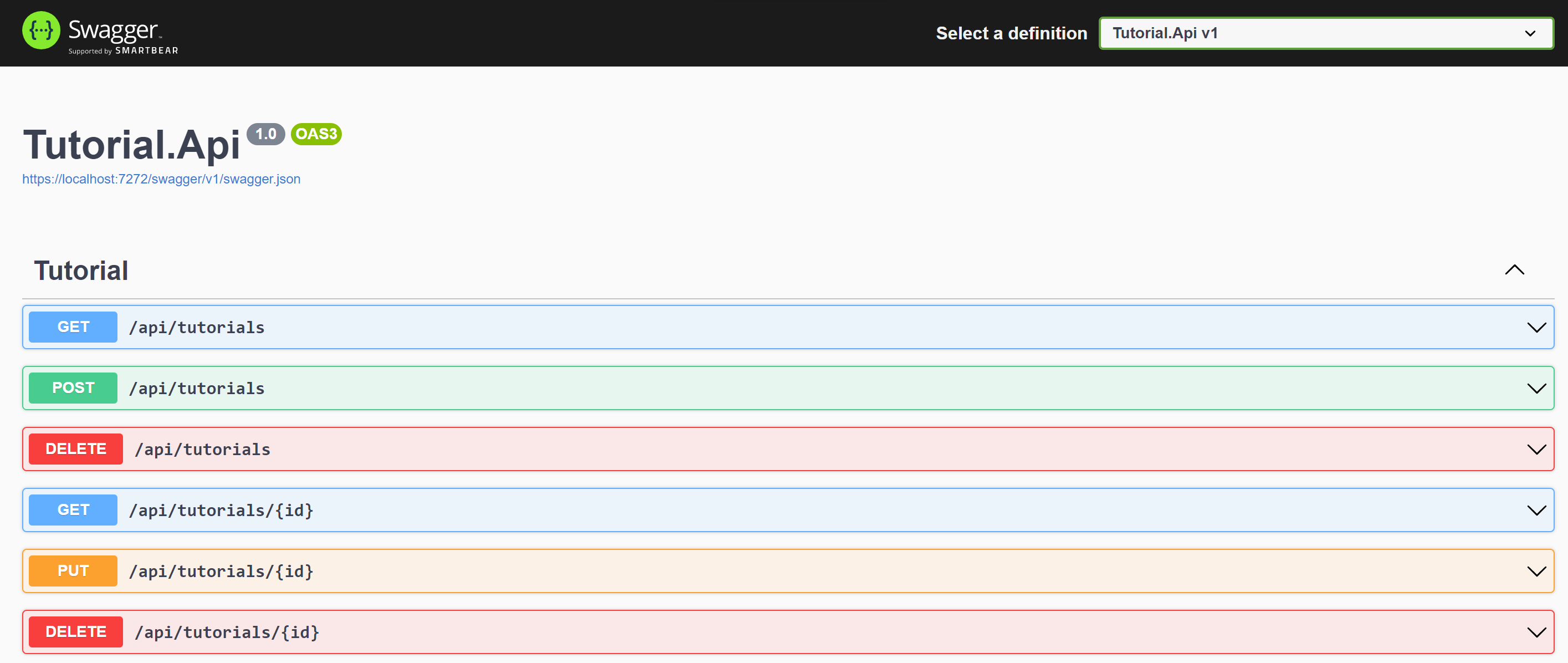
https://learn.microsoft.com/en-us/dotnet/core/tools/dotnet-run#examples
GET /api/tutorials
Response
[
    {
        "id": "63730beabd3cb05f2331be45",
        "title": "hello",
        "description": "world",
        "published": null,
        "createdAt": "0001-01-01T00:00:00Z",
        "updatedAt": "0001-01-01T00:00:00Z"
    },
    {
        "id": "63732124796b18bc753e9157",
        "title": "dotnet",
        "description": "microsoft",
        "published": null,
        "createdAt": "0001-01-01T00:00:00Z",
        "updatedAt": "0001-01-01T00:00:00Z"
    }
]
GET /api/tutorials/{id}
Response
{
    "id": "63730beabd3cb05f2331be45",
    "title": "hello",
    "description": "world",
    "published": null,
    "createdAt": "0001-01-01T00:00:00Z",
    "updatedAt": "0001-01-01T00:00:00Z"
}
POST /api/tutorials
Request Body
{
    "title": "string",
    "description": "string",
}
Response Body
{
    "code": "200",
    "message": "Inserted a single document Success"
}
DELETE /api/tutorials
Response Body
{
    "code": "200",
    "message": "All deleted"
}
DELETE /api/tutorials/{id}
Response Body
{
    "code": "200",
    "message": "Deleted id 63730beabd3cb05f2331be45"
}
PUT /api/tutorials/{id}
Request Body
    {
    "id": "63730beabd3cb05f2331be45",
    "title": "hello",
    "description": "world",
    "published": true
    }
Response Body
{
    "code": "200",
    "message": "Deleted id 63730beabd3cb05f2331be45"
}dotnet buildRestore as distinct layers
dotnet restoreBuild and publish a release
dotnet publish -c Release -o outRun Coverage
dotnet test --collect:"XPlat Code Coverage"Add ReportGenerator nuget
dotnet add package ReportGenerator --version 5.1.10Setup tool ReportGenerator
dotnet tool install -g dotnet-reportgenerator-globaltoolmore : https://www.nuget.org/packages/ReportGenerator
reportgenerator -reports:"XUnit.TestsTestResults*coverage.cobertura.xml" -targetdir:"./coveragereport" -reporttypes:HtmlEnvironment variables
| Env Name | Value |
|---|---|
| TutorialDatabase__ConnectionString | mongodb://xxxxxxxx |
| TutorialDatabase__DatabaseName | tutorialdb |
| TutorialDatabase__TutorialCollectionName | tutorials |
https://learn.microsoft.com/en-us/azure/azure-monitor/app/ilogger#aspnet-core-applications
Add package ApplicationInsights
dotnet add package Microsoft.ApplicationInsights.AspNetCore --version 2.21.0...





