GATE CS quiz generator
1.0.0

Multi-Sektion-Quizgenerator basierend auf Go's 3 Bänden von PYQs
updateLots -Dienstprogramm hinzufügen/entfernen.Installieren Sie das PYPDF2 -Paket, wenn Sie das Dienstprogramm für Suchprogramme verwenden [optional].
$ pip install PyPDF2
Führen Sie einfach den pyqTest im Terminal aus
$ python pyqTest.py
pyqTest zu diesem Zeitpunkt ändern:
show_pg_no = True
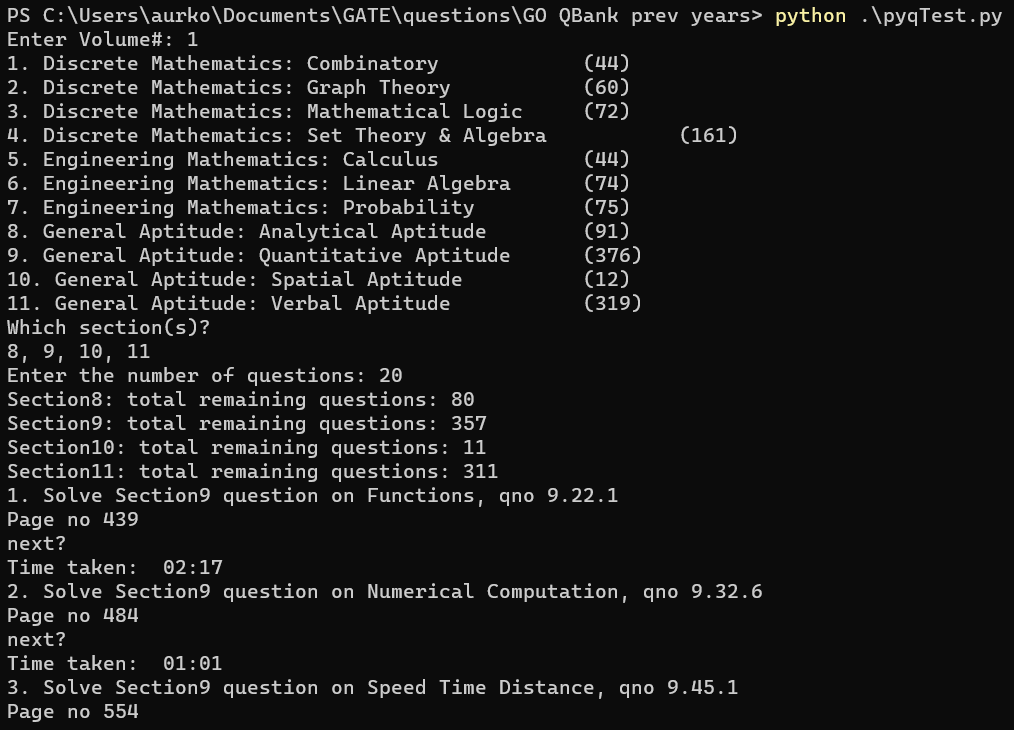
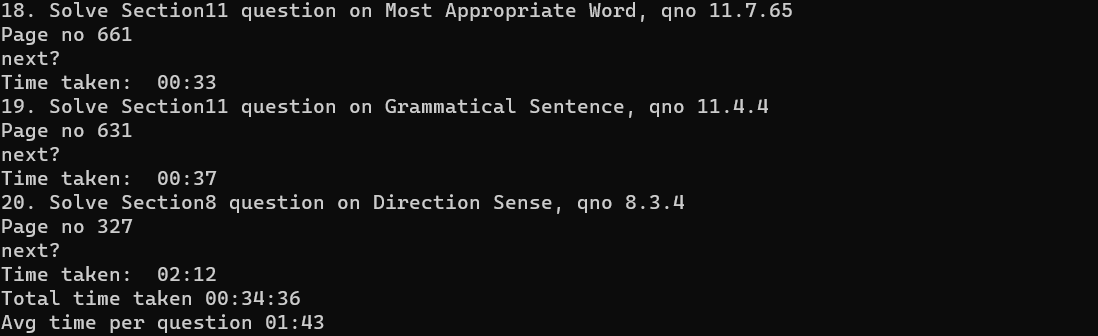
./vol{x}/log/{DATE}_{TIME}.log xtieren 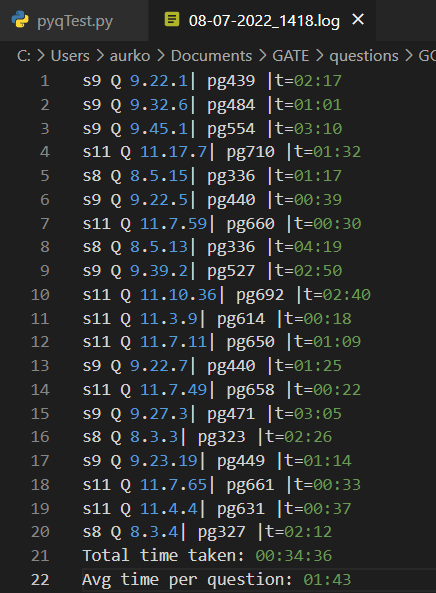
Dies kann weiter verwendet werden, um Notizen im Zusammenhang mit bestimmten Fragen zu schreiben und eine Analyse durchzuführen
 .
├── vol1                    # Folder with saved data, logs and the vol1 pdf
|    ├── data               # Folder with .dir files (saved page_no searches), and .lot files (the lot of remaining q's to pick from)
|    ├── log                # Folder with saved logs having question number attempted, and timing
|    ├── csv                # Contains all meta information about sections and sub-sections
|    └──Volume-1.pdf        # GO PYQ Volume1 pdf
├── vol2                    # Folder with saved data, logs and the vol2 pdf
|    ...                    # Same as for vol1
|    └──Volume-2.pdf
├── vol3                    # Folder with saved data, logs and the vol3 pdf
|    ...                    # Same as for vol1/2
|    └──Volume-3.pdf
├── __init__.py             # For using read_pdf module
├── extract_meta.py         # Used to extract index page text (meta_index.txt) and open with word processor (preferably vscode)
├── pyqTest.py              # The main test setter, uses the meta.csv and sectionx.csv for q distribution
├── read_pdf.py             # Contains search utility to search for a question's page no. from pdf/ saved dictionary
├── regex_test.py           # Test file to test out the regex [for question(s) extraction from pdf text]
├── updateLots.py           # For adding/removing questions that you've attempted and don't want in the paper/ want to add to unattempted questions
└── README.md





