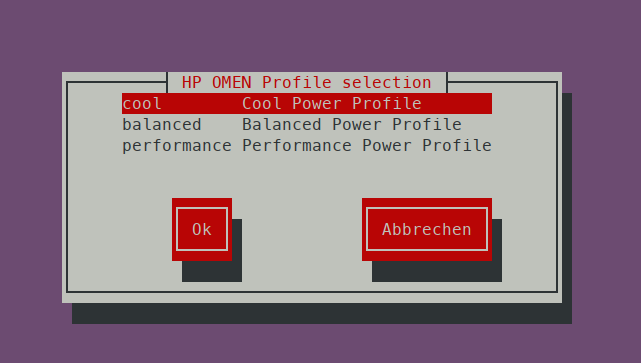
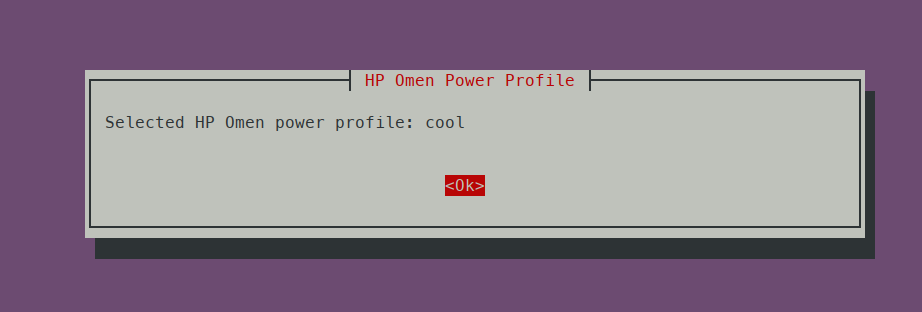
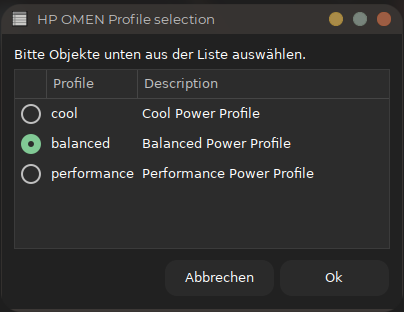
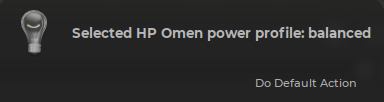
HP Omen Power Profile Selector
1.0.0

اختيار ملفات تعريف الطاقة HP Omen
| ❗ متوافق مع إصدار kernel> = 5.15 |
|---|
sudo apt install linux-generic-5.17sudo visudoأضف هذا الخط داخل Visudo
username ALL=(ALL) NOPASSWD: /path/to/powergui.sh| ❗ يجب عليك تغيير اسم المستخدم و/path/to/powergui.sh |
|---|
بعد الادخار مع F2 والخروج مع F10 ، يمكنك تشغيل sudo ./powergui.sh دون الحاجة إلى كلمة مرور. هناك حاجة إلى أن تكون قادرًا على استخدام sudo ./powergui.sh -p -g كاختصار لوحة مفاتيح ، أو عند بدء التشغيل
 -t, --txtonly 		 Text only mode
-g, --gui 		 GUI Mode
-h, --help 		 This help
-s, --profile <PROFILE>  Set to profile without user selection. <PROFILE>=['cool', 'balanced', 'performance']
-c, --cool 		 Select cool profile
-b, --balanced 		 Select balanced profile
-p, --performance 	 Select performance profile
sudo ./powergui.sh -g                      # Select via gui & Notification
sudo ./powergui.sh -g -t                   # Select via gui & Notification & Text output
sudo ./powergui.sh -g -p                   # Select performance mode & Notification
sudo ./powergui.sh -g -b                   # Select balanced mode & Notification
sudo ./powergui.sh -g -c                   # Select cool mode & Notification
sudo ./powergui.sh -g -s performance       # Select performance mode & Notification
sudo ./powergui.sh -g -s balanced          # Select balanced mode & Notification
sudo ./powergui.sh -g -s cool # Select cool mode & Notification sudo ./powergui.sh # Select via Terminal & Terminal Notification
sudo ./powergui.sh -t # Select via Terminal & Text output
sudo ./powergui.sh -p # Select performance mode & Terminal Notification
sudo ./powergui.sh -b # Select balanced mode & Terminal Notification
sudo ./powergui.sh -c # Select cool mode & Terminal Notification
sudo ./powergui.sh -s performance # Select performance mode & Terminal Notification
sudo ./powergui.sh -s balanced # Select balanced mode & Terminal Notification
sudo ./powergui.sh -s cool # Select cool mode & Terminal Notification sudo ./powergui.sh -t # Select via Terminal & Text output
sudo ./powergui.sh -t -g # Select via Gui & Text output
sudo ./powergui.sh -t -p # Select performance mode & Text output
sudo ./powergui.sh -t -b # Select balanced mode & Text output
sudo ./powergui.sh -t -c # Select cool mode & Text output
sudo ./powergui.sh -t -s performance # Select performance mode & Text output
sudo ./powergui.sh -t -s balanced # Select balanced mode & Text output
sudo ./powergui.sh -t -s cool # Select cool mode & Text output sudo ./powergui.sh -h