react native element timer
Release 2.1.2

مكون يعرض مؤقتًا وعد التنازلي لـ React Native. نفذت باستخدام رد الفعل-بيتش جروتر
npm install react - native - element - timer -- saveأو
yarn add react - native - element - timer 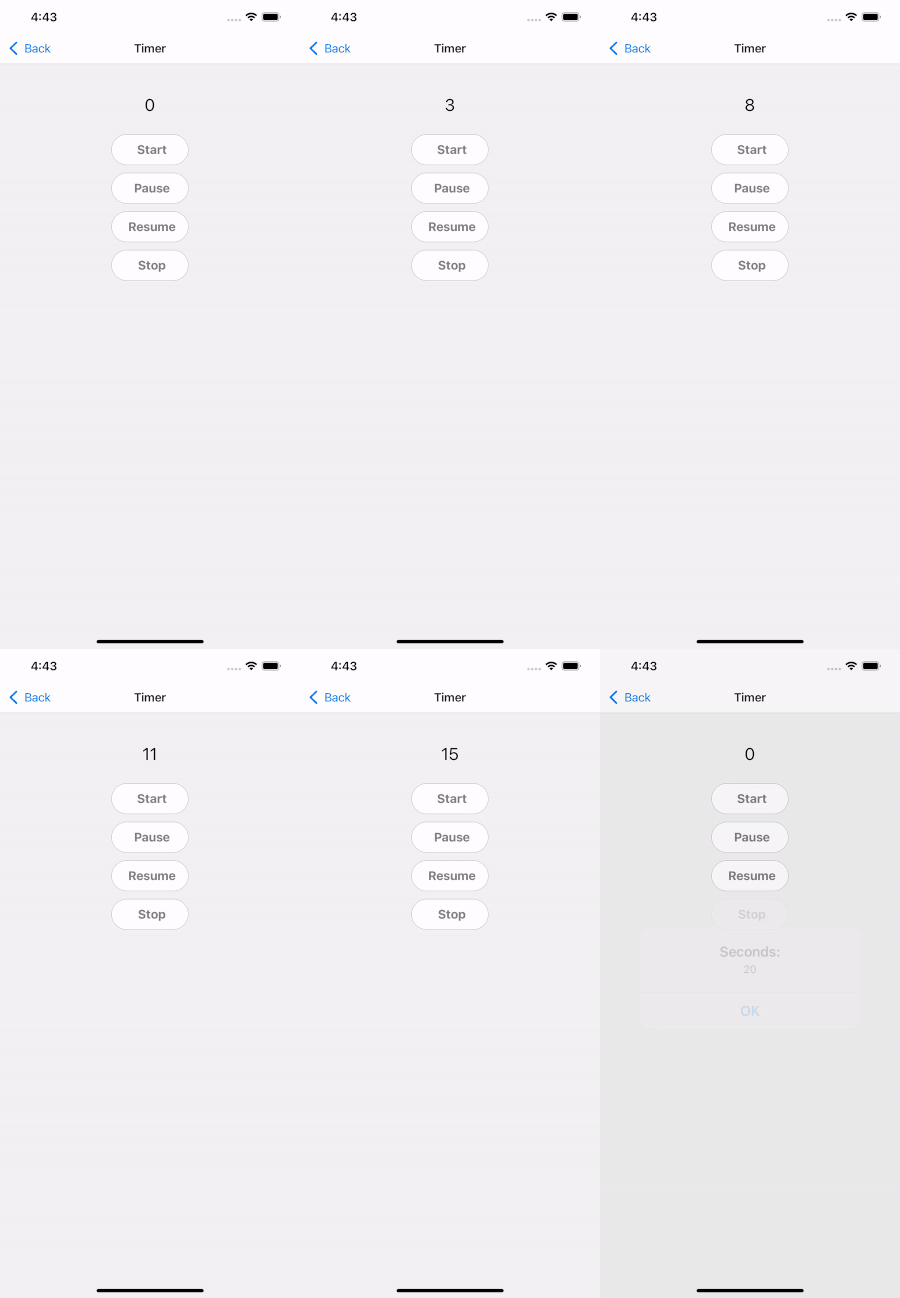
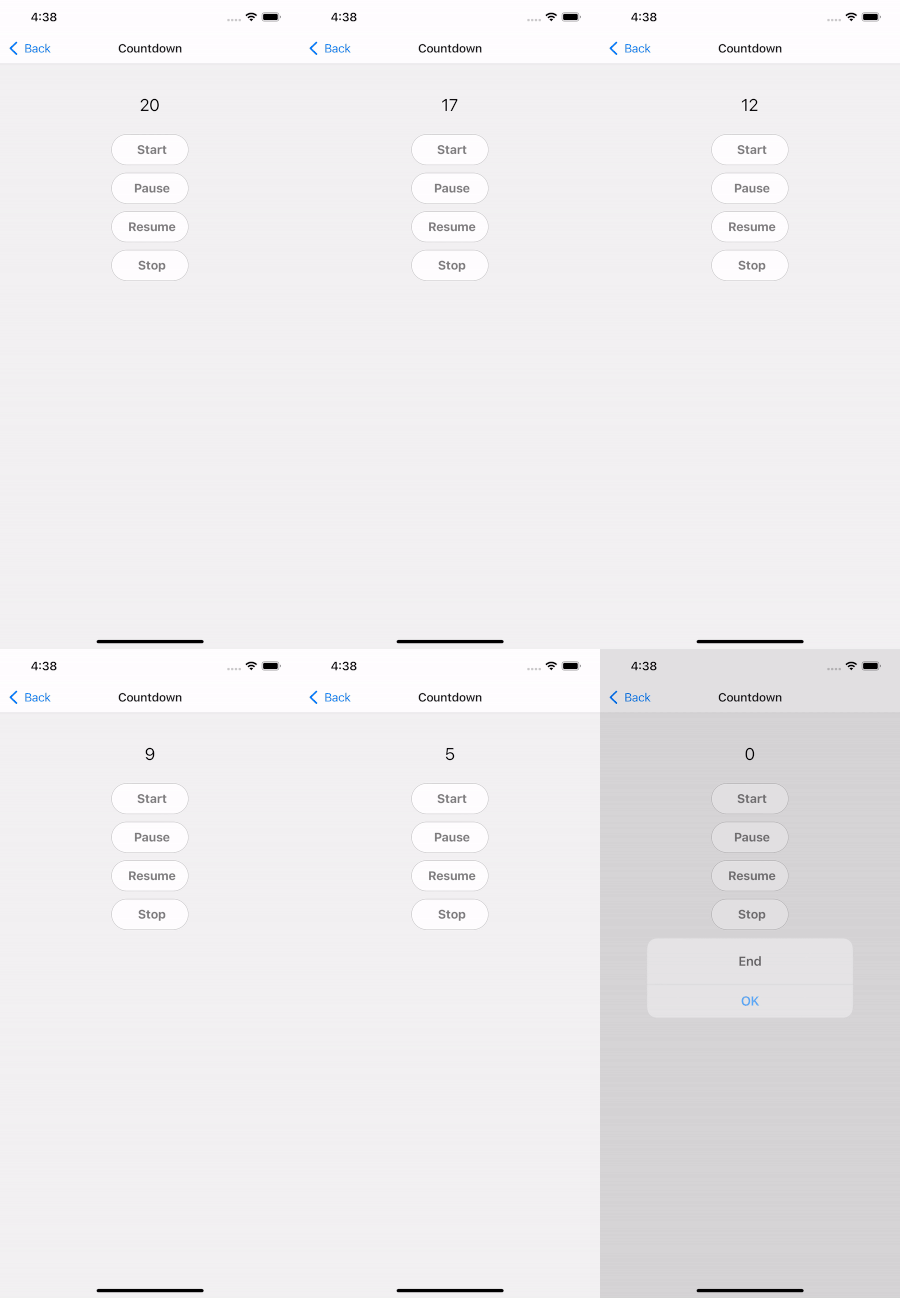
| الدعائم | يكتب | Isrequire | وصف |
|---|---|---|---|
| initialseconds | رقم | لا | الثواني الأولية ، defalut هو 0 |
| autostart | منطقية | لا | توقيت البدء التلقائي |
| يبدأ | المرجع () | نعم | بدء توقيت |
| يوقف | Ref.Pause () | نعم | مؤقت مؤقت |
| سيرة ذاتية | Ref.Resume () | نعم | استئناف مؤقت |
| قف | المرجع stop () | نعم | توقف مؤقت |
| أسلوب | ViewStyle | لا | عرض حاوية التصميم |
| fontfamily | خيط | لا | تخصيص نمط الخط |
| TextStyle | TextStyle | لا | نص التصميم |
| formattime | HH: MM: SS أو SS | لا | وقت التنسيق |
| أوقات | (ثواني) => باطلة | لا | رد الاتصال عند وقت التشغيل |
| onpause | (ثواني) => باطلة | لا | رد الاتصال عندما يتم استدعاء الحدث الموقف |
| بصل | (ثواني) => باطلة | لا | رد الاتصال عندما يتم استدعاء حدث التوقف |
| الدعائم | يكتب | Isrequire | تقصير |
|---|---|---|---|
| initialseconds | رقم | نعم | الثواني الأولية |
| autostart | منطقية | لا | توقيت البدء التلقائي |
| يبدأ | المرجع () | نعم | بدء توقيت |
| يوقف | Ref.Pause () | نعم | مؤقت مؤقت |
| سيرة ذاتية | Ref.Resume () | نعم | استئناف مؤقت |
| قف | المرجع stop () | نعم | توقف مؤقت |
| أسلوب | ViewStyle | لا | عرض حاوية التصميم |
| fontfamily | خيط | لا | تخصيص نمط الخط |
| TextStyle | TextStyle | لا | نص التصميم |
| formattime | HH: MM: SS أو SS | لا | وقت التنسيق |
| أوقات | (ثواني) => باطلة | لا | رد الاتصال عند وقت التشغيل |
| onpause | (ثواني) => باطلة | لا | رد الاتصال عندما يتم استدعاء الحدث الموقف |
| بصل | (ثواني) => باطلة | لا | رد الاتصال عندما يتم استدعاء حدث التوقف |
    import React , { useRef } from 'react' ;
    import { StyleSheet , Button , Text , SafeAreaView } from 'react-native' ;
    import { Timer , Countdown } from 'react-native-element-timer' ;

    const TimerScreen = _props => {
        const timerRef = useRef ( null ) ;
        const countdownRef = useRef ( null ) ;

        return (
            < SafeAreaView style = { styles . container } >
                < Text style = { styles . text } > Timer: </ Text >
                < Timer
                    ref = { timerRef }
                    style = { styles . timer }
                    textStyle = { styles . timerText }
                    onTimes = { e => { } }
                    onPause = { e => { } }
                    onEnd = { e => { } }
                />
                < Button
                    style = { styles . button }
                    title = { 'Start' }
                    onPress = { ( ) => {
                        timerRef . current . start ( ) ;
                    } }
                />
                < Button
                    style = { styles . button }
                    title = { 'Pause' }
                    onPress = { ( ) => {
                        timerRef . current . pause ( ) ;
                    } }
                />
                < Button
                    style = { styles . button }
                    title = { 'Resume' }
                    onPress = { ( ) => {
                        timerRef . current . resume ( ) ;
                    } }
                />
                < Button
                    style = { styles . button }
                    title = { 'Stop' }
                    onPress = { ( ) => {
                        timerRef . current . stop ( ) ;
                    } }
                />

                < Text style = { styles . text } > Countdown: </ Text >
                < Countdown
                    ref = { countdownRef }
                    style = { styles . timer }
                    textStyle = { styles . timerText }
                    initialSeconds = { 5 }
                    onTimes = { e => { } }
                    onPause = { e => { } }
                    onEnd = { ( e ) => { } }
                />
                < Button
                    style = { styles . button }
                    title = { 'Start' }
                    onPress = { ( ) => {
                        countdownRef . current . start ( ) ;
                    } }
                />
                < Button
                    style = { styles . button }
                    title = { 'Pause' }
                    onPress = { ( ) => {
                        countdownRef . current . pause ( ) ;
                    } }
                />
                < Button
                    style = { styles . button }
                    title = { 'Resume' }
                    onPress = { ( ) => {
                        countdownRef . current . resume ( ) ;
                    } }
                />
                < Button
                    style = { styles . button }
                    title = { 'Stop' }
                    onPress = { ( ) => {
                        countdownRef . current . stop ( ) ;
                    } }
                />
            </ SafeAreaView >
        ) ;
    } ;

    export default TimerScreen ;

    const styles = StyleSheet . create ( {
        container : {
            flex : 1 ,
            alignItems : 'center' ,
            padding : 20 ,
        } ,
        text : {
            fontWeight : 'bold' ,
            fontSize : 16 ,
            marginTop : 40 ,
        } ,
        timer : {
            marginVertical : 10 ,
        } ,
        timerText : {
            fontSize : 20 ,
        } ,
        button : {
            marginVertical : 5 ,
            backgroundColor : 'white' ,
            borderRadius : 24 ,
            width : 100 ,
        } ,
} ) ; دعم المشاريع مع التبرع ومساعدتهم على الاستمرار في الأنشطة.








