django now ui dashboard
v1.0.3

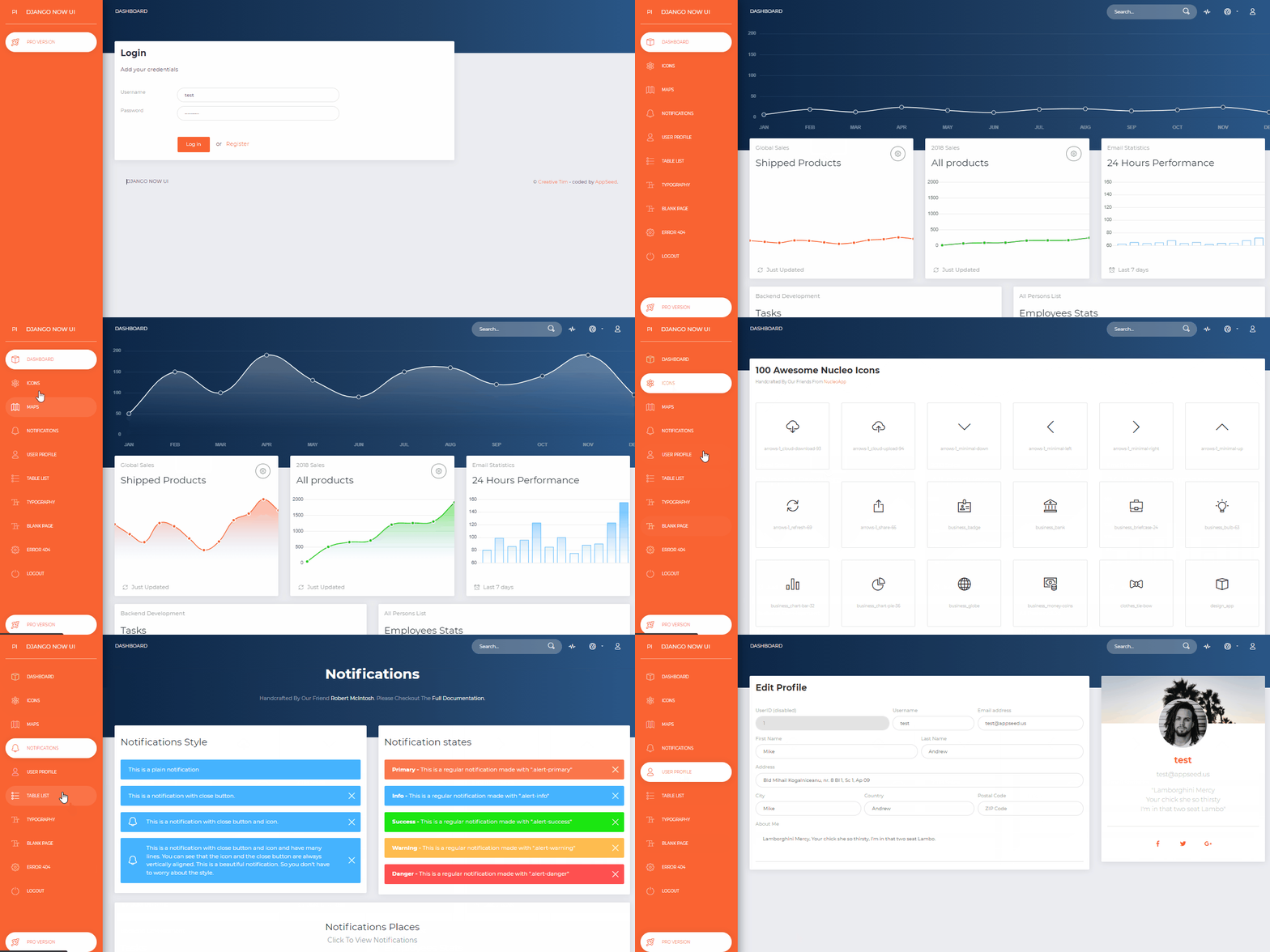
لوحة تحكم المشرف التي تم إنشاؤها بواسطة AppSeed في Django Framework. الآن UI Dashboard عبارة عن مجموعة أدوات Bootstrap 4 سريعة الاستجابة مقدمة مجانًا من Invision وCreative Tim. تأتي الآن UI Dashboard محملة بجميع المكونات الإضافية التي قد تحتاجها داخل المشروع والوثائق حول كيفية البدء. إنه خفيف وسهل الاستخدام، كما أنه قوي جدًا.
سمات
Up-to-date dependenciesSQLite Database ، Django Native ORMSession-Based authentication والتحقق من صحة النماذجDeployment : Docker ، Gunicorn / Nginx، HEROKU 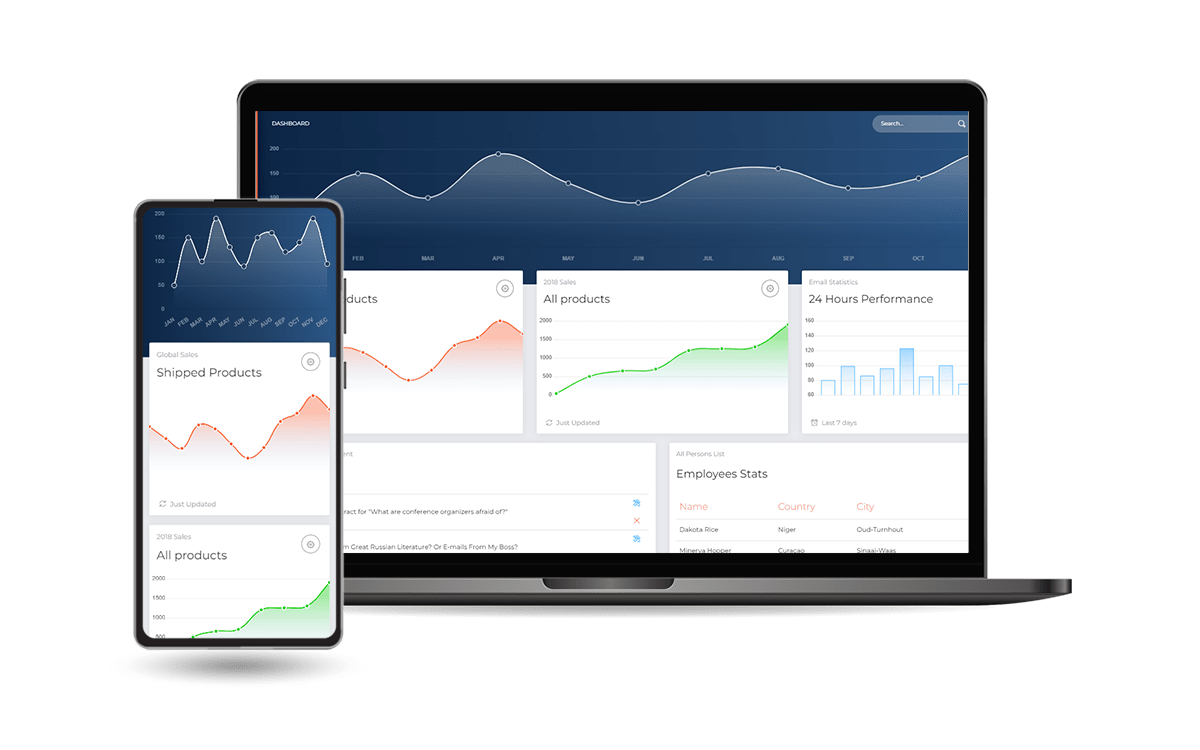
Dockerاحصل على الرمز
$ git clone https://github.com/app-generator/django-now-ui-dashboard.git
$ cd django-now-ui-dashboard
ابدأ تشغيل التطبيق في Docker
$ docker-compose up --build تفضل بزيارة http://localhost:85 في متصفحك. يجب أن يكون التطبيق قيد التشغيل.
$ # Get the code
$ git clone https://github.com/app-generator/django-now-ui-dashboard.git
$ cd django-now-ui-dashboard
$
$ # Virtualenv modules installation (Unix based systems)
$ virtualenv env
$ source env/bin/activate
$
$ # Virtualenv modules installation (Windows based systems)
$ # virtualenv env
$ # .envScriptsactivate
$
$ # Install modules
$ # SQLIte version
$ pip3 install -r requirements.txt
$
$ # Create tables
$ python manage.py makemigrations
$ python manage.py migrate
$
$ # Start the application (development mode)
$ python manage.py runserver # default port 8000
$
$ # Start the app - custom port
$ # python manage.py runserver 0.0.0.0:<your_port>
$
$ # Access the web app in browser: http://127.0.0.1:8000/
ملاحظة: لاستخدام التطبيق، يرجى الدخول إلى صفحة التسجيل وإنشاء مستخدم جديد . بعد المصادقة، سيقوم التطبيق بفتح الصفحات الخاصة.
تم ترميز المشروع باستخدام بنية بسيطة وبديهية موضحة أدناه:
 < PROJECT ROOT >
   |
   | -- core/                               # Implements app configuration
   |    | -- settings.py                    # Defines Global Settings
   |    | -- wsgi.py                        # Start the app in production
   |    | -- urls.py                        # Define URLs served by all apps/nodes
   |
   | -- apps/
   |    |
   |    | -- home/                          # A simple app that serve HTML files
   |    |    | -- views.py                  # Serve HTML pages for authenticated users
   |    |    | -- urls.py                   # Define some super simple routes
   |    |
   |    | -- authentication/                # Handles auth routes (login and register)
   |    |    | -- urls.py                   # Define authentication routes
   |    |    | -- views.py                  # Handles login and registration
   |    |    | -- forms.py                  # Define auth forms (login and register)
   |    |
   |    | -- static/
   |    |    | -- < css, JS, images >         # CSS files, Javascripts files
   |    |
   |    | -- templates/                     # Templates used to render pages
   |         | -- includes/                 # HTML chunks and components
   |         |    | -- navigation.html      # Top menu component
   |         |    | -- sidebar.html         # Sidebar component
   |         |    | -- footer.html          # App Footer
   |         |    | -- scripts.html         # Scripts common to all pages
   |         |
   |         | -- layouts/                   # Master pages
   |         |    | -- base-fullscreen.html  # Used by Authentication pages
   |         |    | -- base.html             # Used by common pages
   |         |
   |         | -- accounts/                  # Authentication pages
   |         |    | -- login.html            # Login page
   |         |    | -- register.html         # Register page
   |         |
   |         | -- home/                      # UI Kit Pages
   |              | -- index.html            # Index page
   |              | -- 404-page.html         # 404 page
   |              | -- * .html                # All other pages
   |
   | -- requirements.txt                     # Development modules - SQLite storage
   |
   | -- .env                                 # Inject Configuration via Environment
   | -- manage.py                            # Start the app - Django default start script
   |
   | -- ************************************************************************
تدفق التمهيد
manage.py core/settings.py كملف التكوين الرئيسيcore/settings.py بتحميل سحر التطبيق من ملف .envلإعادة ترجمة ملفات SCSS، اتبع هذا الإعداد:
الخطوة رقم 1 – تثبيت الأدوات
npm install -g gulp-cli الخطوة رقم 2 - قم بتغيير دليل العمل إلى مجلد assets
$ cd apps/static/assets الخطوة رقم 3 - تثبيت الوحدات النمطية (سيؤدي ذلك إلى إنشاء دليل كلاسيكي node_modules )
$ npm install
// OR
$ yarn
الخطوة رقم 4 - تحرير وإعادة ترجمة ملفات SCSS
$ gulp scss يتم حفظ الملف الذي تم إنشاؤه في الدليل static/assets/css .
يتم تزويد التطبيق بتكوين أساسي ليتم تنفيذه في Docker وGunicorn وWaitress.
يمكن تنفيذ التطبيق بسهولة في حاوية عامل إرساء. الخطوات:
احصل على الرمز
$ git clone https://github.com/app-generator/django-now-ui-dashboard.git
$ cd django-now-ui-dashboard
ابدأ تشغيل التطبيق في Docker
$ sudo docker-compose pull && sudo docker-compose build && sudo docker-compose up -d تفضل بزيارة http://localhost:85 في متصفحك. يجب أن يكون التطبيق قيد التشغيل.
Gunicorn 'Green Unicorn' هو خادم Python WSGI HTTP لنظام UNIX.
التثبيت باستخدام النقطة
$ pip install gunicornابدأ تشغيل التطبيق باستخدام gunicorn ثنائي
$ gunicorn --bind=0.0.0.0:8001 core.wsgi:application
Serving on http://localhost:8001
تفضل بزيارة http://localhost:8001 في متصفحك. يجب أن يكون التطبيق قيد التشغيل.
المقصود من Waitress (ما يعادل Gunicorn لنظام التشغيل Windows) هو أن يكون خادم Python WSGI عالي الجودة وذو أداء مقبول للغاية. ليس لديها أي تبعيات باستثناء تلك الموجودة في مكتبة بايثون القياسية.
التثبيت باستخدام النقطة
$ pip install waitressابدأ تشغيل التطبيق باستخدام خدمة النادلة
$ waitress-serve --port=8001 core.wsgi:application
Serving on http://localhost:8001
تفضل بزيارة http://localhost:8001 في متصفحك. يجب أن يكون التطبيق قيد التشغيل.
Django Now UI Dashboard - مقدمة من App Generator .








