Ciro
Incremental Changes.


CIRO是一個快速啟動項目的MVC PHP框架,其設計為簡單,可配置,模塊化,脫鉤,可擴展和輕巧,以使其更容易構建更好,易於維護的PHP代碼。
開箱即用的Ciro隨附:
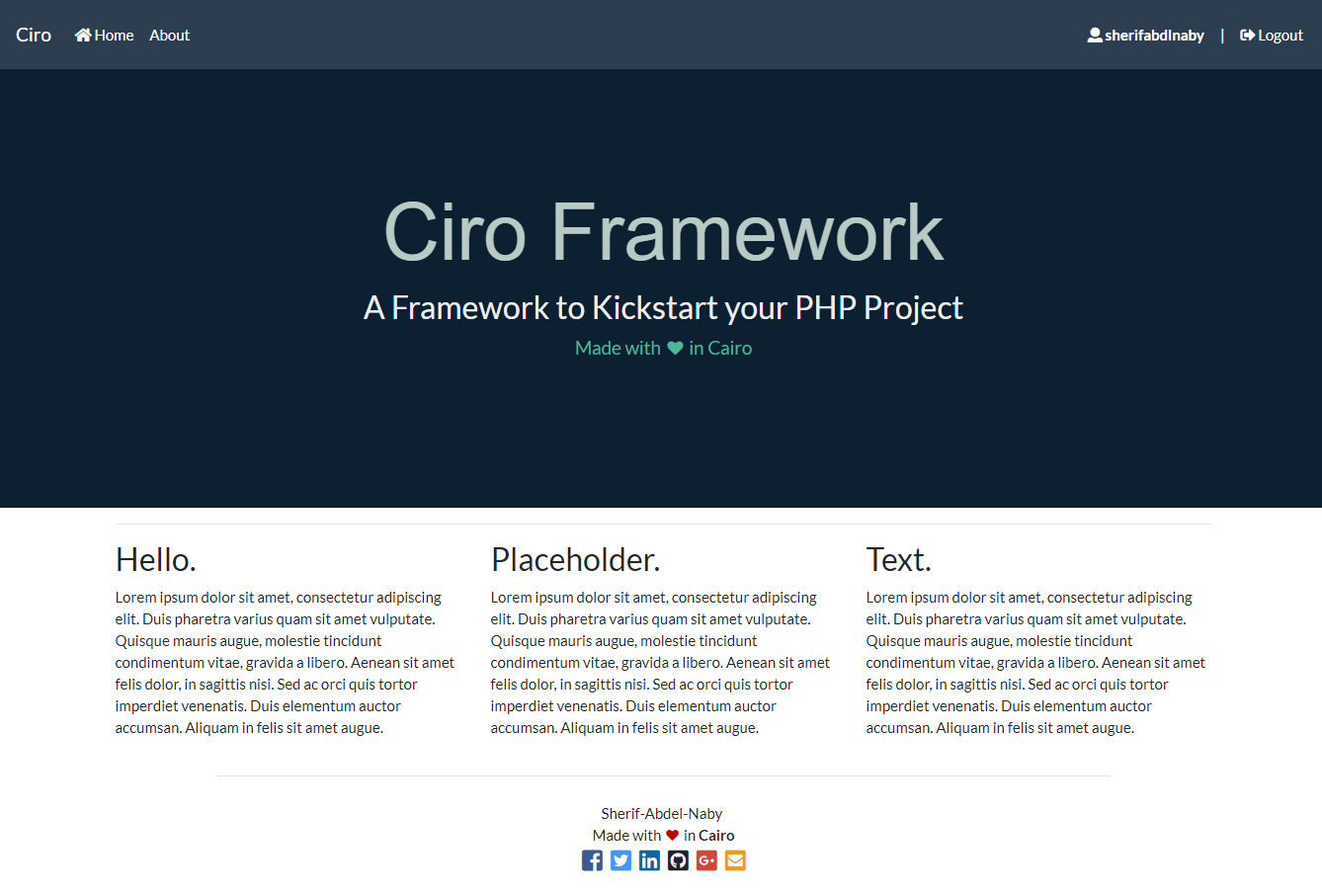
CIRO帶有一個模板項目,其中一個簡單的身份驗證系統可以為您的項目或原型開發開發。
框架模板項目的在線示例:https://ciro-framework.herokuapp.com
C:xampphtdocs用於Windows或/Applications/XAMPP/xamppfiles/htdocs 。httpd.conf目錄root配置為CIRO的目錄,請參見說明:此處。要使用預製的登錄/寄存器,並且您使用的是SQL (不是Mongo),必須在SQL中創建數據庫和表。
http://localhost/phpmyadmin ,然後在根目錄中存在的sql_database_script.sql中執行查詢。要使用預製的登錄/寄存器,並且您想使用MongoDB ,必須使用Composer安裝mongodb extension和MongoDB PHP Library ,請在此處說明。還可以用Models.disabled.mongo.userrepository.class.php替換Models/UserRepository.php 。
Mysqli版本。PDO版本。MongoDB版本(PHP 7.0+)。所有可通過配置文件配置。
項目結構遵循名稱為PSR-4規格。
 +---Config              <- Contains Configurations Files.
+---Controllers         <- Contains a Dir for each Route each contains this Route's Controllers.
+---Core                <- Contains Core Classes for the framework
+---Logs                <- Contains Logs created by the scripts (e.g Exception Handler logs)
+---Models              <- Contains Models (can be sub-directoried using namespaces using PSR-4 specs.
+---Utilities           <- Contains Utility Classes.
+---Vendor              <- Composer's Vendor Dir, contains autoloader code and third-party packeges.
+---Views               <- Contains Views, a Dir for each route, each contains a Dir for each Controller.
|   +---_FullMessages     <- Contains Full Messages HTML designs.
|   +---_Layouts          <- Contains Layouts
+---Webroot             <- Public Dir contains the single point of entry of the program, and all public assets.
在CIRO中,默認URL路由具有以下結構:
http://example.io/{route}/{controller}/{action}/{param1?}/{param2?}/...
該URL解析為命名空間controllers/{route}中控制器{controller}的方法{action} ,因此在PHP OOP符號中對應於:
App Controllers { route }{controller} -> { action }在配置Config/config.php中,您可以指定一個“ default_route”,因此,如果URL不包含路由,則該程序將根據默認路由路由。默認情況下,“ default_route”為“ Web”。因此,使用默認路由的典型URL將具有以下結構:
http://example.io/{controller}/{action}/{param1?}/{param2?}/...
因此,在php OOP中,符號對應於:
App Controllers Web {controller} -> { action }另一個例子:
                                        for $id
http://example.io/{controller}/{action}/{param1}
http://example.io/  Product   /  View  /  6800
如果URL未指定{action} ,則將路由到'config/config.php'指定的'default_action'的程序。
如果URL未指定{controller} ,則將路由到'config/config.php'中指定的'default_controller'的程序。
要添加新路由並使用默認路由訪問它,必須將其添加到Config/config.php路由表中。
以此URL為例:
                                        for $id   $color
http://example.io/{controller}/{action}/{param1}/{param2}
http://example.io/  Product   /  View  /  6800  /  red
通過$this -> params[0..*]數組在控制器方法內可訪問參數,例如$this->params[0]在上面的URL中保留{param1}的值。
訪問控制器方法中參數的另一種方法是將參數添加到控制器的方法本身中。使用上面的同一示例,如果像這樣定義了ProductController -> View :
 class ProductController extends WebController {
    public function view ( $ id , $ color = ' white ' ){
        /* controller's method code here */
    }
} $id的值將為{param1} , $color的值{param2}等等...
請注意,如果{param2}不在URL中, $color將使用指定的默認值,但是,如果{param1}不在URL中,則該程序將呈現404: Not Found消息,因為$id在控制器方法中沒有指定的默認值。
自定義路由使您有可能指定具有特定模式的URL ,如果將URL匹配,則將其路由到指定的{route}{controller}::{action}並使用正確的指定參數。
可以在Config/config.php中啟用/禁用自定義路由。
您可以為每個REST HTTP動詞( GET, POST, PUT, DELETE, etc )指定自定義路由,或使用以下方式為所有可能的HTTP動詞指定自定義路由:
 // for GET requests
Route:: get ( $ uri , $ route , $ controller , $ action );

// same for POST, PUT, DELETE, etc requests
Route:: post (), Route:: put (), Route:: delete (), Route:: patch (), Route:: options ();

// for ALL requests
Route:: all ();自定義路由在/config/routes.php中定義。
Route:: get ( ' custom/route/{id}/{name}/{language?} ' , ' Web ' , ' Home ' , ' CustomRouteAction ' );與custom/route/{id}/{name}/{language?}匹配的任何URL將被路由到:路由: Web Controller: Home Action: CustomRouteAction 。
{ name }包圍,可選參數應該具有'?'在他們的名字的最後{ optinoalParam? } 。$this -> params[0..*]數組在控制器方法內可訪問參數,並分別訂購為URL中其順序。$this -> param[0]對應{id} , $this -> param[1]對應於{name} ,等等控制器的自定義路線方法應定義如下:
 class HomeController extends WebController {
    public function CustomRouteAction ( $ id , $ name , $ language = ' default ' ){
        /* controller's method code here */
    }
}請注意上面的示例: {language?}是可選的參數,可選參數應該具有'?'在其名稱的末尾,並且應該在控制器的方法中具有默認值,否則如果丟失了參數,則該程序將呈現404: Not Found消息,因為沒有給出可選的param,並且沒有默認值。
設置自定義路由時,您可以在目標route , controller或action中放置一個可變參數,以創建更“常規”的自定義路由。
例子:
Route:: get ( ' custom/{var_controller}/pattern/{action}/{param1} ' , ' Web ' , ' {var_controller} ' , ' {action} ' );匹配custom/{var_controller}/pattern/{action}/{param1}的任何URL
將被路由到:路由: Web , Controller: {var_controller} , action: {action}和params不包含{var_controller}和{action}因為它們是在路由中使用的。
因此,如果帶有url的請求= custom / Account / tatter / View / sherifabdlnaby ,它將被路由到:路由: Web , controller: Account ,操作: View and params [0] =' sherifabdlnaby '
控制器負責處理用戶請求並返回用戶作為WebControllers的HTML的輸出,或者用於ApiControllers的JSONRESULT,或重定向到另一個目的地。
控制器目錄應匹配控制器的命名空間,並且應如下以下Controllers{route}{ControllerName}Controller.php ,並使用名稱空間AppControllers{route} ,其中{route}是該控制器所屬的路由。
 +---Controllers
|   +---Api     <-- Api route dir.
|   |    HomeController.php     <-- Home Controller for API route.
|   |
|   ---Web     <--  Web (Default) route dir.
|        AccountController.php
|        HomeController.php     <-- Home Controller for Web default route.
控制器具有4個受保護的變量:
 $ params ;   // array() that holds method's params
$ model ;    // controller's model
$ data ;     // the $data array() is what is passed to the controller's view.
$ meta ; // the $meta array() is what is passed to $layout meta section (for WebControllers Only)控制器的輸出(以及用戶看到的內容)是通過它返回的。
CIRO中的控制器在返回控制器內部輸出以簡化這些任務時具有各種功能。
渲染將使用佈局渲染HTML網頁,佈局包含標頭,元數據部分,警報,身體和頁腳。佈局的主體部分是根據控制器的方法ViewPath確定的。
控制器的視圖使用$數據[]數組來呈現其元素,並且元數據部分使用$ META []數組。
render ( $ layout = null , $ viewPath = null , & $ data = null , & $ meta = null );| arg | 描述 | 預設值 |
|---|---|---|
$layout | 指定用於渲染的視圖佈局 | config.php中指定的默認佈局 |
$viewPath | 指定視圖渲染的路徑 | 根據控制器的方法名稱確定的查看 |
$data | $data Array()視圖也將具有訪問權限 | 控制器自己的$data陣列() |
$meta | $meta ARRAY()佈局也將具有訪問權限 | 控制器自己的$meta array() |
返回$this->render();沒有任何給定參數(使用默認值)在90%的情況下就足夠了。
$ this-> Render()的基本用法;
 class AccountController extends WebController {
    public function View ( $ username ){
        $ this -> data [ ' name ' ] = $ username ;
        return $ this -> render ();
    }
}RenderFullerror和RenderFullMessage將渲染自定義消息/錯誤頁面。如果在第二個參數中給出了狀態代碼,則控制器會發送相應的HTTP狀態代碼標頭並渲染該代碼的視圖。
 function renderFullError( $ message , $ statusCode = null , $ layout = null );
function renderFullMessage( $ message , $ statusCode = null , $ layout = null );| arg | 描述 | 預設值 |
|---|---|---|
$message | 視圖中要渲染的消息。 | 無(必需字段) |
$statusCode | HTTP狀態代碼 | 無效的 |
$layout | 指定用於渲染的視圖佈局 | config.php中指定的默認佈局 |
$ this-> renderfullerror() / renderfullmessage()的基本用法;
 class AccountController extends WebController {
    public function View ( $ username ){
        if ( /* User Found */ )
            return $ this -> render ();
        else
            return $ this -> renderFullError ( ' User not found! ' , 404 );
    }
}
如果在腳本執行期間提出任何例外,則框架將呈現一個500個內部服務器錯誤自定義錯誤頁面。
當從控制器的無輸出中返回$ this-> return()時,將將用戶重定向到給定的URL。
function redirect( $ path );| arg | 描述 | 預設值 |
|---|---|---|
| $路徑 | 將Relative或Full路徑重定向到 | 無(必需字段) |
$ this-> redirect()的基本用法;
 class AccountController extends WebController {
    public function Login ( $ username , $ password ){
        if ( /* Login Success */ )
            return $ this -> redirect ( ' / ' );   // redirect to homepage.
        else
            return $ this -> renderFullMessage ( ' Incorrect Username or Password ' , 401 );
    }
}檢查用戶是否登錄,如果不是,請重定向到主頁/登錄。
這些函數不會由返回語句使用,但是,如果它們重定向用戶,則可以停止腳本,這意味著如果其驗證為false,則該函數以下的任何代碼都不會執行;
 function verifyLoggedIn();
 function verifyNotLoggedIn();
$ this-> verifyLoggedIn() / verifynotloggedin()的基本用法;
 class AccountController extends WebController {
    public function Login ( $ username , $ password ){

        $ this -> verifyNotLoggedIn ();   //Redirects to Homepage if user is already logged in.

        if ( /* Login Success */ )
            return $ this -> redirect ( ' / ' );
        else
            return $ this -> renderFullMessage ( ' Incorrect Username or Password ' , 401 );
    }
}會話類是一個可擴展的類,它將在程序中管理$ _ SESSION的使用,以執行單個職責原則。
 /* Save Parameters to $_SESSION, use for Login */
public static function saveLoginSession( $ _id , $ username );

/* Return TRUE if user is logged On */
public static function isLoggedIn ();

/* Unset and Destroy current Session, use for logout */
public static function destroyLoginSession ();

/* Add Error Alerts to be rendered to user when controller's $this -> render() is called */
public static function addErrorAlert ( $ errorAlert );

/* Add Warning Alerts to be rendered to user when controller's $this -> render() is called */
public static function addWarningAlert ( $ warningAlert );

/* Add info Alerts to be rendered to user when controller's $this -> render() is called */
public static function addInfoAlert ( $ infoAlert );

/* Add success Alerts to be rendered to user when controller's $this -> render() is called  */
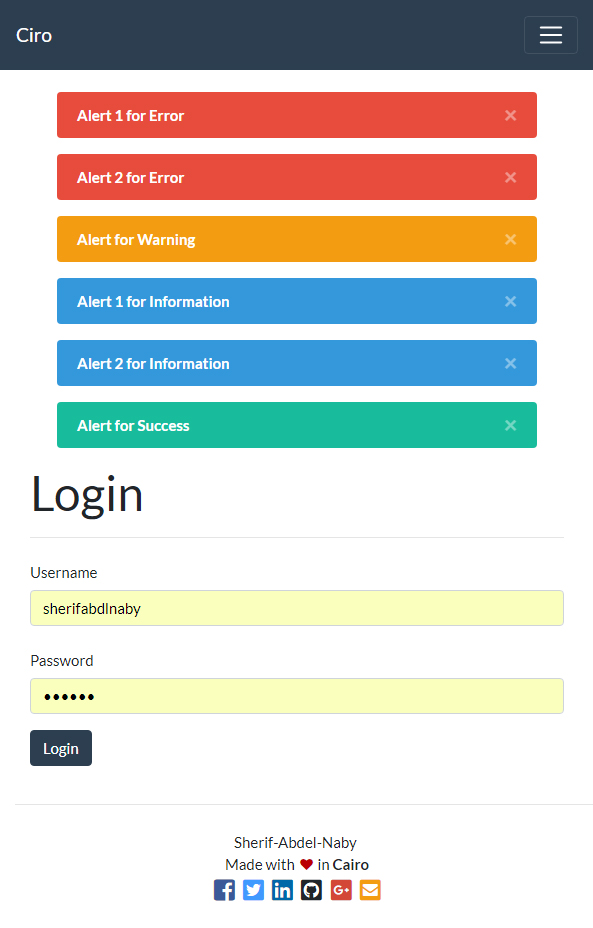
public static function addSuccessAlert ( $ successAlert );警報是保存在用戶會話中的閃存消息,然後可以通過渲染為HTML或在API的JSON案例中對用戶顯示警報。
警報可用於顯示有關表單驗證的錯誤,或者如果過程成功或失敗,則可以顯示消息。
警報在任何佈局中都有自己的部分,控制器 - > Render()函數將渲染用戶會話中存儲的任何警報。
有4種警報類型:
佈局是HTML網頁的結構,由5個部分組成
| 部分 | 描述 |
|---|---|
| 元 | 本節將HTML元數據標籤呈現為標題,DESC和SEO標籤。元數據通過控制器並填充,可以在$ META ARRAY()中訪問 |
| 標題 | 本節渲染頁面標題 |
| 警報 | 本節呈現在用戶會話中存儲的警報,如果有 |
| 內容 | 本節呈現頁面的主要部分,並通過控制器傳遞並填寫其數據 |
| 頁尾 | 本節渲染頁面頁腳 |
 +---Views
|   ---_Layouts
|       ---default             <-- Layout root directory.
|       |   |   footer.html
|       |   |   header.html
|       |   |   layout.html
|       |   |   meta.html
|       |   ---alerts          <-- alerts directory.
|       |           errors.html
|       |           infos.html
|       |           successes.html
|       |           warnings.html
|       ---anotherLayout
layout.html是渲染佈局時呈現的最終文件,它是該佈局中使用的結構,以及該佈局中使用的任何CSS/js的結構,必須包含在layout.html中,例如Bootstrap CSS和JS
 <!DOCTYPE html >
< html lang =" en " >
    < head >
        < ?= $data['meta'] ? >
    < link rel =" stylesheet " href =" /bootstrap/css/bootstrap.min.css " >
    </ head >
    < body >
        < ?= $data['header'] ? >
        < ?= $data['alerts'] ? >
        < ?= $data['content'] ? >
        < ?= $data['footer'] ? >
        < script src =" /bootstrap/js/bootstrap.min.js " > </ script >
    </ body >
</ html > 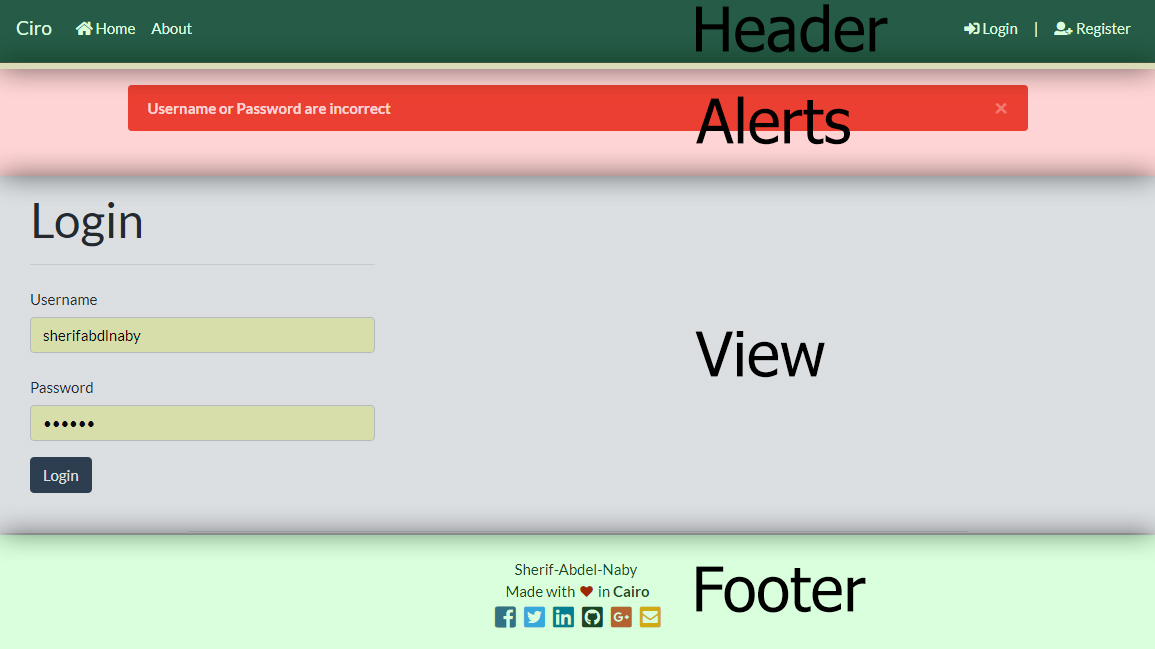
視圖是Web控制器操作的輸出,一個視圖具有由控制器傳遞的$數據關聯數組,用於傳遞控制器和視圖之間的數據。視圖位置必須匹配控制器路徑/名稱空間結構。
Web路由中的Account Controller的動作View示例 +---Controllers
| +---Api
| | HomeController.php
| |
| ---Web
| AccountController.php <-- Account Controller of Web route in ControllersWeb
| HomeController.php
|
+---Views
| +---Web
| | +---Account <-- Account Controller View Dir in ControllerWebAccount
| | | Index.html
| | | Login.html
| | | Register.html
| | | View.html <-- The View for action 'View', of 'Account Controller' in the 'Web' Route
| | |
| | ---Home
| | About.html
| | Index.html
Config/config.php中啟用/禁用異常和錯誤處理程序。數據庫助手類用於獲取數據庫連接的單例實例,其中連接憑據存儲在配置文件中。
| 班級 | 擴大 | 描述 |
|---|---|---|
| DBPDO | PDO | PDO DB擴展程序的單例類,PDO可用於連接到MySQL,MariadB或PostgreSQL等各種RDBMS,在Configpdo.php上設置的連接憑據,並在Config/config.php上啟用 |
| DBSQL | Mysqli | MySQLI擴展程序的單例類,在Configmysqli.php上設置的mySQL的連接憑據,並在Config/config.php上啟用 |
| dbmongo | mongodb使用MongoDB PHP Library (PHP 7.0+) | 用於圍繞低級mongodb擴展而構建的MongoDB PHP庫連接的Singleton類,憑據存儲在Configmongo.php上,並在Config/config.php上啟用 |
mongodb擴展名和MongoDB PHP Library ,這兩者都需要PHP 7.0+ composer require mongodb/mongodbCIRO PHP框架屬於MIT許可證,您可以在此處查看許可證。








