secprint
1.0.0

Python庫通過向印刷品添加上下文來改善遊戲機打印。它使您的控制台更加干淨,您不必擔心使您的印刷品變得美麗。
警告
該庫不再維護,其實現使用了可疑的Python技巧。建議任何有興趣繼續其弄清楚更好的實施並重新開始一個全新項目的人。可以在https://pypi.org/project/context-verbose/上獲得具有更多其他功能和更多維護工作的叉子
安裝:
pip install secprint
基本用法示例:
 from secprint import SectionPrinter as Spt

Spt . enter_section ( 'Main section' , color = 'blue' )
Spt . print ( 'Text in main section' )
for i in range ( 3 ):
    Spt . enter_section ( 'Subsection {}' . format ( i + 1 ))
    Spt . print ( 'Text in subsection' )
    Spt . print ( 'Text in subsection' )
    Spt . exit_section ()
Spt . exit_section ()
上面的示例將打印以下內容: 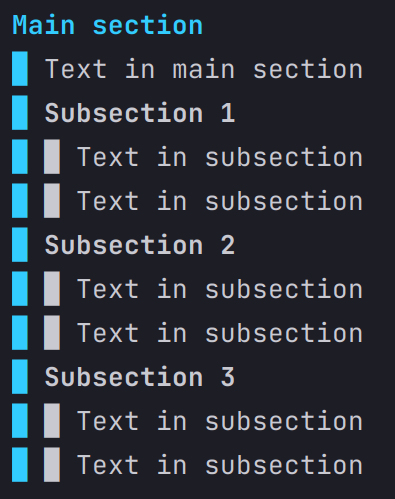
高級用法示例,在退出部分時使用上下文和自動線跳過:
 from secprint import SectionPrinter as Spt

Spt . set_automatic_skip ( True )

with Spt ( "Main section" , color = "blue" ):
    Spt . print ( 'Text in main section' )
    for i in range ( 3 ):
        with Spt ( f"Subsection { i + 1 } " ):
            Spt . print ( 'Text in subsection' )
            Spt . print ( 'Text in subsection' )
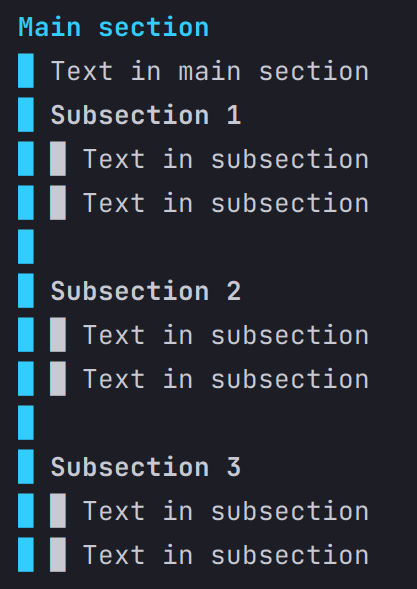
上面的示例將打印以下內容: