xhibit
1.0.0

展示您的ASCII藝術和系統規格
在任何基於Linux的發行版上都可以使用。
注意:重要
必須在路徑變量中添加〜/.local/bin/
基於POSIX的外殼(Bash,Zsh,Dash,....)
將bashrc更改為您的重新殼的RC
echo 'export PATH=~/.local/bin:$PATH' >> $HOME/.bashrc
魚殼
echo 'set PATH ~/.local/bin/ $PATH' >> $HOME/.config/fish/config.fish
pip install xhibit
僅適用於ASCII藝術
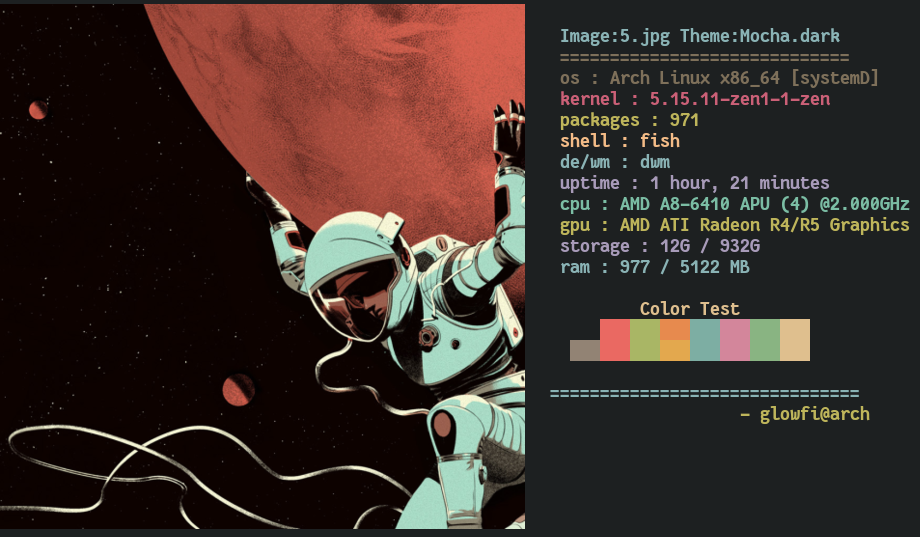
用於圖像顯示
 usage: xhibit [-h] [-v] [-lcs LCS] [-cs CS] [-rcs RCS] [-ccs CCS] [-cn CN] [-rcn RCN] [-cpu CPU] [-gpu GPU] [-img IMG] [-imb IMB] [-crop CROP]

options:
  -h, --help  show this help message and exit
  -v          Prints version.
  -lcs LCS    List all colorschemes available [Pass 'all' as argument like this -> xhibit -lcs 'all']
  -cs CS      Colorscheme to display.
  -rcs RCS    Randomize Colorschemes [t or f].
  -ccs CCS    Give custom colorschemem of 8 colors like this "#BF616A,#A3BE8C,#EBCB8B,#81A1C1,#B48EAD,#88C0D0,#E5E9F0,#B48EAD".
  -cn CN      Specify Character name [monalisa,egyptian,fairy,casper,dragon].
  -rcn RCN    Randomize Characters [t or f].
  -cpu CPU    Mention Cpu [Custom Cpu name].
  -gpu GPU    Mention Gpu [Custom Gpu name].
  -img IMG    Image path.
  -imb IMB    Mention Image backend [kitty or ueberzug].
  -crop CROP  Mention crop type [fit or fill].
ASCII字符可用
Colorscheme可用
選擇Gruvbox Colorsheme和Casper
xhibit -cs gruvbox -cn casper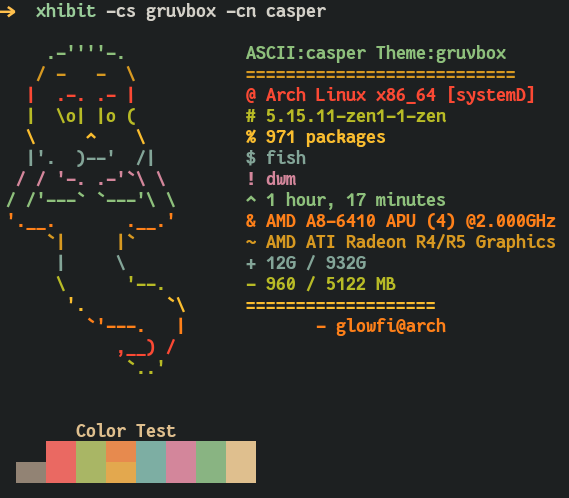
選擇Dracula Colorsheme和Fairy
xhibit -cs dracula -cn fairy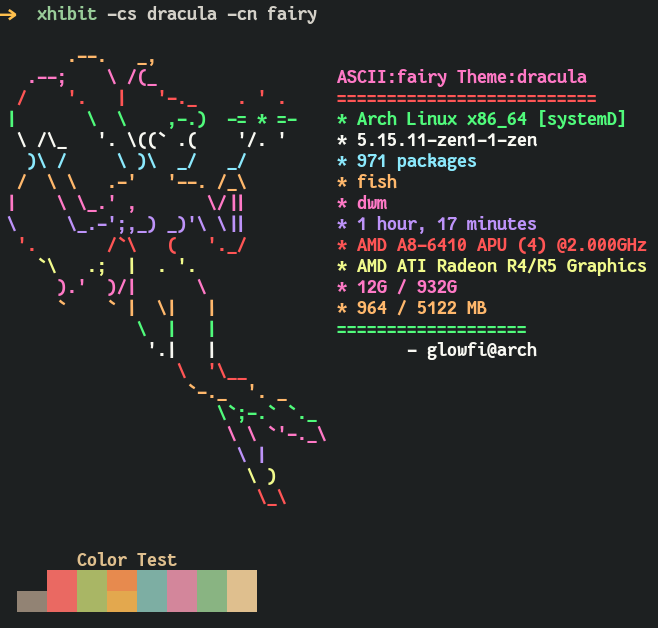
隨機化色和角色
xhibit -rcs t -rcn t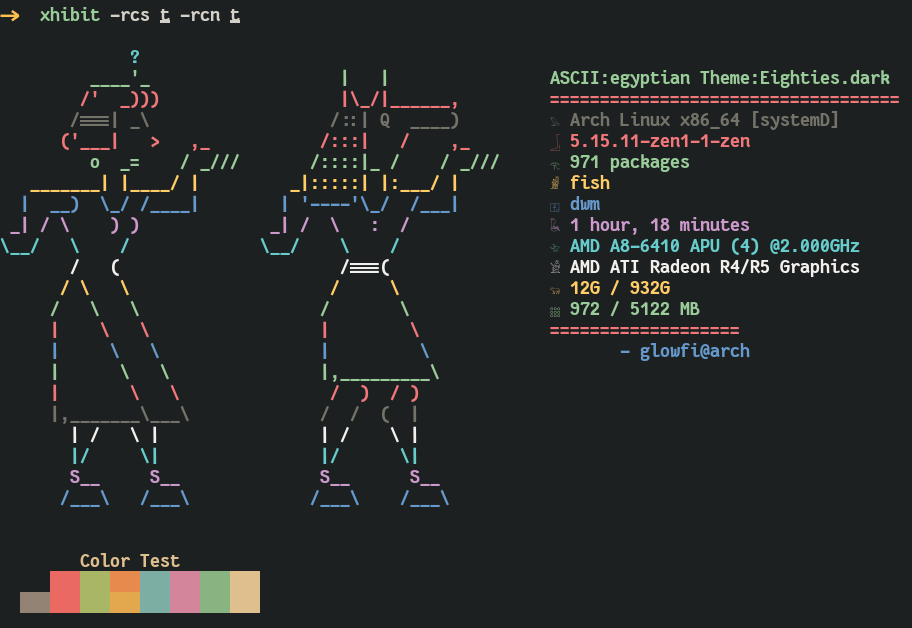
檢查Colorscheme列表
列出所有可用的顏色
xhibit -lcs ' all '挑選Colorscheme
xhibit -cs " Eighties.dark " -cn dragon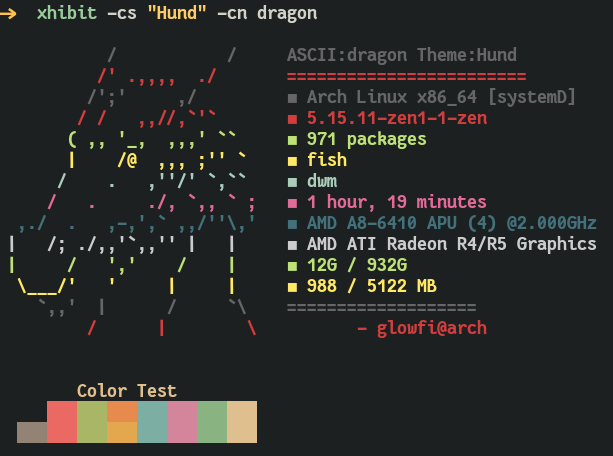
給定自定義用戶顏色
您可以為Xhibit提供自定義的用戶顏色以顯示文本。必須以逗號分開的六角形格式給出所有8種顏色。
xhibit -ccs " #BF616A,#A3BE8C,#EBCB8B,#81A1C1,#B48EAD,#88C0D0,#E5E9F0,#B48EAD " 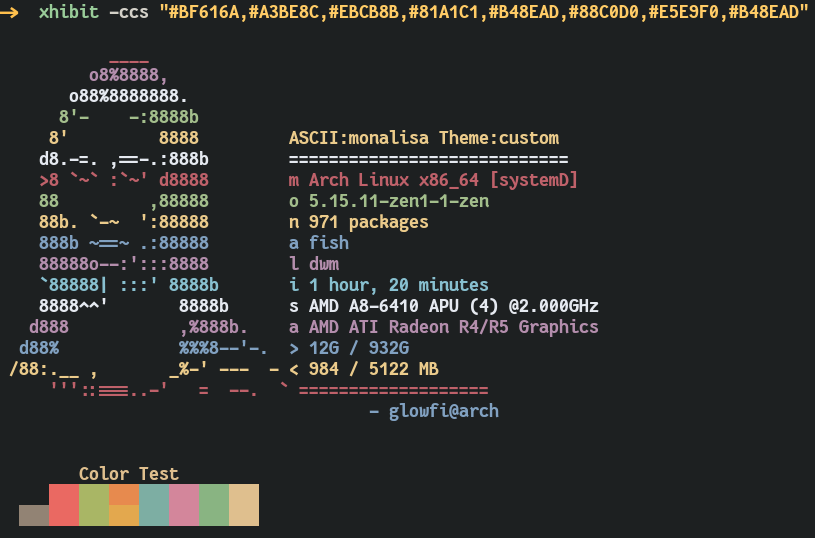
原始的Ueberzug項目已被其原始作者放棄。但是有些人正在繼續其遺產。您可以使用以下命令安裝Ueberzug。我知道像ueberzugpp這樣的項目存在,但現在我的項目僅支持kitty和ueberzug後端顯示圖像。
git clone https://github.com/ueber-devel/ueberzug ;
cd ueberzug/
pip install .
cd ..
rm -rf ueberzug
圖像支持Ueberzug或小貓端子。
xhibit -img " path/to/image/file " -imb " kitty "

                or

xhibit -img " path/to/image/file " -imb " ueberzug "
圖像作物合身或填充
xhibit -img " path/to/image/file " -imb " kitty " -crop " fit "
xhibit -img " path/to/image/file " -imb " kitty " -crop " fill "

                or

xhibit -img " path/to/image/file " -imb " ueberzug " -crop " fit "
xhibit -img " path/to/image/file " -imb " ueberzug " -crop " fill "