marktion
1.0.0

中文/英語
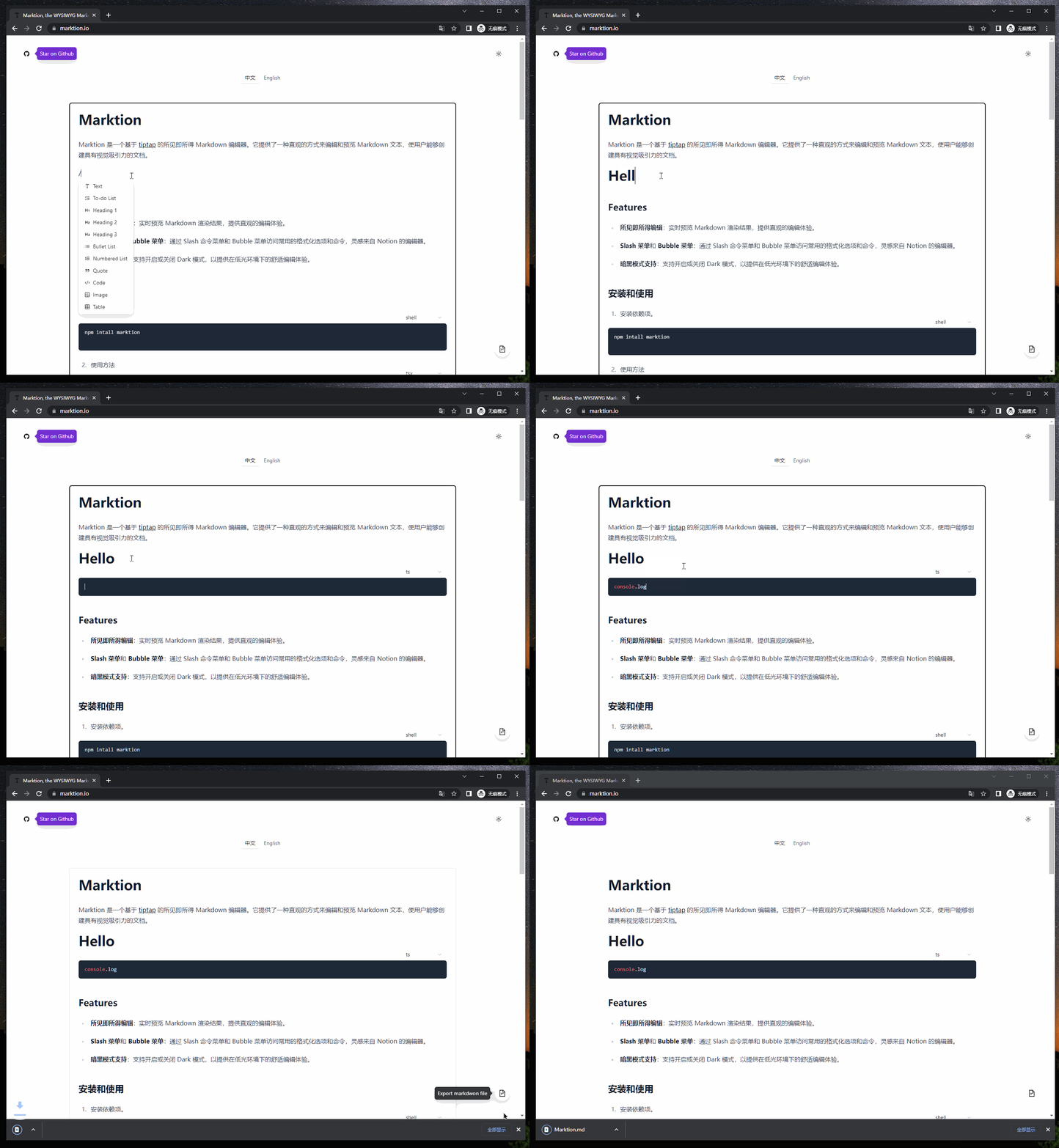
Marktion是基於Prosemirror的Wysiwyg Markdown編輯器,致力於增強Markdown的編輯體驗。
請參閱我們的網站MarkTion.io在行動中。
[NEW] AI集成:內置的AI對話接口,支持AI插件擴展名,並通過按下空間在行的開頭調用;
Wysiwyg編輯:Markdown渲染結果的實時預覽,提供直觀的編輯體驗,您可以使用CTRL + /在源代碼模式和Wysiwyg編輯模式之間切換;
Slash菜單和氣泡菜單:快速受到inteion的編輯的啟發。黑暗模式支持:支持打開或關閉黑暗模式。
黑暗模式支持:啟用深色模式,在弱光環境中提供視覺舒適的編輯體驗。
npm intall marktion import { ReactEditor } from 'marktion' ;
import 'marktion/dist/style.css' ;
function Editor ( ) {
return < ReactEditor content = { `# Hello World` } /> ;
}看看示例以查看Marktion.io在作用中。
| 財產 | 描述 | 類型 | 預設 |
|---|---|---|---|
| 內容 | 編輯器的初始markdown內容。 | 細繩 | - |
| 黑暗的 | 在編輯器中啟用或禁用暗模式。 | 布爾 | 錯誤的 |
| uploadoptions.uploader | 用於上傳圖像的回調功能。 | (file: File, event: ClipboardEvent | InputEvent, view: ProsemirrorView) => Promise<url> | - |
| 使成為 | 渲染器模式 | WYSIWYG | SOURCE | |
| Onchange | 編輯內容更改回調 | (editor: Marktion) => void |
諮詢Tiptap的文檔以查找更多API。
| 財產 | 描述 | 類型 | 預設 |
|---|---|---|---|
| 編輯 | 標記實例 | 標記 | - |
示例用法:
 import { ReactEditor , ReactEditorRef } from 'marktion' ;

function App ( ) {
  const editorRef = useRef < ReactEditorRef > ( null ) ;

  const onExport = ( ) => {
    const content = editorRef . current ?. editor . getContent ( ) ;
    console . log ( content ) ;
  } ;

  return (
    < >
      < button onClick = { onExport } > export </ button >
      < ReactEditor ref = { editorRef } />
    </ >
  ) ;
} AI插件基於Vercel AI。在開始之前,您需要創建一個AI路由器。請參閱文檔以獲取更多信息:入門。
示例用法:
 function Editor ( ) {
  const ai = useAI ( {
    basePath : import . meta . env . VITE_OPENAI_BASE_URL
  } ) ;

  return (
    < ReactEditor ref = { editorRef } plugins = { [ ai . plugin ] } >
      { ai . element }
    </ ReactEditor / >
  )
} 感謝您考慮為Marktion做出貢獻!如果您想做出貢獻,請按照以下步驟:
將存儲庫分配給您的GitHub帳戶。
克隆分叉的存儲庫到您的本地機器。
git clone https://github.com/yourusername/marktion.git
cd marktionpnpm i進行更改並測試您的修改。
提交您的更改。
創建拉動請求。
轉到原始存儲庫,然後單擊“新拉請求”。填寫必要的細節並描述您所做的更改。
我們將盡快審查您的拉力請求。謝謝您的貢獻!
該項目已根據MIT許可獲得許可。有關更多詳細信息,請參見許可證文件。
如果您有任何疑問,建議或問題,請隨時通過以下渠道與我們聯繫:
電子郵件:[email protected]
問題跟踪器:項目問題(請指定問題標題中的問題類型)






