react markdown editor
v6.1.2


帶有預覽的標記編輯器,並用React.js和Typescript實施。
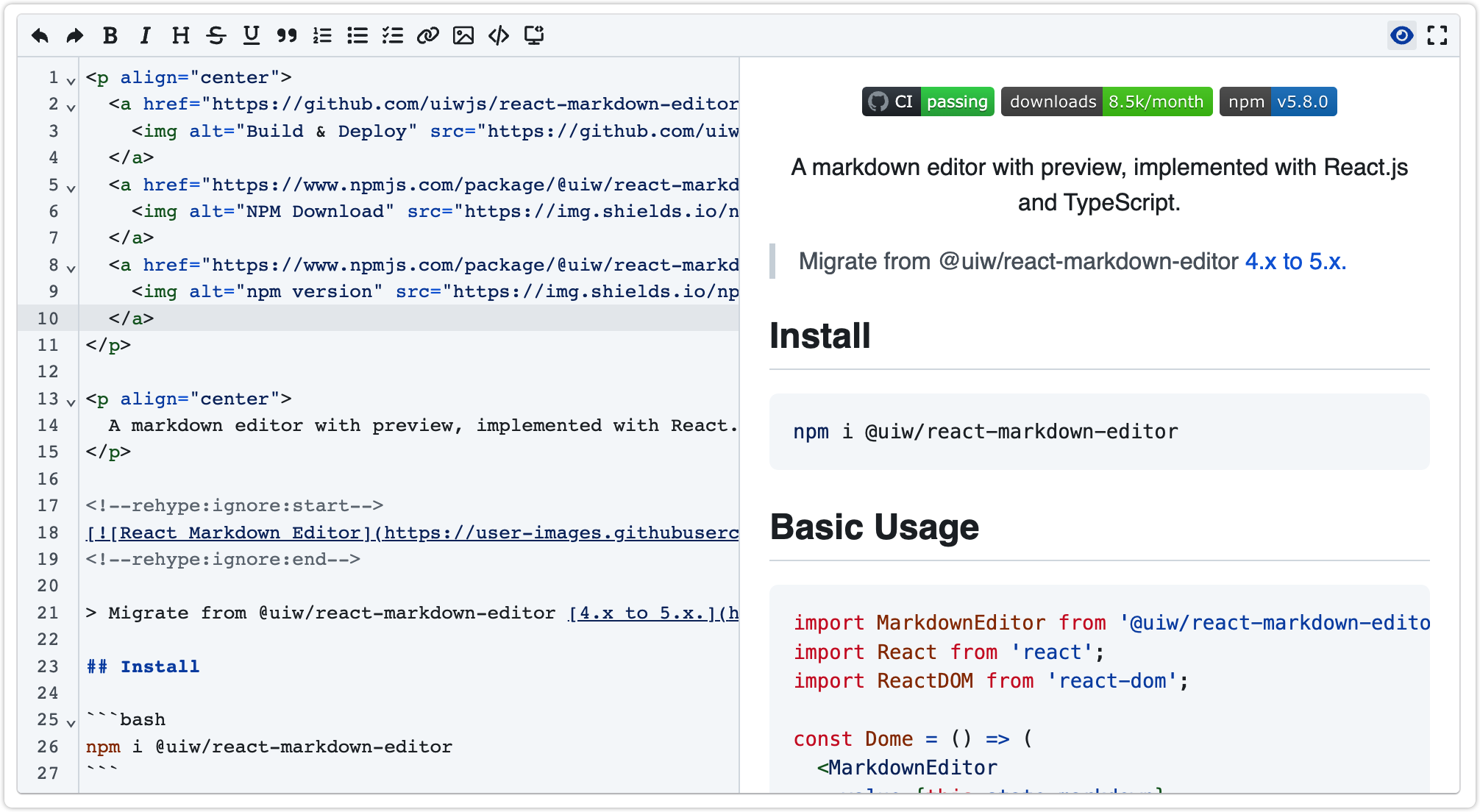
從 @uiw/react-markdown-editor 4.x遷移到5.x。
npm i @uiw/react-markdown-editor官方文檔演示預覽(??中國鏡像網站)
 import React from 'react' ;
import MarkdownEditor from '@uiw/react-markdown-editor' ;

const mdStr = `# This is a H1  n## This is a H2  n###### This is a H6` ;

const Dome = ( ) => {
  return (
    < MarkdownEditor
      value = { mdStr }
      onChange = { ( value , viewUpdate ) => {

      } }
    />
  )
} ;

export default Dome ; import React , { useState } from 'react' ;
import MarkdownEditor from '@uiw/react-markdown-editor' ;
const mdStr = `# This is a H1 n## This is a H2 n###### This is a H6` ;
export default function App ( ) {
const [ markdown , setMarkdown ] = useState ( mdStr ) ;
return (
< MarkdownEditor
value = { markdown }
height = "200px"
onChange = { ( value , viewUpdate ) => setMarkdown ( value ) }
/>
) ;
} 此標記預覽子組件是直接導出@uiw/react-markdown-preview組件,API文檔,請檢查@uiw/react-markdown-preview 。
 import React from 'react' ;
import MarkdownEditor from '@uiw/react-markdown-editor' ;

const mdStr = `# This is a H1  n## This is a H2  n###### This is a H6` ;
function App ( ) {
  return (
    < MarkdownEditor . Markdown source = { mdStr } height = "200px" />
  ) ;
}

export default App ; import React from "react" ;
import MarkdownEditor from '@uiw/react-markdown-editor' ;
const title2 = {
name : 'title2' ,
keyCommand : 'title2' ,
button : { 'aria-label' : 'Add title text' } ,
icon : (
< svg width = "12" height = "12" viewBox = "0 0 512 512" >
< path fill = "currentColor" d = "M496 80V48c0-8.837-7.163-16-16-16H320c-8.837 0-16 7.163-16 16v32c0 8.837 7.163 16 16 16h37.621v128H154.379V96H192c8.837 0 16-7.163 16-16V48c0-8.837-7.163-16-16-16H32c-8.837 0-16 7.163-16 16v32c0 8.837 7.163 16 16 16h37.275v320H32c-8.837 0-16 7.163-16 16v32c0 8.837 7.163 16 16 16h160c8.837 0 16-7.163 16-16v-32c0-8.837-7.163-16-16-16h-37.621V288H357.62v128H320c-8.837 0-16 7.163-16 16v32c0 8.837 7.163 16 16 16h160c8.837 0 16-7.163 16-16v-32c0-8.837-7.163-16-16-16h-37.275V96H480c8.837 0 16-7.163 16-16z" />
</ svg >
) ,
execute : ( { state , view } ) => {
if ( ! state || ! view ) return ;
const lineInfo = view . state . doc . lineAt ( view . state . selection . main . from ) ;
let mark = '#' ;
const matchMark = lineInfo . text . match ( / ^#+ / )
if ( matchMark && matchMark [ 0 ] ) {
const txt = matchMark [ 0 ] ;
if ( txt . length < 6 ) {
mark = txt + '#' ;
}
}
if ( mark . length > 6 ) {
mark = '#' ;
}
const title = lineInfo . text . replace ( / ^#+ / , '' )
view . dispatch ( {
changes : {
from : lineInfo . from ,
to : lineInfo . to ,
insert : ` ${ mark } ${ title } `
} ,
// selection: EditorSelection.range(lineInfo.from + mark.length, lineInfo.to),
selection : { anchor : lineInfo . from + mark . length } ,
} ) ;
} ,
} ;
const Dome = ( ) => (
< MarkdownEditor
value = "Hello Markdown!"
height = "200px"
toolbars = { [
'bold' , title2
] }
/>
) ;
export default Dome ;禁用預覽功能
 import React from "react" ;
import MarkdownEditor from '@uiw/react-markdown-editor' ;

const Dome = ( ) => (
  < MarkdownEditor
    value = "Hello Markdown!"
    height = "200px"
    enablePreview = { false }
  />
) ;

export default Dome ; 在NextJ中使用示例。
npm install next-remove-imports
npm install @uiw/react-markdown-editor
// next.config.js
const removeImports = require ( 'next-remove-imports' ) ( ) ;
module . exports = removeImports ( { } ) ; import dynamic from 'next/dynamic' ;
import '@uiw/react-markdown-editor/markdown-editor.css' ;
import '@uiw/react-markdown-preview/markdown.css' ;
const MarkdownEditor = dynamic (
( ) => import ( "@uiw/react-markdown-editor" ) . then ( ( mod ) => mod . default ) ,
{ ssr : false }
) ;
function HomePage ( ) {
return (
< div >
< MarkdownEditor value = "Hello Markdown!" />
</ div >
) ;
}
export default HomePage ; 默認情況下,根據系統自動切換dark-mode 。如果需要手動切換,只需為HTML元素設置data-color-mode="dark"參數即可。
< html data-color-mode =" dark " > document . documentElement . setAttribute ( 'data-color-mode' , 'dark' )
document . documentElement . setAttribute ( 'data-color-mode' , 'light' )通過添加.wmde-markdown-var選擇器繼承自定義顏色變量。
 const Demo = ( ) => {
  return (
    < div >
      < div className = "wmde-markdown-var" > </ div >
      < MarkdownEditor value = "Hello Markdown!" />
    </ div >
  )
} value (string) - 將轉換為HTML的原始標記(必需)visible?: boolean - 展示將轉換為HTML的預覽。toolbars?: ICommand[] | string[] - 工具顯示設置。toolbarsMode?: ICommand[] | string[] - 工具顯示設置。onChange?:function(editor: IInstance, data: CodeMirror.EditorChange, value: string) - 當進行更改時調用onBlur?: function(editor: IInstance, event: Event) - 事件發生在對象失去焦點時onPreviewMode?: (isHide: boolean) => void編輯模式和預覽模式切換事件previewProps React -Markdown選項 import { ReactCodeMirrorProps } from '@uiw/react-codemirror' ;
export interface IMarkdownEditor extends ReactCodeMirrorProps {
className ?: string ;
prefixCls ?: string ;
/** The raw markdown that will be converted to html (**required**) */
value ?: string ;
/** Shows a preview that will be converted to html. */
visible ?: boolean ;
visibleEditor ?: boolean ;
/** Override the default preview component */
renderPreview ?: ( props : MarkdownPreviewProps , initVisible : boolean ) => React . ReactNode ;
/** Preview expanded width @default `50%` */
previewWidth ?: string ;
/** Whether to enable preview function @default `true` */
enablePreview ?: boolean ;
/** Whether to enable scrolling */
enableScroll ?: boolean ;
/** Tool display settings. */
toolbars ?: Commands [ ] ;
/** The tool on the right shows the settings. */
toolbarsMode ?: Commands [ ] ;
/** Tool display filter settings. */
toolbarsFilter ?: ( tool : Commands , idx : number ) => boolean ;
/** Toolbar on bottom */
toolbarBottom ?: boolean ;
/** Option to hide the tool bar. @deprecated The next major version will be deprecated. Please use `showToolbar`. */
hideToolbar ?: boolean ;
/** Option to hide the tool bar. */
showToolbar ?: boolean ;
/** [@uiw/react-markdown-preview](https://github.com/uiwjs/react-markdown-preview#options-props) options */
previewProps ?: MarkdownPreviewProps ;
/** replace the default `extensions` */
reExtensions ?: ReactCodeMirrorProps [ 'extensions' ] ;
/** Edit mode and preview mode switching event */
onPreviewMode ?: ( isHide : boolean ) => void ;
} import React from 'react' ;
import { ReactCodeMirrorRef } from '@uiw/react-codemirror' ;
import { MarkdownPreviewProps , MarkdownPreviewRef } from '@uiw/react-markdown-preview' ;
export * from '@uiw/react-markdown-preview' ;
export interface ToolBarProps {
editor : React . RefObject < ReactCodeMirrorRef > ;
preview : React . RefObject < HTMLDivElement > ;
container : React . RefObject < HTMLDivElement > ;
containerEditor : React . RefObject < HTMLDivElement > ;
editorProps : IMarkdownEditor ;
}
export interface MarkdownEditorRef {
editor : React . RefObject < ReactCodeMirrorRef > | null ;
preview ?: React . RefObject < MarkdownPreviewRef > | null ;
}
export declare type Commands = keyof typeof defaultCommands | ICommand ;
export interface IToolBarProps < T = Commands > extends ToolBarProps {
className ?: string ;
editorProps : IMarkdownEditor ;
mode ?: boolean ;
prefixCls ?: string ;
toolbars ?: T [ ] ;
onClick ?: ( type : string ) => void ;
}
declare const MarkdownEditor : MarkdownEditorComponent ;
declare type MarkdownEditorComponent = React . FC < React . PropsWithRef < IMarkdownEditor > > & {
Markdown : typeof MarkdownPreview ;
} ;
export default MarkdownEditor ; import { ReactCodeMirrorRef } from '@uiw/react-codemirror' ;
import { MarkdownPreviewProps , MarkdownPreviewRef } from '@uiw/react-markdown-preview' ;
export declare type ButtonHandle = ( command : ICommand , props : IMarkdownEditor , options : ToolBarProps ) => JSX . Element ;
export declare type ICommand = {
icon ?: React . ReactElement ;
name ?: string ;
keyCommand ?: string ;
button ?: ButtonHandle | React . ButtonHTMLAttributes < HTMLButtonElement > ;
execute ?: ( editor : ReactCodeMirrorRef ) => void ;
} ;
export declare const defaultCommands : {
undo : ICommand ;
redo : ICommand ;
bold : ICommand ;
italic : ICommand ;
header : ICommand ;
strike : ICommand ;
underline : ICommand ;
quote : ICommand ;
olist : ICommand ;
ulist : ICommand ;
todo : ICommand ;
link : ICommand ;
image : ICommand ;
code : ICommand ;
codeBlock : ICommand ;
fullscreen : ICommand ;
preview : ICommand ;
} ;
export declare const getCommands : ( ) => ICommand [ ] ;
export declare const getModeCommands : ( ) => ICommand [ ] ;
export declare const defaultTheme : import ( "@codemirror/state" ) . Extension ;npm run watch # Listen create type and .tsx files.
npm run start # Preview code example.
npm run doc與往常一樣,感謝我們出色的貢獻者!
由動作構造者製成。
根據MIT許可獲得許可。