berryjam
0.1.0-alpha.64


問題 - 加入我們的DISCORD-許可證-Berryjam Cloud
可用於:vue.js(3.x),nuxt(3.x)
Berryjam提供了一種簡單的方法來識別您的組件使用情況,道具及其關係。根據掃描的輸出,您可以在項目組件上創建自己的儀表板和運行分析,以改善開發團隊的通信。
1。掃描您的項目以獲取組件  | 2。分析組件及其關係 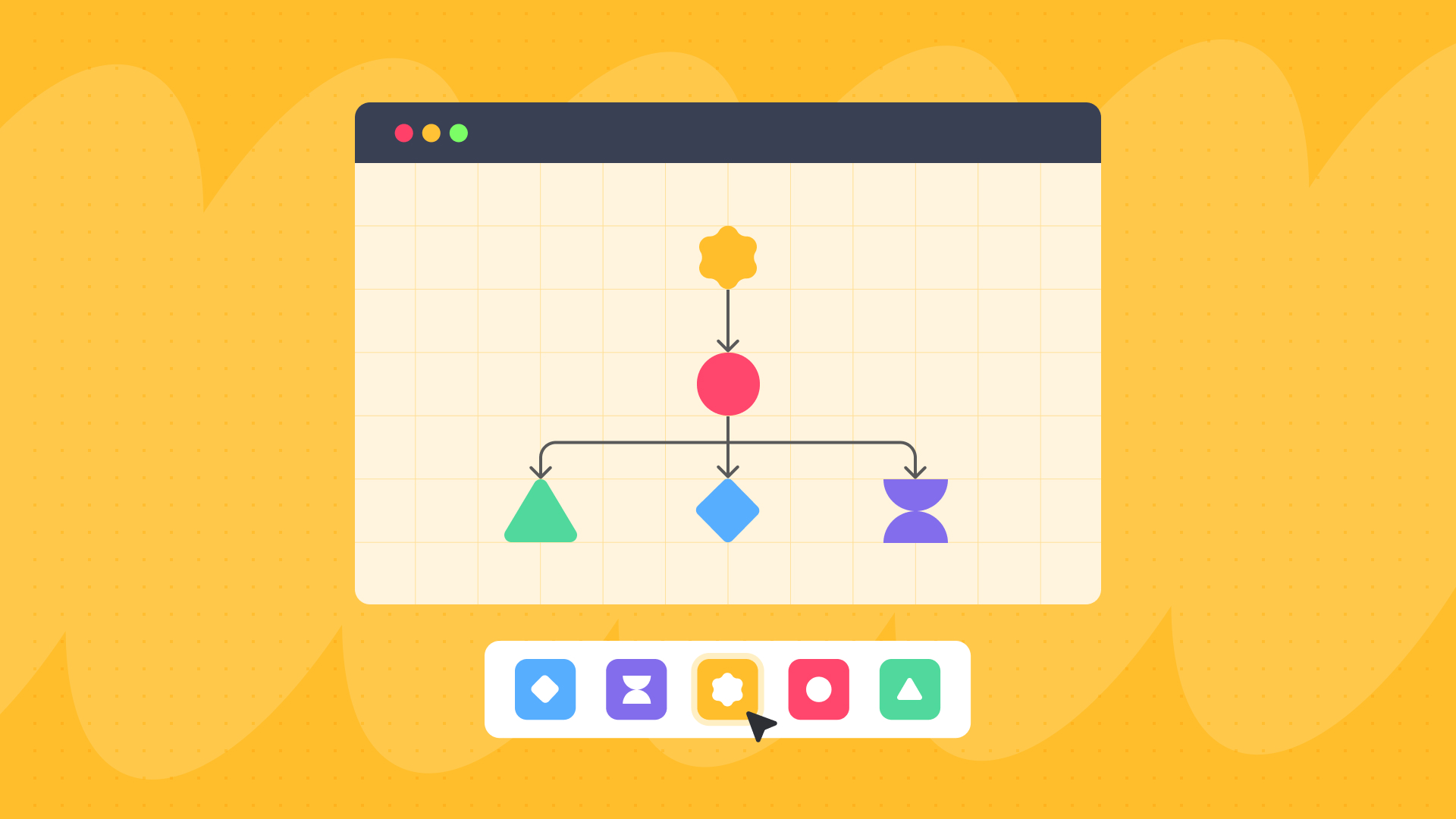 |
3。掃描git日誌作者和日期時間  | 4。自動檢測每個組件的道具  |
Berryjam與VUE 2或更低版本不兼容。
Berryjam已經過全面測試,可使用16.0至18.17.1 (LTS)節點版本。超過18.17.1 (LTS)版本也應起作用,但尚未進行全面測試。
您可以通過幾種方法安裝Berryjam,即NPM,PNPM和紗線。如果您通過NPM安裝,這裡是一個CMD,可以安裝此庫
npm install berryjam pnpm add berryjam yarn add berryjam要開始掃描您的項目,您首先需要導入VueScanner類並創建其實例。
 import { homedir } from 'os' ;
import VueScanner from "berryjam"
import type { VueScannerOption , ComponentProfile } from "berryjam"
...
const pathToScan = '../your-vue-project-path' ;
const option : VueScannerOption = {
  // this folder will be used to store the exact versions of babel & vue compiler
  appDir : ` ${ homedir ( ) } /.vueScanner` ,
  // ... any other options
}
// Create a new VueScanner instance with the required parameters
const vueScanner = new VueScanner ( pathToScan , option ) ;
...
// To start scanning without async/await
vueScanner . scan ( ) . then ( result => {
  // the result will be an array of ComponentProfile
  // log to see the result
  console . log ( result ) ;
} )

// or, You can use async/await
async function whatEverFunction ( ) {
  const result = await vueScanner . scan ( ) ;
}注意:對於NUXT項目,請確保在掃描之前有一個.nuxt文件夾。
VueScanner函數採用兩個參數,如下:
VueScannerOption接口的選項對象。這是VueScannerOption接口中每個可用選項的詳細說明:
| 財產 | 類型 | 描述 |
|---|---|---|
appDir | string | 要掃描的項目目錄的路徑。 |
output | OutputFormat (可選) | 掃描結果的所需輸出格式。 (默認情況下JSON) |
ignore | string[] (可選) | 一系列文件名或目錄名稱,將排除在掃描中。 |
verbose | boolean (可選) | 啟用詳細的掃描信息。 |
debug | boolean (可選) | 在調試模式下操作掃描儀,提供調試信息。 |
OutputFormat類型表示可用的輸出格式。
| 類型 | 描述 |
|---|---|
"json" | 輸出JSON格式的掃描結果,並在“ AppDir”中保存為“ component-profiles.json”。 |
"stdout" | 直接在控制台(Stdout)中顯示掃描結果。 |
當使用VueScanner函數分析vue.js項目時,這些選項和類型可提供靈活性和自定義。
有關VueScanner課程的更多詳細信息,請在下面查看。
通過調用scan方法,它將掃描vue組件並返回ComponentProfile[] 。這是一個外觀的示例。出於演示目的,我們掃描了一個名為Koel的開源項目。
[
  {
    "name" : " PlaybackControls " ,
    "type" : " internal " ,
    "total" : 1 ,
    "source" : {
      "path" : " /resources/assets/js/components/layout/app-footer/FooterPlaybackControls.vue " ,
      "property" : {
        "dataLastModified" : " Sun Feb 04 2018 " ,
        "lastModified" : " Sun Feb 04 2018 " ,
        "created" : " 2018-02-02T21:12:19.000Z " ,
        "createdBy" : " Phan An " ,
        "updatedBy" : " Phan An "
      }
    },
    "usageLocations" : [
      {
        "name" : " PlaybackControls " ,
        "source" : " /resources/assets/js/components/layout/app-footer/FooterPlaybackControls.vue " ,
        "destination" : " /resources/assets/js/components/layout/app-footer/index.vue " ,
        "rows" : [
          9
        ],
        "fileInfo" : {
          "path" : " /resources/assets/js/components/layout/app-footer/FooterPlaybackControls.vue " ,
          "property" : {
            "dataLastModified" : " Sun Feb 04 2018 " ,
            "lastModified" : " Sun Feb 04 2018 " ,
            "created" : " 2018-02-02T21:12:19.000Z " ,
            "createdBy" : " Phan An " ,
            "updatedBy" : " Phan An "
          }
        }
      }
    ],
    "children" : {
      "total" : 4 ,
      "tags" : [
        " LikeButton " ,
        " icon " ,
        " PlayButton " ,
        " RepeatModeSwitch "
      ],
      "source" : " /resources/assets/js/components/layout/app-footer/FooterPlaybackControls.vue "
    }
  },
  {
    "name" : " PlayButton " ,
    "type" : " internal " ,
    "total" : 1 ,
    "source" : {
      "path" : " /resources/assets/js/components/ui/FooterPlayButton.vue " ,
      "property" : {
        "dataLastModified" : " Sun Feb 04 2018 " ,
        "lastModified" : " Sun Feb 04 2018 " ,
        "created" : " 2018-02-02T21:12:19.000Z " ,
        "createdBy" : " Phan An " ,
        "updatedBy" : " Phan An "
      }
    },
    "usageLocations" : [
      {
        "name" : " PlayButton " ,
        "source" : " /resources/assets/js/components/ui/FooterPlayButton.vue " ,
        "destination" : " /resources/assets/js/components/layout/app-footer/FooterPlaybackControls.vue " ,
        "rows" : [
          11
        ],
        "fileInfo" : {
          "path" : " /resources/assets/js/components/ui/FooterPlayButton.vue " ,
          "property" : {
            "dataLastModified" : " Sun Feb 04 2018 " ,
            "lastModified" : " Sun Feb 04 2018 " ,
            "created" : " 2018-02-02T21:12:19.000Z " ,
            "createdBy" : " Phan An " ,
            "updatedBy" : " Phan An "
          }
        }
      }
    ],
    "children" : {
      "total" : 1 ,
      "tags" : [
        " icon "
      ],
      "source" : " /resources/assets/js/components/ui/FooterPlayButton.vue "
    }
  },
]該庫使用Nodejs , TypeScript和Jest進行開發。由於這是用於檢測VUE組件的工具,因此您可能會找到有關內置條件文件夾中VUE組件的規則。
Berryjam包含2堂課,即:
VueScanner用於掃描一個項目以進行組件配置文件。它將從package.json文件及其各自的支持文件中提取相關的相對值,例如源,文件路徑,組件名稱,以轉換或歸一化將其映射到每個組件配置文件的原始組件數據。
GitService如果項目具有.git文件夾,它將查找與GIT相關的信息,例如作者和DateTime以及映射到每個組件配置文件。
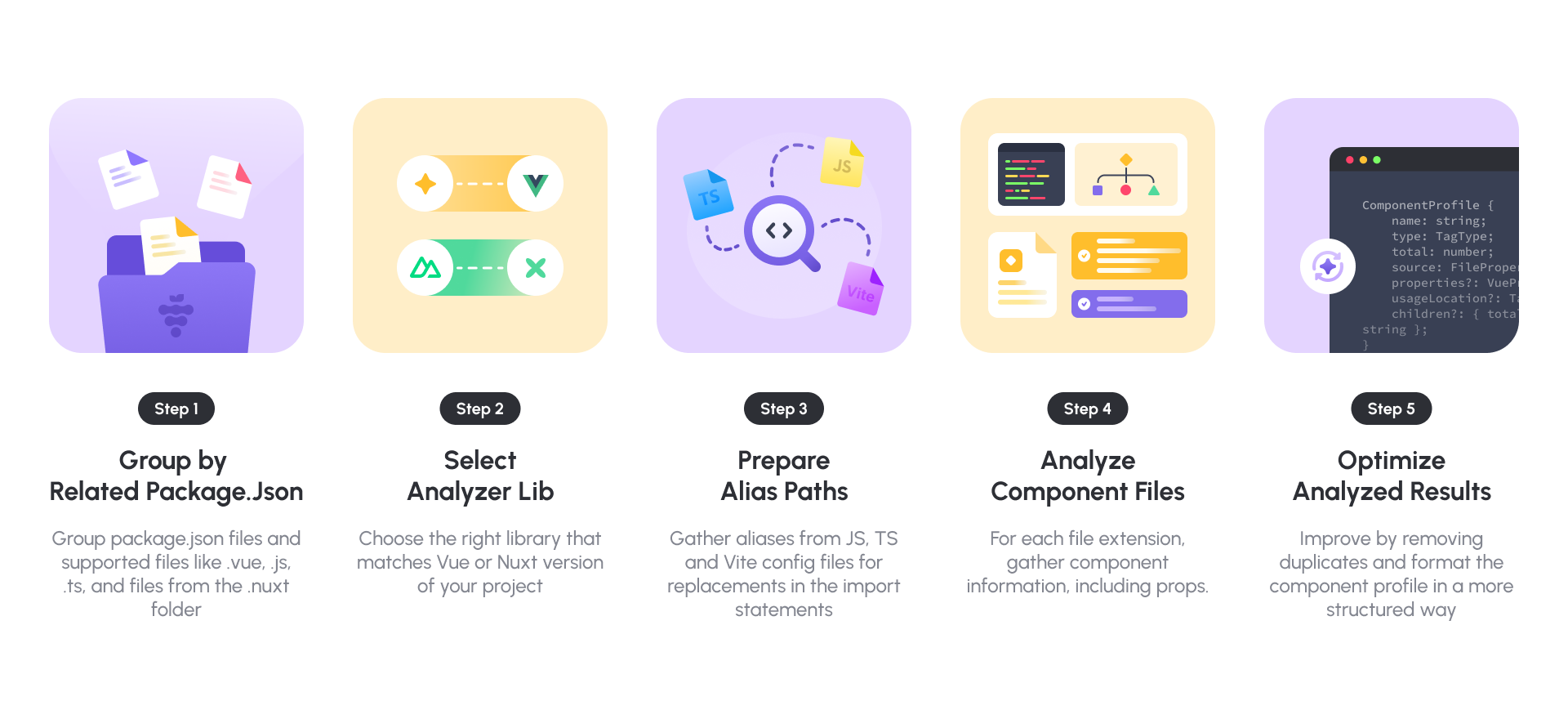
在VueScanner類中,您可以打電話給scan()方法開始掃描。該方法包括5個主要步驟。如下:
| 步 | 描述 |
|---|---|
1。 Group by Related Package.Json | 由於有多個軟件包。 JSON文件和支持的文件( .vue , .js , .jsx , .ts , .tsx和.nuxt文件夾中的所有文件(如果有),系統將分組並確定原始源 |
2。 Select Analyzer Lib | 選擇與項目的VUE版本匹配的正確庫 |
3。 Prepare Alias Paths | 從TS,JS和VITE配置文件中收集所有別名,用於在“導入”語句中替換 |
4。 Analyze Component Files | 對於每個文件擴展程序,系統將收集組件信息,包括道具 |
5。 Optimize Analyzed Results | 基於組件信息,通過以更結構化的方式刪除重複項並格式化組件配置文件來進行改進 |
以下是GitService類中的主要方法:
| 方法 | 描述 |
|---|---|
gitScanner | 啟動git log shell命令進行掃描,該命令將通過gitMapping使用。 |
gitMapping | 使用gitScanner的結果比較組件名稱和GIT日誌文件名。如果兩者都匹配,則GIT信息將更新到相應的組件配置文件中。 |
第三方插件將自動從Berryjam的軟件包中加載。
有關更多信息,請參閱文檔文件夾。
我們感謝所有類型的貢獻。無論您是在幫助我們報告還是修復錯誤,提出新功能,改進我們的文檔或傳播這個詞 - 我們希望將您作為Berryjam社區的一部分。請參閱我們的貢獻指南和行為準則。
如果您想立即開始貢獻,請導航到GitHub問題選項卡,並開始查看有趣的問題。您可能會首先處理documentation和good first issue標記的問題。
如果您在使用Berryjam時會遇到錯誤或問題,您會想到如何更好地berryjam或您正在查看文檔並認為可以改進的文檔...請不要猶豫地提交問題?
如果您是不熟悉node.js.的vue.js開發人員,則可以提交標有問題的code example ,涉及您如何創建VUE組件。查看我們的內置室以獲取更多詳細信息。
我們很樂意為您提供幫助。如果您有任何疑問,請遇到任何錯誤或遇到任何問題,請隨時在Berryjam Discord中尋求幫助。與Berryjam有關的任何東西都在桌子上!
Berryjam是根據MIT許可分發的。有關更多詳細信息,請參閱我們的許可證文件。








