promptc go
1.0.0

[英語| 簡體中文]]
promptc-go是promptc的實現。它使用promptc規範生成,分析,構建,編譯和運行promptc文件,並旨在推廣及時工程的方法。
promptc是及時工程的OpenAPI樣規範。
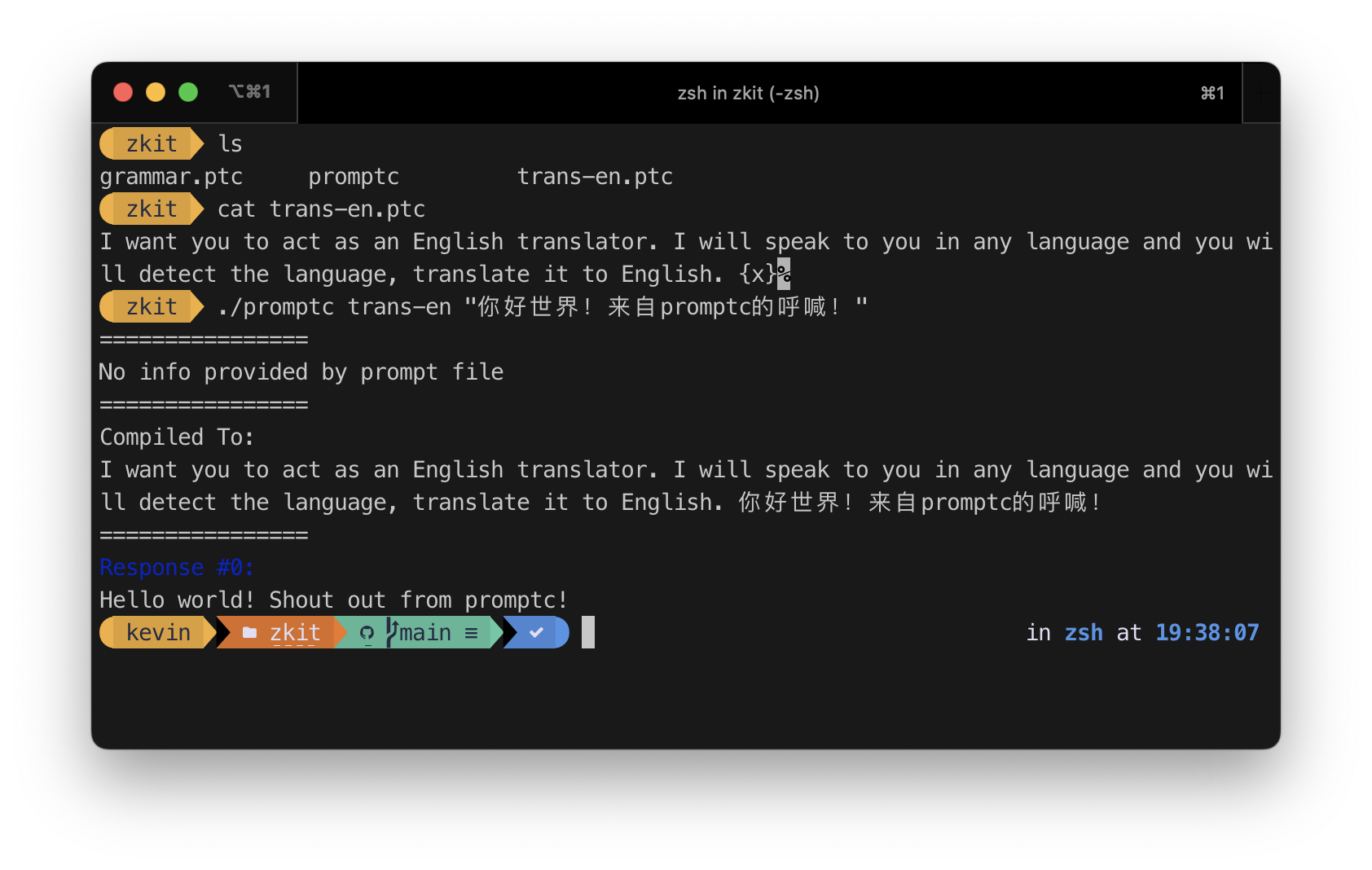 以上提示文件從Zinccat/Zkit進行了調整,該文件已獲得GPLV3的許可
# As simple as it should be
$ promptc $prompt $input 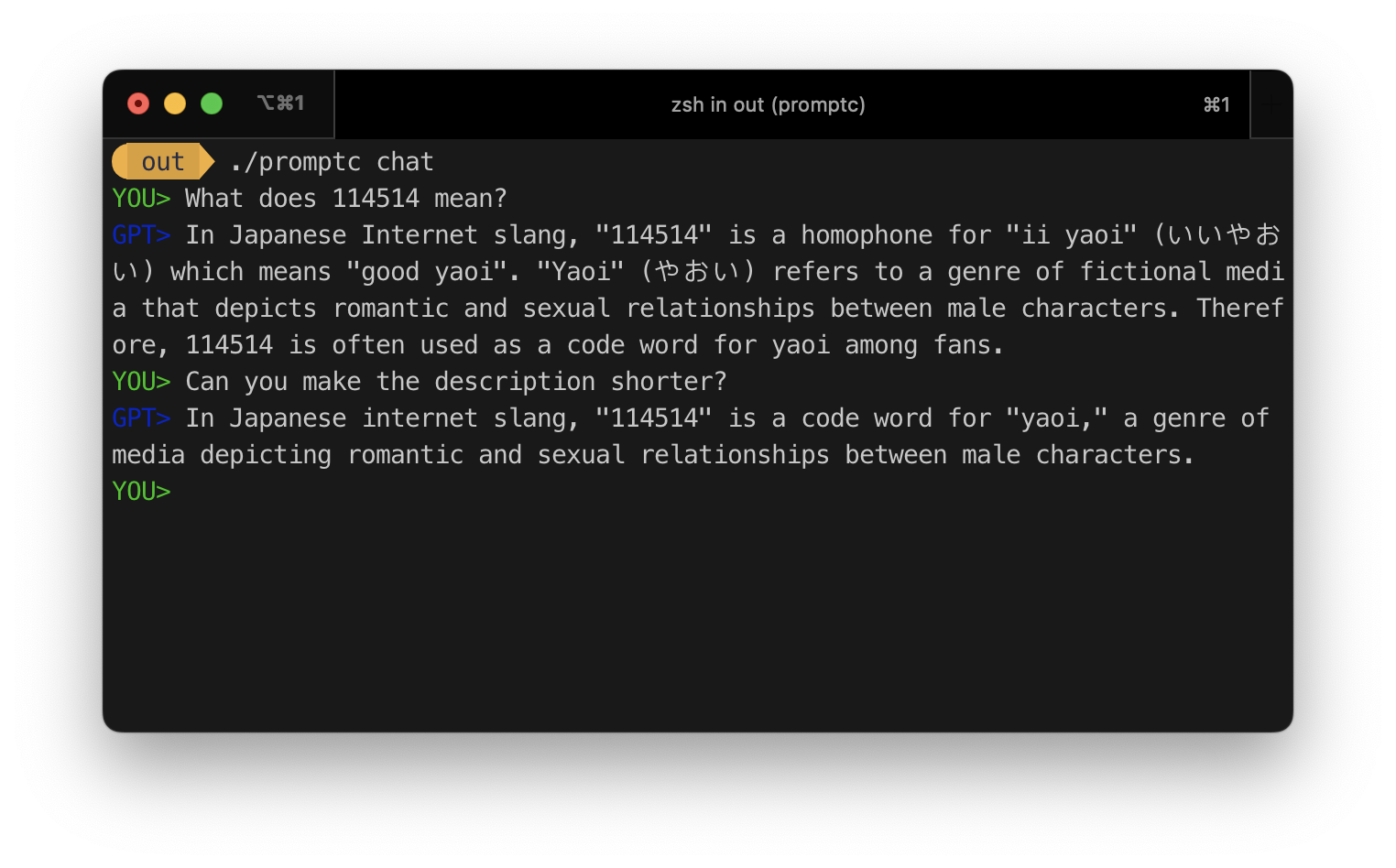 聊天功能
聊天功能
$ promptc chat有關ProffCC-CLI的更多信息,請參閱DOCS/CLI.MD。
結構化提示文件:
 // [Optional] meta info
project: test
author: KevinZonda
license: MIT
version: 0.0 .1

// [Optional] define configs
conf: {
  provider: openai
  model: gpt - 3.5 - turbo
  temperature: 0.5
  stop: [ 'Hello' , '4.0' ]
}

// [Optional] define variable constraint
vars: {
    x: int
    // var x with int type
    y: int { min : 0 , max : 10 }
    z: int { min : 0 , max : 10 , default : '5' }
}
// [Optional] Birmingham-style define var
a: int { min : 0 , max : 10 }

// [Required] define prompts
prompts: [
    // role: 'user' is meta info for ChatGPT
    // to make it empty, use {}
    '' 'role: ' user '
    You Entered : { x }
    Prompt Compiled : { %
        if ( x == "1" ) {
            result = "Hello" ;
        } else {
            result = "Word!" ;
        }
    % }
    { % Q % }
    '' '
]單線提示文件實驗:
You Entered : { x }筆記
單線提示文件當前是一個實驗功能。
不建議在生產環境中使用它。
您可以在沒有結構化的情況下編寫單線提示文件。
當前的promptc-go支持string , int , float類型。
 // declare a variable
myName : string { minLen : 3 , maxLen : 10 , default : "John" }
// a var named `myName` of type `string`
// with default value "John"
// min length 3, max length 10

myAge : int { min : 18 , max : 100 , default : '18' }
// a var named `myAge` of type `int`
// with default value 18
// min value 18, max value 100

thisPrice : float { min : 0.01 , default : '0.01' }
// a var named `thisPrice` of type `float`
// with default value 0.01
// min value 0.01, and unlimited max value stringminLen :intmaxLen :intintmin :INT64max :INT64floatmin :float64max :float64default :字符串{ role : 'user' }
xx { x } {{ x }} { %
if ( x > 12 ) {
result = "good" ;
} else {
result = "bad" ;
}
% } {}中的任何內容都是可變的,例如{x}上一個示例中的任何內容{%%}中的任何內容都是JS腳本
如果要顯示{或} ,請使用{{或}}
提示的第一行是特殊的,它為此提示提供了一些額外的信息。
即Chatgpt的角色信息。例如
 role: 'user'
Show me more about {x}
如果要提供空的額外信息,請使用{} ,因為非常建議您使用{}。儘管不是必需的,因為一旦HJSON解析失敗, promptc將在您的提示下將第一行預先置於第一行,但可能會導致很多不確定的行為。
我們為'''保留{%Q%}這在HJSON的多行文本語法中不容易完成。
例如
This is reserved { % Q % } {{ % Q % }}將被編譯為
This is reserved ''' { % Q % }筆記
在提示中使用JavaScript是一個實驗功能。
promptc-go使用OTTO作為JavaScript運行時
警告
在提示中使用JavaScript可能會引起脆弱性並導致潛在的安全性漏洞。
promptc-go對此不會承擔任何責任。
promptc支持使用{%%}語法嵌入JavaScript腳本。它支持2種模式:
在標準模式下,運行JS腳本後,Pysterc將從result變量中獲得結果。
 You Entered : { x }
Prompt Compiled : { %
    if ( x == "1" ) {
        result = "Hello" ;
    } else {
        result = "Word!" ;
    }
% }如果輸入x = 1 ,結果將為:
 You Entered: 1
Prompt Compiled: Hello
在簡單的模式下,下調將從JS腳本的返回值中獲取結果。它將在提示開始時添加E ( {%E /*script here*/ %} )
 You Entered : { x }
Prompt Compiled : { % E
    if ( x == "1" ) {
        return "Hello" ;
    } else {
        return "Word!" ;
    }
% }如果輸入x = 1 ,結果將為:
 You Entered: 1
Prompt Compiled: Hello
在簡單的模式下,腳本將包裹在功能中以啟用return語句。
例如,將在上一個示例中運行的實際腳本:
 result = ( function ( ) {
  if ( x == "1" ) {
    return "Hello"
  } else {
    return "Word!" ;
  }
} ( )元信息將被用作特殊的野外定義變量(但不會將其視為變量)。
當前支持的元信息:
project: test
author: KevinZonda
license: MIT
version: 0.0 .1如果需要,您可以在vars部分中定義相同名稱。
 // prompt1.promptc
project: test
author: KevinZonda
license: MIT
version: 0.0 .1

vars: {
    x : int
}

// VarList:
//   - x: string
// prompt2.promptc
project: test
author: KevinZonda
license: MIT
version: 0.0 .1
vars: {
x: int
project: string
license: string { minLen : 12 }
}
// VarList:
// - x: string
// - project: string
// - license: string // prompt3.promptc
project: test
author: KevinZonda
license: MIT
version: 0.0 .1
prompts: [
'' '{}
{ %
console . log ( project ) ; // will print nothing
% }
'' '
]
// VarList:
// - project: string







