node ollama telegram agent swarm
1.0.0

多用戶代理人群
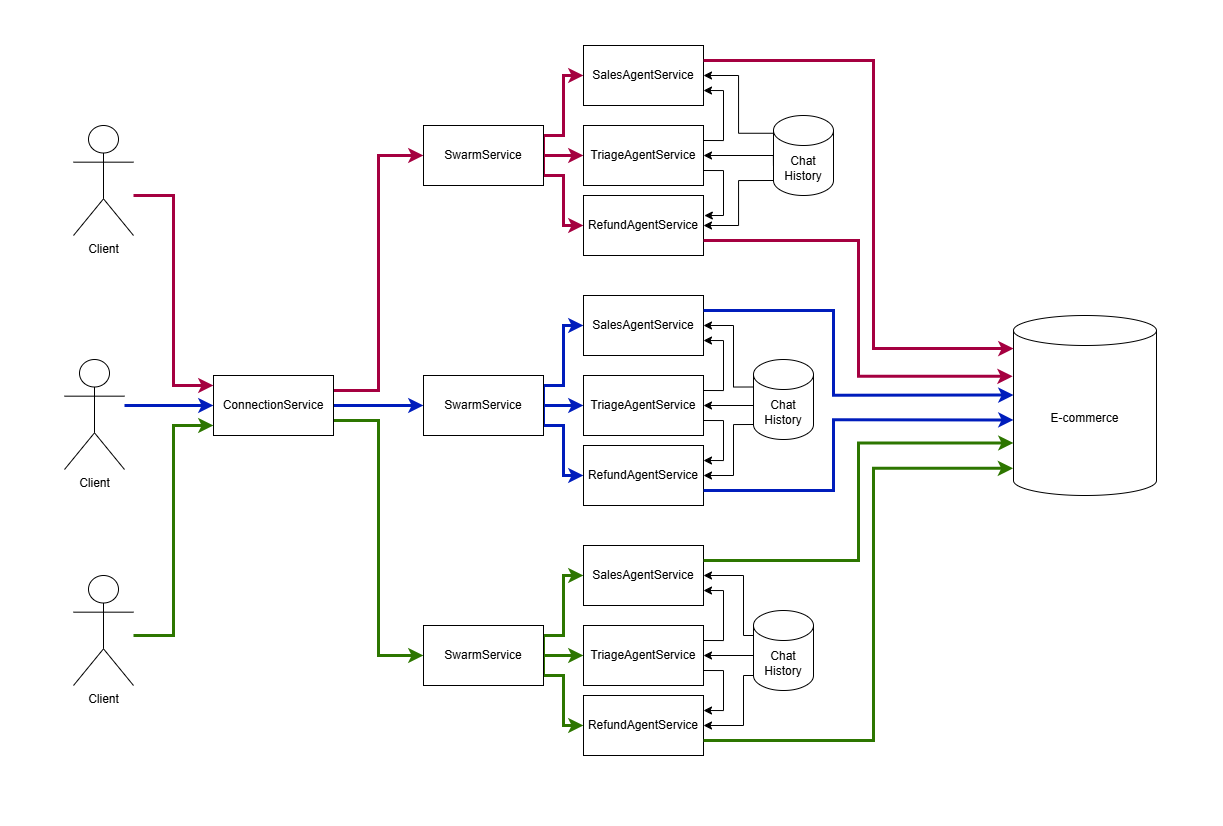
很久以前,圖形用戶界面替換了命令行輸入。偽圖接口似乎可以解決未準備好的用戶的交互問題,但是並非每個人都注意到一個因素。
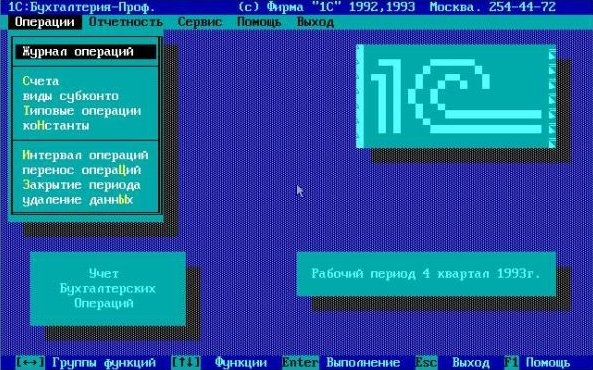
重要的!開發圖形用戶界面比偽圖紙便宜。從歷史上看,在下一個立方體發行版之後,將OBJC引入了圖形形式的編輯器,可以在其中用鼠標安排頁面。在現代世界中,Frontend提供了通過開發工具進行調試的圖形表單,這本質上是相同的:沒有技術細節的名義代碼,並且當出現問題時,有一個GUI使錯誤找到便宜。
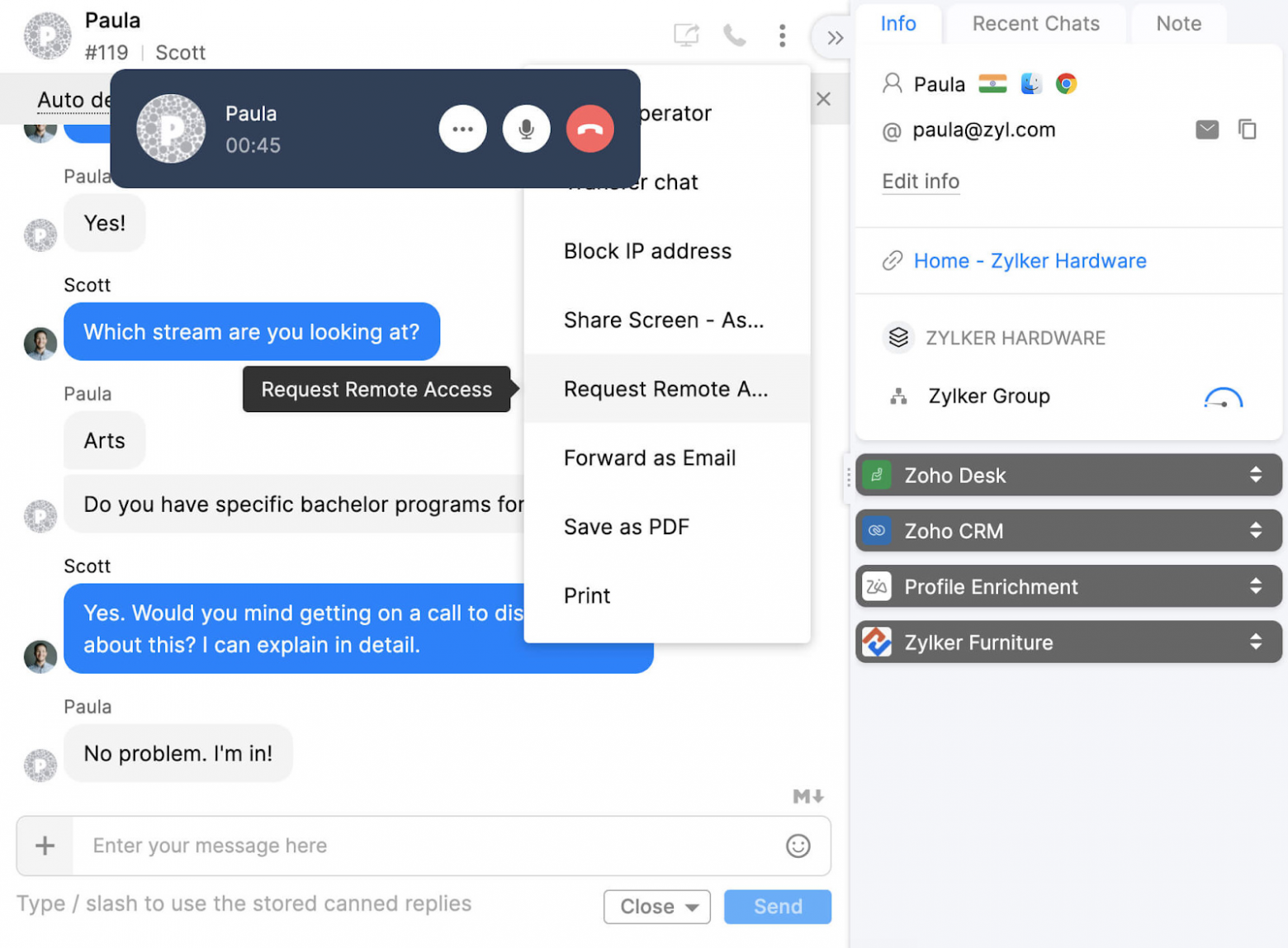
但是,完全不製作用戶界面甚至更便宜。您不需要靜態IP,PCI DSS,在Yandex和Google中推廣的域,或者如果您決定不重新發明輪子並創建另一個Web產品,它將花費三倍以吸引訪客而不是開發。
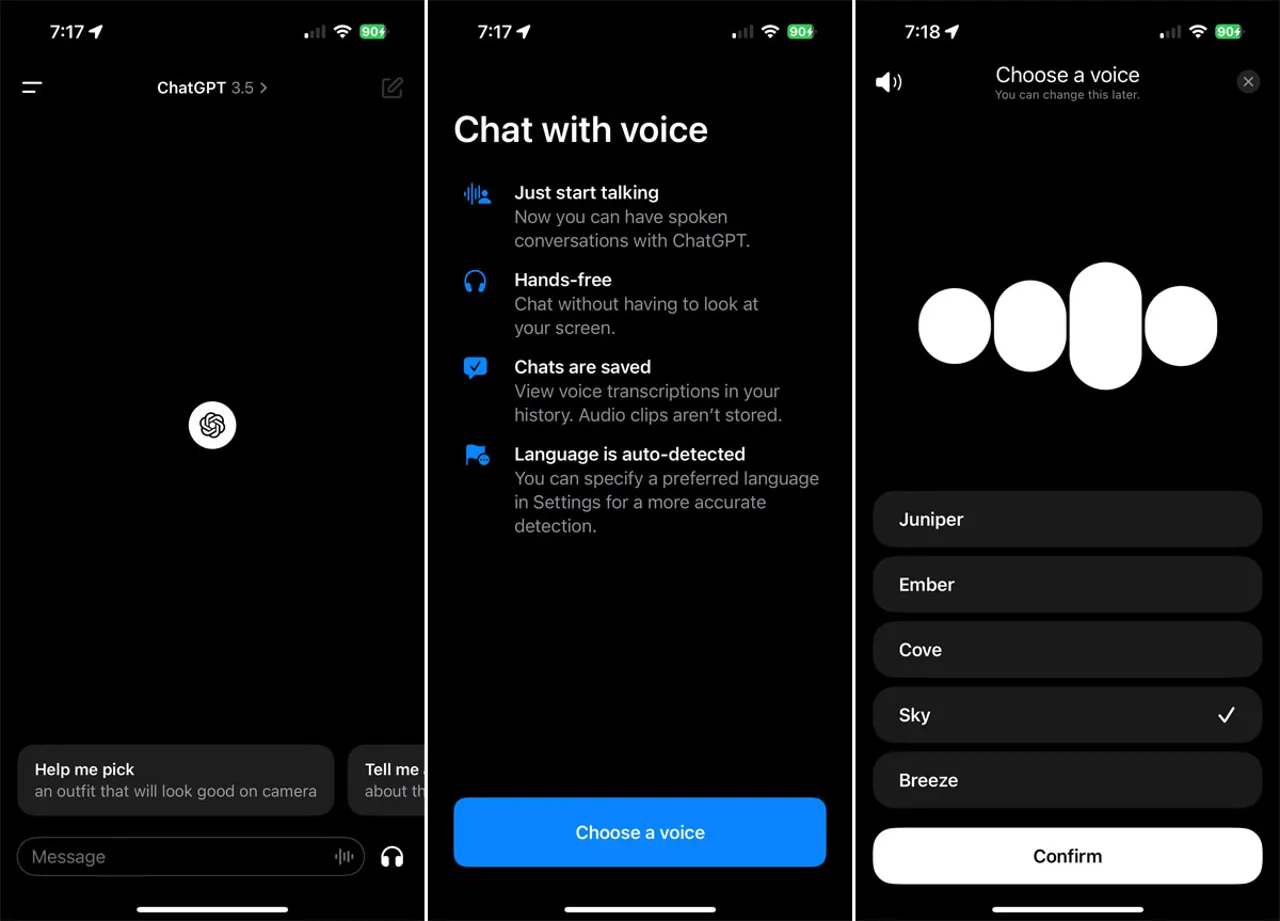
電話來自“電話”語音 - 聲音。與其學習有關無花果,攪拌器,Photoshop,虛幻引擎的大量按鈕組合,而是簡單地表達命令。您如何在Archicad旋轉圖紙?
代理群就像Android或React中的路由器中的片段一樣:它們允許您根據先前的用戶輸入指定任務範圍(屏幕上的按鈕)。例如,當在SIP手機上打來電話時,您首先需要了解該人是否要原則上購買或返回商品,然後為他們提供可用產品的列表。
稅務局將始終以表格形式要求借方/信用,因此CRM系統將不會到任何地方。 LLM的任務是從聊天或語音識別中解析自然文本,並將其轉換為帶有名稱和參數的函數簽名,以便可以將其調用並可以將數據寫入數據庫。
要解決這個問題,重要的是要了解幾個細微差別:
對於每個開放的聊天會話,需要使用具有共享聊天歷史記錄的代理和不同用戶分開的聊天歷史記錄的代理樹進行群。在此代碼中,它是在Agent-Warm-Kit的引擎蓋下實施的。
 import { addSwarm } from "agent-swarm-kit" ;

export const ROOT_SWARM = addSwarm ( {
    swarmName : 'root_swarm' ,
    agentList : [
        TRIAGE_AGENT ,
        SALES_AGENT ,
    ] ,
    defaultAgent : TRIAGE_AGENT ,
} ) ;

...

app . get ( "/api/v1/session/:clientId" , upgradeWebSocket ( ( ctx ) => {
  const clientId = ctx . req . param ( "clientId" ) ;

  const { complete , dispose } = session ( clientId , ROOT_SWARM )

  return {
    onMessage : async ( event , ws ) => {
      const message = event . data . toString ( ) ;
      ws . send ( await complete ( message ) ) ;
    } ,
    onClose : async ( ) => {
      await dispose ( ) ;
    } ,
  }
} ) ) ;
創建代理時,我們至少指定了一個系統消息,描述了它應該做什麼。我們將連接器指定到語言模型,該連接器將允許某些代理免費在本地處理,同時將復雜的代理委派給OpenAI Cloud Service。如果某件事不起作用,我們將提示提示為系統陣列,例如,函數調用for for ollama。
 const AGENT_PROMPT = `You are a sales agent that handles all actions related to placing the order to purchase an item.
Tell the users all details about products in the database by using necessary tool calls
Do not send any JSON to the user. Format it as plain text. Do not share any internal details like ids, format text human readable
If the previous user messages contains product request, tell him details immidiately
It is important not to call tools recursive. Execute the search once
` ;

/**
 * @see https://github.com/ollama/ollama/blob/86a622cbdc69e9fd501764ff7565e977fc98f00a/server/model.go#L158
 */
const TOOL_PROTOCOL_PROMPT = `For each function call, return a json object with function name and arguments within <tool_call></tool_call> XML tags:
<tool_call>
{"name": <function-name>, "arguments": <args-json-object>}
</tool_call>
` ;


export const SALES_AGENT = addAgent ( {
  agentName : "sales_agent" ,
  completion : OLLAMA_COMPLETION ,
  system : [ TOOL_PROTOCOL_PROMPT ] ,
  prompt : AGENT_PROMPT ,
  tools : [ SEARCH_PHARMA_PRODUCT , NAVIGATE_TO_TRIAGE ] ,
} ) ;
在此示例中,我使用Ollama處理用戶請求。對於那些不熟悉術語的人:語言模型接收與用戶聊天歷史記錄的過程,並輸出新消息稱為完成。 Agent-warm-kit使用的抽象接口與任何云提供商或本地模型都相似。使用本文連接DeepSeek。
 import { addCompletion , IModelMessage } from "agent-swarm-kit" ;

const getOllama = singleshot ( ( ) => new Ollama ( { host : CC_OLLAMA_HOST } ) ) ;

export const OLLAMA_COMPLETION = addCompletion ( {
  completionName : "ollama_completion" ,
  getCompletion : async ( {
    agentName ,
    messages ,
    mode ,
    tools ,
  } ) => {
    const response = await getOllama ( ) . chat ( {
      model :  "nemotron-mini:4b" , // "mistral-nemo:12b";
      keep_alive : "1h" ,
      messages : messages . map ( ( message ) => omit ( message , "agentName" , "mode" ) ) ,
      tools ,
    } ) ;
    return {
      ... response . message ,
      mode ,
      agentName ,
      role : response . message . role as IModelMessage [ "role" ] ,
    } ;
  } ,
} ) ;通過工具調用來更改活動代理並從數據庫中獲取數據:語言模型返回由本地模型框架或云提供商處理的特殊XML,或者由OpenAI供OpenAI調用Python/js中的外部代碼等。執行結果在聊天歷史記錄中記錄為chat歷史記錄為{"role": "tool", "content": "Product Paracetamol found in database: fever reducer for fighting flu"} 。從下一條用戶消息中,語言模型可以使用工具中的數據運行。
 import { addTool , changeAgent , execute } from "agent-swarm-kit" ;

const PARAMETER_SCHEMA = z . object ( { } ) . strict ( ) ;

export const NAVIGATE_TO_SALES = addTool ( {
  toolName : "navigate_to_sales_tool" ,
  validate : async ( clientId , agentName , params ) => {
    const { success } = await PARAMETER_SCHEMA . spa ( params ) ;
    return success ;
  } ,
  call : async ( clientId , agentName ) => {
    await commitToolOutput (
      "Navigation success`,
      clientId ,
      agentName
    ) ;
    await changeAgent ( SALES_AGENT , clientId ) ;
    await execute ( "Say hello to the user" , clientId , SALES_AGENT ) ;
  } ,
  type : "function" ,
  function : {
    name : "navigate_to_sales_tool" ,
    description : "Navigate to sales agent" ,
    parameters : {
      type : "object" ,
      properties : { } ,
      required : [ ] ,
    } ,
  } ,
} ) ;
為了避免硬編碼初始代理消息,當切換代理時,用戶請求模擬會發生打招呼。
 import {
  addTool ,
  commitSystemMessage ,
  commitToolOutput ,
  execute ,
  getLastUserMessage ,
} from "agent-swarm-kit" ;

const PARAMETER_SCHEMA = z
  . object ( {
    description : z
      . string ( )
      . min ( 1 , "Fulltext is required" )
  } )
  . strict ( ) ;


export const SEARCH_PHARMA_PRODUCT = addTool ( {
  toolName : "search_pharma_product" ,
  validate : async ( clientId , agentName , params ) => {
    const { success } = await PARAMETER_SCHEMA . spa ( params ) ;
    return success ;
  } ,
  call : async ( clientId , agentName , params ) => {
    let search = "" ;
    if ( params . description ) {
      search = String ( params . description ) ;
    } else {
      search = await getLastUserMessage ( clientId ) ;
    }
    if ( ! search ) {
      await commitToolOutput (
        str . newline ( `The products does not found in the database` ) ,
        clientId ,
        agentName
      ) ;
      await execute (
        "Tell user to specify search criteria for the pharma product" ,
        clientId ,
        agentName
      ) ;
      return ;
    }
    const products = await ioc . productDbPublicService . findByFulltext (
      search ,
      clientId
    ) ;
    if ( products . length ) {
      await commitToolOutput (
        str . newline (
          `The next pharma product found in database: ${ products . map (
            serializeProduct
          ) } `
        ) ,
        clientId ,
        agentName
      ) ;
      await commitSystemMessage (
        "Do not call the search_pharma_product next time!" ,
        clientId ,
        agentName
      ) ;
      await execute (
        "Tell user the products found in the database." ,
        clientId ,
        agentName
      ) ;
      return ;
    }
    await commitToolOutput (
      `The products does not found in the database` ,
      clientId ,
      agentName
    ) ;
    await execute (
      "Tell user to specify search criteria for the pharma product" ,
      clientId ,
      agentName
    ) ;
  } ,
  type : "function" ,
  function : {
    name : "search_pharma_product" ,
    description :
      "Retrieve several pharma products from the database based on description" ,
    parameters : {
      type : "object" ,
      properties : {
        description : {
          type : "string" ,
          description :
            "REQUIRED! Minimum one word. The product description. Must include several sentences with description and keywords to find a product" ,
        } ,
      } ,
      required : [ "description" ] ,
    } ,
  } ,
} ) ;
語言模型可以形成工具調用命名參數的字典。但是,如果閉路電路的技術要求,OpenSource模型處理不當。分析對話本身會更簡單。
多個chatgpt會話(代理)進行工具調用。每個代理都可以使用不同的模型,例如Mistral 7b進行日常通信,Nemoton進行業務對話。
代理人使用客戶端IRL參數將消息引導到每個WebSocket頻道的活動ChatGpt會話(代理)。對於與某人的每個新聊天,都會用自己的代理商群創建一個新頻道。
可以通過執行工具來更改群中的活動ChatGpt會話(代理)。
所有客戶端會話都為所有代理人使用共享的聊天消息歷史記錄。每個客戶的聊天歷史記錄都用旋轉存儲最後25條消息。在ChatGpt會話(代理)之間,僅傳輸助手和用戶類型消息,而係統和工具消息僅限於代理的範圍,因此每個代理只知道與之相關的工具。結果,每個chatgpt會話(代理)具有其唯一的系統提示。
如果代理的輸出失敗驗證(不存在工具調用,使用不正確的參數,空輸出,輸出中的XML標籤或輸出中的JSON),則救援算法將嘗試修復模型。首先,它將從模型中隱藏以前的消息。如果那無濟於事,它將返回佔位符,例如“對不起,我不明白。你能重複嗎?”
addAgent註冊新代理商addCompletion註冊新的語言模型:雲,本地或模擬addSwarm註冊一組代理,用於處理用戶聊天addTool註冊一個用於將語言模型集成到外部系統中的工具changeAgent - 群中改變活性劑complete - 請求對傳遞給代理群的消息的答复session - 創建聊天會話,提供會話完成的回調和新消息發送getRawHistory獲取調試的原始系統歷史記錄getAgentHistory使經紀人可見的歷史可見commitToolOutput將功能執行結果發送到歷史記錄。如果調用功能,則代理會凍結直到收到響應commitSystemMessage補充系統提示commitFlush如果收到不正確的響應或模型錯誤地遞歸調用工具,則為代理的明確對話execute - 要求神經網絡主動並首先寫給用戶emit - 向用戶發送預先準備的消息getLastUserMessage從用戶獲取最後一條消息(無需考慮執行)commitUserMessage在聊天歷史記錄中保存用戶消息無響應。如果用戶垃圾郵件消息無需等待請求處理getAgentName獲取活動代理名稱getUserHistory獲取用戶消息的歷史記錄getAssistantHistory獲取語言模型消息的歷史記錄getLastAssistantMessage從語言模型中獲取最後一條消息getLastSystemMessage獲取最後一個系統提示補充







