vim codeclimate
1.0.0

一個運行代碼氣候CLI並在VIM中顯示結果的VIM插件。
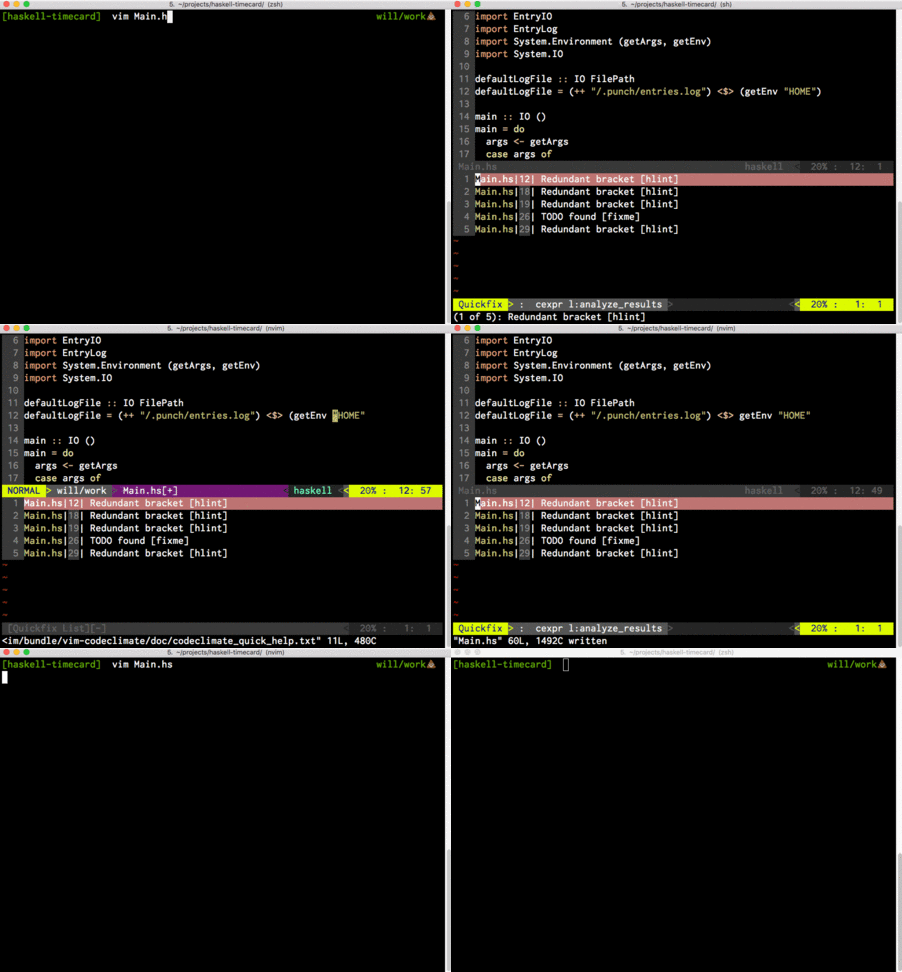
必須安裝代碼氣候CLI,並且codeclimate二進制必須在您的PATH中。
$ git clone https://github.com/wfleming/vim-codeclimate ~/.vim/bundle/vim-codeclimate.com
Plugin 'wfleming/vim-codeclimate'
 :CodeClimateAnalyzeProject
:CodeClimateAnalyzeOpenFiles
:CodeClimateAnalyzeCurrentFile
該插件公開了上面的三個命令。默認情況下,任何捷徑沒有綁定到這些命令以避免干擾其他插件,但是您可以輕鬆地在.vimrc或init.vim中添加一些插件:
 nmap <Leader>aa :CodeClimateAnalyzeProject<CR>
nmap <Leader>ao :CodeClimateAnalyzeOpenFiles<CR>
nmap <Leader>af :CodeClimateAnalyzeCurrentFile<CR>
CodeClimateAnalyzeOpenFiles & CodeClimateAnalyzeCurrentFile都將在他們將分析的緩衝區中尋找緩沖級級別的b:codeclimateflags變量,並將其包括在代碼氣候CLI的調用中。
例如,在一個大型網絡項目中,您可能會啟用許多不同的引擎(以覆蓋您的後端,樣式,前端等),但是對於任何給定的文件,您要編輯的大多數引擎可能都不適用。通過使用autocmd ,您可以聲明要為特定的Filetypes運行的引擎,這可以幫助分析更快地運行。作為具體的示例,我將以下配置用於Ruby on Rails項目:
 autocmd FileType javascript let b:codeclimateflags="--engine eslint"
autocmd FileType ruby let b:codeclimateflags="--engine rubocop"
autocmd FileType scss let b:codeclimateflags="--engine scss-lint"
鍵盤快捷鍵可在QuickFix窗口中提供,該窗口從Ack.vim插件借用。
 ?    a quick summary of these keys, repeat to close
o    to open (same as Enter)
O    to open and close the quickfix window
go   to preview file, open but maintain focus on results
t    to open in new tab
T    to open in new tab without moving to it
h    to open in horizontal split
H    to open in horizontal split, keeping focus on the results
v    to open in vertical split
gv   to open in vertical split, keeping focus on the results
q    to close the quickfix window
由於插件如何運行CLI,因此希望在當前工作目錄中找到.codeclimate.yml配置文件。因此,通常您需要從存儲庫的根部啟動VIM才能使該插件正常工作。







