AspNetCore.Identity
1.0.0

該項目是提供身份和身份驗證功能的ASP.NET Core 8應用程序。它包括使用SendGrid ,外部登錄提供程序模板, ApplicationUser的自定義屬性,2FA的QR代碼生成的IEmailSender定義屬性以及使用Serilog結構化登錄的實現。該應用程序旨在使用SQLite數據庫易於配置和運行,因此不需要其他數據庫設置。
該項目以ASP.NET核心身份的樣板代碼開頭,並在各種功能上包括自定義實現:
SendGrid以發送確認電子郵件和密碼重置電子郵件。Microsoft , Google , Facebook和Twitter配置了外部登錄選項。ApplicationUser的自定義配置文件處理。QRCoder庫生成用於兩因素身份驗證(2FA)的QR碼。Serilog 。以下是一些屏幕截圖,展示了該項目的各種功能。這些圖像可瞥見功能和用戶界面,使您可以在下載和運行之前查看項目提供的內容。
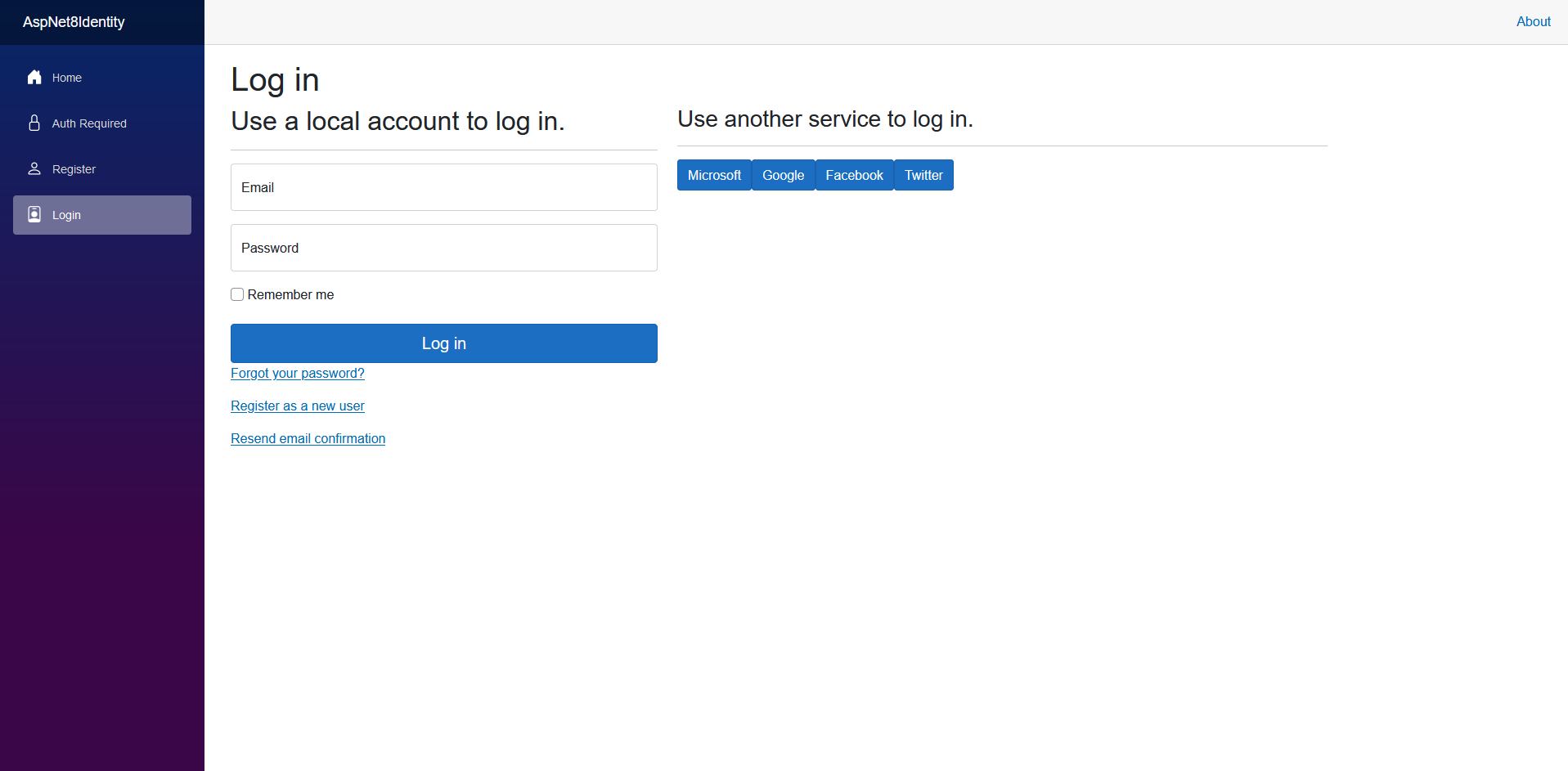
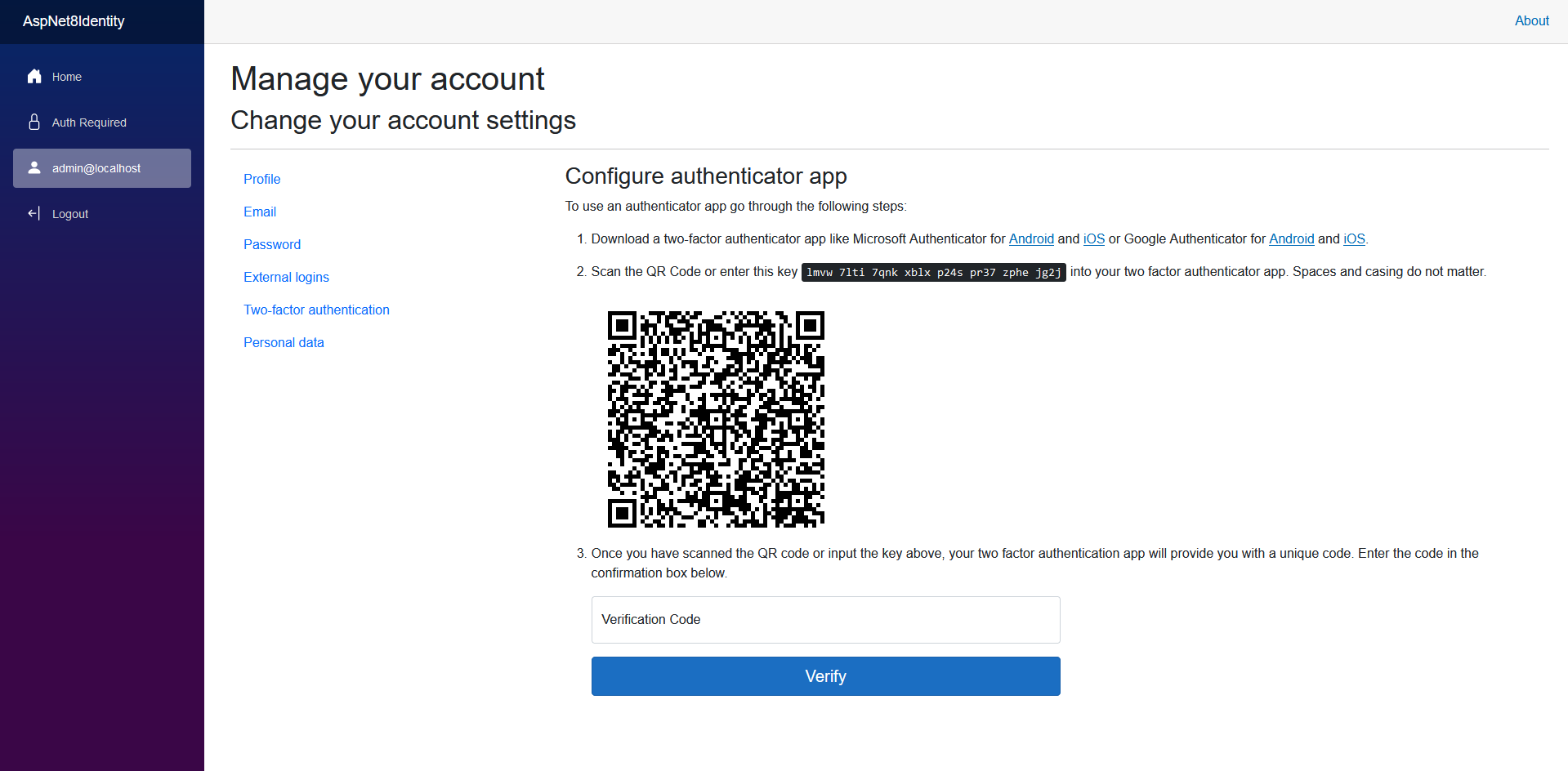
要啟用電子郵件發送者和外部登錄提供商,您需要配置以下內容:
SendGrid API密鑰:
註冊一個SendGrid帳戶並獲取API密鑰。然後,在appsettings.json中添加您的SendGrid API密鑰:
 "EmailSettings" : {
  "ApiKey" : " YourSendGridApiKey " ,
  "FromAddress" : " [email protected] " ,
  "FromName" : " Your Name "
}
外部登錄提供商:
要使用外部登錄選項(Microsoft,Google,Facebook,Twitter),您需要向這些提供商註冊您的應用程序並獲得必要的憑據。在appsettings.json中添加這些憑據:
 "AuthSettings" : {
   "Microsoft" : {
      "Key" : " YourMicrosoftClientId " ,
      "Secret" : " YourMicrosoftClientSecret "
   },
   "Google" : {
      "Key" : " YourGoogleClientId " ,
      "Secret" : " YourGoogleClientSecret "
   },
   "Facebook" : {
      "Key" : " YourFacebookAppId " ,
      "Secret" : " YourFacebookAppSecret "
   },
   "Twitter" : {
      "Key" : " YourTwitterConsumerKey " ,
      "Secret" : " YourTwitterConsumerSecret "
   }
}
有關如何配置這些提供商的更多詳細信息,請參閱本文。





