superhelp
v1.1.0:


版本編號:1.9.5作者:Grant Paton-Simpson
SuperHelp對人類有幫助!目標是為簡單的代碼段提供自定義的幫助。 SuperHelp並不是要代替內置的Python幫助,而是為基本的Python代碼結構進行補充。 SuperHelp也將被認為是有用的。可以在包括終端和Web瀏覽器在內的各種情況下提供幫助(也許是在線教程的一部分)。
單擊下面的按鈕打開活頁夾jupyter筆記本,您可以在摘要或Python系列上獲取建議
或將以下內容放在Python腳本的頂部並運行腳本:
 import superhelp
superhelp.this()
注意 - 僅Python 3.9+。如果您有Python的較舊版本,請改用Binder Jupyter筆記本按鈕(請參閱更高的更高版本)
安裝
筆記
例如
$ python3 -m pip install superhelp
通過運行檢查
$ shelp
如果它不起作用,並且您正在Linux上,則將以下內容添加到您的.bashrc文件中可能會解決問題:
export PATH=$PATH:~/.local/bin
或克隆倉庫
$ git克隆https://github.com/grantps/superhelp.git $ python3 setup.py install
夏洛特喜歡在其他人看到的代碼之前檢查她的代碼
  import superhelp
  superhelp.this(warnings_only=True)
在每個腳本的頂部。當她對代碼感到滿意時,她評論了這兩行。
Avi是一名Python初學者,想獲得有關他寫的五線功能的建議,以向人列表展示問候。他了解了Python慣例,以進行可變命名和更好的組合方式。
扎克想在一個命名的元組方面獲得建議。他學會瞭如何將DOC字符串添加到各個字段。
Noor正在考慮提交一些代碼以堆疊溢出,但想先改進它(或可能直接獲得解決方案的想法)。她發現列表理解可能起作用。她還首次意識到字典綜合。
Al寫了一個簡單的Python裝飾器,但想看看是否有任何可以改進的東西。他從提供的示例中學習如何使用functool.wrap。
Moana是一位經驗豐富的Python開發人員,但往往會忘記她的功能中的Doc Strings之類的事情。她學習了一種標準方法,並開始更頻繁地使用它。 Moana還發現概括有用。
保羅想在將其包含在項目中之前檢查一些代碼的質量。他了解一些問題,並在整合問題之前進行改進。
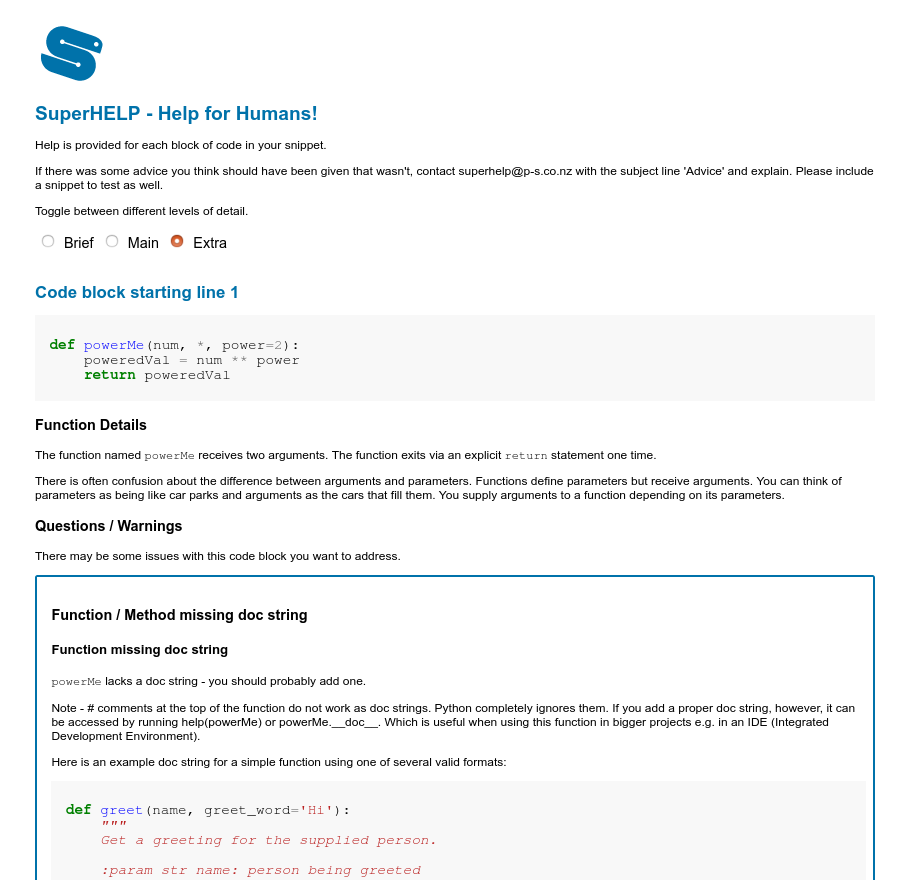
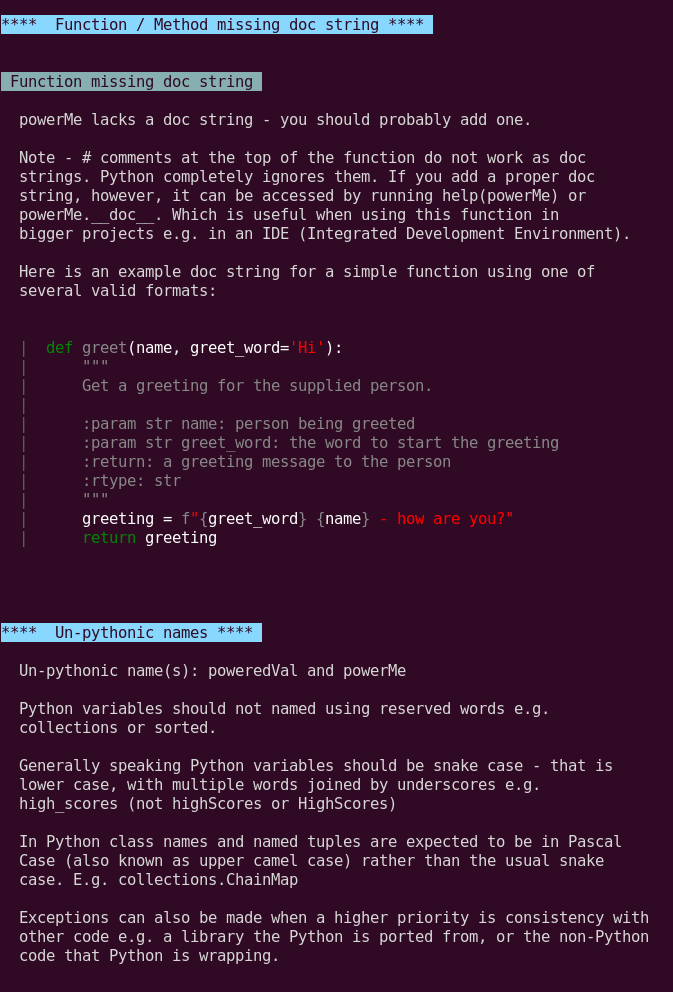
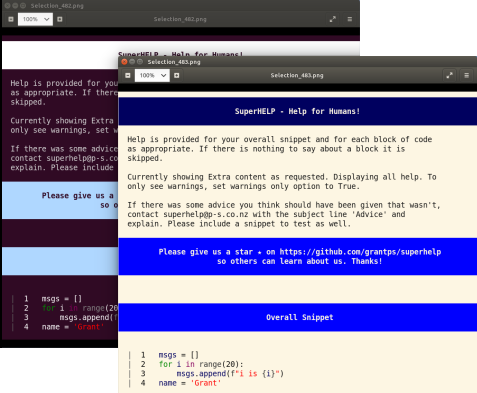
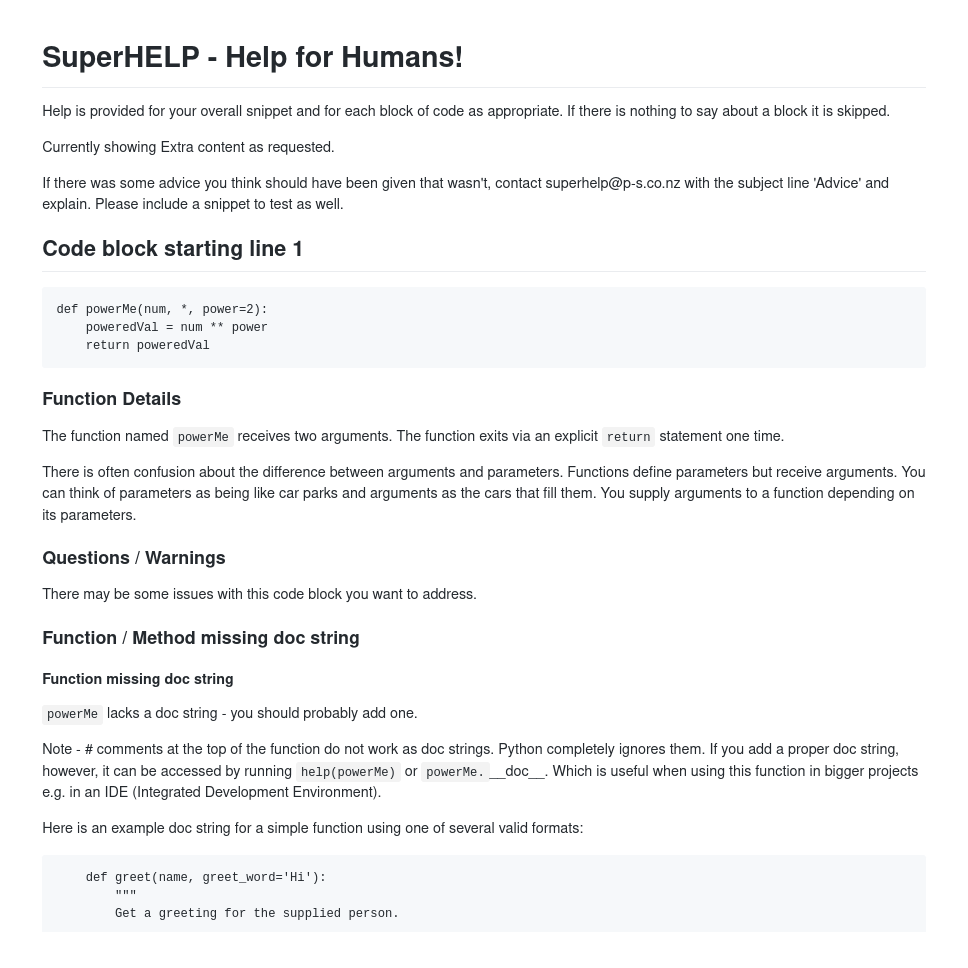
最終添加新單元格,例如:
 %%shelp

def sorted(my_list):
    sorted_list = my_list.sort()
    return sorted_list
並運行它以獲取建議。
筆記本電腦在頂部有更多詳細的說明。
將以下內容放在腳本的頂部,然後運行腳本(注意 - 文件兩側都有兩個下劃線):
 import superhelp
superhelp.this()
如果您不想要默認的Web輸出,則可以指定另一個輸出,例如“ CLI”(命令行接口)或“ MD”(Markdown):
 import superhelp
superhelp.this(output='md')
如果您不想要默認的“額外”消息級別,則可以指定不同的詳細級別(“簡短”或“ main”)
 import superhelp
superhelp.this(detail_level='Brief')
或者:
 import superhelp
superhelp.this(detail_level='Main')
如果您只想看到警告,則可以指定警告
 import superhelp
superhelp.this(warnings_only=True)
執行代碼允許SuperHelp更好地理解您的代碼。
如果您要在SuperHelp進行評估時執行代碼
 import superhelp
superhelp.this(execute_code=True)
您可以使用任意多的選項
 import superhelp
superhelp.this(output='md', execute_code=True, warnings_only=True)
 $ shelp -h  ## get extended help on usage (purpose, defaults, etc)

$ shelp --code "people = ['Tomas', 'Sal', 'Raj']" --output html --detail-level Main
$ shelp -c "people = ['Tomas', 'Sal', 'Raj']" -o html -d Main

$ shelp --file-path my_script.py --output cli --theme light --detail-level Extra
$ shelp -f my_snippet.py -o cli -t light -d Extra

$ shelp --project-path /home/g/proj --exclude-folders env
$ shelp -p /home/g/proj -e env

$ shelp --file-path my_script.py --warnings-only
$ shelp -f my_snippet.py -w

$ shelp --file-path my_script.py --execute-code
$ shelp -f my_snippet.py -x

$ shelp  ## to see advice on an example snippet displayed (detail level 'Extra')

$ shelp --advice-list  ## to see all types of help listed
$ shelp -a
https://github.com/aroberge/friendly-traceback





