Prototype.Forms.Controls
1.0.0

該示例應用包含我創建的Xamarin/Xamarin.Forms控件,視圖和功能片段的隨機混合物。

ToggleButton是一個控件,允許在圖像之間來回切換(例如“檢查”和“未檢查”)。 ToggleButton從Xamarin.Forms.Button繼承。
< controls : ToggleButton
            x : Name = " toggleButton "
            CheckedImage = " checked "
            UnCheckedImage = " unchecked "
            Enabled = " true "
            Animate = " false "
Command = " {Binding Source={x:Reference CheckboxControl}, Path=CheckedCommand } " />Checkbox控件本質上是一個包含ToggleButton和Label StackLayout 。
< controls : Checkbox Text = " {Binding CheckboxTitle} "
                   IsChecked = " {Binding IsChecked} "
                   CheckedCommand = " {Binding OnCheckedCommand} " />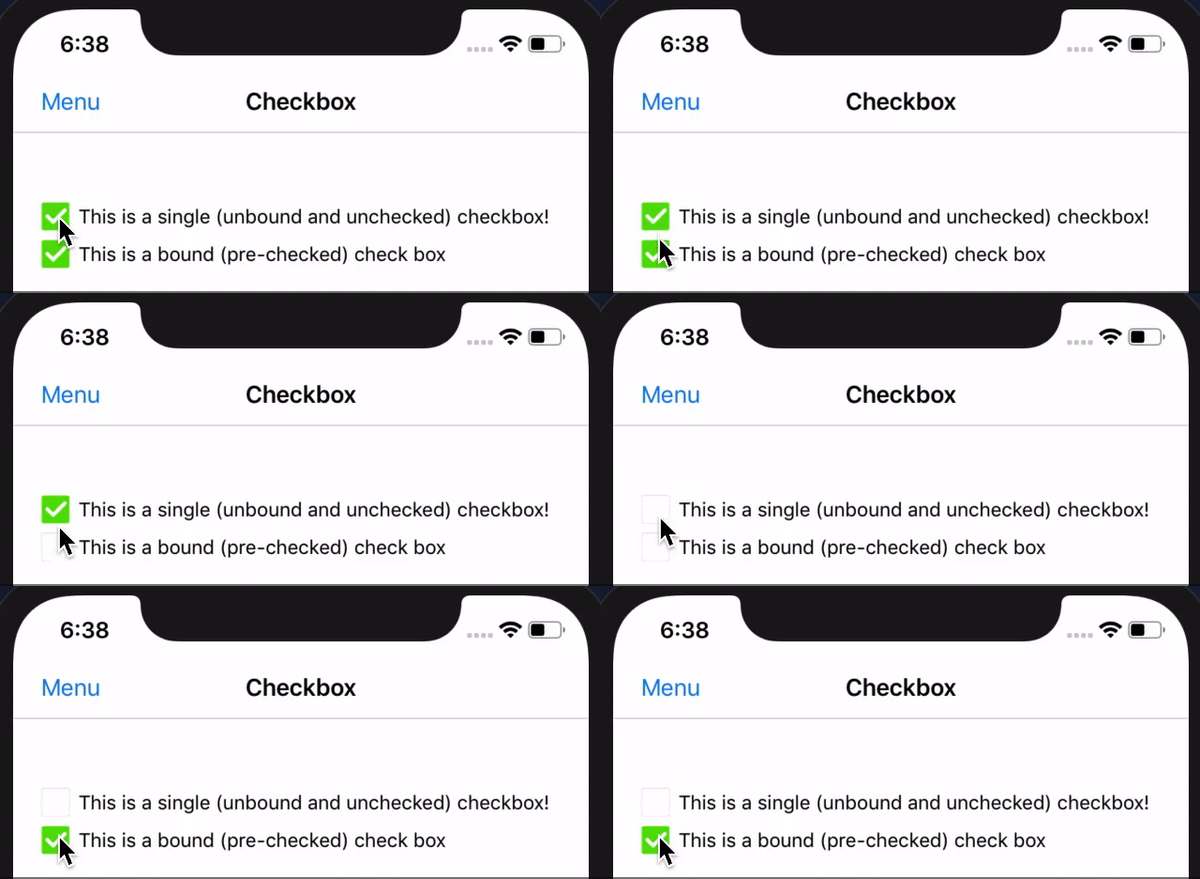
即將推出:用於檢查/未檢查狀態的SkiaSharp(默認)實現,以代替當前需要圖像的位置。這將消除對任何平台添加(圖像)的需求。
CheckboxList控件從Xamarin.Forms.ListView繼承,並包含Checkbox控件列表。它允許您綁定ISelectableItem對象實現的集合,並維護所選項目的列表。 CheckboxList包含事件,並命令觀察CheckboxList項目的更改。
< controls : CheckboxList ItemsSource = " {Binding Items} "
                       SelectedItems = " {Binding SelectedItems} " />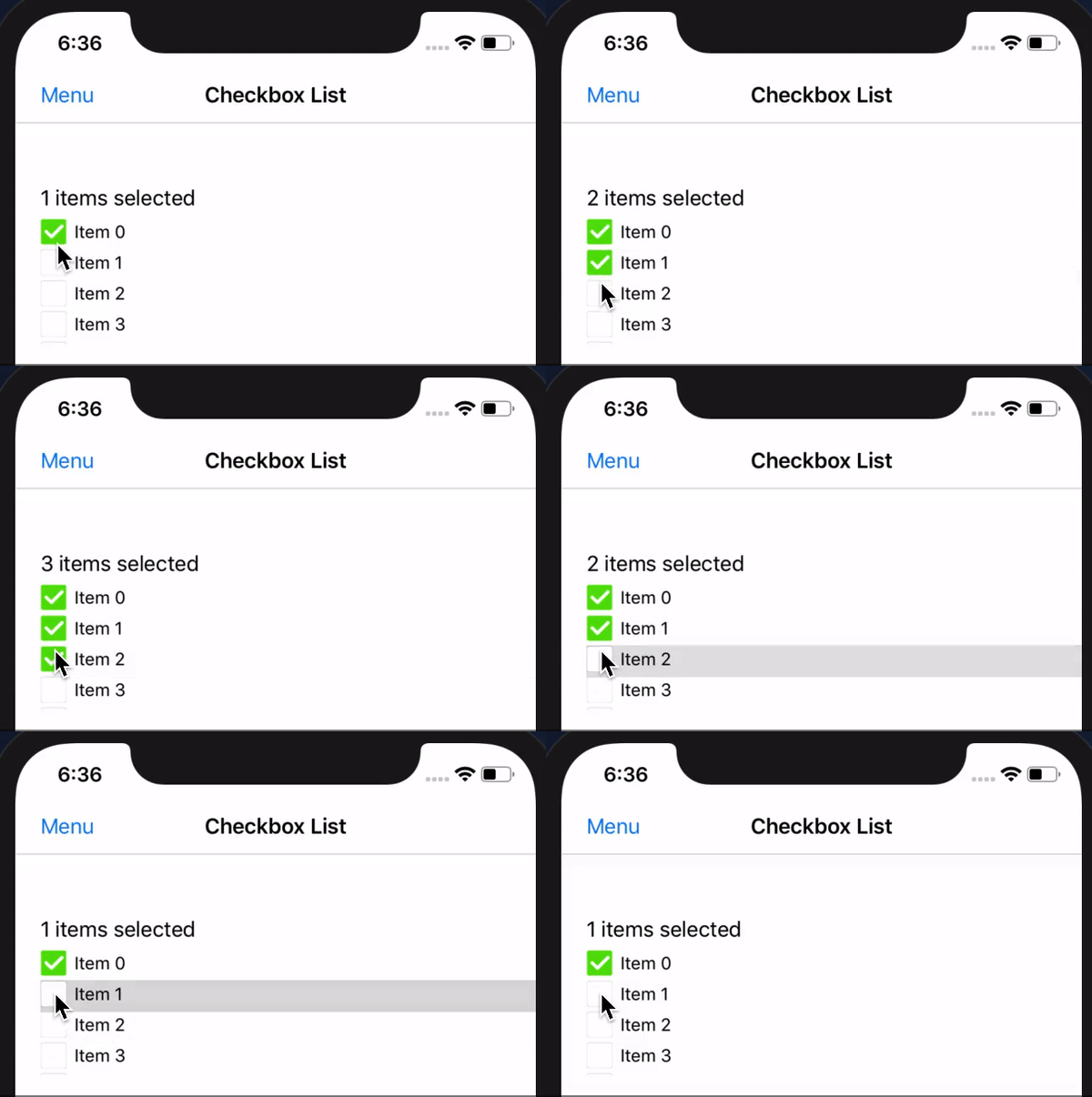
注意: CheckboxList控件還包含用於選擇/DE選擇列表中所有復選框的功能。 (文檔和样本即將到來)。
(即將推出!)
(即將推出!)
(即將推出!)
(即將推出!)
RadioButtonList從StackLayout繼承,並包含RadioButton控件的列表。 RadioButtonList中的ItemsSource屬性期望IEnumerable<string> 。字符串的集合用於創建RadioButtonList中包含的RadioButton量。
< controls : RadioButtonList ItemsSource = " {Binding Items} " ItemSelectedCommand = " {Binding ItemSelectedCommand} " />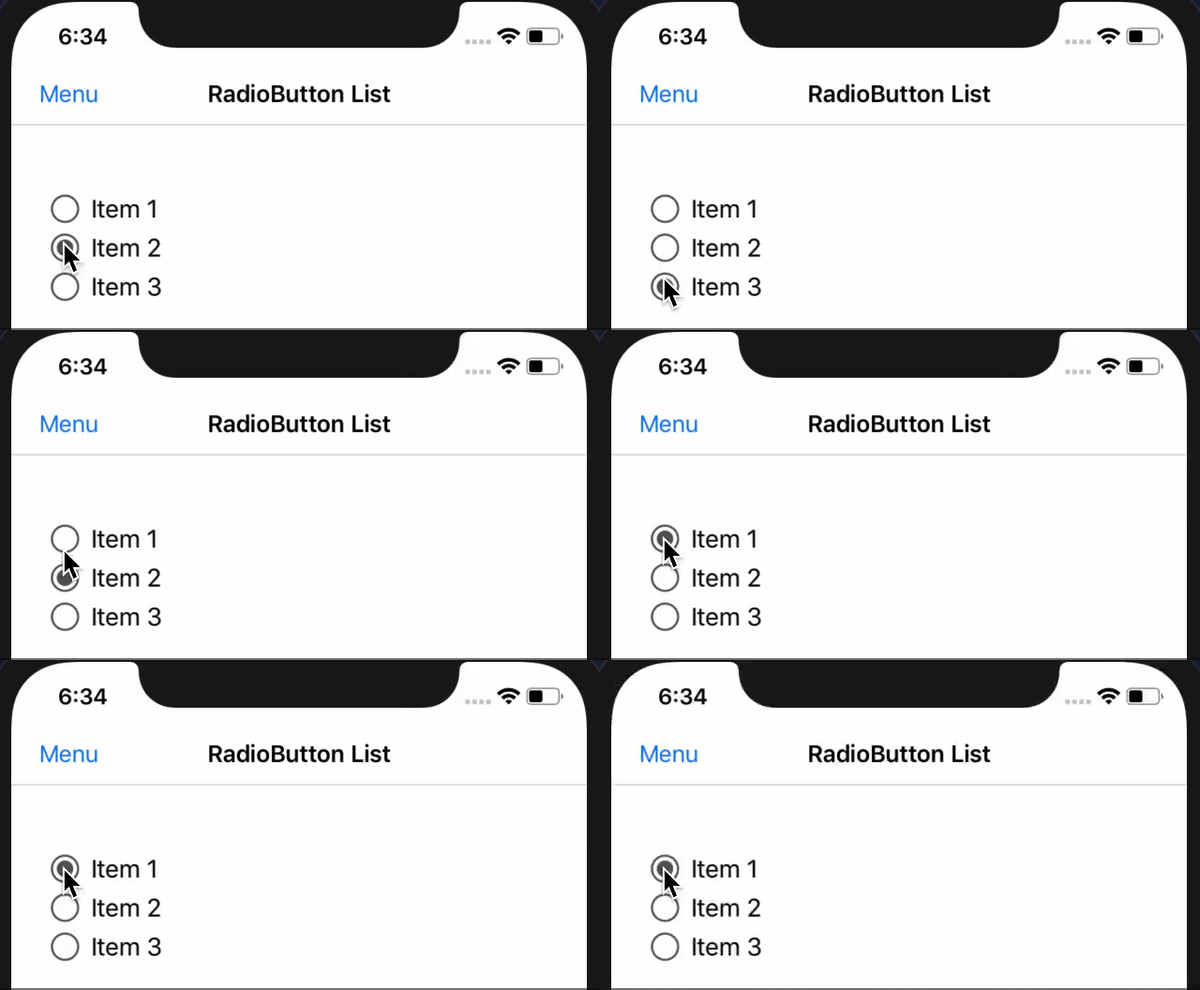
注意: RadioButton控制需要在iOS和Android項目中進行自定義渲染。
即將推出:我將擴展允許更多選項的功能(即預選的廣播按鈕項目,定制/未選擇的格式等)
(即將推出!)





