nativescript ionic template
1.0.0

帶有Nativecript和Web應用程序(首先)的本機移動應用程序,具有離子樣式和組件與Angular共享相同代碼的組件!
該模板使用Angular的默認導航,不建議使用離子3的導航來開發網站,因此不建議使用需要離子導航的離子組件。但是,在此模板中,您可以找到一個如何使用諸如側菜單之類的組件的示例,而無需依賴導航。
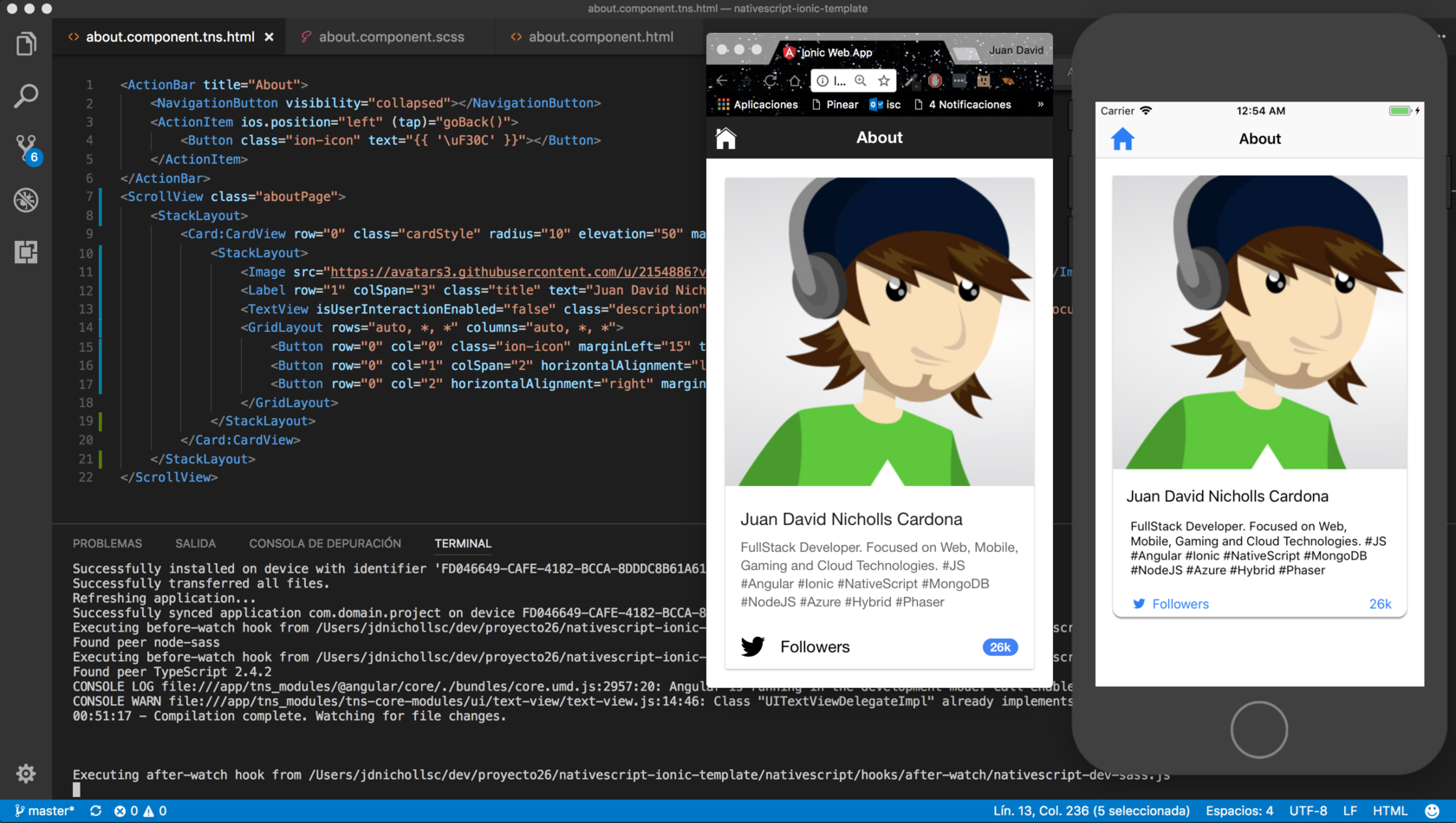
使用此模板,您可以使用帶有具有相同代碼的NativeScript的Ionic 3組件和一個移動本機應用程序創建Web應用程序(移動移動) ,是的! ?
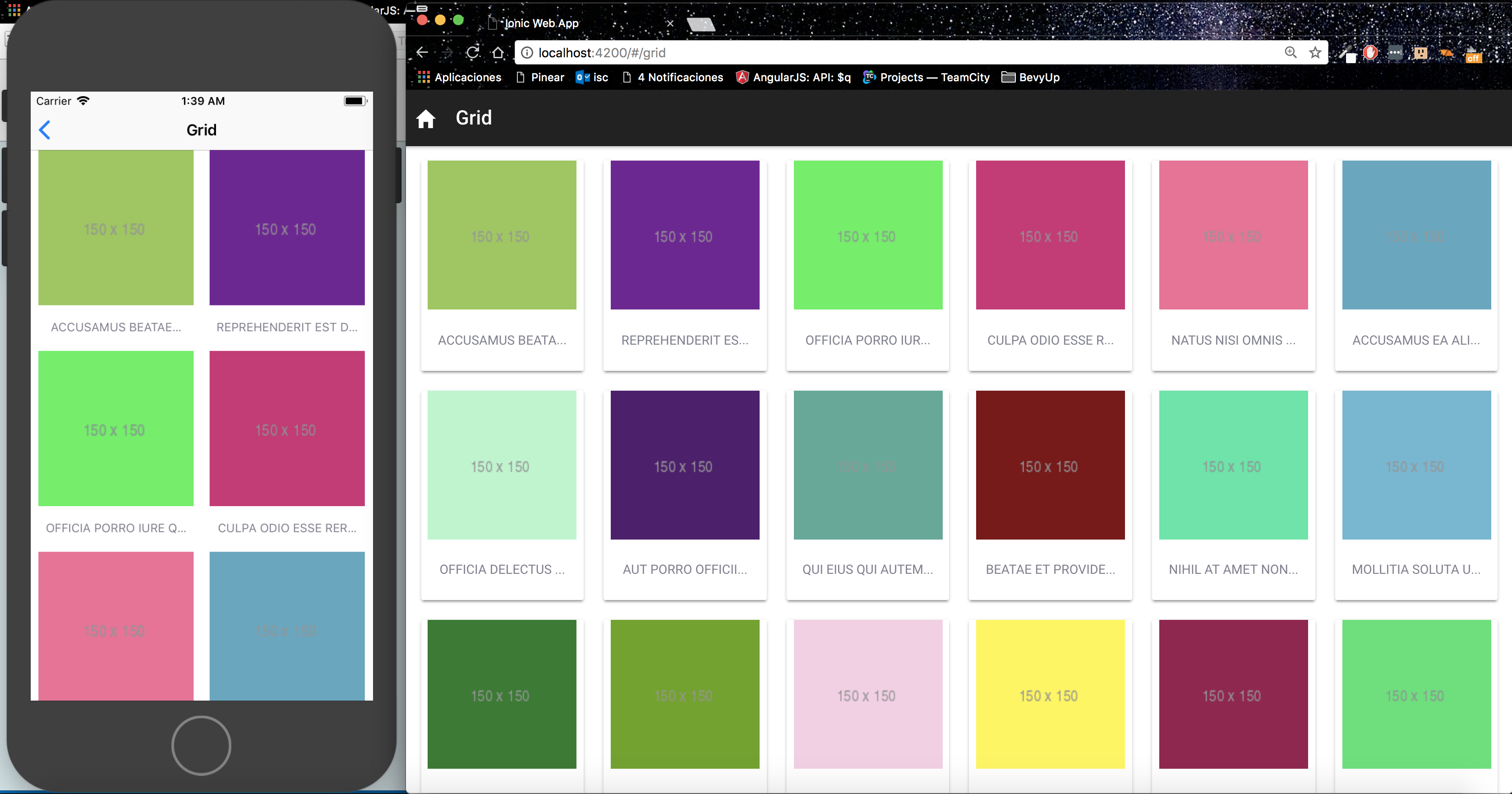
有關更多詳細信息,您可以通過Angular和Nativecript查看有關Web和移動設備之間的代碼共享的出色的Nativescript團隊文章:https://www.nativecript.org/blog/code-sharing-betnect--bet-web-and-web-and-web-and-mobile-with-with-with-angular-and-angular-and-nativescript
查看有關網絡和本機應用之間共享代碼的塞巴斯蒂安·維塔萊克(Sebastian Witalec)的出色視頻
  npm install (It's required to create the symlinks at the first time before to execute the app)
  ng serve
  cd nativescript
  npm install
  npm run livesync (Required to detect changes and reload the app from the simulator/device)
  npm run ios (using other terminal)
在此處查看可用命令:種子命令
| 命令 | 行動 |
|---|---|
npm install -g @angular/cli | 安裝Angular-CLI。記住在這裡查看文檔 |
ng g module [name] | 生成一個新模塊。建議創建應用程序的各個部分,以加載懶惰加載組件。 |
ng g component [name] | 在當前目錄中生成新組件。請記住在每個組件中添加ModuleID屬性moduleId: module.id |
ng g service [name] | 生成新服務。建議在幾個組件之間共享服務app/providers/路徑。 |
NativeScript需要圖標的Unicode ,您可以從src/fonts/ionicons.svg文件的內容中找到帶有圖標名稱的Unicode,然後您可以從<Label>或<button>或<Button> ,示例:
// name: ion-ios-contact, unicode: 
<Button class="ion-icon" fontSize="25" text=""></Button>
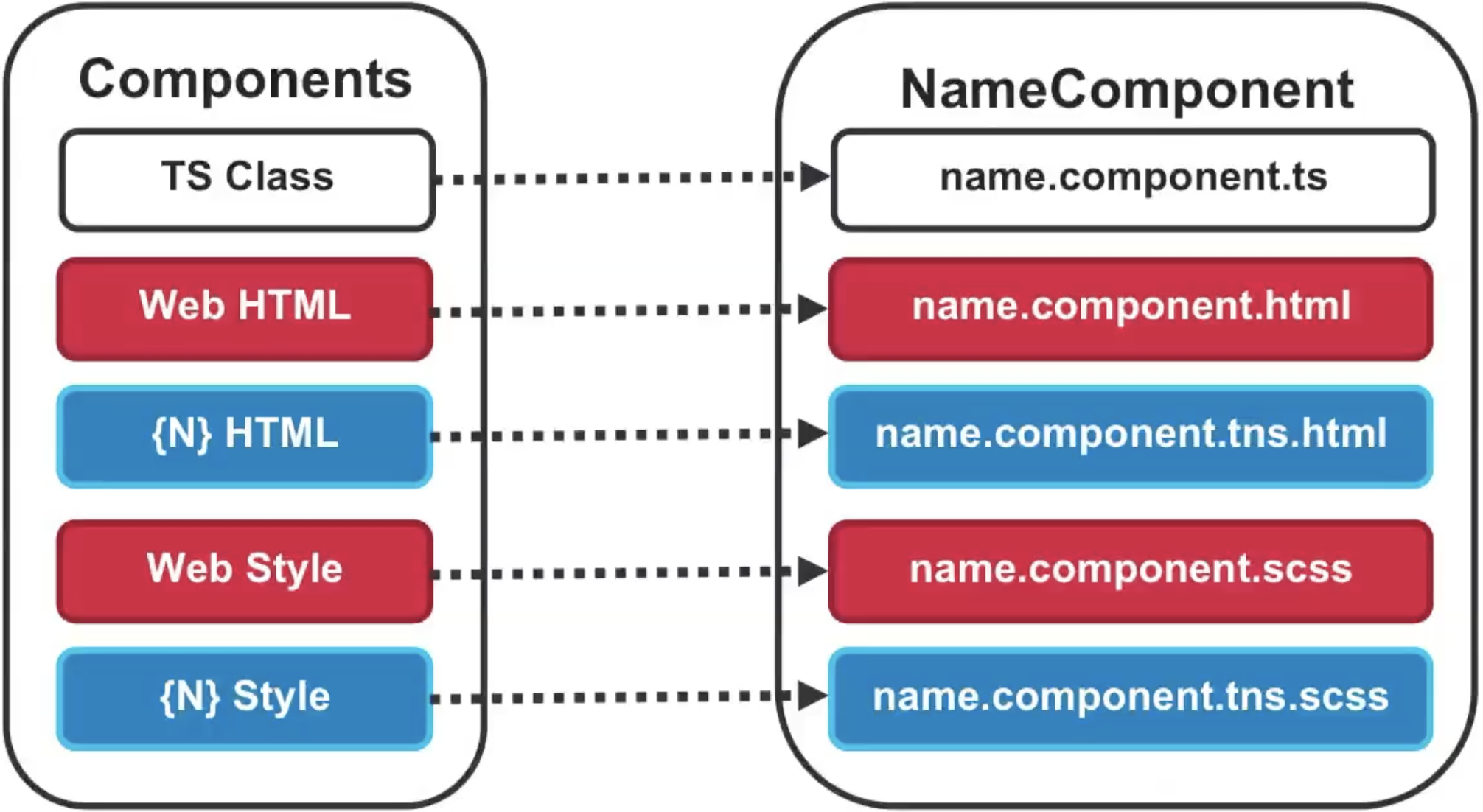
單獨定位電話和平板電腦模板。支持以下擴展名:
| 擴大 | 平台 |
|---|---|
.{html/scss} | Web平台。當沒有.tns擴展 |
.tns.{html/scss} | 僅適用於手機 |
.tns.ios.{html/scss} | 僅適用於iOS |
.tns.android.{html/scss} | 僅適用於Android |
.tns.ios.phone.{html/scss} | 僅適用於iOS電話 |
.tns.android.phone.{html/scss} | 僅適用於Android手機 |
| 句法 | 意義 | 預期結果 |
|---|---|---|
{{ title }}{{ getTitle() }} | 呈現一個值,該表達式將在運行時進行評估。 | |
[src]="imageUrl" | 屬性綁定:將DOM元素的屬性綁定到組件的字段。 | |
[attr.colspan]="colSpan" | 屬性綁定 | |
[class.selected]="user.selected" | 類綁定:動態添加類。 | |
[style.color]="isActive? 'green': 'red'" | 樣式綁定 | |
(tap)="onSave($event)" | 事件綁定 | |
(keyup.enter)="onEnter()" | 事件過濾 | |
#email (keyup.enter)="onEnter(email.value) | 模板變量 | |
[(ngModel)]="user.email" | 雙向綁定。需要進口FOMPOM模塊。 | |
{{ price | currency:'AUD' }} | 管道:格式數據。 | |
@Input('input-property') myData;<example [input-property]="data"> | 輸入屬性:組件的輸入數據。 | |
@Output('output-property') change= new EventEmitter();this.change.emit({msg: 'Hi!'});<example (output-property)="onChange($event)"> | 輸出屬性:從組件提高事件。 | onChange({msg}) { console.log(msg) } |
| 肖恩·珀金斯 | 胡安·尼科爾斯 |
我相信獨角獸?如果您也這樣做,請支持我。
用❤️製成





