Airtest
v1.3.5

遊戲和應用程序的跨平台UI自動化框架
跨平台的ui自動化框架,適用於遊戲和app (中文版點這裡)
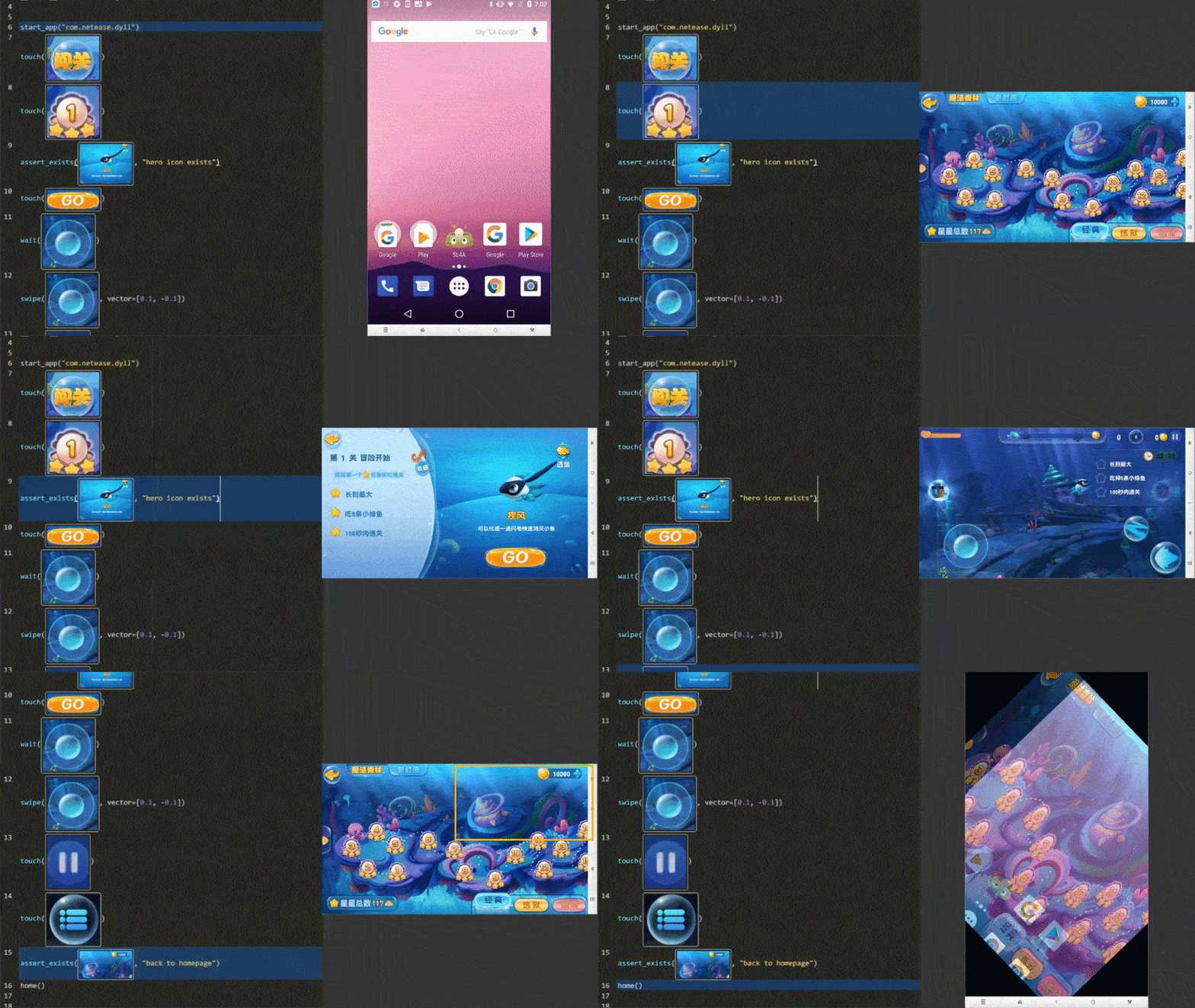
寫一次,在任何地方運行: airtest提供跨平台API,包括應用程序安裝,模擬輸入,斷言等。 Airtest使用圖像識別技術來定位UI元素,以便您可以在不注入任何代碼的情況下自動化遊戲和應用程序。
完全可擴展的:使用Commandline或Python API,可以在大型設備農場上輕鬆運行Airtest Case。 HTML報告帶有詳細信息和屏幕記錄的報告允許您快速找到故障點。 NetEase在Airtest項目的頂部建造了Airlab。
AirTestide: Airtestide是一個盒子內GUI工具,可幫助以用戶友好的方式創建和運行案例。 AirTestide支持完整的自動化工作流程: create -> run -> report 。
POCO: POCO增加了直接訪問主要平台和遊戲引擎訪問對象(UI小部件)層次結構的能力。它允許在Python中寫作說明,以實現更高級的自動化。
從airtest主頁開始
使用pip安裝呼吸python庫。
pip install -U airtest在MacOS/Linux平台上,您需要授予ADB執行權限。
 # for mac
cd {your_python_path}/site-packages/airtest/core/android/static/adb/mac
# for linux
# cd {your_python_path}/site-packages/airtest/core/android/static/adb/linux
chmod +x adb
如果您需要使用GUI工具,請從我們的主頁下載AirTestide。
您可以在readThedocs上找到完整的Airtest文檔。
Airtest旨在提供與平台無關的API,以便您可以編寫一次自動化案例並在多個設備和平台上運行。
 from airtest . core . api import *

# connect an android phone with adb
init_device ( "Android" )
# or use connect_device api
# connect_device("Android:///")

install ( "path/to/your/apk" )
start_app ( "package_name_of_your_apk" )
touch ( Template ( "image_of_a_button.png" ))
swipe ( Template ( "slide_start.png" ), Template ( "slide_end.png" ))
assert_exists ( Template ( "success.png" ))
keyevent ( "BACK" )
home ()
uninstall ( "package_name_of_your_apk" )
有關更多詳細信息,請參閱Airtest Python API參考或查看API代碼
.air使用Airtestide,您可以輕鬆地將自動化案例作為.air目錄。 Airtest CLI提供了在不同的主機機器和目標設備平台上執行案例的可能性,而無需使用AirTestide本身。
 # run cases targeting on Android phone connected to your host machine via ADB
airtest run " path to your .air dir " --device Android:///

# run cases targeting on Windows application whose title matches Unity.*
airtest run " path to your .air dir " --device " Windows:///?title_re=Unity.* "

# generate HTML report after running cases
airtest report " path to your .air dir "

# or use as a python module
python -m airtest run " path to your .air dir " --device Android:///
嘗試運行提供的示例案例: airtest/playground/test_blackjack.air ,並查看CLI的用法。這是一個多設備的跑步者樣本。
拉力請求非常歡迎。
感謝所有這些使該項目變得更好的偉大作品。





