OctaSine
v0.9.1

頻率調製合成器插件(VST2,CLAP)。在MacOS,Windows和Linux上運行。
下載的官方網站
Octasine.com
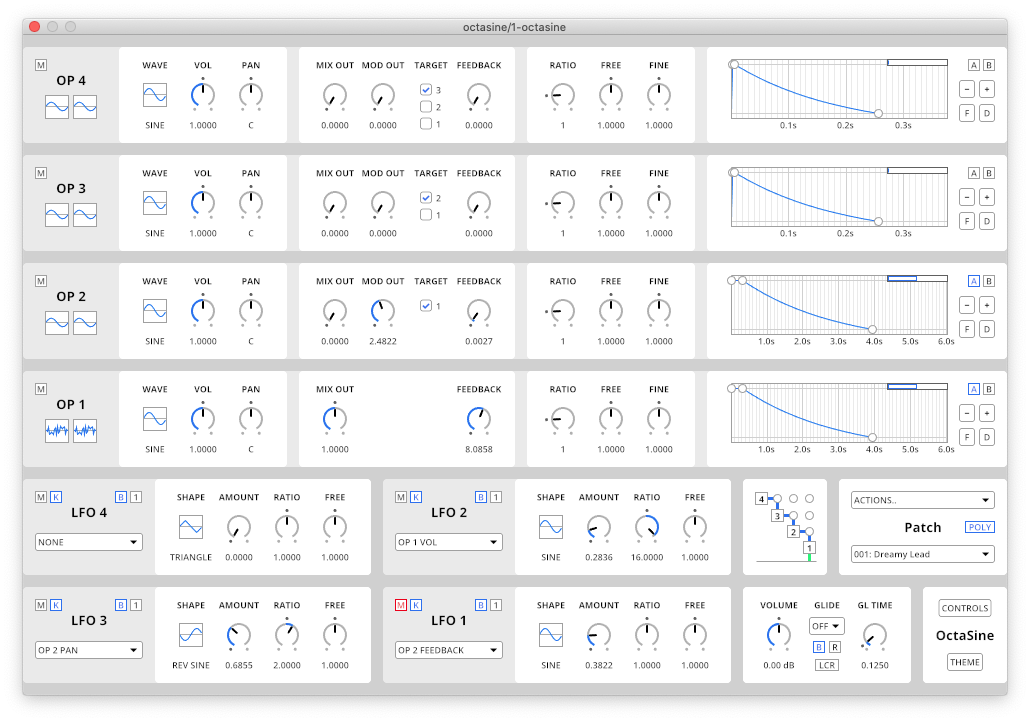
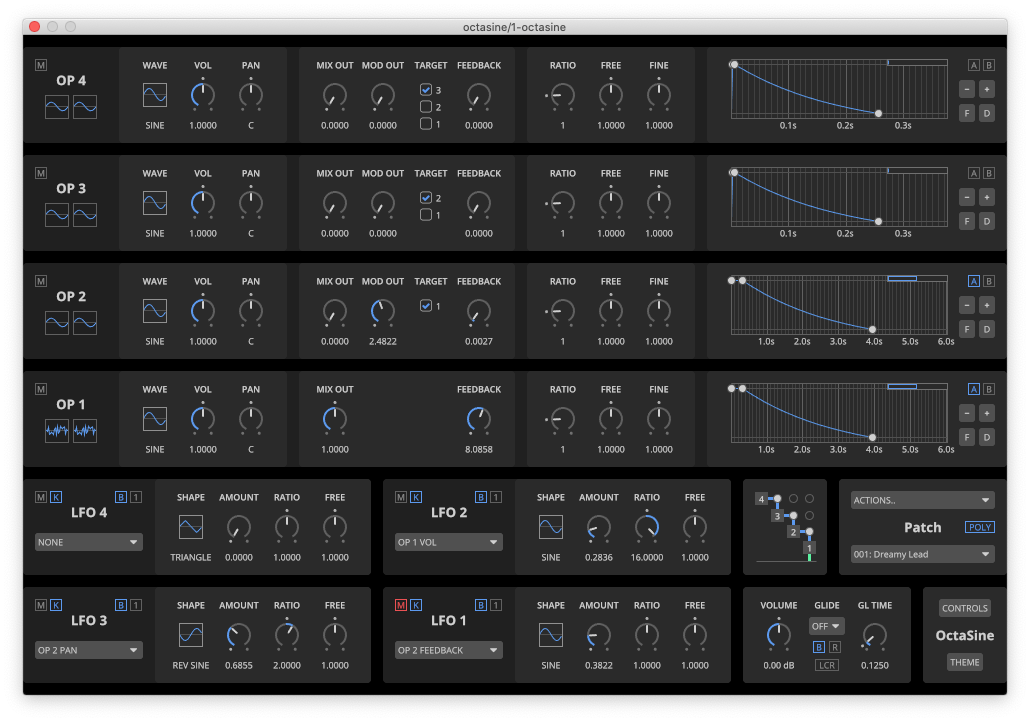
四個FM運算符具有波形的參數(正弦,正方形,三角形,鋸和噪聲),音量,平移,反饋和頻率(比率,自由和罰款),調製後立體聲波形的可視化。
靈活的路由允許設置操作員調製目標(具有一定限制)以及簡單地添加到最終輸出中的信號量,從而啟用加法綜合。
具有多個波形,Oneshot和loop模式以及可選的DAW BPM同步的四個LFO。他們可以針對大多數操作員參數和低索引LFO的大多數參數。
每個操作員都連接到具有對數斜率的攻擊 - 固定釋放量信封。信封組使同步變化變得輕而易舉。
八質的一個獨特特徵是可以對調製進行插入,從而在立體聲圖像中定位FM。此外,實現了真正的立體聲平移,而不僅僅是平衡。
在MACOS(10.15或更高版本),Windows 10/11和Linux(僅X11)上運行,在64位計算機上的VST2-或CLAP兼容DAWS中運行。合成在X86_64(SSE2,AVX)上進行了SIMD加速。
請注意,在MacOS和Windows上安裝八秒的推薦方法是下載正式版本,而不是從源頭構建它。
brew install gitmkdir -p " $HOME /Downloads "
cd " $HOME /Downloads "
git clone https://github.com/greatest-ape/OctaSine.git
cd OctaSinegit checkout tags/v0.9.1./scripts/macos/build-vst2-and-install.sh
./scripts/macos/build-clap-and-install.shgit checkout tags/v0.9.1cargo xtask bundle -p octasine --release --features " vst2 "
cargo xtask bundle -p octasine --release --features " clap "targetbundledoctasine.dll複製到您的VST插件文件夾。targetbundledoctasine.clap 。sudo apt-get install cmake git build-essential libx11-dev libxcursor-dev libxcb-dri2-0-dev libxcb-icccm4-dev libx11-xcb-dev pkg-config libgl-dev在Debian 10上,您可能需要安裝更多的依賴項:
sudo apt-get install libfreetype6-dev libexpat1-devmkdir -p " $HOME /Downloads "
cd " $HOME /Downloads "
git clone https://github.com/greatest-ape/OctaSine.git
cd OctaSinegit checkout tags/v0.9.1cargo xtask bundle -p octasine --release --features " vst2 "
cargo xtask bundle -p octasine --release --features " clap "target/bundled/octasine.so 。target/bundled/octasine.clap鏈請參閱Architecture.md。
版權(C)2019-2024 JoakimFrostegård
Octasine由免費軟件基金會發布的GNU Affero通用公共許可證(版本3)分發。有關詳細信息,請參見許可證。
contrib目錄的內容是根據其他條款許可的。有關詳細信息,請參考包含的目錄和/或文件。





