ScrollKit
0.6.0


Scrollkit是SwiftUi SDK,它添加了功能強大的滾動功能,例如偏移跟踪和標頭視圖,在您向下拉下時會伸展和轉換,並在滾動時堅持到頂部。
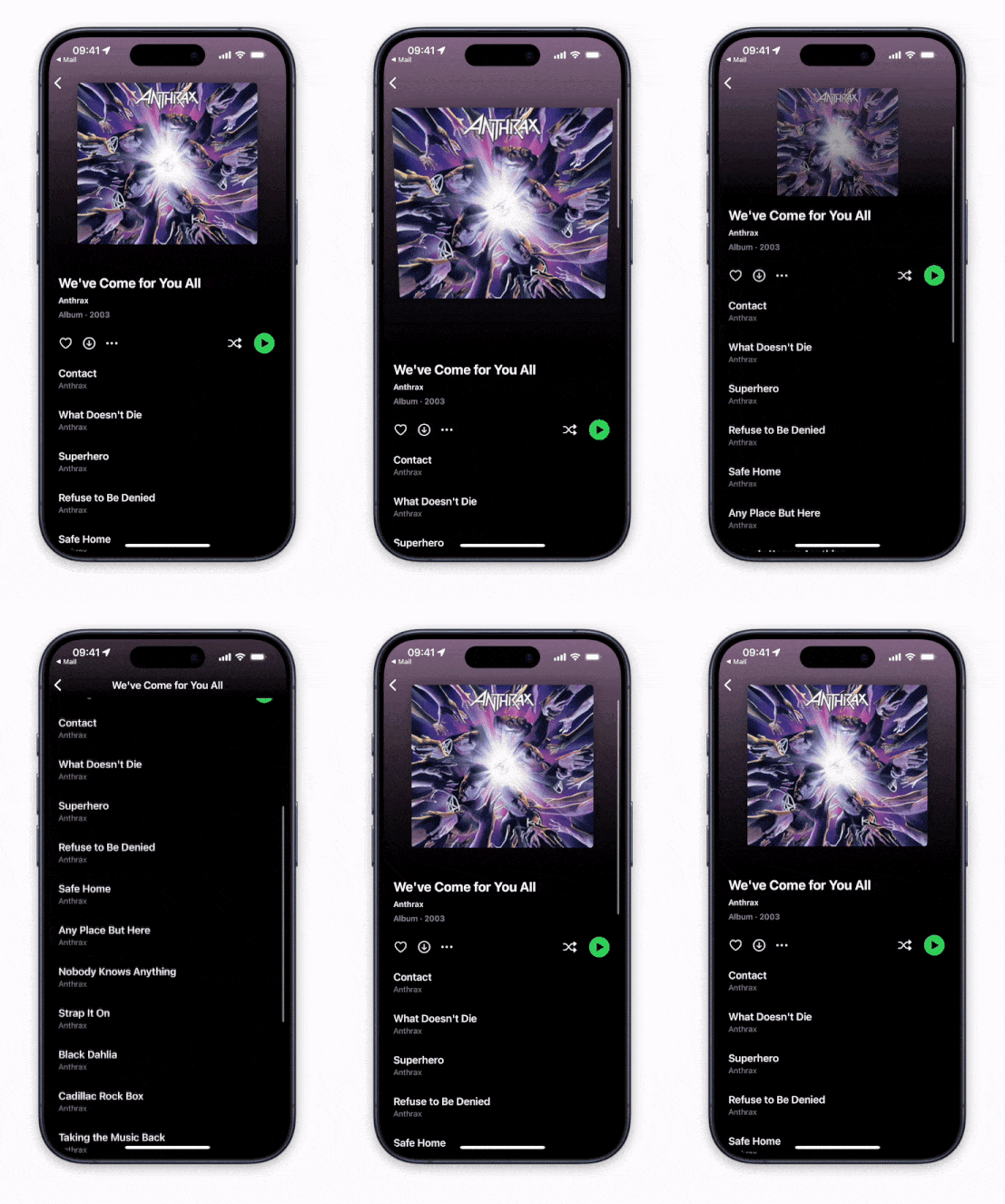
Scrollkit在所有主要的Apple平台上都可以使用,旨在易於使用。由於OS向後兼容的原因,它的當前不使用新的ScrollView API,但最終將這樣做。
可以使用Swift軟件包管理器安裝ScrollKit:
https://github.com/danielsaidi/ScrollKit.git
Scrollkit具有可以檢測滾動的ScrollViewWithOffsetTracking視圖:
 ScrollViewWithOffsetTracking { offset in
    print ( offset )
} content : {
    // Add your scroll content here, e.g. a `LazyVStack`
} Scrollkit還具有ScrollViewWithStickyHeader ,可以輕鬆設置一個伸展的,粘的標頭:
 struct MyView : View {

    @ State
    private var offset = CGPoint . zero

    @ State
    private var visibleRatio = CGFloat . zero

    func handleOffset ( _ scrollOffset : CGPoint , visibleHeaderRatio : CGFloat ) {
        self . offset = scrollOffset
        self . visibleRatio = visibleHeaderRatio
    }

    func header ( ) -> some View {
        ZStack ( alignment : . bottomLeading ) {
            Color . blue
            Color . yellow . opacity ( visibleRatio )  // Fades in
        }
    }

    var body : some View {
        ScrollViewWithStickyHeader (
            header : header ,
            headerHeight : 250 ,
            headerMinHeight : 150 ,
            onScroll : handleOffset
        ) {
            // Add your scroll content here, e.g. a `LazyVStack`
        }
    }
}
有關更多信息,請參閱“入門指南”。
在線文檔有更多信息,文章,代碼示例等。
演示應用程序可讓您探索庫。要嘗試一下,只需打開並運行Demo項目即可。
您可以在Github贊助商上贊助我,也可以伸出援手尋求付費支持,以幫助支持我的開源項目。
您的支持使我有可能在這些項目中投入更多工作,並使它們成為最好的。
如果您有疑問或想以任何方式做出貢獻:
ScrollKit可根據MIT許可證獲得。有關更多信息,請參見許可證文件。





