karngyan.com
1.0.0


黑暗主題,SEO友好:NUXT內容 + TailWindCSS + Firebase + I18N的水療中心,用於拖延開發人員快速旋轉自己的Kickass博客並展示他們的項目。
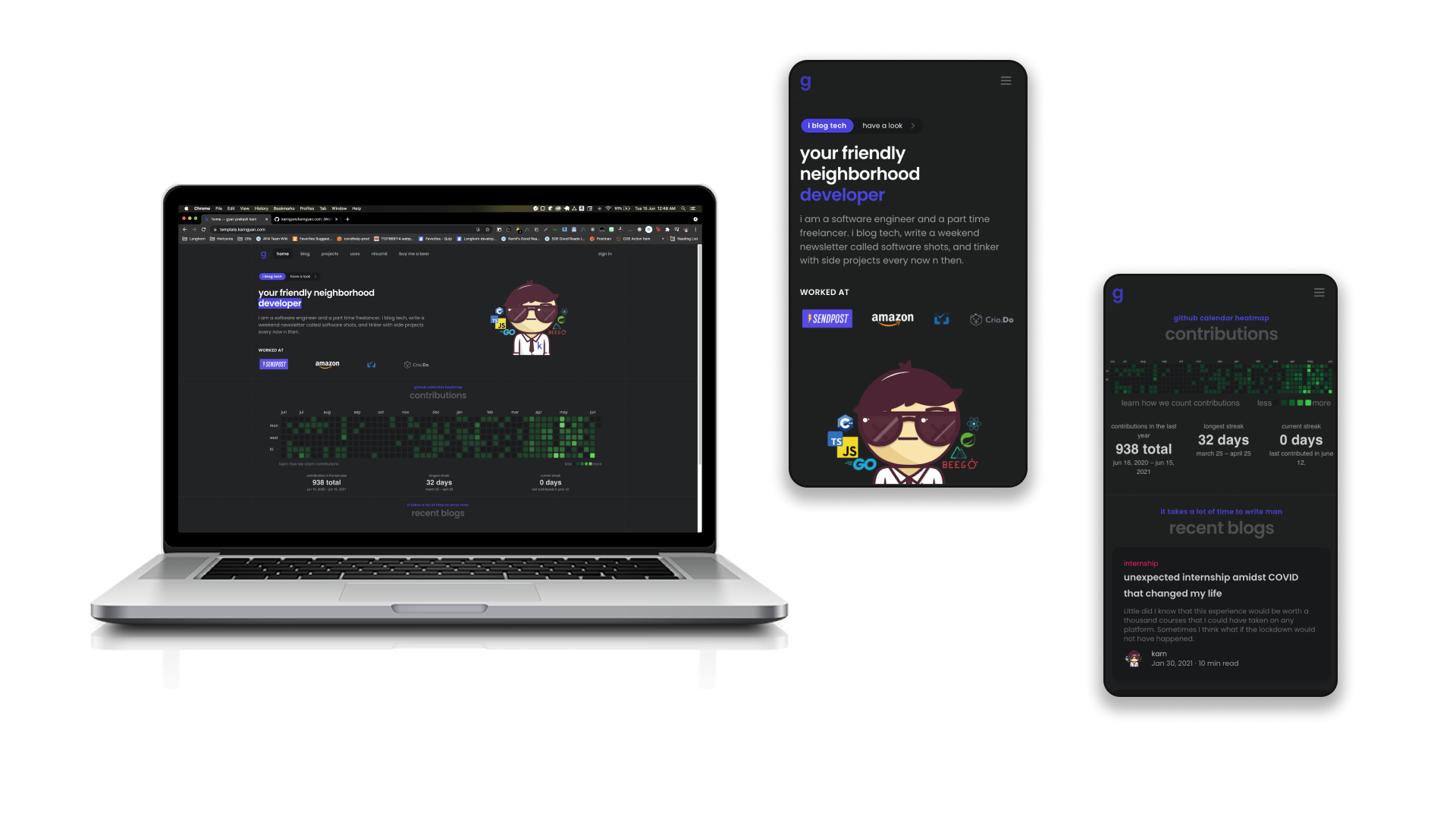
訪問:template.karngyan.com查看此模板的所有功能版本。
 # replace <username> with your username
git clone [email protected]: < username > /karngyan.com.git
git checkout -b website # install node <= 14 and yarn (highly recommended)
$ npm install --global yarn
# cd into your project and install the dependencies
$ yarn install
# run the dev server
$ yarn dev
# open localhost:3000頁面現在可能無法加載,您可以在
karngyan.config.js中設置firebase.enabled = false。繼續閱讀。
karngyan.config.js 。您可以通過更改相應對象的enabled值來打開和關閉部分/頁面。static目錄中。部署時它與root匹配。strings對象。karngyan.config.js中設置firebase.enabled = false ,然後轉到下一步。否則請遵循以下內容: rules_version = '2';
service cloud.firestore {
match /databases/{database}/documents {
match /likes/{id} {
allow write: if request.auth != null;
allow read: if true;
}
match /comments/{id} {
allow write: if request.auth != null &&
request.resourse.data.text.size() > 0 &&
request.resource.data.slug.size() > 0;
allow read: if true;
}
}
}
.env.example > .env的副本,然後從配置對象添加值。websitedistyarn generatecontent/projects中,在content/posts和項目中寫下您的博客。模板隨附了幾個樣本。代碼是您的,編輯任何您的想法。如果您喜歡的話,請不要忘記飾演存儲庫。
該項目使用NUXT內容,您可以在此處閱讀有關它
您還可以設置林業以永不打開代碼並使用酷編輯器。我將添加說明以稍後使用。
我自己的網站karngyan.com實際上是用Cloudfront的S3存儲桶中的AWS部署的。但這帶有一些需要配置和維護的警告。無論如何,如果您想檢查一下,就可以將其部署到AWS的Gulpfile.js使用該項目。
貢獻是使開源社區成為學習,啟發和創造的驚人場所的原因。您所做的任何貢獻都非常感謝。
git checkout -b feature/AmazingFeature )git commit -m 'Add some AmazingFeature' )git push origin feature/AmazingFeature )當您的網站添加到這裡時,請提高公關。
找到您的字母順序,或提出公關以自動化這一點。
根據MIT許可分發。有關更多信息,請參見LICENSE 。
karn- @gyankarn [email protected]
有關工作方式的詳細說明,請查看NUXT.JS文檔。







