DBSR
2.2.0

DBSR提供了用於在MySQL數據庫上投入搜索和重複運行的功能。上面使用簡單替換()-SQL語句的主要優勢是對解析PHP序列化字符串的支持,例如WordPress數據庫中通常使用它們。
由於DBSR進行了序列化字符串的解析,因此它也能夠修復損壞的序列化,因此在同一數據庫上使用之前使用了較不高級的搜索腳本時經常看到的問題。
最低支持的PHP版本為5.3,並用最高7.4的版本進行了測試。 PDO用於與數據庫連接,因此請確保啟用了pdo和pdo_mysql擴展。
首先,轉到發行頁面並下載最新版本的DBSR。
您可以下載可以從命令行中使用的CLI版本,也可以下載可以上傳到Web服務器並通過Web瀏覽器訪問的GUI版本。
注意:一些教程使您下載整個存儲庫並將其放在Web服務器上。我不建議這樣做。對於大多數用戶,只需下載GUI版本(dbsearchreplace-gui.php),然後將其上傳到您的Web服務器上是建議使用DBSR的方法。
注意:我看到許多教程建議的另一件事是使用extensive search選項。在大多數情況下,如果您只是替換WordPress數據庫中的純文本值,則不應使用此選項。它會使DBSR非常慢,不需要,沒有它,一切都會正常工作。
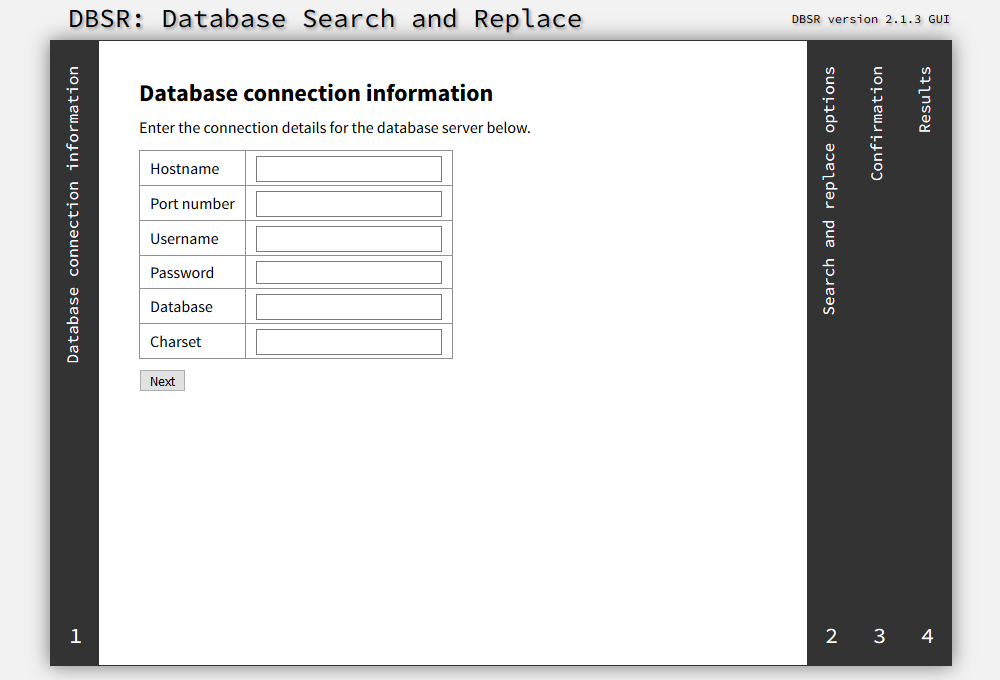
DBSR的GUI提供了易於使用的4步嚮導,用於執行數據庫上的搜索和替換操作。它具有許多方便的功能,可自動檢測和完成您的設置,提供一些自動檢查以防止常見錯誤,以及完成所有工作後刪除自身的能力。
CLI版本的用法最好由內置的--help輸出來解釋:
 Usage: DBSearchReplace-CLI.php [options] -- SEARCH REPLACE [SEARCH REPLACE...]
       DBSearchReplace-CLI.php --file FILENAME

CLI options:
    --help                                  display this help and exit
    --version                               print version information and
                                            exit
    --file FILENAME                         JSON-encoded config file to load
    --output text|json                      output format (default: text)
PDO options:
    --host HOSTNAME                         hostname of the MySQL server
    --port PORTNUMBER                       port number of the MySQL server
    --user USERNAME                         username used for connecting to
                                            the MySQL server
    --password PASSWORD                     password used for connecting to
                                            the MySQL server
    --database DATABASE                     name of the database to be
                                            searched
    --charset CHARSET                       character set used for
                                            connecting to the MySQL server
DBSR options:
    --case-insensitive [true|false]         use case-insensitive search and
                                            replace (default: false)
    --extensive-search [true|false]         process *all* database rows
                                            (default: false)
    --search-page-size SIZE                 number of rows to process
                                            simultaneously (default: 10000)
    --var-match-strict [true|false]         use strict matching
                                            (default: true)
    --floats-precision PRECISION            up to how many decimals floats
                                            should be matched (default: 5)
    --convert-charsets [true|false]         automatically convert character
                                            sets (default: true)
    --var-cast-replace [true|false]         cast all replace-values to the
                                            original type (default: true)
    --db-write-changes [true|false]         write changed values back to the
                                            database (default: true)
    --handle-serialize [true|false]         interpret serialized strings as
                                            their PHP types (default: true)
有關配置文件的示例,請參見示例config.json。
如果您遇到DBSR的任何問題,請在GitHub上打開一個問題,並提供盡可能多的細節。
DBSR是在GPLV3下許可的免費軟件。有關更多信息,請參見許可證。





