comsu
1.0.0


COMSU是一種簡單而功能強大的命令行工具,它利用Google Generative AI根據您的GIT上演更改建議高質量,簡潔的提交消息。自動化編寫有意義的提交消息的過程並確保您的項目一致性。
feat , fix , build , chore等)。要在Linux系統上設置COMSU ,請按照以下步驟:
克隆存儲庫:
git clone https://github.com/ali-hv/comsu.git
cd comsu運行安裝腳本:
chmod +x install.sh
sudo ./install.sh設置您的API密鑰:
確保您將Google AI Studio API密鑰集作為環境變量。如果您沒有一個,則可以在此處創建一個免費的API鍵。
export GOOGLE_AI_STUDIO_API_KEY= " your_api_key_here "您可以將此行添加到您的~/.bashrc或~/.zshrc中,以使其持久。
要在Windows系統上設置COMSU ,請按照以下步驟:
克隆存儲庫:打開PowerShell作為管理員,然後編寫以下命令:
git clone https: // github.com / ali - hv / comsu.git
cd comsu運行安裝腳本:
powershell - ExecutionPolicy Bypass - File install.ps1設置您的API密鑰:
確保您將Google AI Studio API密鑰集作為環境變量。如果您沒有一個,則可以在此處創建一個免費的API鍵。
set GOOGLE_AI_STUDIO_API_KEY = your_api_key_here您可以將此行添加到$路徑中以使其持久。
安裝後,您可以從上演更改的任何目錄中運行COMSU :
git comsu在CMD中運行此操作:
git-comsu如果您居住在受Google限制的國家 /地區,則可能需要使用VPN或更改DNS。
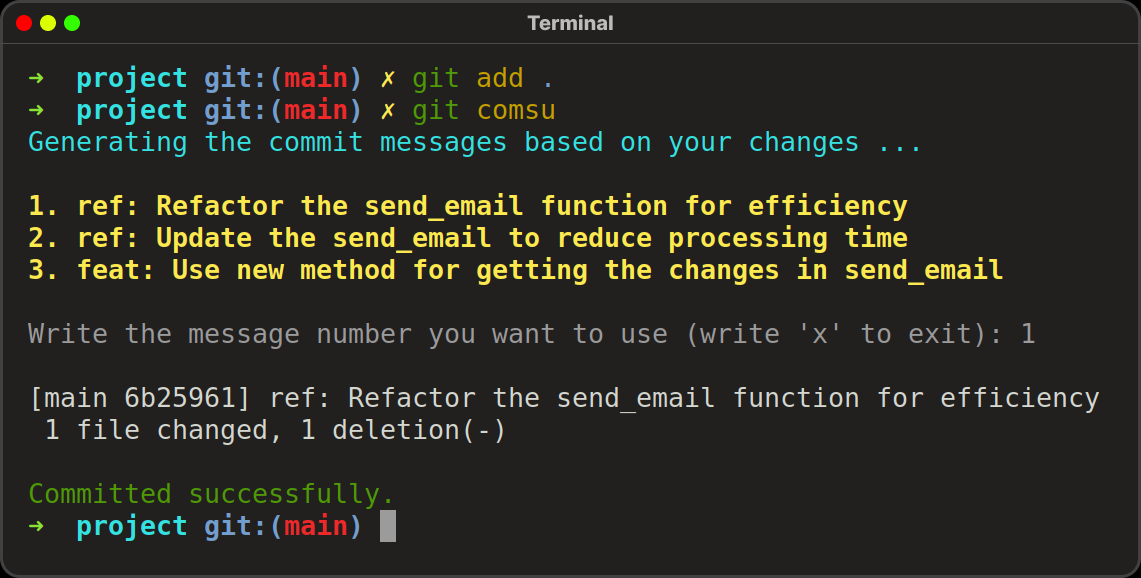
這將根據您的更改生成建議的提交消息的列表,您可以選擇所需的消息,然後它將自動使用該消息提交更改。如果您不喜歡任何消息,則可以輸入“ X”退出。
例子
git add .
git comsu輸出:
 Generating the commit messages based on your changes ...

1. ref: Refactor the send_email function for efficiency
2. ref: Update the send_email to reduce processing time
3. feat: Use new method for getting the changes in send_email

Write the message number you want to use (write 'x' to exit): 1

[main 6b25961] ref: Refactor the send_email function for efficiency
 1 file changed, 1 deletion(-)

Committed successfully.
用於生成該提交消息的提示存儲在位於/usr/local/local/share/git-comsu/提示的名為提示的文件中。您可以修改此文件以更改AI生成提交消息的方式。
歡迎貢獻,問題和功能請求!隨時檢查問題頁面。
如果您發現此工具很有幫助,請給予存儲庫!





