fontpreview ueberzug
1.0.0

fontpreview-ueberzug是一个Posix shell脚本,可预览使用ueberzug在fzf中安装的所有字体。它的灵感来自fontpreview项目,而大多数代码在此处完全重写。
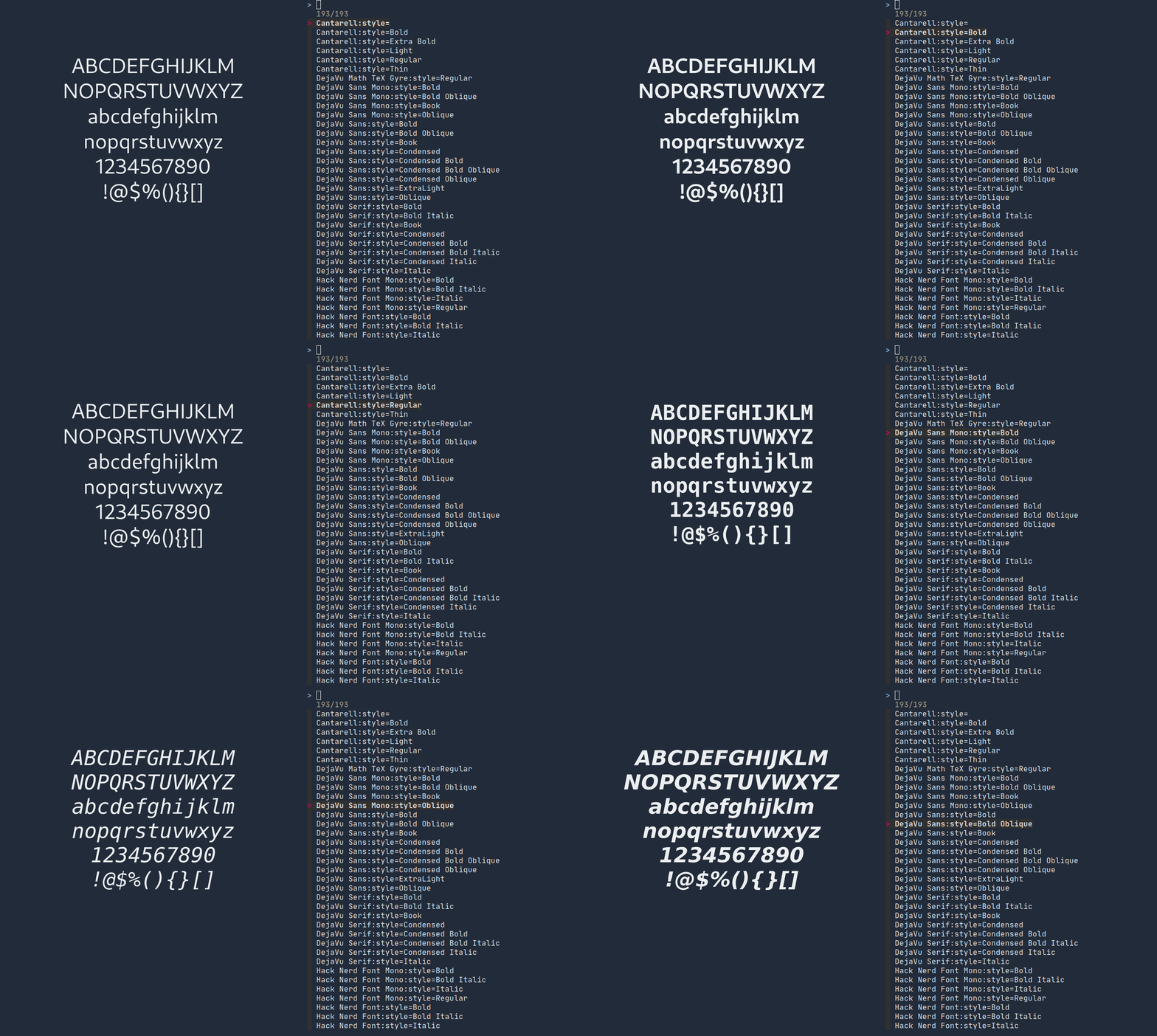
fzfueberzugimagemagick 只需运行脚本,或将脚本放入您的$PATH或提供提供的makefile即可。
对于基于拱门的用户, fontpreview-ueberzug-git在AUR中提供了@pabloariasal!
 Usage: fontpreview-ueberzug [-h] [-a TEXT_ALIGN] [-s FONT_SIZE] [-b BG_COLOR] [-f FG_COLOR] [-t PREVIEW_TEXT]

Options:
    -a     alignment of preview text, you can use center, top/bottom/left/right or
           north/south/west/east, or combinations like topleft, default is center
    -s     preview font size, default is 72, note the actual size depends on the preview area
    -b, -f background and foreground color, default is #ffffff and #000000
    -t     preview text, you can add 'n' to split into lines
参数直接传递给“转换”命令,您可以检查ImageMagick文档以找到可接受的格式。
要将预览图像合并到终端中,请将背景颜色与终端模拟器相同,默认情况下不是。
要显示连接,您可以使用以下或任何其他包含结扎组合的文本:
FONTPREVIEW_PREVIEW_TEXT="ABCDEFGHIJKLMnNOPQRSTUVWXYZnabcdefghijklmnnopqrstuvwxyzn1234567890n<!-- != == ->n-| #[ |> <$> ~@" fontpreview-ueberzug
该脚本使用如下的某些环境变量,在fontpreview中是相同的,因此您可以将相同的设置与fontpreview-ueberzug :
FONTPREVIEW_FONT_SIZEFONTPREVIEW_BG_COLORFONTPREVIEW_FG_COLORFONTPREVIEW_PREVIEW_TEXTFONTPREVIEW_TEXT_ALIGN ueberzug代替终端显示预览图像。







