Python Markdown Editor
1.0.0

您本地降价文件的独立编辑器
要安装PYPI的最新稳定版本:
$ pip install markdown-editor$ markdown_edit README.md它将在您的浏览器中打开编辑器:
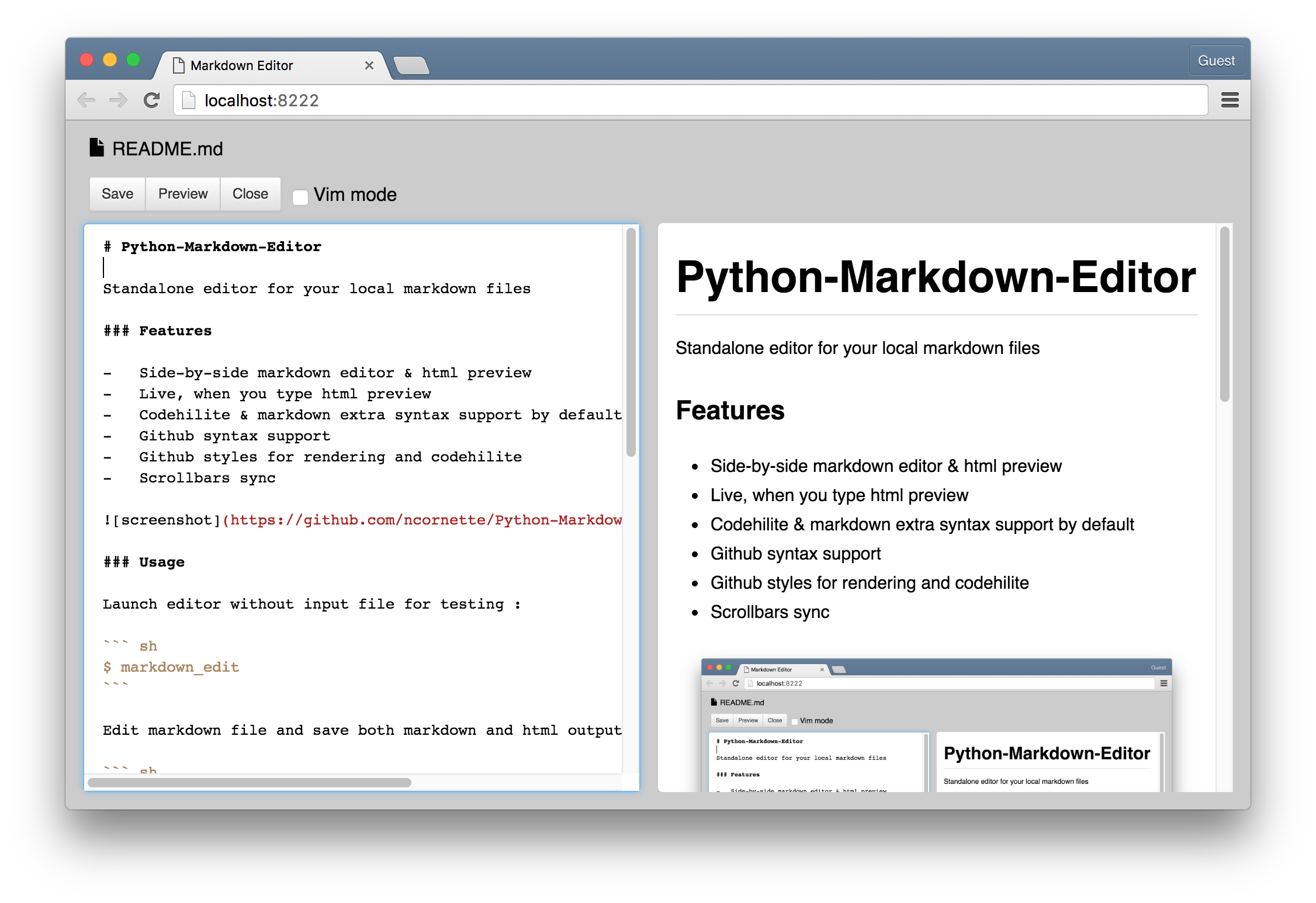
截屏
启动编辑器没有用于测试的输入文件:
$ markdown_edit编辑标记文件,并同时保存Markdown和HTML输出:
$ markdown_edit -f README.html README.md您可以将此脚本作为模块导入基于Markdown编辑器编写自己的应用程序。
例子 :
 from markdown_editor import web_edit
from markdown_editor . editor import MarkdownDocument

# ...

MY_HTML_HEAD = 'Editor title'

def action_send ( document ):

    send_markdown_text ( document . text )
    # or
    send_raw_html_code ( document . getHtml ())
    # or
    send_html_with_styles ( document . getHtmlPage ())

    return html_to_display_as_result , keep_running_local_server

if __name__ == ' __main__ :
    doc = MarkdownDocument ()
    web_edit . start ( doc ,
        custom_actions = [
                ( 'Send' , action_send ),
        ],
        title = MY_HTML_HEAD )





