linux system sinhala font changer
v2.0


该软件在Sinhala字体中易于阅读,美丽的Sinhala字体,易于阅读,
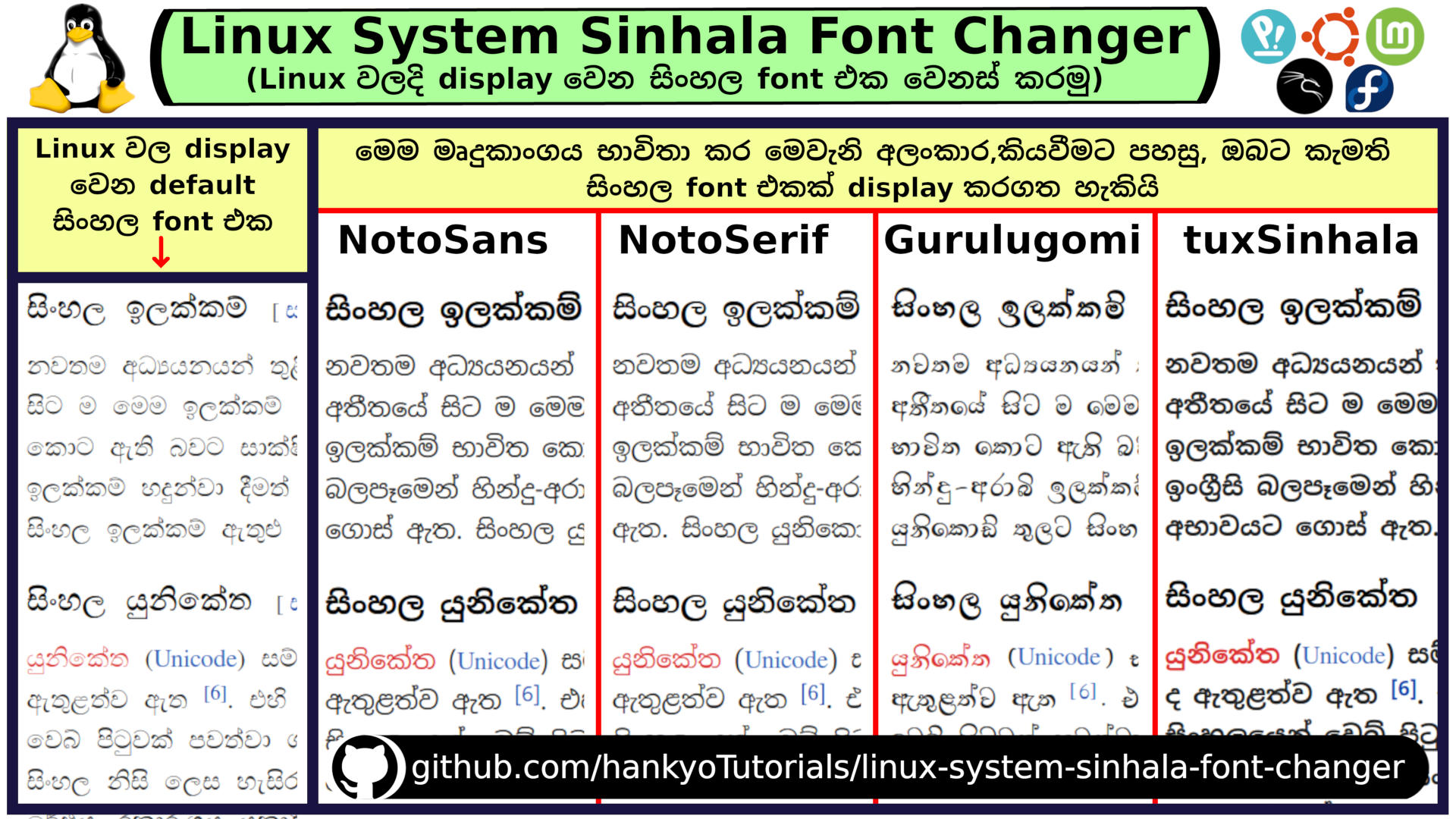
首先,通过此链接下载此软件:
Sinhala-Font-Changer.zip
然后提取该拉链:
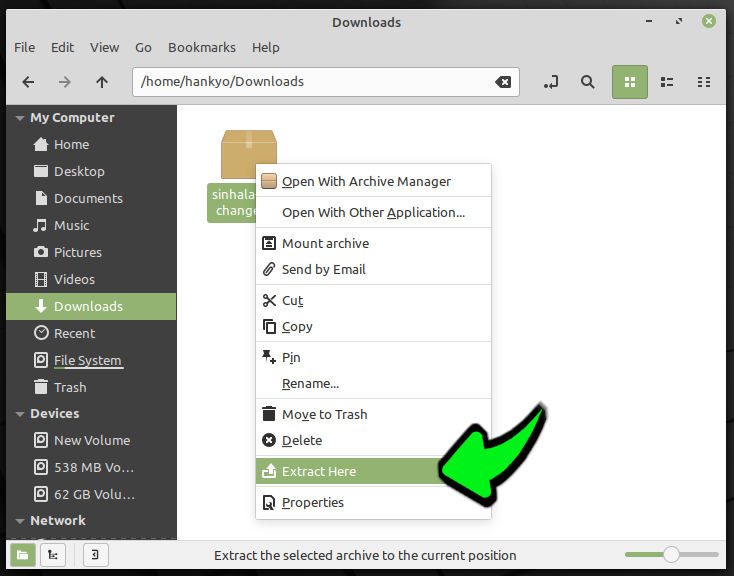
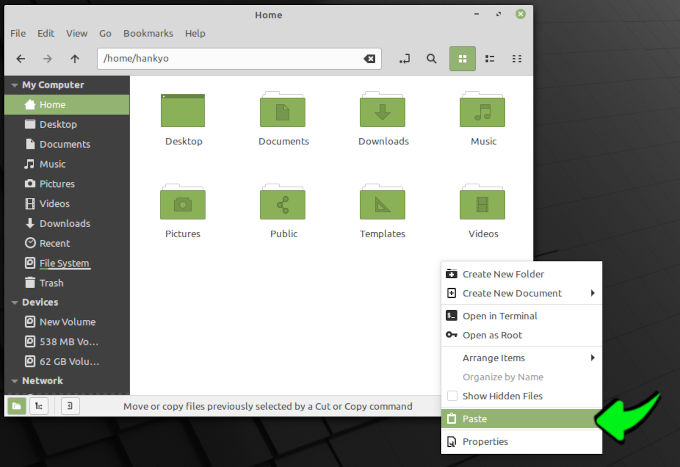
接下来,剪切相同的“ Sinhala-font-canth”文件夹,然后粘贴您的主文件夹: 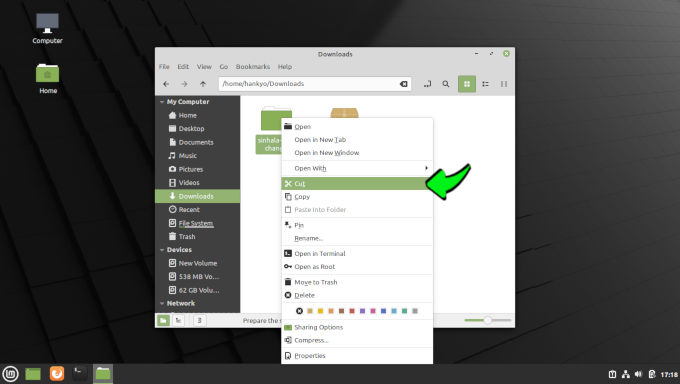
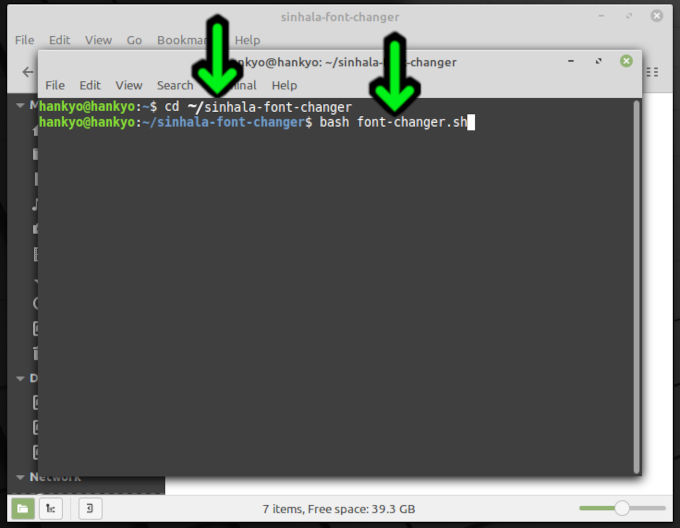
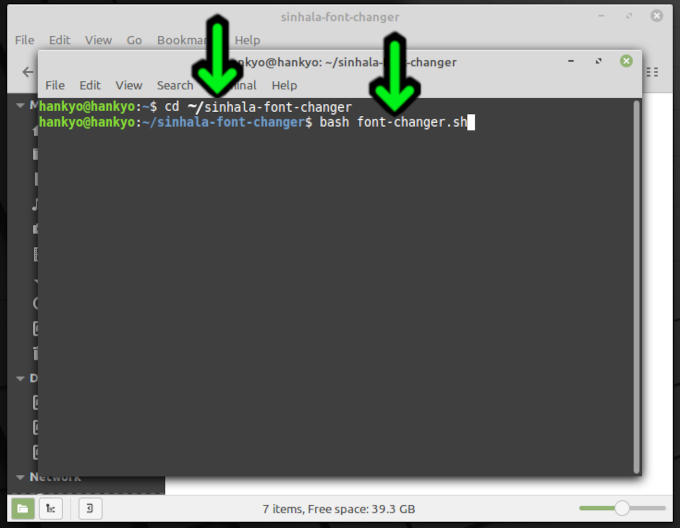
可以通过Linux终端中此评论的命令打开该产品:
 cd ~/sinhala-font-changer
bash font-changer.sh
这是“输入”密钥: 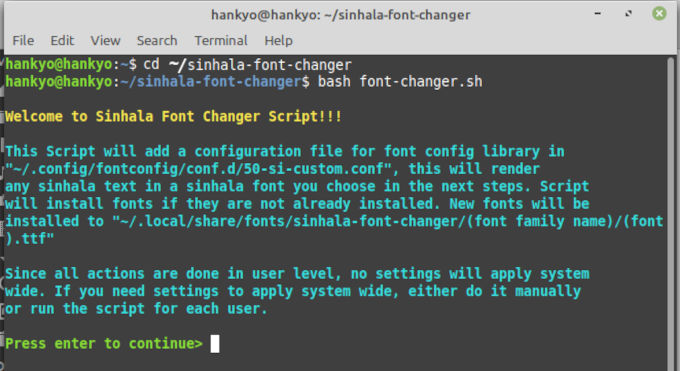
输入与喜欢您从Sinhala字体中喜欢的Sinhala字体相关的字母: 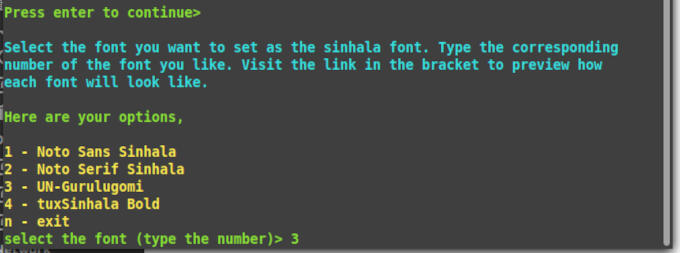
完成!,检查僧伽罗字体是否已更改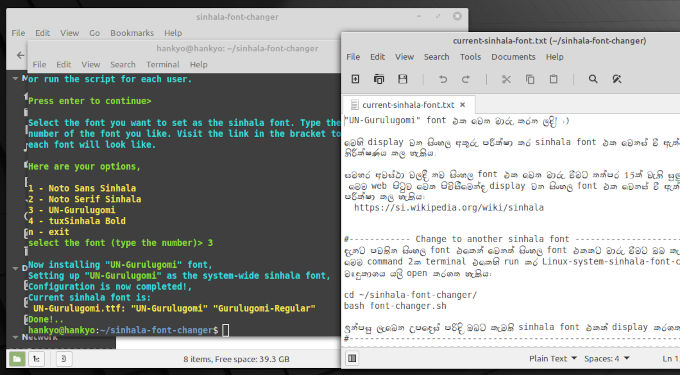
如果您想返回另一种Sinhala字体,则该命令可以下注并打开此软件。
 cd ~/sinhala-font-changer
bash font-changer.sh
fontconfig库强调,Sinhala Unicalode字体必须替换Sinhala Unicode字体,尤其是以下Arch Wiki的字母,已在fontconfig ShiThiTy文件中详细介绍。
联系Adeepa:[email protected](https://slrootkit.blogspot.com)
联系Hankyo:[email protected]








