iSMC
v0.9.1

iSMC是一种Apple系统管理控制器(SMC)CLI工具,它试图查询SMC是否有许多众所周知的密钥并确定其类型和价值,将其分类为温度,功率,电流,电压,电压,风扇和电池读数。它还将尝试对每个发现的SMC密钥进行人为可读的描述。
除了定期支持常规(PPC和Intel硬件)外,它还支持基于M1 ARM的SOC硬件,该硬件具有连接到HID传感器集线器的温度/电压/电流/电源传感器。
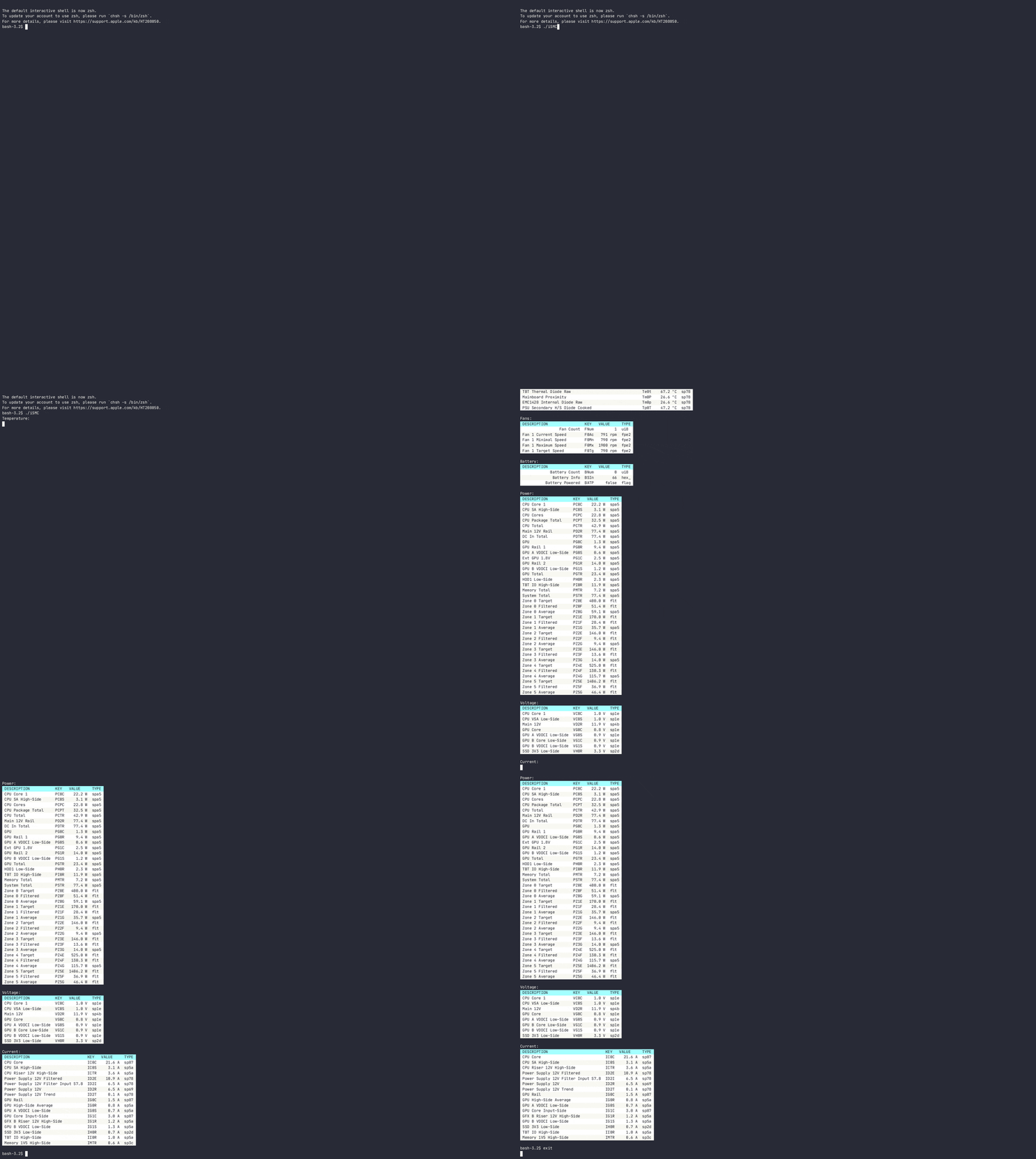
安装iSMC有两种方法(工具仅在MacOS计算机上起作用):
从版本页面下载您喜欢的风味,然后手动安装。
CGO_ENABLED=1 go install github.com/dkorunic/iSMC@latest用法:
$ iSMC help
Apple SMC CLI tool that can decode and display temperature, fans, battery, power, voltage and current
information for various hardware in your Apple Mac hardware.

Usage:
  iSMC [flags]
  iSMC [command]

Available Commands:
  batt        Display battery status
  completion  Generate the autocompletion script for the specified shell
  curr        Display current sensors
  fans        Display fans status
  help        Help about any command
  power       Display power sensors
  temp        Display temperature sensors
  volt        Display voltage sensors

Flags:
  -h, --help             help for iSMC
  -o, --output string    Output format (ascii, table, json) (default " table " )

Use " iSMC [command] --help " for more information about a command.
所有命令的使用都是自我解释的,所有命令都有短而长的别名(BAT与Batt vs. Battery,Cur vs. Curr vs. Current等)。没有标志和/或开关。
我看了许多与Apple SMC相关的项目,并从中汲取了灵感:
计划的功能:
请打开公关或报告问题。谢谢!





