SwagDoc
1.0.0

Swagdoc是一个Delphi库,用于生成Swagger.json文件,用于Swagger Spec 2.0版。使用Swagger 2.0用于Delphi语言创建公共文档REST API。 Swagdoc的唯一责任是生成Swagger.json文件。 Swagger.json文件负责包含REST API的所有文档。该文件必须附加到Swagger UI(用户界面)文件上。

Swagdoc遵循规范2.0,因为它在市场上更受欢迎,并且因为它被认为是最长的版本。 Swagdoc尚未支持Swagger 3.0版本,但取决于对项目支持Spec 3.0的需求和贡献。
与Swagdoc合作的主要先决条件是知道可以在下面的链接中查看的Swagger 2.0规范。
https://github.com/oai/openapi-specification/blob/master/versions/2.0.md
https://swagger.io/docs/specification/2-0/basic-schrenture/
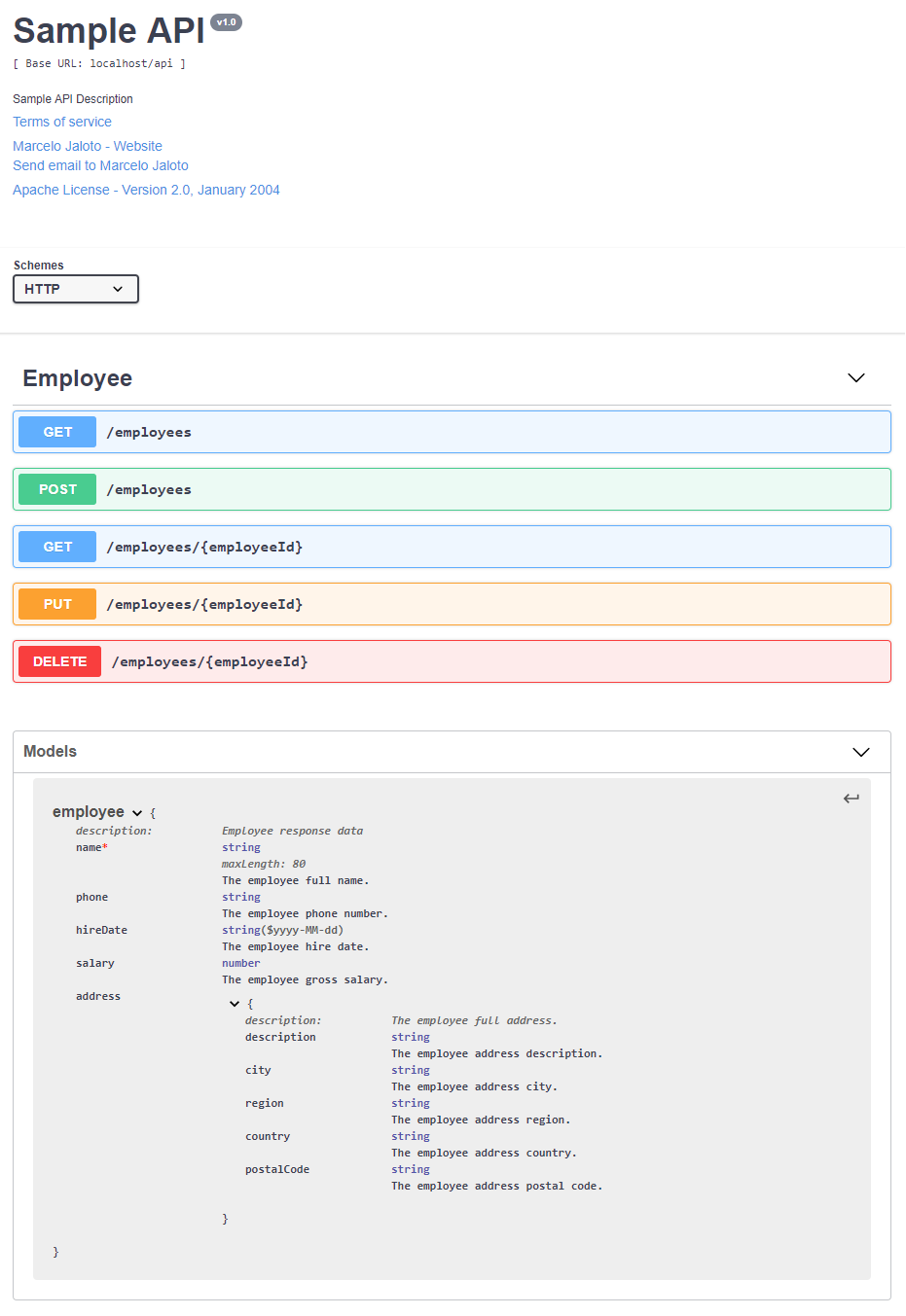
在为您的REST API创建Swagger文档时,您可以像以下示例一样生成页面。
https://app.swaggerhub.com/apis-docs/swagdoc/sample-api/v1
https://github.com/oai/openapi-specification/blob/master/versions/2.0.md#schemaobject
http://json-schema.org
https://www.youtube.com/watch?v=9U3HP3B5UT0(PT-BR)
https://www.youtube.com/watch?v=phgmqad8o6c(pt-br)
https://swagger.io/swagger/media/blog/wp-content/uploads/2017/02/documenting-an-existing-api-with-with-swagger-swagger-2.pdf
https://idratherbewriting.com/learnapidoc/pubapis_swagger_intro.html
Swagger:https://swagger.io
Swagger编辑:https://editor.swagger.io
Swagger Hub:https://swagger.io/tools/swaggerhub
经典的宣传样本:http://petstore.swagger.io
工具和集成:https://swagger.io/tools/open-source/open-source-integrations
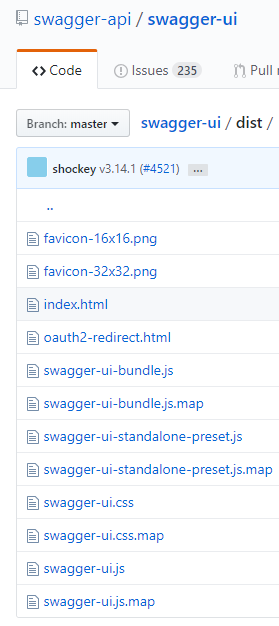
为了使您生产一个包含夸张文档的页面,您需要Swagger UI发行文件。
您可以在Github Swagger-API / Swagger-UI存储库中找到这些文件。
https://github.com/swagger-api/swagger-ui/tree/master/dist
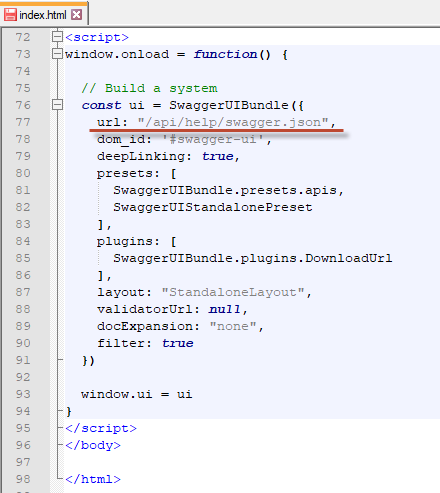
首先,您需要下载Swagger用户界面文件并生成Swagger.json文件。然后,您需要更改index.html文件,以指示Swagger.json文件位于托管Swagger用户界面文件的位置的相对路径。
请参阅下面的示例。