clj kondo
v2024.11.14

Clojure代码的静态分析仪和Linter引起欢乐。
非常感谢Clj-Kondo。这就像我的同伴。这使Clojure再次变得有趣。
- @geraldodev on clojurians懈怠
Clj-Kondo对Clojure,Clojurescript和EDN进行静态分析。它会在输入时通知您可能出现的潜在错误(无执行程序)。
CLJ-KONDO检测到:
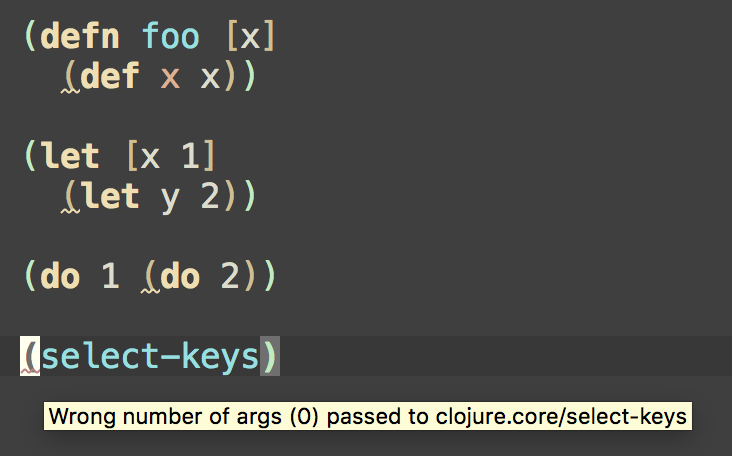
def表达式do , let包装let and letfn绑定呼叫recur )clojure.test/deftest中缺少断言在您的表格命中率之前。
它建议了几种样式指南建议,例如:
:else作为cond中的全部测试表达式(请参阅Clojure样式指南)seq而不是(not (empty? ,,,)) (请参阅Clojure样式指南)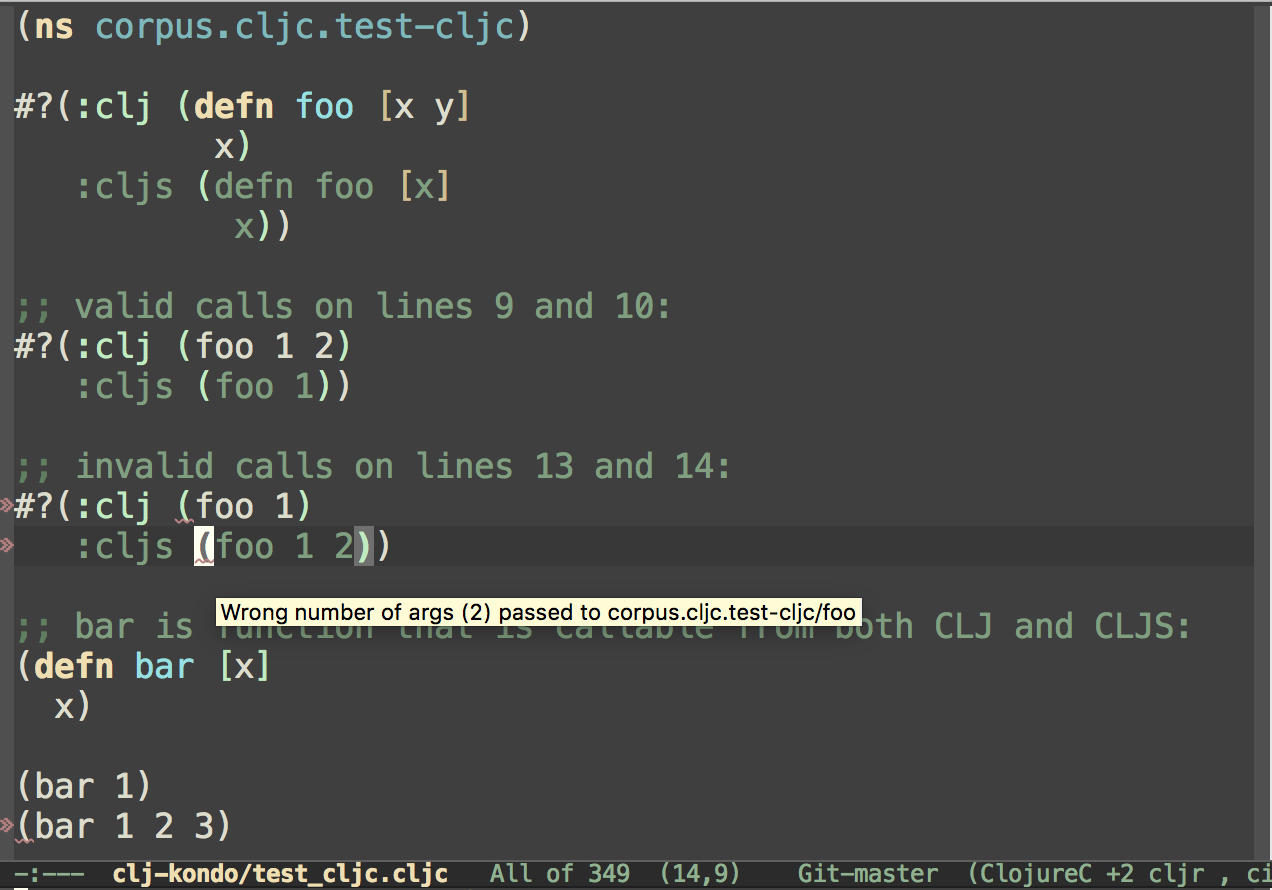
它支持对clojure.core.async/alt!! , schema.core/defn potemkin/import-vars
它检测到deps.edn和bb.edn中的常见错误
它提供分析数据,使您可以构建自己的自定义衬里。
在此处查看所有可用的衬里。
这个林格是:
.clj , .cljs , .cljc和.edn文件兼容在互动游乐场尝试CLJ-KONDO。
观看谈话:
您可以通过GitHub赞助商,OpenCollective,Ko-Fi或间接通过Clojurists一起支持此项目。
来自stdin的皮棉:
$ echo ' (def x (def x 1)) ' | clj-kondo --lint -
<stdin>:1:8: warning: inline def
棉绒文件:
$ echo ' (def x (def x 1)) ' > /tmp/foo.clj
$ clj-kondo --lint /tmp/foo.clj
/tmp/foo.clj:1:8: warning: inline def
棉绒目录:
$ clj-kondo --lint src
src/clj_kondo/test.cljs:7:1: warning: redundant do
src/clj_kondo/calls.clj:291:3: error: Wrong number of args (1) passed to clj-kondo.calls/analyze-calls
索具项目类Path:
$ clj-kondo --lint " $( lein classpath ) "帮助:
$ clj-kondo --help
clj-kondo v2024.11.14

Options:

--lint <file>: a file can either be a normal file, directory or classpath. In the
case of a directory or classpath, only .clj, .cljs and .cljc will be
processed. Use - as filename for reading from stdin.

--lang <lang>: if lang cannot be derived from the file extension this option will be
used. Supported values: clj, cljs, cljc.

--filename <file>: in case stdin is used for linting, use this to set the
reported filename.

--cache-dir: when this option is provided, the cache will be resolved to this
directory. If --cache is false, this option will be ignored.

--cache: if false, won't use cache. Otherwise, will try to resolve cache
using `--cache-dir`. If `--cache-dir` is not set, cache is resolved using the
nearest `.clj-kondo` directory in the current and parent directories.

--config <config>: extra config that is merged. May be a file or an EDN expression. See https://github.com/clj-kondo/clj-kondo/blob/master/doc/config.md.

--config-dir <config-dir>: use this config directory instead of auto-detected
.clj-kondo dir.

--parallel: lint sources in parallel.

--dependencies: don't report any findings. Useful for populating cache while linting dependencies.

--copy-configs: copy configs from dependencies while linting.

--skip-lint: skip lint/analysis, still check for other tasks like copy-configs.

--fail-level <level>: minimum severity for exit with error code.  Supported values:
warning, error.  The default level if unspecified is warning.

--report-level <level>: minimum severity for which to report.  Supported values:
info, warning, error.  The default level if unspecified is info.

--debug: print debug information. 为了检测项目中命名空间的棉布错误,需要缓存。为了让Clj-Kondo知道在哪里创建一个,请在项目的根部制作.clj-kondo目录,这意味着与您的project.clj , deps.edn或build.boot :buil.boot:
$ mkdir -p .clj-kondo当您运行clj-kondo时,将在其内部创建一个缓存。在编辑器内部覆盖之前,建议您使用整个class Path教授clj-kondo有关您使用的所有库,包括Clojure和/或Clojurescript本身。一些库带有配置。要导入它们,首先运行:
$ clj-kondo --lint " <classpath> " --dependencies --copy-configs --skip-lint --copy-configs标志将搜索并复制从依赖关系中的配置中,并将其搜索到.clj-kondo目录中,linting(请参阅config.md)。
使用配置,现在我们可以正确分析依赖项:
$ clj-kondo --lint " <classpath> " --dependencies --parallel --dependencies标志表明CLJ-KONDO用于分析源以填充缓存。启用后,CLJ-KONDO将抑制警告并跳过已经凸起的.jar文件以供性能。
--parallel选项将使用多个线程来提起您的来源,并更快地通过它们。
注意:在2024.05.24之后的版本中,复制配置和覆盖依赖项可以一次使用:
$ clj-kondo --lint " <classpath> " --dependencies --parallel --copy-configs构建工具特定的方法来获取类路径:
lein classpathboot with-cp -w -f -clojure -Spathnpx shadow-cljs classpath因此,对于lein整个命令将是:
$ clj-kondo --lint "$(lein classpath)" --dependencies --parallel --copy-configs
现在,您可以使用编辑器集成来提高单个文件。对编辑器中编辑文件时发生的模拟:
$ echo ' (select-keys) ' | clj-kondo --lang cljs --lint -
<stdin>:1:1: error: Wrong number of args (0) passed to cljs.core/select-keys由于Clj-Kondo现在通过缓存知道您的Clojurescript版本,因此它检测到您传递给select-keys参数数量无效。每次您编辑文件时,缓存都会逐步更新,因此CLJ-KONDO会知道您刚刚编写的新功能。
如果要使用其他目录来读取缓存,请使用--cache-dir选项。即使您有一个.clj-kondo目录,请禁用缓存,请使用--cache false 。
退出代码可以由--fail-level <level>选项控制。默认失败级别是warning ,该警告返回出口代码如下:
0 :找不到错误或警告2 :发现一个或多个警告3 :发现一个或多个错误如果提供了--fail-level error ,则警告不会导致非零退出代码:
0 :找不到错误0 :发现一个或多个警告3 :发现一个或多个错误除0和3以外的所有退出2都均表示错误,因为CLJ-KONDO中的错误或CLJ-KONDO的控制之外的其他一些意外错误。
由于Clj-Kondo是静态分析仪,因此不需要运行时(JVM,浏览器,node.js等)。它不会执行您的代码。因此,它可以是使用运行时(例如Eastwood)的Linters的更快替代方法。这种方法具有Clj-Kondo无法执行宏的限制,因为宏可以使用运行时的任意功能。 Clj-Kondo支持Clojure Core宏和社区的一些受欢迎的图书馆。可以使用配置支持不支持的宏。配置宏的方法之一是为它们编写钩子(也请参见此Blogpost)。对于许多库,您已经可以导入一种配置。还可以查看包含第三方库配置的CLJ-KONDO配置。
Clj-Kondo可以被称为Babashka Pod。
 #! /usr/bin/env bb
( ns script
  ( :require [babashka.pods :as pods]))

( pods/load-pod " clj-kondo " )
( require '[pod.borkdude.clj-kondo :as clj-kondo])

( clj-kondo/merge-configs
 '{ :linters { :unresolved-symbol { :exclude [( foo1.bar )]}}}
 '{ :linters { :unresolved-symbol { :exclude [( foo2.bar )]}}})
; ;=> {:linters {:unresolved-symbol {:exclude [(foo1.bar) (foo2.bar)]}}}

( -> ( clj-kondo/run! { :lint [ " src " ]})
    :summary )
; ;=> {:error 0, :warning 0, :info 0, :type :summary, :duration 779} var-info.edn和灵感版权所有©2019-2023 Michiel Borkent
根据EPL许可分发,与Clojure相同。请参阅许可证。
该目录inlined目录包含来自tools.reader的来源。读取器,该读取器已获得EPL许可证的许可。
目录parser包含从MIT许可证获得许可的rewrite-clj的修改源。







