gopass
v1.15.15


团队的标准UNIX密码管理器稍微稍微稍微稍微更棒。
轻松管理您的凭据。在全球分布式的团队中,在多个设备上或在空气盖机器上完全离线。
默认情况下,您的凭据使用GPG加密并在git中版本。可以轻松自定义。主要接口是命令行,是CLI风扇,CI/CD系统或您可以将其连接的任何内容的绝佳选择。 Gopass也可以与您的浏览器集成,因此您可以在很大程度上避免命令行 - 如果需要。
gopass的必要前提条件gopass可以在没有任何依赖项的情况下进行操作,但是大多数用户将与gpg和git一起使用。需要外部编辑器使用gopass edit 。
brew install gopasssudo port install gopass警告:请勿为官方存储库安装gopass包。这是一个与我们无关的完全不同的项目。
curl https://packages.gopass.pw/repos/gopass/gopass-archive-keyring.gpg | sudo tee /usr/share/keyrings/gopass-archive-keyring.gpg > /dev/null
cat << EOF | sudo tee /etc/apt/sources.list.d/gopass.sources
Types: deb
URIs: https://packages.gopass.pw/repos/gopass
Suites: stable
Architectures: all amd64 arm64 armhf
Components: main
Signed-By: /usr/share/keyrings/gopass-archive-keyring.gpg
EOF
sudo apt update
sudo apt install gopass gopass-archive-keyringdnf install gopass注意:您可能需要先运行dnf copr enable daftaupe/gopass 。
pacman -S gopass # WinGet
winget install Git.Git
winget install GnuPG.Gpg4win
winget install gopass.gopass
# Chocolatey
choco install gpg4win
choco install gopass
# Alternatively
scoop install gopass cd /usr/ports/security/gopass
make installapk add gopass有关其他选项,请参阅DOCS/SETUP.MD。
go install github.com/gopasspw/gopass@latest注意: latest不是稳定的版本。我们建议仅使用发布的版本。
下载最新版本,然后将二进制添加到您的路径中。
初始化新的gopass配置:
gopass setup

   __     _    _ _      _ _   ___   ___
 / ' _ '  / ' _ '  ( ' _ '   / ' _ ' )/ ' ,__)/ ' ,__)
( (_) | ( (_) ) | (_) )( (_ | | _ _, \ __,
' __  | ' _ __/ ' | ,__/ ' ' __,_)(____/(____/
( )_) |       | |
 ___/ '       (_)

? Welcome to gopass !
? Initializing a new password store ...
? Configuring your password store ...
? Please select a private key for encrypting secrets:
[0] gpg - 0xFEEDBEEF - John Doe < [email protected] >
Please enter the number of a key (0-12, [q]uit) (q to abort) [0]: 0
❓ Do you want to add a git remote ? [y/N/q]: y
Configuring the git remote ...
Please enter the git remote for your shared store []: [email protected]:john/passwords.git
✅ Configured
默认情况下, gopass setup将使用gpg加密和git存储。这将在$HOME/.local/share/gopass/stores/root中创建一个新的密码存储,并在$HOME/.config/gopass/config中使用gpg加密和git进行gpg and git和git中的配置。用户可以用例如--crypto=age使用age加密的年龄覆盖它们,也可以选择不使用版本的商店与--storage=fs 。
现有商店可以用例如gopass clone [email protected]:john/passwords.git 。
创建一个新的秘密:
gopass create列出所有现有秘密:
gopass ls将现有密码复制到剪贴板:
gopass show -c foo删除现有的秘密:
gopass rm foo其他示例:
 # Command structure
gopass [ < command > ] [options] [args]
# Shortcut for gopass show [<key>]
gopass [ < key > ]

# Enter the gopass REPL
gopass

# Find all entries matching the search string
gopass find github

# List your store
gopass ls

# List all mounts
gopass mounts

# List all recipients
gopass recipients

# Sync with all remotes
gopass sync

# Setup a new store
gopass setup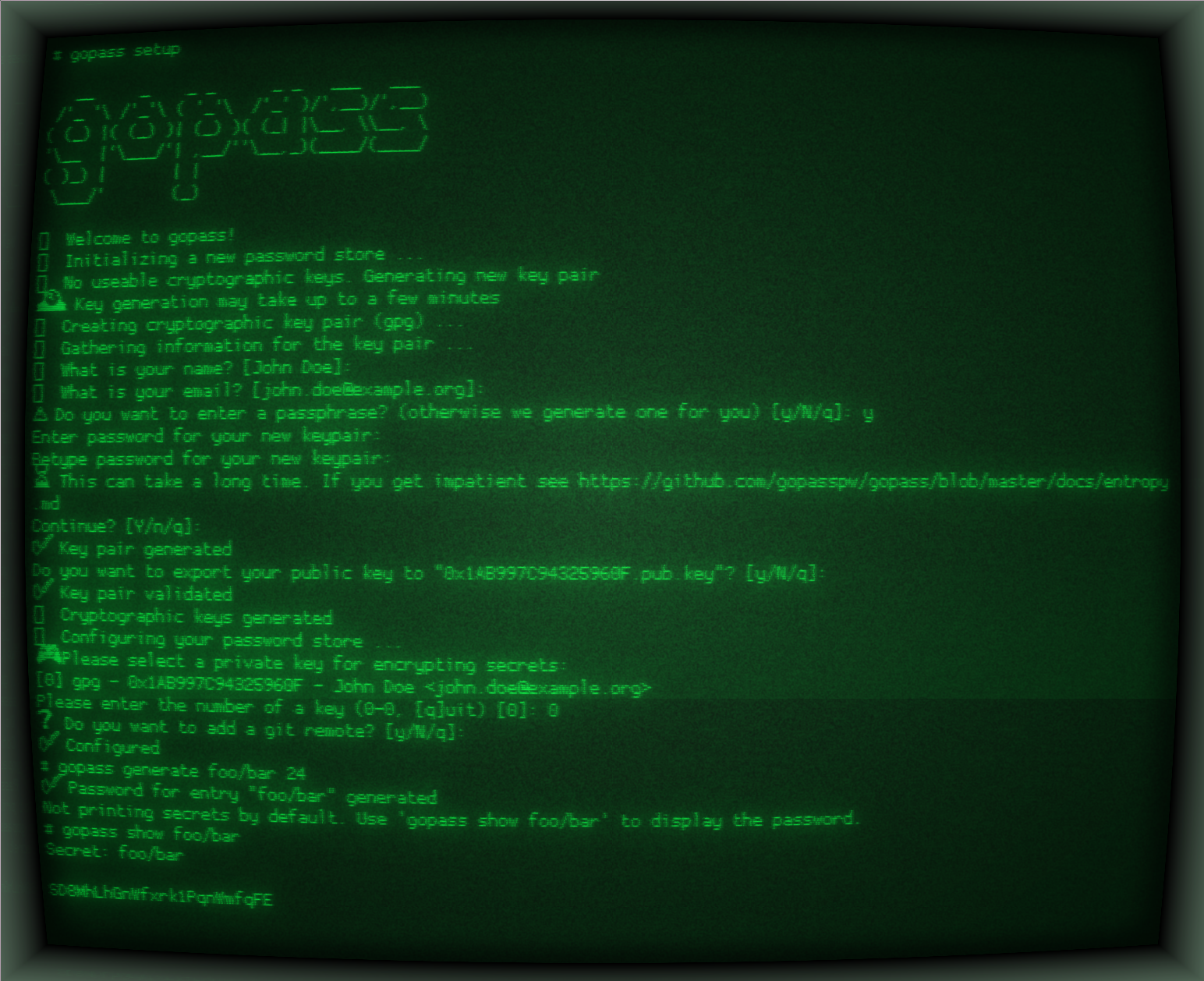
请懈怠。
我们欢迎任何贡献。有关更多信息,请参见dragting.md。
Gopass是根据MIT许可证的条款获得许可的。您可以在LICENSE中找到完整的文本。
请参阅我们的贡献者页面以获取我们的贡献者的完整列表。





