chucker
v4.1.0


叉子叉

Chucker简化了您的Android应用程序发射的HTTP请求/响应的检查。查克(Chucker)充当OKHTTP拦截器,将您应用程序中的所有这些事件持续存在,并提供了用于检查和共享其内容的UI。
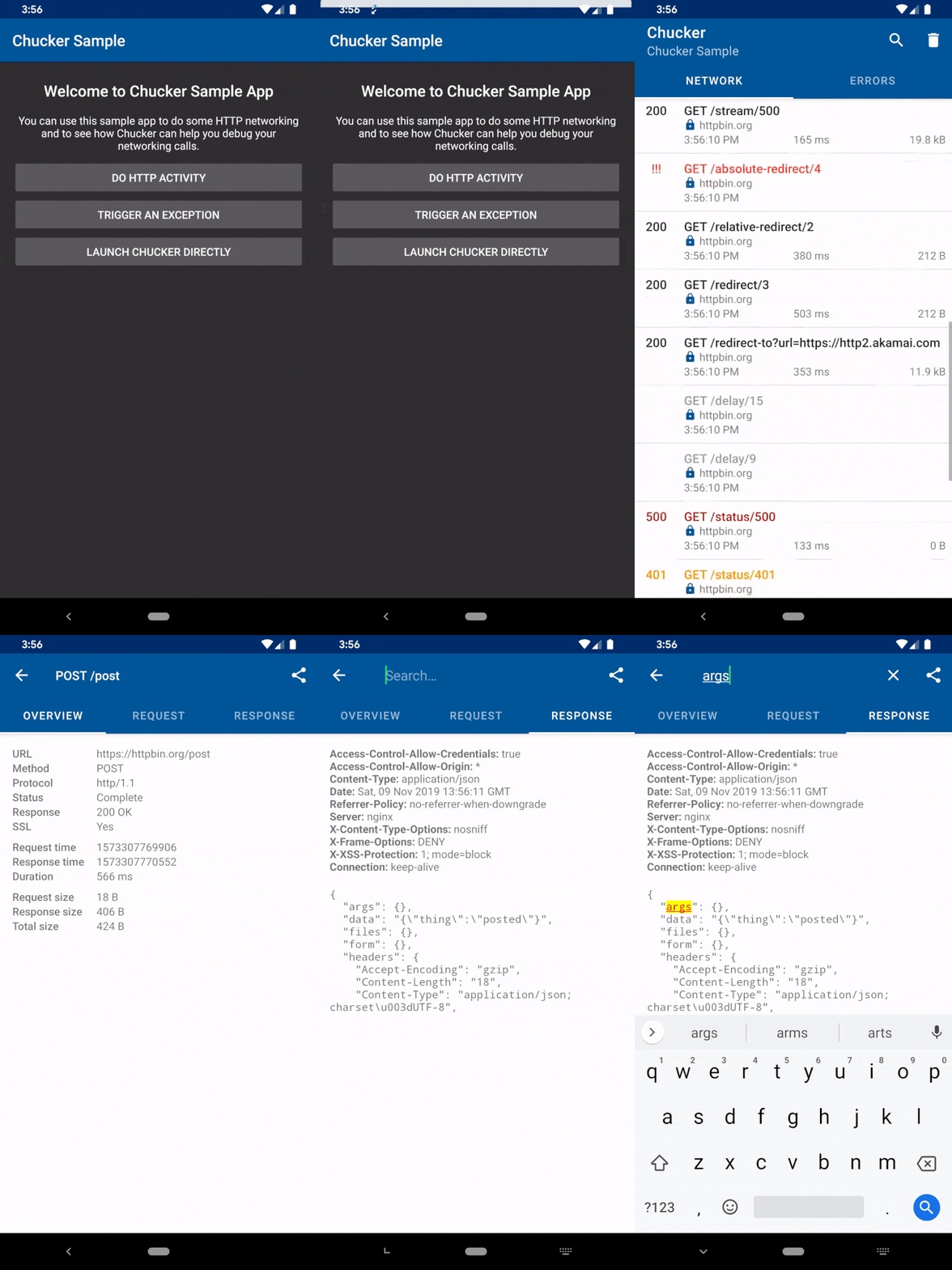
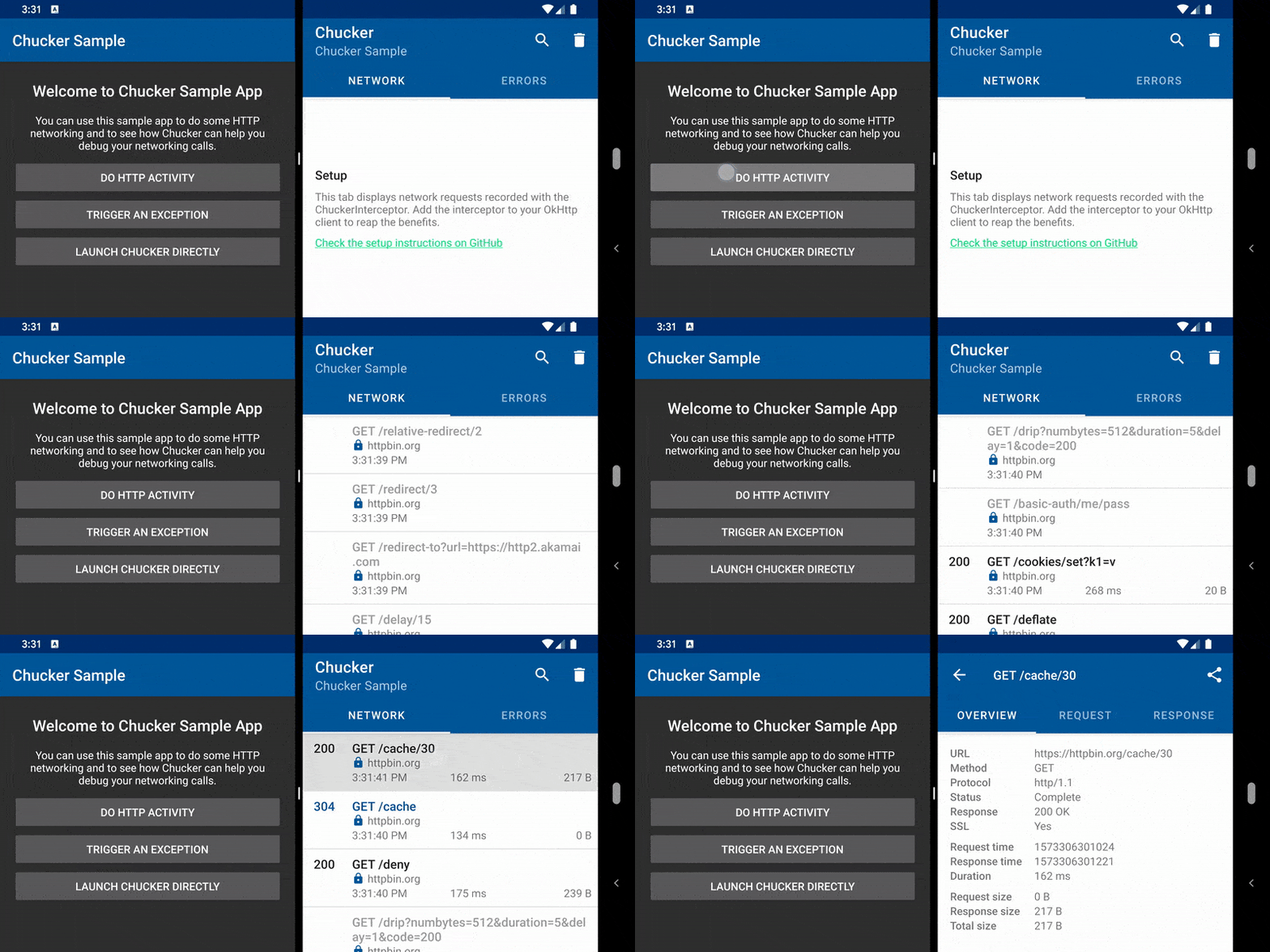
使用Chucker的应用将显示一份通知,显示正在进行的HTTP活动的摘要。敲击通知将启动完整的Chucker UI。应用程序可以选择抑制通知,并直接从其自己的界面中启动Chucker UI。
Chucker通过Maven Central分发。要使用它,您需要将以下Gradle依赖关系添加到Android应用模块的build.gradle文件(而不是根文件)。
请注意,您应该同时添加library和library-no-op变体,以将Chucker与发行版隔离如下:
dependencies {
  debugImplementation " com.github.chuckerteam.chucker:library:4.1.0 "
  releaseImplementation " com.github.chuckerteam.chucker:library-no-op:4.1.0 "
}要开始使用Chucker,只需将新的ChuckerInterceptor插入您的OKHTTP客户端构建器:
 val client = OkHttpClient . Builder ()
                .addInterceptor( ChuckerInterceptor (context))
                .build()
就是这样! ? Chucker现在将记录您的OKHTTP客户端进行的所有HTTP交互。
从历史上看,查克是通过Jitpack分发的。您可以在此处找到Chucker的旧版本:。
不要忘记检查ChangElog,以查看Chucker最新版本的所有更改。
implementation线)。主要的Chucker活动是在自己的任务中启动的,可以使用Android 7.X多窗口支持与主机应用程序一起显示。
您可以自定义Chucker提供ChuckerCollector的实例:
 // Create the Collector
val chuckerCollector = ChuckerCollector (
        context = this ,
        // Toggles visibility of the notification
        showNotification = true ,
        // Allows to customize the retention period of collected data
        retentionPeriod = RetentionManager . Period . ONE_HOUR
)

// Create the Interceptor
val chuckerInterceptor = ChuckerInterceptor . Builder (context)
        // The previously created Collector
        .collector(chuckerCollector)
        // The max body content length in bytes, after this responses will be truncated.
        .maxContentLength( 250_000L )
        // List of headers to replace with ** in the Chucker UI
        .redactHeaders( " Auth-Token " , " Bearer " )
        // Read the whole response body even when the client does not consume the response completely.
        // This is useful in case of parsing errors or when the response body
        // is closed before being read like in Retrofit with Void and Unit types.
        .alwaysReadResponseBody( true )
        // Use decoder when processing request and response bodies. When multiple decoders are installed they
        // are applied in an order they were added.
        .addBodyDecoder(decoder)
        // Controls Android shortcut creation.
        .createShortcut( true )
        .build()

// Don't forget to plug the ChuckerInterceptor inside the OkHttpClient
val client = OkHttpClient . Builder ()
        .addInterceptor(chuckerInterceptor)
.build()警告使用Chucker时生成和存储的数据可能包含敏感信息,例如授权或Cookie标头,以及请求和响应机构的内容。
它旨在在开发过程中使用,而不是发行版本或其他生产部署。
您可以通过调用ChuckerInterceptor上的redactHeader(String)来编辑包含敏感信息的标头。
interceptor.redactHeader( " Auth-Token " , " User-Session " );默认情况下,Chucker仅处理纯文本,GZIP压缩或Brotli被压缩。如果您使用二进制格式,例如Protobuf或Thrift,则不会由Chucker自动处理。但是,您可以安装能够从不同编码读取数据的自定义解码器。
 object ProtoDecoder : BodyDecoder {
    fun decodeRequest ( request : Request , body : ByteString ): String? = if (request.isExpectedProtoRequest) {
        decodeProtoBody(body)
    } else {
        null
    }

    fun decodeResponse ( request : Response , body : ByteString ): String? = if (request.isExpectedProtoResponse) {
        decodeProtoBody(body)
    } else {
        null
    }
}
interceptorBuilder.addBodyDecoder( ProtoDecoder ).build()从Android 13开始,您的应用需要向用户请求android.permission.POST_NOTIFICATIONS许可以显示通知。由于查克(Chucker)还显示了显示网络活动的通知,因此您需要根据您的应用程序功能来处理权限请求。没有此许可,Chucker将跟踪网络活动,但是Android 13和更新的设备上不会发出通知。
有2种可能的情况:
android.permission.POST_NOTIFICATIONS授予您的应用程序时显示通知。Allow对话框中的允许。如果您不允许此权限或错误地解散该对话框,则在每次Chucker发射时,都会有一个带有按钮的Snackbar来打开您的应用程序设置,您可以在其中更改权限设置。请注意,您需要在设置中将android.permission.POST_NOTIFICATIONS授予应用程序,因为设置中的应用列表中不会有单独的应用程序。 如果您要从查克(Chuck)迁移到查克(Chucker) ,请参阅此迁移指南。
如果您从Chucker v2.0迁移到v3.0 ,请期待多次破坏更改。您可以在此其他迁移指南中找到有关如何更新代码的文档。
Chucker的发展发生在main分支。到main的每个推动都会触发即将推出的版本的SNAPSHOT伪像的出版。您可以直接从Sonatype中获得这些快照伪像:
 repositories {
    maven { url " https://oss.sonatype.org/content/repositories/snapshots/ " }
}
dependencies {
  debugImplementation " com.github.chuckerteam.chucker:library:4.2.0-SNAPSHOT "
  releaseImplementation " com.github.chuckerteam.chucker:library-no-op:4.2.0-SNAPSHOT "
}
此外,您仍然可以使用Jitpack建立每个分支。因此, main的顶部可以在此处找到:
 repositories {
    maven { url " https://jitpack.io " }
}
dependencies {
  debugImplementation " com.github.chuckerteam.chucker:library:main-SNAPSHOT "
  releaseImplementation " com.github.chuckerteam.chucker:library-no-op:main-SNAPSHOT "
}如果您正在寻找最新的稳定版本,则可以随时在Releases部分中找到它。
Content-Encoding或Accept-Encoding )丢失了?请参阅OKHTTP文档的这一部分。您可以选择使用Chucker作为应用程序或网络拦截器,具体取决于您的要求。
为了跟上OKHTTP的更改,我们决定在4.x版本中撞击其版本。 Chucker 3.5.x支持Android 16+,但其积极的开发停止了,只有错误修复和较小的改进才能在3.X分支机构上降落,直到2021年3月。
在夜晚,周末和团队有空闲时间的情况下,查克(Chucker)得到维护和改善。如果您在项目中使用Chucker,请考虑赞助我们。这将有助于我们为我们很快拥有的网站购买一个域名,并在慈善机构上花费一些钱。此外,赞助也将帮助我们更好地了解Chucker对人们日常工作的价值。
您可以通过单击Sponsor按钮来赞助我们。
我们在Kotlinlang.slack.com上的#Chucker频道上为Chucker提供支持。快来加入那边的对话。
我们正在寻找贡献者!不要害羞。 ?随时开放问题/拉动请求,以帮助我们改善该项目。
新贡献者的简短TODO :
Help wanted问题为了开始在Chucker上工作,您需要在Android Studio/Intellij Idea中分配该项目并将其打开。
在进行之前,我们建议您使用以下命令安装预密码挂钩:
./gradlew installGitHook
这将确保您的代码在每次提交之前对KTLINT和DETEKT进行验证。该命令将在clean任务之前自动运行,因此您应该在那时安装前签名。
在提交公关之前,请运行:
./gradlew build
这将构建库,并将在本地运行所有验证任务(KTLINT,DETEKT,LINT,单位测试)。这将确保您的CI检查将通过。
Chucker目前是由Chuckerteam开发和维护的。提交新公关时,请ping之一:
非常感谢我们的贡献者❤️
Chucker使用以下开源库:
    Copyright (C) 2018-2021 Chucker Team.
    Copyright (C) 2017 Jeff Gilfelt.

    Licensed under the Apache License, Version 2.0 (the "License");
    you may not use this file except in compliance with the License.
    You may obtain a copy of the License at

       http://www.apache.org/licenses/LICENSE-2.0

    Unless required by applicable law or agreed to in writing, software
    distributed under the License is distributed on an "AS IS" BASIS,
    WITHOUT WARRANTIES OR CONDITIONS OF ANY KIND, either express or implied.
    See the License for the specific language governing permissions and
    limitations under the License.





