support palestine banner
1.0.0

欢迎来到支持巴勒斯坦横幅项目!该存储库包含许多标志,以帮助在网络上显示对巴勒斯坦的支持 - 包括网站横幅,读书人横幅和Github徽章 - OSS项目可以将其用于传播词,支持事业并帮助巴勒斯坦在这种灾难性的情况下。
要在您自己的项目中包括显示的显示横幅 -
找到您想从下面的“徽章和横幅”部分中使用的特定支持横幅。
复制并粘贴所选横幅的关联的标准代码,并将支持项目中的Markdown的任何文件。
要包括网站横幅,请确保从“网站横幅安装”部分复制HTML摘要,并在您项目的HTML文件的开头<body>标签后立即粘贴它。
如果您想自定义支持横幅中的链接,只需用所需的链接替换现有链接即可。
保存更改后,横幅应立即显示。请参阅下面的“故障排除”部分和/或如果查看有任何问题,请参见。
[ ![ StandWithPalestine ] ( https://raw.githubusercontent.com/Safouene1/support-palestine-banner/master/StandWithPalestine.svg )] ( https://github.com/Safouene1/support-palestine-banner/Markdown-pages/Support.md ) [ ![ ReadMeSupportPalestine ] ( https://raw.githubusercontent.com/Safouene1/support-palestine-banner/master/banner-support.svg )] ( https://github.com/Safouene1/support-palestine-banner/Markdown-pages/Support.md ) [ ![ ReadMeSupportPalestine ] ( https://raw.githubusercontent.com/Safouene1/support-palestine-banner/master/banner-project.svg )] ( https://github.com/Safouene1/support-palestine-banner/Markdown-pages/Support.md )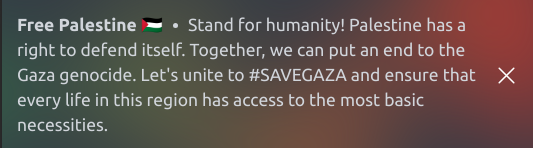
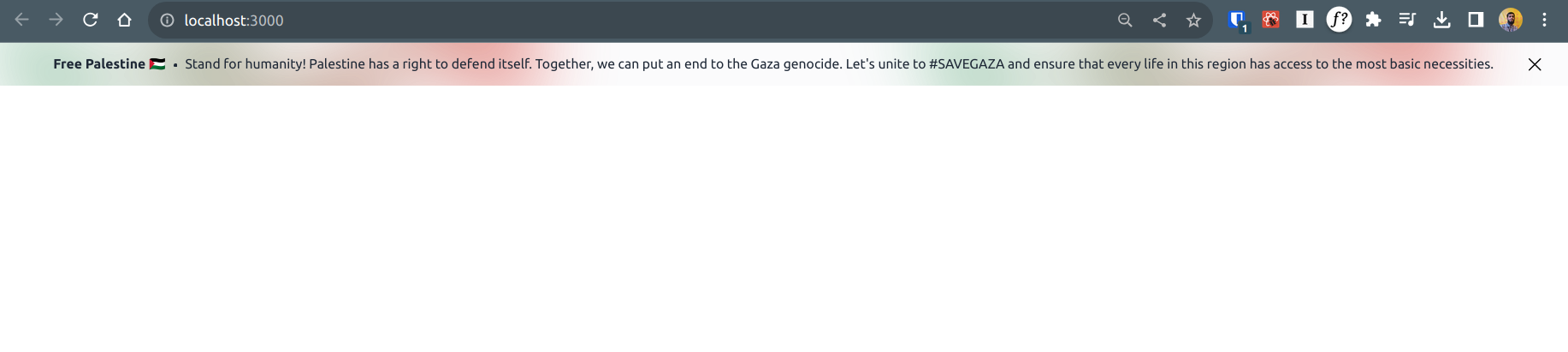
这些组件开箱即用支持
| 特征 | |
|---|---|
| ✅ | JavaScript |
| ✅ | 打字稿 |
| ✅ | 服务器组件 |
| ✅ | 响应迅速 |
| ✅ | 可关闭 |
| ✅ | 位置粘性或亲戚 |
如果您不使用尾风,请导入此CSS文件:banner.css
组件可以在这里找到
使用此片段在网站顶部向巴勒斯坦人表示支持。安装它需要几分钟。

该代码在您的网站上添加了一个小黑色横幅,并带有巴勒斯坦国旗和支持消息。它链接到伊斯兰利益的捐赠网站,但您可以将链接更改为指向您选择的支持渠道。

安装很简单。只需在打开<body>标签后立即将此代码复制到您的模板。
 < style >
  body {
    margin-top: 35px;
  }
  .support-palestine,
  .support-palestine:visited {
    position: absolute;
    left: 0;
    top: 0;
    right: 0;
    background: rgb(0, 0, 0);
    display: flex;
    justify-content: center;
    padding-top: 5px;
    padding-bottom: 5px;
    z-index: 10000;
    text-decoration: none;
    font-family: arial;
  }
  .support-palestine:hover,
  .support-palestine:active {
    background: black;
    display: flex;
    background: rgb(80, 80, 80);
    text-decoration: none;
  }
  .support-palestine__flag {
    margin-right: 10px;
  }

  .support-palestine__label {
    color: white;
    font-size: 12px;
    line-height: 24px;
  }
  .background {
    background: darkgreen;

    height: 21px;
  }
  .top {
    background: black;
    width: 40px;
    height: 8px;
    z-index: 1;
  }
  .middle {
    background: white;
    width: 100%;
    height: 8px;
    z-index: 1;
  }
  .triangle {
    background: auto;
    border-top: 12px solid transparent;
    border-bottom: 12px solid transparent;
    border-left: 20px solid red;
    z-index: 2;
    position: relative;
    top: -16px;
    left: 0;
  }
</ style >
< a
  class =" support-palestine "
  href =" https://www.islamic-relief.org.uk/giving/appeals/palestine/ "
  target =" _blank "
  rel =" nofollow noopener "
  title =" Donate to support palestine "
>
  < div
    class =" support-palestine__flag "
    role =" img "
    aria-label =" Flag of palestine "
  >
    < div class =" background " >
      < div class =" top " > </ div >
      < div class =" middle " > </ div >
      < div class =" triangle " > </ div >
    </ div >
  </ div >
  < div class =" support-palestine__label " > Donate to support Palestine </ div >
</ a >在此处阅读有关自定义Web组件的更多信息。
欢迎对该项目的贡献!如果您想将任何内容添加到此存储库中,请单击此处以获取贡献指南。
如果横幅没有出现在您的网站上?
解决方案:仔细检查并确保在开口<body>标签之后立即插入所需的HTML代码。然后,检查样式中是否有任何冲突的CSS错误。
如果横幅的文字不可读取?
解决方案:找到粘贴的HTML代码,并为文本和背景的颜色编辑CSS属性,以改善对比度。
SATR14的角落
LGU时间表
Safouen Turki
Amin Boulouma
很棒的#freepalestine?支持套件
Envio CLI
bixat.dev
该项目目前已根据MIT许可证获得许可。有关详细信息,请参见许可证文件。





