
When some users use the Daily English Listening application, they think that the text layout style that comes with the system is not beautiful, so they want to readjust it. So, how to set up the text layout for daily English listening? Next, I will introduce you to the method of setting font typesetting. I hope it will be helpful to you.

1. Open the Daily English Listening app and click on the account in the lower right corner.
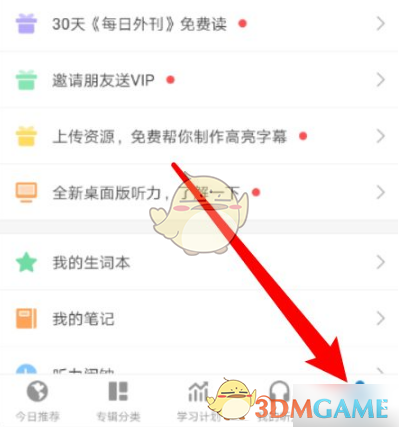
2. Click Software Settings.

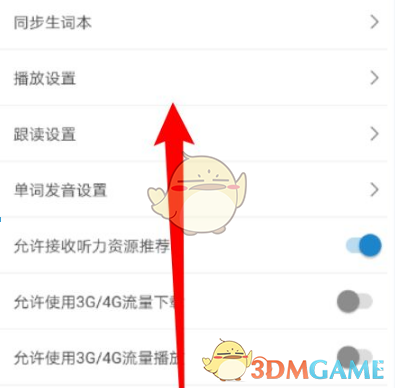
3. Click Playback Settings.
4. Click Font Layout.
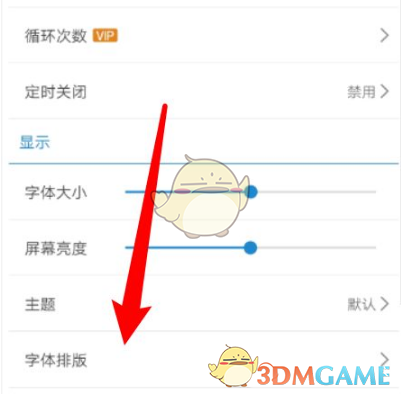
5. Select the alignment method.

The above is the daily English listening how to set the font typesetting? Set the font typesetting method, and for more related information and tutorials, please pay attention to this website.