
Azure Files will successfully launch its official open beta tomorrow on the 3rd. This time, the official open beta has brought a lot of value-added benefits and new special optimization content to players. So how to change the poster girl in the game, let’s follow Let’s take a look at how to replace the Azure Files poster girl.

1. Open the main interface of the game and click on the cycle logo in the upper right corner, as shown in the figure below.
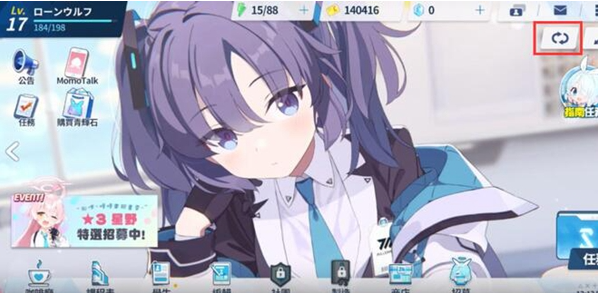
2. After clicking it, the panel here will display the characters you own. If the player needs to change, just click Replace.
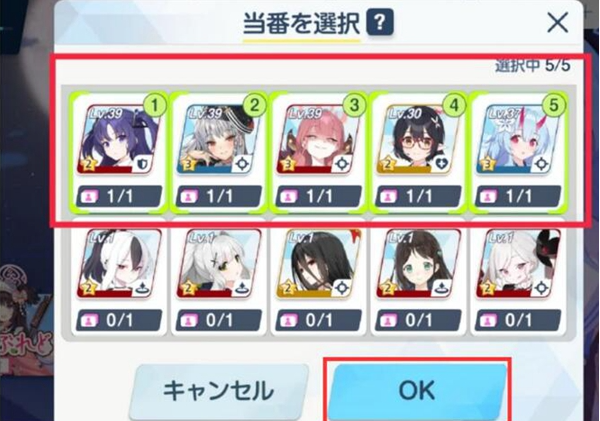
3. Click the OK option one last time to complete the role replacement. The > arrow next to it can be clicked again to change directly.
