
Every time ToDesk is updated, users need to update manually. So how can ToDesk enable automatic updates? The following content brings you a tutorial on turning on automatic updates in ToDesk. Users who don’t know how to operate it can take a look.

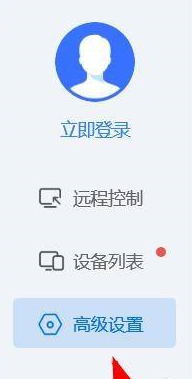
1. When we open [ToDesk], we can find [Advanced Settings] on the left and press
2. Then we can find [Basic Settings] and press

3. Finally, when we scroll down, we can see the [Automatic Update] attribute and press to turn it on.
