
Online QQ group: 1st group 328968415, 2nd group 165867368, 3rd group 579478540, 4th group 497795971
For game or online issues, please contact the Ranger Battle Platform customer service QQ: 800172213.
Ranger battle platform download address: https://pk.llren.com/
If the host cannot be found, refresh a few times.
"Don't Starve Rev.427361 Edition" The old god returns, the online version of the Sea of Trouble. 0828 Chinese installation-free green online hard disk version download address
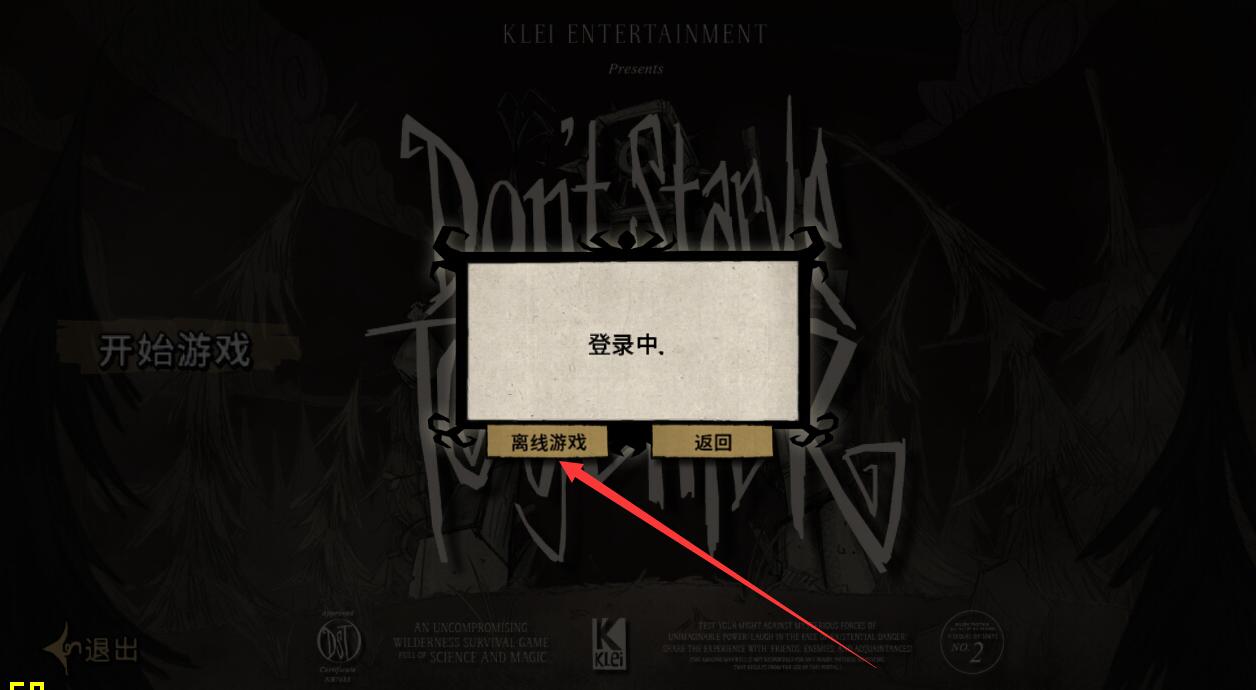
The first time you enter the game, select Play!-Offline mode (play offline) to enter, and then change the language to Chinese in the settings.
Special tips:
When entering the game for the first time, select offline mode (play offline) to enter. After going offline again, you can browse other people's hosts or create your own host.

How to change the name: Open SteamConfig.ini in the bin folder under the game directory with Notepad, find this sentence: PlayerName = gaimingzi, change the Chinese characters behind to the name you want and save it.

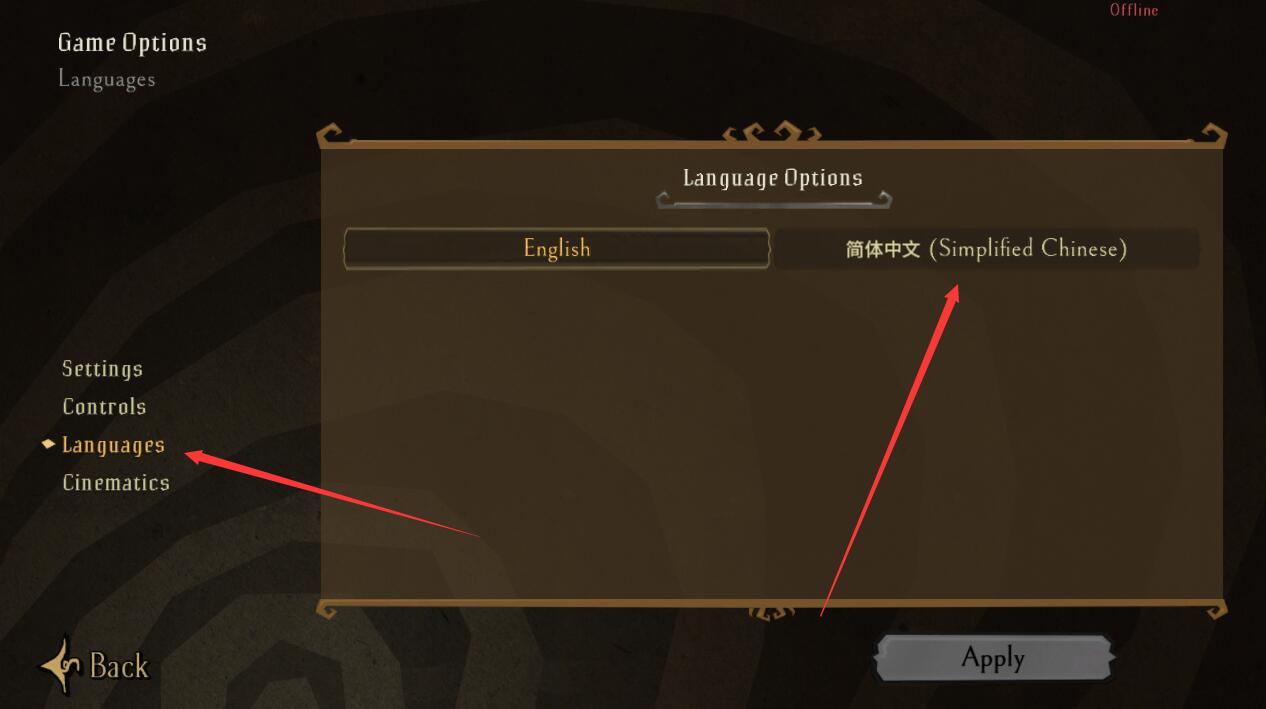
How to change the language in settings to Chinese: Options-Languages-Simplified Chinese.
I can’t log into the host, or I’m prompted to log in again, or I log in once and then log out, and then I’m prompted again: The server is temporarily not accepting new connections.
Some players will encounter this problem and find that they cannot log into their friend's host, but they can log into other people's hosts; or they may be prompted to log in again when they log into the host.
When entering a friend's host, it prompts: The server is temporarily not accepting new connections. Please wait a while and try again.
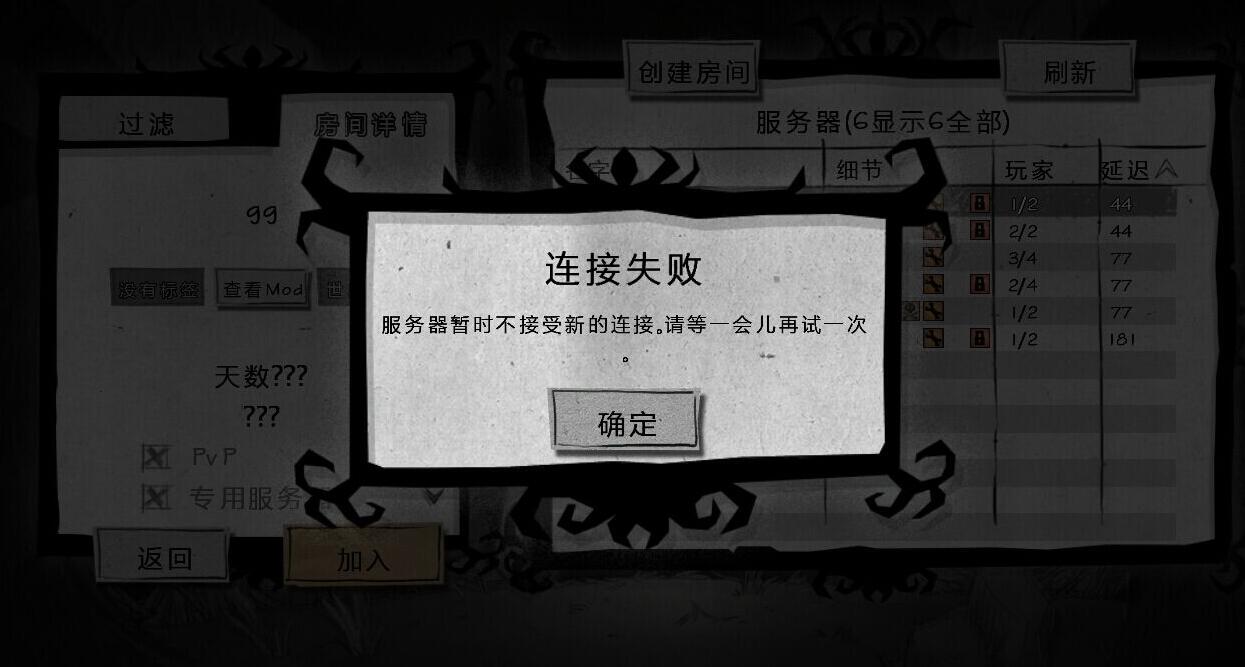
If this happens, it is likely that your high-level ID is the same as your friend's default one.
Open SteamConfig.ini in Notepad mode and find this sentence:;SteamUserIDH=12345678.
Remove the semicolon in front (a semicolon means this function is not activated, remove the semicolon and activate it), and then change the number at the end (12345678).
This way you and your friend's high-level ID will be different, so there should be no problem.

Some of the most basic conditions for online connection
1: The game version must be the same to be able to connect online.
2: Several most basic conditions for online connection.
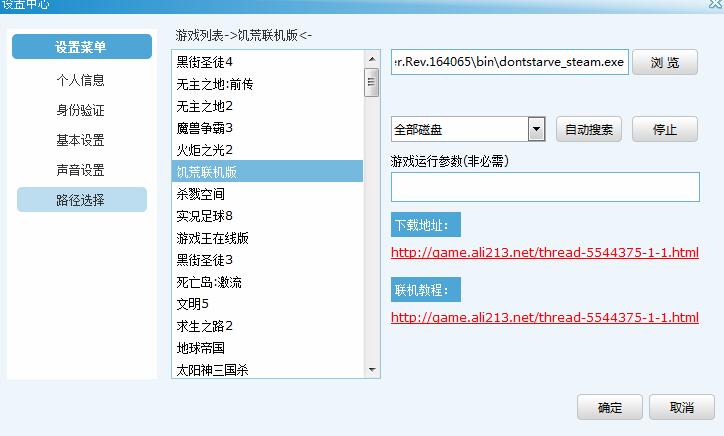
Open the Ranger battle platform, enter the game's special room in the popular area; click Settings - Browse, load the game's exe, and confirm. Then start the game. Picture below.
After starting the game through the platform, click Play offline. Then check the Chinese MOD in the MODS option. Picture below.
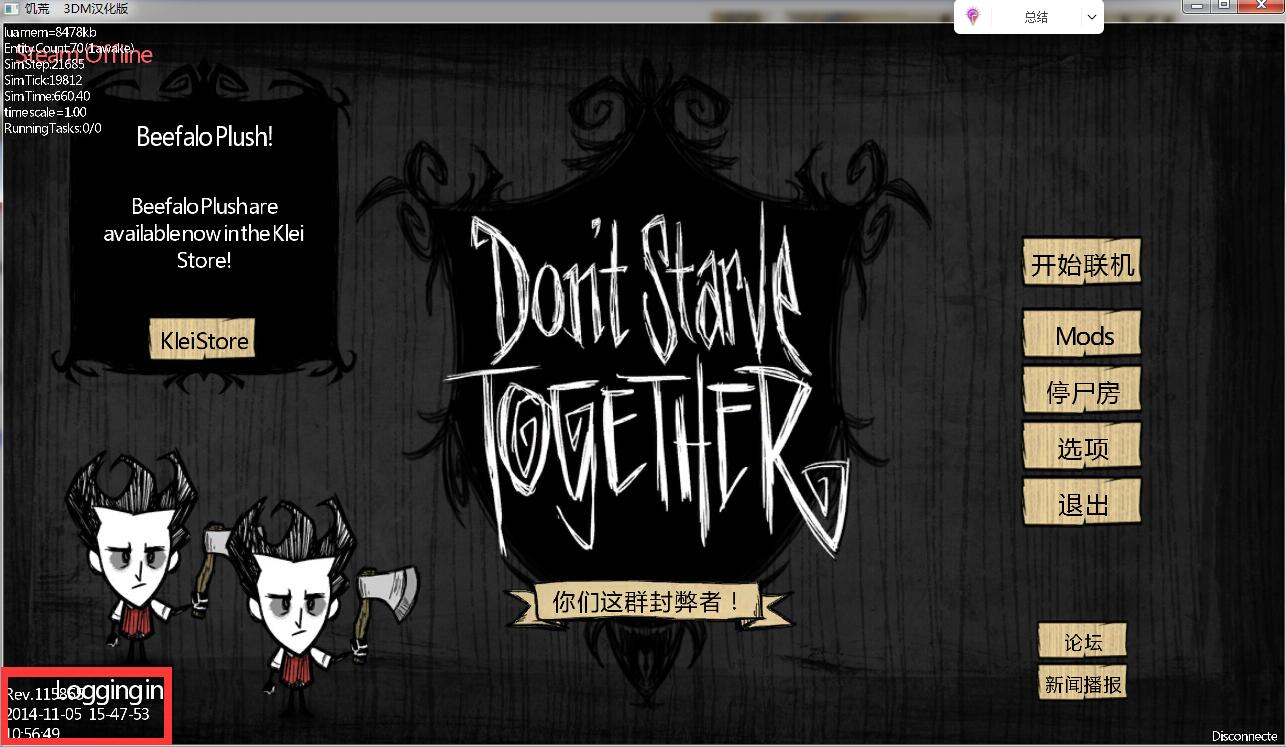
How to check the version number in Don’t Starve Together game
Open the game and enter the game interface. Press the BackSpace key (the key above Enter) in the game. There will be the version number of the game in the lower left corner. (picture below)
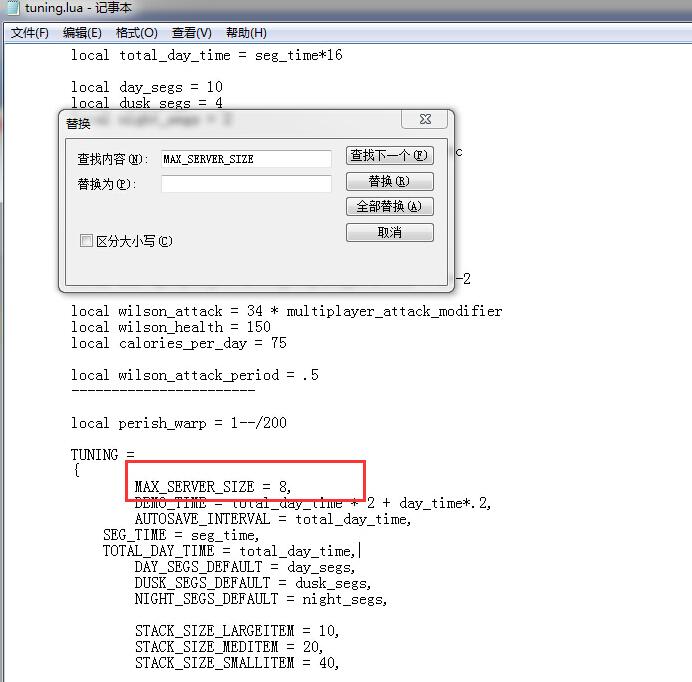
How to modify the number of people online in Don’t Starve Online version
Open this file in Notepad under the game directory: datascriptstuning.lua
Search: MAX_SERVER_SIZE
For example, if you want to change it to 8 people, change it like this: MAX_SERVER_SIZE = 8
Various errors occur when starting the game in Don't Starve Online and the game cannot be entered. How to solve this problem?
Open the game directory _CommonRedistDirectXJun2010DXSETUP.exe and double-click the runtime to install it.
Open the game directoryVCRedistvcredist_x86.exe and double-click the runtime to install it.
I am the latest Don’t Starve Together version 427361. The solution to the problem of incorrect password when entering other people’s hosts
Some people use the latest 239925 to connect to the platform, and when entering a host without a password, they are prompted with an incorrect password. Thought it was a version BUG.
In fact, the host you are connecting to is of a different version than yours, so you cannot connect. (Wrong translation here)
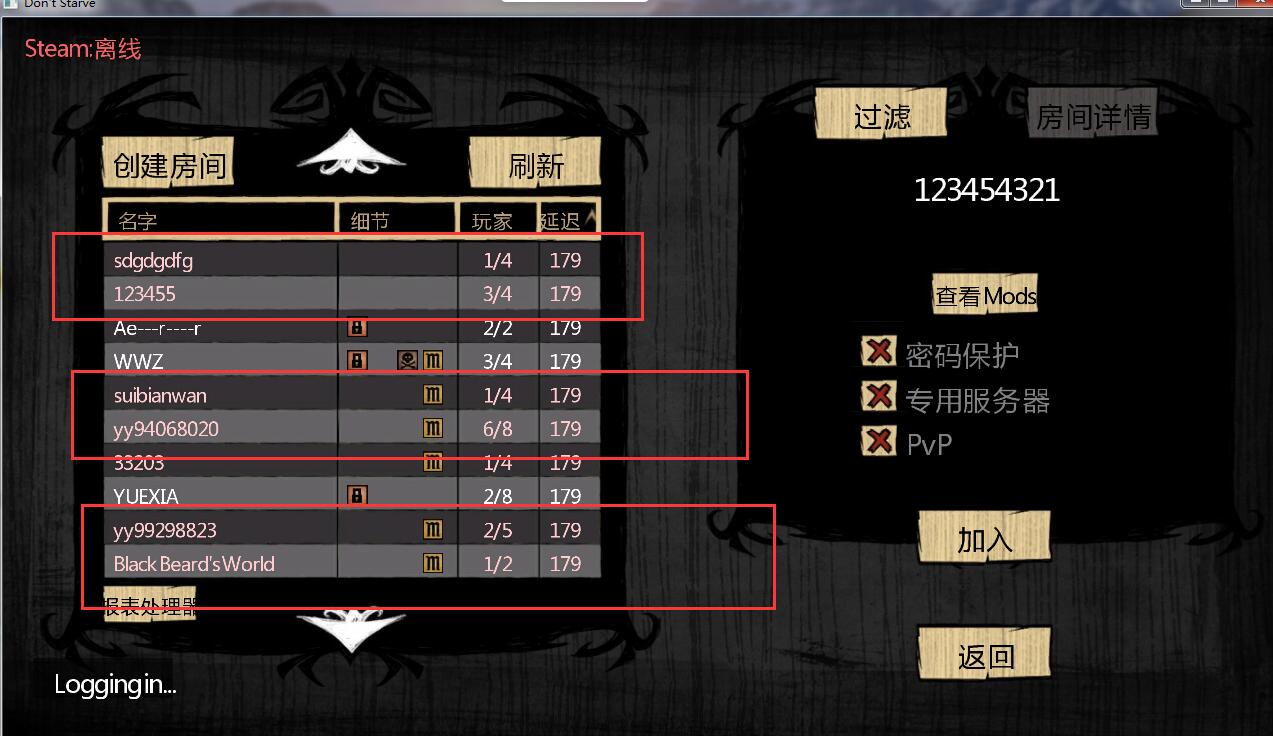
The latest version 239925 has a function, and the host seen is divided into two colors: white and pink.
The white color means that you can connect online, and the pink color means that the host is not the same version as you.
Solution to the problem that "Don't Starve Together" cannot click any options when entering the game, or a warning appears when entering the console
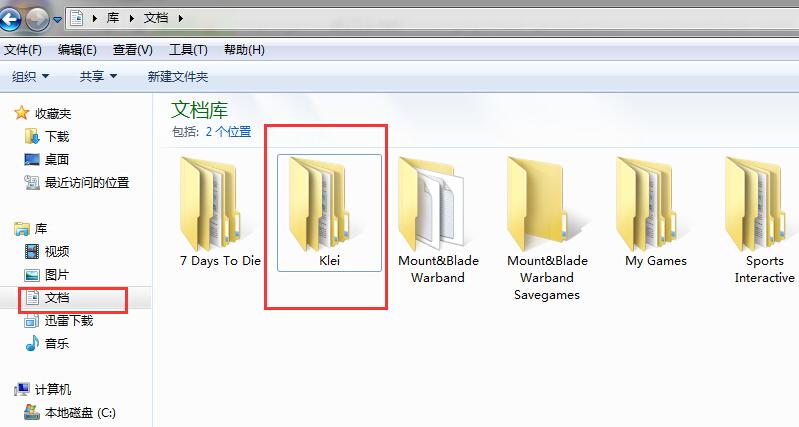
Open My Documents, find the Klei folder inside, and delete the settings.ini file under the DoNotStarveTogether folder in this folder.

How to solve the problem of not seeing the host when entering the game Don’t Starve
When I enter the game Don’t Starve and I can’t see the console, it may be caused by two problems.
1: Open My Documents, delete this file and see if it works. KleiDoNotStarveTogethersaveprofile
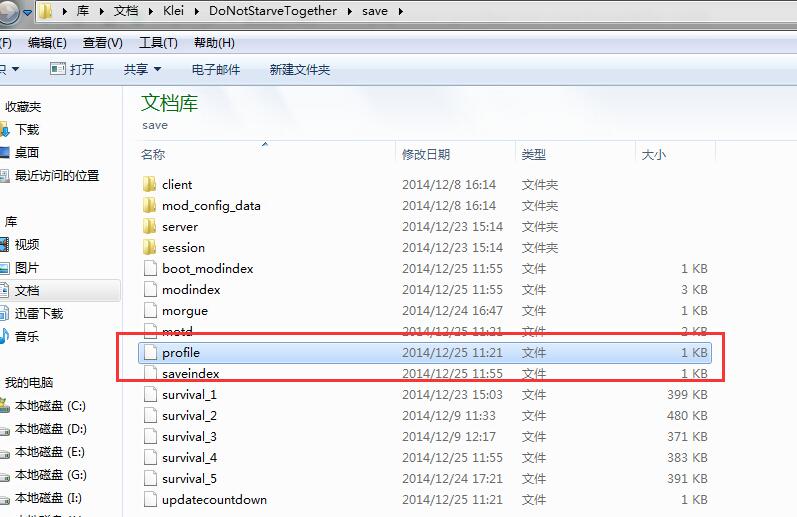
If it still doesn't work, try deleting the Klei folder.