
Let’s take a look at the specific operation methods of Baidu Express Edition to unbind Alipay .
Enter the Alipay [My] page and click the [Settings] icon button in the upper right corner

Enter the [Settings] setting page and click the [Account and Security] button.

Enter the [Account and Security] page and click the [Security Center] button below.

On the [Security Center] page, click the [More Services] button.
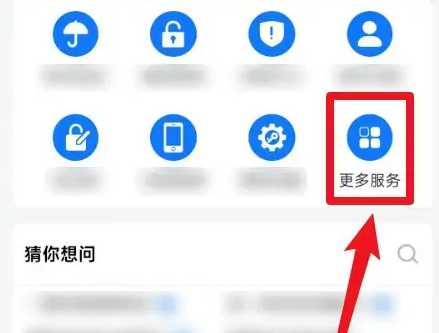
On the [More Services] page, click the [Account Authorization] button.

On the [Account Authorization] page, click the [Baidu Express Edition] button.

On the [Account Authorization] page, click the [Baidu Express Edition] button.

Click the [Confirm] button to unbind Baidu Express Edition.
