
How to remove text from quick video clips and the steps to remove original subtitles from videos in quick video clips . Let’s take a look together.
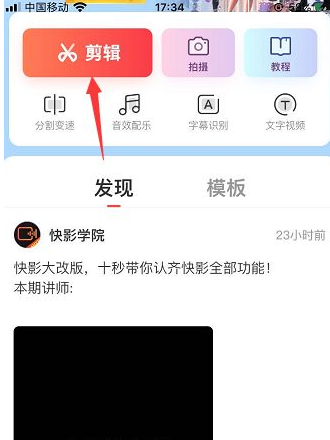
1. First we need to enter the Kuaiying software, click Edit on the editing page, and then upload the video from the album;
2. After uploading the video, click the subtitle function in the lower right corner;

3. Then click Speech to Subtitles in the toolbar;

4. After clicking on that function, click [Clear existing movie subtitles at the same time] in the pop-up function options;

5. Finally, enable Clear Existing Subtitles at the same time and select Start Recognition below;
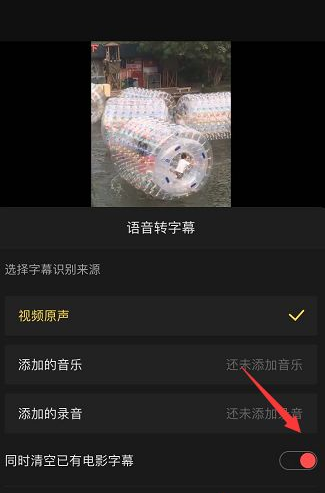
6. Then the software will automatically clear the original subtitles and re-identify the audio subtitles in the video;
