
Miracle Literature publishes short story tutorials on how to contribute to Miracle Novels . If you are interested, don’t miss it.
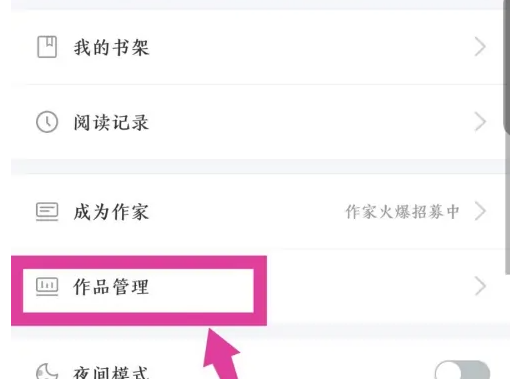
In my interface, click on the work management option below. As shown in the picture
In the opened work management interface, click Write Short Story in the upper right corner. As shown in the picture

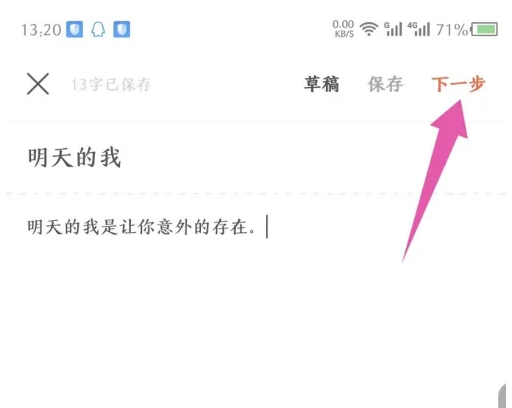
In the editing interface that opens, set the title of the short story and edit the text content. As shown in the picture

After editing the short content, click Next in the upper right corner. As shown in the picture
In the work publishing interface that opens, follow the prompts above to select the channel, style and tag of the work. As shown in the picture

After the selection is completed, you can see the publishing short story below, click Publish. As shown in the picture

After the publication is successful, return to the work management interface and you can see that it is under review. As shown in the picture
