Stellar Player is a decoding player that supports all formats. Does anyone know how to set up audio pass-through output in Stellar Player? The following is a tutorial on how to set up the audio pass-through output of Stellar Player . Friends who need it, please come and take a look.

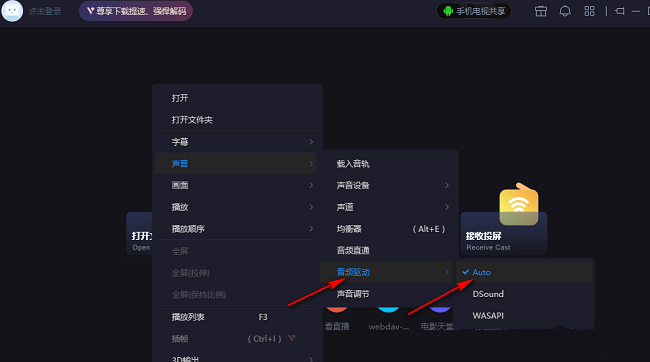
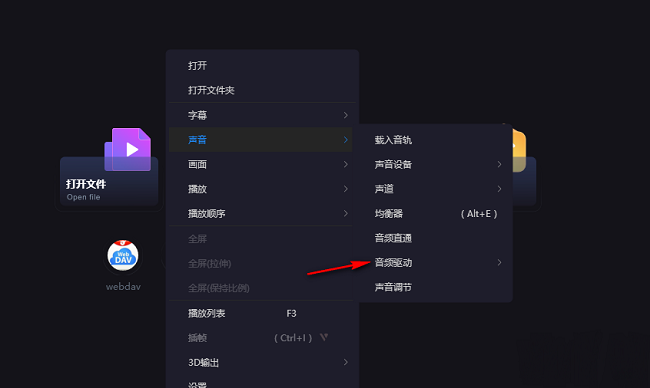
1. Double-click to open the software, right-click on a blank space on the page, and select "Sound" in the option list.

2. Then click "Sound Settings" and then check the option containing "S/PDIF" in the list.

3. Then click "Audio Driver" in the menu list.
4. Finally, select the "Auto" option.